
Wireless Gear G0685
Wireless Gear Bluetooth 5.0 True Wireless Stereo Sport Earhooks User Manual
Modelis: G0685
Įvadas
This manual provides detailed instructions for the Wireless Gear Bluetooth 5.0 True Wireless Stereo Sport Earhooks. Please read this manual carefully before use to ensure proper operation and to maximize the lifespan of your device.
Pakuotės turinys
Pakuotėje turi būti šie elementai:
- Dvi belaidės ausinės
- Įkrovimo dėklas
- USB įkrovimo laidas
- Vartotojo vadovas
Produktas baigtasview
The Wireless Gear Sport Earhooks are designed for comfortable and secure wear during various activities. They feature touch controls and come with a portable charging case.

Image: Wireless Gear Sport Earhooks (white) inside their black zippered charging case, with the case lid open.
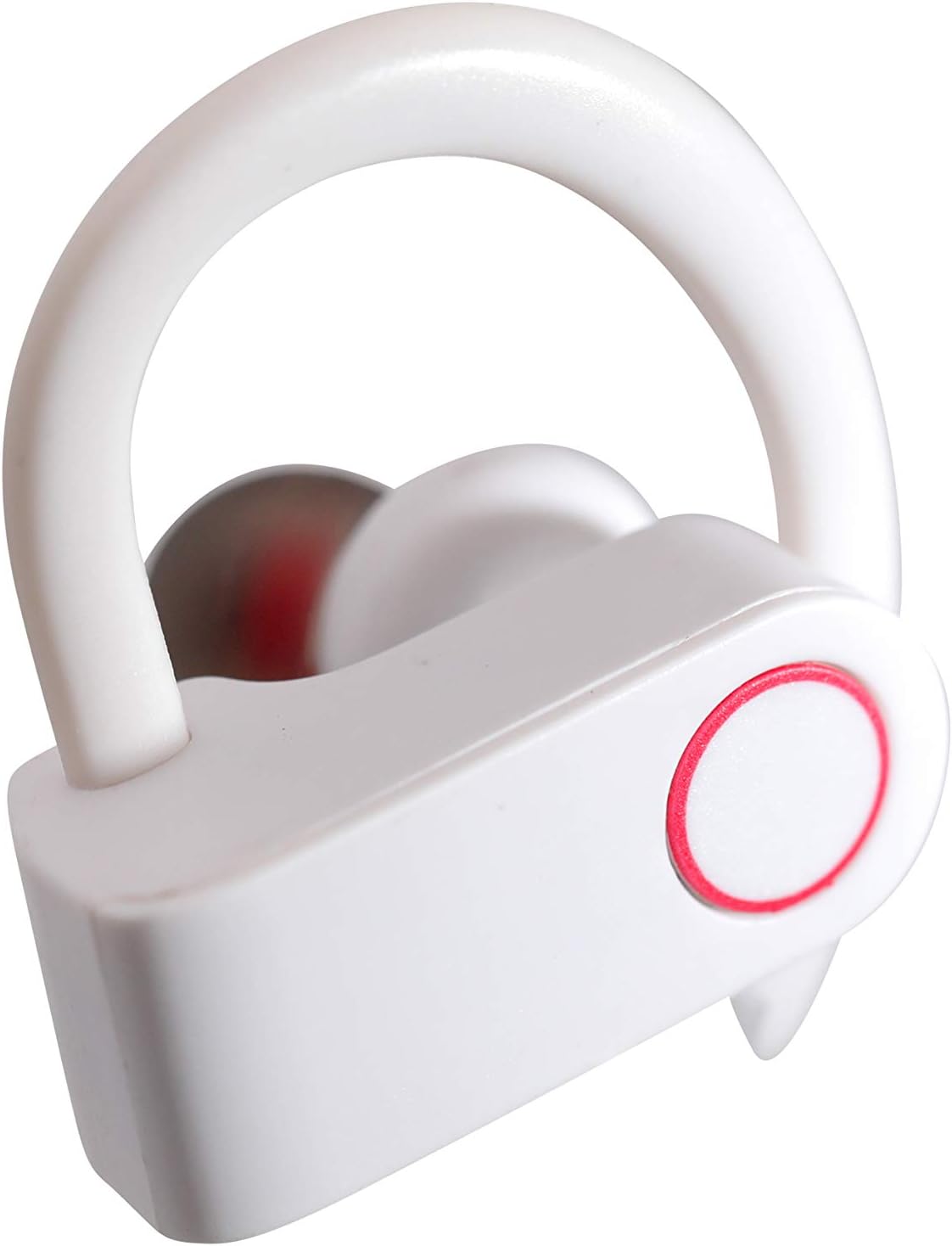
Image: A detailed close-up of a single white Wireless Gear Sport Earhook, highlighting the ear hook design and the circular touch control area with a red outline.
Sąranka
1. Pradinis įkrovimas
Prieš pirmą kartą naudodami, visiškai įkraukite ausines ir įkrovimo dėklą.
- Įdėkite abi ausines į įkrovimo dėklą. Įsitikinkite, kad jos tinkamai įstatytos.
- Connect the USB charging cable to the charging case and a compatible USB power source (e.g., computer USB port, wall adapter).
- The indicator lights on the case and/or earbuds will show charging status. Refer to the product's specific light indicators for full charge notification.

Image: A person's hands are shown placing the white Wireless Gear Sport Earhooks into their open black charging case, with a laptop visible in the background.
2. Susiejimas su įrenginiu
The earbuds feature auto-pair and auto-power on functionality for seamless connection.
- Išimkite abi ausines iš įkrovimo dėklo. Jos automatiškai įsijungs ir pradės veikti susiejimo režimu.
- Savo įrenginyje (išmaniajame telefone, planšetiniame kompiuteryje, nešiojamajame kompiuteryje) įjunkite „Bluetooth“.
- Ieškokite "Wireless Gear Earhooks" or a similar name in the list of available Bluetooth devices.
- Select the device name to connect. Once connected, you will hear an audible confirmation.
- Jei susiejimas nepavyksta, įdėkite ausines atgal į dėklą, uždarykite dangtelį, palaukite kelias sekundes ir pakartokite veiksmus.

Image: The white Wireless Gear Sport Earhooks are displayed next to a black smartphone, illustrating their compact size and readiness for pairing.
Naudojimo instrukcijos
Maitinimo įjungimas/išjungimas
- Maitinimas: Išimkite ausines iš įkrovimo dėklo. Jos įsijungs automatiškai.
- Išjungti: Place earbuds back into the charging case. They will power off automatically.
Palieskite valdiklius
The earbuds feature convenient touch controls on the side of each earbud.
- Leisti / pristabdyti muziką: Vieną kartą bakstelėkite bet kurią ausinę.
- Kita daina: Dukart palieskite dešinįjį ausinės antgalį.
- Ankstesnė daina: Dukart palieskite kairįjį ausinės antgalį.
- Atsiliepti / Baigti skambutį: Vieną kartą bakstelėkite bet kurią ausinę įeinančio skambučio metu.
- Atmesti skambutį: Įeinančio skambučio metu paspauskite ir 2 sekundes palaikykite nuspaudę bet kurią ausinę.
- Activate Voice Assistant (Siri for iOS): Tris kartus palieskite bet kurią ausinę.
Wearing the Earhooks
The contoured shape with behind-the-ear hooks and ear gels provides a secure and comfortable fit.
- Atpažinkite kairiąsias (L) ir dešines (R) ausines.
- Place the earbud into your ear canal and gently hook the ear hook over the back of your ear.
- Adjust the earbud and hook until it feels secure and comfortable.
Priežiūra ir priežiūra
- Valymas: Ausinėms ir įkrovimo dėklui valyti naudokite minkštą, sausą, nepūkuotą šluostę. Nenaudokite stiprių cheminių medžiagų ar abrazyvinių medžiagų.
- Saugykla: Kai nenaudojate, visada laikykite ausines įkrovimo dėkle, kad apsaugotumėte jas nuo dulkių, nešvarumų ir pažeidimų.
- Venkite vandens: These earbuds are not waterproof. Avoid exposure to excessive moisture, rain, or submersion in water.
- Temperatūra: Nelaikykite prietaiso ekstremaliose temperatūrose (karštyje ar šaltyje).
Trikčių šalinimas
| Problema | Galima priežastis | Sprendimas |
|---|---|---|
| Ausinės neįsijungia. | Senka baterija. | Visiškai įkraukite ausines ir įkrovimo dėklą. |
| Nepavyksta susieti su įrenginiu. | Įrenginyje išjungtas „Bluetooth“ ryšys; ausinės neįjungtos susiejimo režimu; trukdžiai. | Ensure Bluetooth is enabled. Place earbuds back in case, then remove to re-enter pairing mode. Move closer to the device. |
| Nėra garso arba garsas per mažas. | Volume too low on device; earbuds not connected; earbud placement. | Increase volume on your connected device. Reconnect earbuds. Adjust earbud position in ear. |
| Tik viena ausinė veikia. | Earbuds not properly synced; one earbud low battery. | Place both earbuds back into the charging case, close the lid, then remove them together. Ensure both are charged. |
Specifikacijos
- Modelis: G0685
- Ryšys: Bluetooth 5.0
- Grojimo laikas (ausinės): Iki 2 valandų
- Additional Playtime (with Charging Case): Iki 6 valandų (3 pilni įkrovimai)
- Valdymo tipas: Palieskite valdymą
- Mikrofonas: Įmontuotas
- Triukšmo mažinimas: Išmanusis triukšmo mažinimas
- Formos faktorius: In-Ear with Over-Ear Hooks
- Spalva: Baltas
- Medžiaga: Plastikiniai
- Prekės svoris: 110 g (including packaging)
- Matmenys (dėklo): Maždaug 2.25 colio x 2.25 colio x 0.75 colio
Garantija ir palaikymas
For warranty information and customer support, please refer to the product packaging or contact Wireless Gear customer service directly. Keep your proof of purchase for any warranty claims.
Kontaktinė informacija: Please visit the official Wireless Gear websvetainę, kurioje rasite naujausią palaikymo kontaktinę informaciją.
Ask a question about this manual
Ask about setup, troubleshooting, compatibility, parts, safety, or missing instructions. Manuals+ will review the question and use this page’s manual context to help answer it.