
1. Įvadas
This manual provides detailed instructions for the safe and effective use of your Phomemo D30 Bluetooth Mini Label Maker. Please read this manual thoroughly before operating the device to ensure proper function and longevity.

Image 1.1: The Phomemo D30 Label Maker, a compact thermal printer designed for various labeling needs.
2. Pakuotės turinys
Patikrinkite, ar pakuotėje yra visi reikalingi daiktai:
- 1 x Phomemo D30 Label Maker
- 1 x Vartotojo vadovas
- 1x USB laidas
- 80-PCS Label Tape 12x40mm (1 roll)

Image 2.1: Visual representation of the items included in the Phomemo D30 package.
3. Produktas baigtasview
3.1 Pagrindinės savybės
- Kompaktiškas ir nešiojamas: Half the weight and size of traditional label makers.
- Terminio spausdinimo technologija: Inkless printing, eliminating the need for ink, toner, or ribbons.
- High Print Clarity: Equipped with a German thermal print head, offering 25% increased DPI for clear and smooth printing.
- Belaidis ryšys: Bluetooth connection for printing from mobile devices.
- Universalus etikečių palaikymas: Compatible with continuous and fixed-length label tapes, supporting sizes from 0.24 to 0.47 inches (6mm to 12mm).
- Programos valdoma: Utilizes a dedicated mobile application for label design with various templates, symbols, frames, and fonts.
3.2 Komponentai
The Phomemo D30 Label Maker consists of the following main components:
- Maitinimo mygtukas: Used to turn the device on/off and initiate certain functions.
- Indikatoriaus lemputė: Displays device status (e.g., charging, connected, printing).
- Etikečių išvesties anga: Kur atsiranda spausdintos etiketės.
- Etikečių skyrius: Houses the label roll.
- USB įkrovimo prievadas: For connecting the USB cable to charge the device.
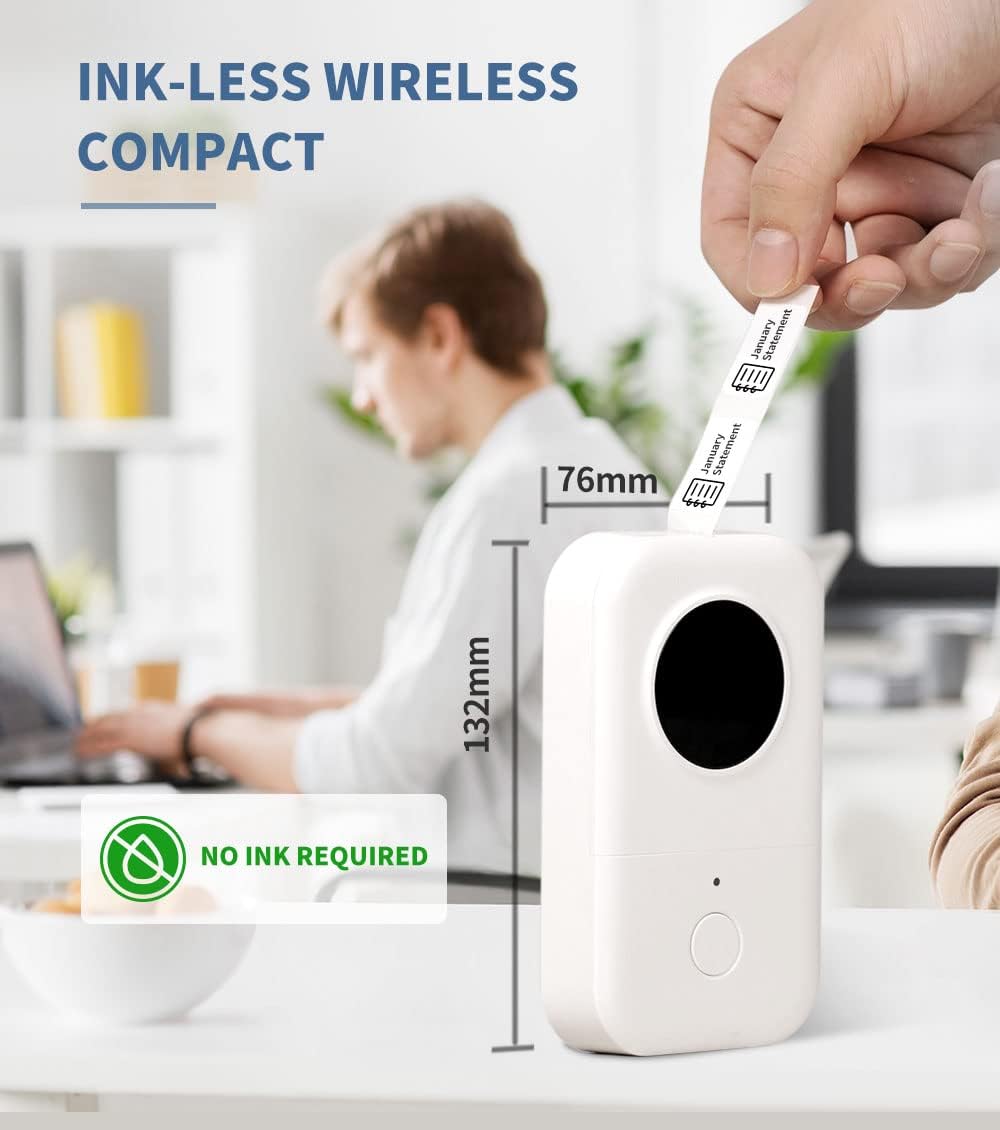
Image 3.1: The compact design of the Phomemo D30, highlighting its ink-less thermal printing technology.

Image 3.2: The Phomemo D30 supports multiple label widths, including 6mm, 12mm, 14mm, and 15mm.
4. Sąranka
4.1 Įrenginio įkrovimas
- Connect the provided USB cable to the charging port on the label maker.
- Kitą USB laido galą prijunkite prie suderinamo USB maitinimo adapterio (nepridedamas) arba kompiuterio USB prievado.
- Indikatoriaus lemputė rodys įkrovimo būseną. Visiškas įkrovimas paprastai trunka 2–3 valandas.
4.2 Etikečių popieriaus įdėjimas
- Atidarykite etikečių skyriaus dangtelį.
- Insert the label roll with the printing surface facing upwards, ensuring it aligns correctly within the compartment.
- Ištraukite nedidelę etikečių juostelės dalį per išvesties angą.
- Tvirtai uždarykite etikečių skyriaus dangtelį.
4.3 Programėlės diegimas ir „Bluetooth“ ryšys
- Download the "Print Master" app from your device's app store (iOS or Android).
- Turn on the Phomemo D30 Label Maker by pressing and holding the power button. The indicator light will illuminate.
- Įjunkite „Bluetooth“ savo mobiliajame įrenginyje.
- Open the "Print Master" app and follow the on-screen instructions to connect to your D30 device. The app will typically detect nearby Phomemo devices automatically.

Image 4.1: The Phomemo D30 connects wirelessly via Bluetooth to a smartphone running the "Print Master" app.
5. Naudojimo instrukcijos
5.1 Creating Labels with the App
- Open the "Print Master" app on your connected mobile device.
- Pasirinkite šabloną arba pradėkite kurti naują etiketės dizainą.
- Utilize the app's features to add text, icons, borders, and adjust fonts. The app offers a wide variety of customization options.
- Preview your label design to ensure accuracy before printing.

Image 5.1: The "Print Master" app provides extensive customization options for label creation, including fonts, icons, and borders.

Image 5.2: The app supports a variety of label styles and patterns for diverse applications.
5.2 Etikečių spausdinimas
- Once your label design is complete, tap the print button within the app.
- The label maker will feed and print the label.
- Carefully tear off the printed label from the output slot.

Image 5.3: The D30 supports high-quality batch printing for pre-cut paper, ensuring clear and consistent results.
5.3 Etikečių tipai ir taikymas
The D30 supports both pre-cut and continuous label tapes, suitable for various uses:
- Iš anksto supjaustytos etiketės: Ideal for individual items, such as food date marking, price tags, or personal item identification.
- Nuolatinės etiketės: Suitable for longer labels like cable identification, file classification, or gift labels.

Image 5.4: The Phomemo D30 supports both pre-cut labels for individual items and continuous labels for longer applications.

Image 5.5: The Phomemo D30 is a versatile tool for organizing files, labeling food, marking items, and creating gift labels.

Image 5.6: The D30 label maker is suitable for a wide range of applications, from personal organization to small business use.
6. Priežiūra
6.1 Spausdinimo galvutės valymas
To maintain print quality, regularly clean the print head:
- Išjunkite etikečių spausdintuvą ir atjunkite jį nuo bet kokio maitinimo šaltinio.
- Atidarykite etiketės skyrių.
- Švelniai nuvalykite spausdinimo galvutę vatos tamponu, lengvai dampsu izopropilo alkoholiu.
- Prieš uždarydami skyrių ir naudodami įrenginį, leiskite spausdinimo galvutei visiškai išdžiūti.
6.2 Akumuliatoriaus priežiūra
- Charge the device regularly, even if not in frequent use, to prolong battery life.
- Stenkitės, kad prietaisas nepatektų į ekstremalias temperatūras.
- Jei prietaisas nebus naudojamas ilgesnį laiką, prieš sandėliavimą įkraukite jį maždaug iki 50 %.
6.3 Saugykla
Store the label maker in a cool, dry place away from direct sunlight and excessive dust. Ensure the label compartment is closed to protect the print head and internal mechanisms.

Image 6.1: Phomemo label tapes are designed for durability, offering resistance to water, abrasion, and oil, and can be removed without leaving residue.
7. Problemų sprendimas
7.1 Bendrosios problemos ir sprendimai
| problema | Galima priežastis | Sprendimas |
|---|---|---|
| Įrenginys neįsijungia | Išsikrovusi baterija arba maitinimo problema. | Charge the device using the provided USB cable. Ensure the power button is pressed and held correctly. |
| Nepavyksta prisijungti per Bluetooth | „Bluetooth“ išjungtas, įrenginys yra už diapazono ribų arba kilo programėlės problema. | Ensure Bluetooth is enabled on your phone and the label maker is on. Move the devices closer. Restart the app and the label maker. |
| Prasta spausdinimo kokybė | Dirty print head, incorrect label roll insertion, or low battery. | Clean the print head (refer to Section 6.1). Re-insert the label roll correctly. Charge the device. |
| Etiketės netiekiamos | Label roll jammed or incorrectly loaded. | Open the compartment and check for any jams. Re-load the label roll, ensuring it is properly aligned. |
| Programa užstringa arba užstringa | Software glitch or outdated app version. | Restart the app. Check for app updates in your device's app store. Restart your mobile device. |
8. Specifikacijos
- Prekinis ženklas: Phomemo
- Modelis: D30
- Spausdinimo technologija: Šiluminis
- Ryšio technologija: Bluetooth
- Maksimalus laikmenos dydis: 15 mm
- Maksimali juodai balto spausdinimo skiriamoji geba: 203 dpi
- Didžiausias vienspalvis spausdinimo greitis: 40 ppm
- Suderinami įrenginiai: Išmanieji telefonai („iOS“, „Android“)
- Galia: 1 ličio polimero baterija (pridedama)
- Prekės svoris: 6.3 uncijos (180 gramų)
- Gaminio matmenys: 4.72 x 3.15 x 1.97 colio (12 x 8 x 5 cm)
- UPC: 789371387780
9. Garantija ir palaikymas
The Phomemo D30 Label Maker comes with a limited warranty. For specific details regarding warranty coverage and duration, please refer to the warranty card included in your product packaging or contact Phomemo customer support.
For technical support, troubleshooting assistance, or inquiries about replacement parts and accessories, please visit the official Phomemo website or contact their customer service department. Contact information can typically be found on the product packaging or the Phomemo brand store online.