
Wireless Gear G0678
Wireless Gear Bluetooth 5.0 True Wireless Stereo Earbuds User Manual
Modelis: G0678
Įvadas
Thank you for choosing the Wireless Gear Bluetooth 5.0 True Wireless Stereo Earbuds. This manual provides comprehensive instructions to help you set up, operate, and maintain your new earbuds, ensuring optimal performance and longevity. These earbuds are designed to deliver rich audio and extreme bass with the convenience of true wireless technology.

Image: A user enjoying music with the Wireless Gear True Wireless Stereo Earbuds, highlighting the seamless wireless experience.
Saugos informacija
Prieš naudodami šį gaminį, atidžiai perskaitykite visas saugos instrukcijas. Nesilaikant šių instrukcijų, gali kilti elektros smūgis, gaisras ar kiti pavojai.
- Saugokite ausines ar įkrovimo dėklą nuo ekstremalių temperatūrų, drėgmės ar skysčių.
- Stenkitės, kad prietaisas nenumestų ar nepatirtų stipraus smūgio.
- Nebandykite ardyti, remontuoti ar modifikuoti gaminio. Tai panaikins garantiją.
- Laikyti vaikams nepasiekiamoje vietoje.
- Naudokite tik pridedamą įkrovimo laidą arba sertifikuotą lygiavertį laidą.
- Ilgalaikis klausymasis dideliu garsumu gali pažeisti klausą. Sureguliuokite garsumą iki saugaus lygio.
Pakuotės turinys
Įsitikinkite, kad pakuotėje yra visi daiktai:
- Wireless Gear True Wireless Stereo Earbuds (Left and Right)
- Įkrovimo dėklas
- USB įkrovimo laidas
- Vartotojo vadovas (šis dokumentas)
Produktas baigtasview
Familiarize yourself with the components of your Wireless Gear Earbuds:

Image: The Wireless Gear Earbuds nestled in their charging case, ready for use or charging.
- Earbuds: Left (L) and Right (R) earbuds with built-in microphones and touch controls.
- Įkrovimo dėklas: Portable case that charges the earbuds and protects them when not in use. Features LED indicators for charging status.
- Lietimo valdymo sritis: Located on the side of each earbud for managing playback, calls, and voice assistant.
- Įkrovimo prievadas: On the charging case for connecting the USB charging cable.

Image: Demonstrating the convenient touch control feature on the earbud.
Sąranka
1. Ausinių ir dėklo įkrovimas
Prieš pirmą kartą naudodami, visiškai įkraukite ausines ir įkrovimo dėklą.
- Įdėkite abi ausines į įkrovimo dėklą. Įsitikinkite, kad jos tinkamai įstatytos.
- Prijunkite USB įkrovimo laidą prie dėklo įkrovimo prievado, o kitą galą – prie USB maitinimo šaltinio (pvz., kompiuterio, sieninio adapterio).
- The LED indicators on the case will show charging status. Once fully charged, the indicators may turn off or change color.
- A full charge provides up to 10 hours of playtime for the earbuds, and the case can provide 4 to 5 additional charges, totaling up to 50 hours of playback.
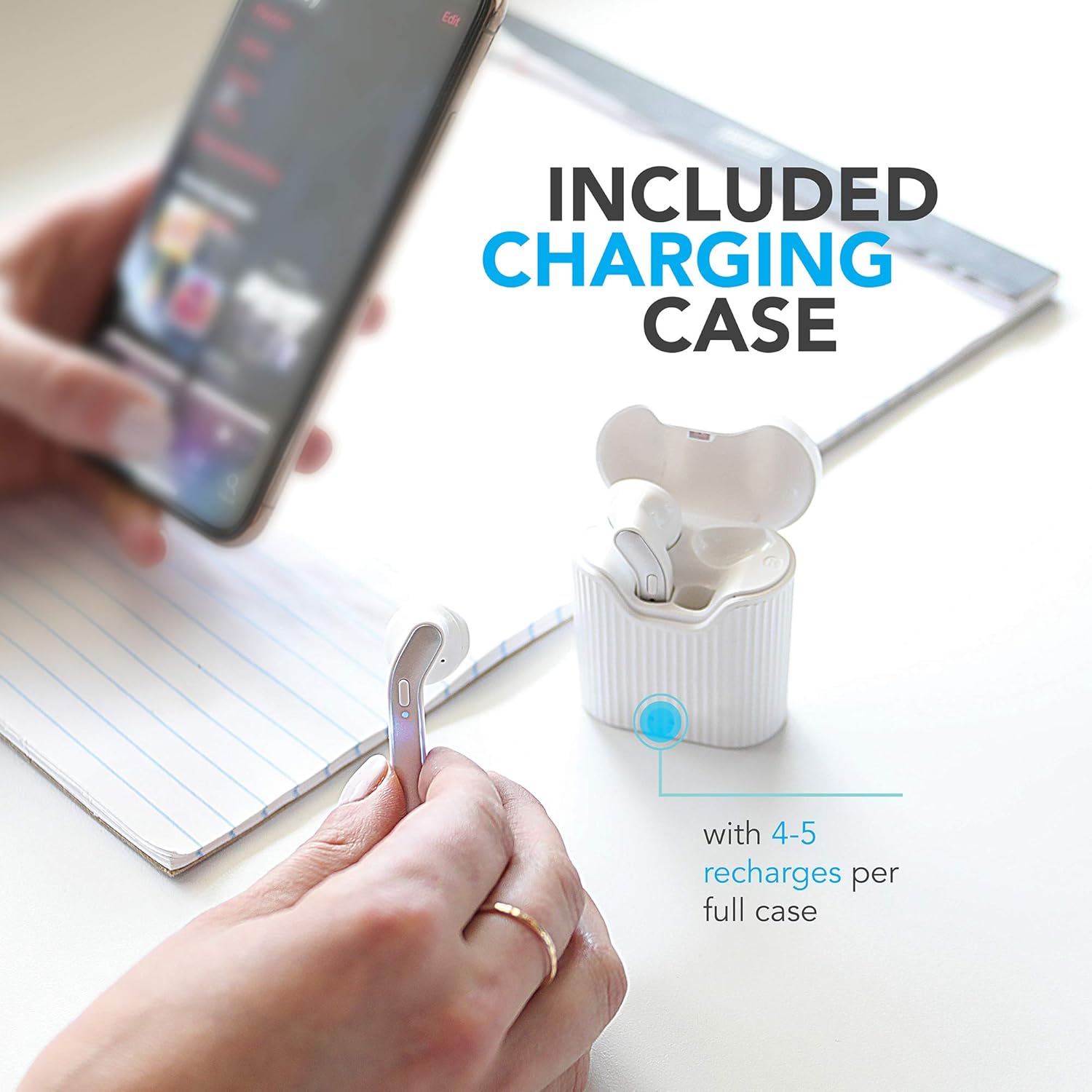
Image: The charging case provides multiple recharges for extended listening.

Image: Visual representation of the earbuds' battery life and sound capabilities.
2. Suporavimas su „Bluetooth“ įrenginiu
The earbuds feature auto-pair and auto-power on functionality for seamless connection.
- Maitinimas: Open the charging case or take the earbuds out of the case. They will automatically power on and enter pairing mode. You may hear an audible prompt.
- Suaktyvinkite „Bluetooth“: Išmaniajame telefone, planšetiniame kompiuteryje arba nešiojamajame kompiuteryje įjunkite „Bluetooth“.
- Pasirinkite įrenginį: In the Bluetooth settings, search for "Wireless Gear Earbuds" (or similar name) in the list of available devices and select it to connect.
- Patvirtinimas: Once successfully paired, you will hear a confirmation sound, and the earbuds' indicator lights may change.
- Automatinis pakartotinis prisijungimas: Po pradinio susiejimo, išėmus iš dėklo, ausinės automatiškai prisijungs prie paskutinio susieto įrenginio, jei įrenginyje įjungtas „Bluetooth“ ryšys.
Naudojimo instrukcijos
The Wireless Gear Earbuds feature convenient touch controls for easy management of your audio and calls.
Muzikos atkūrimas
- Leisti / pristabdyti: Vieną kartą bakstelėkite bet kurią ausinę.
- Kitas takelis: Dukart bakstelėkite dešinę ausinę.
- Ankstesnis takelis: Dukart palieskite kairę ausinę.
Skambučių valdymas
- Atsiliepti / Baigti skambutį: Vieną kartą bakstelėkite bet kurią ausinę įeinančio arba aktyvaus skambučio metu.
- Atmesti skambutį: Įeinančio skambučio metu paspauskite ir 2 sekundes palaikykite nuspaudę bet kurią ausinę.
Balso asistentas („Siri“ / „Google“ asistentas)
- Suaktyvinti „Voice Assistant“: Tris kartus palieskite bet kurią ausinę.
Maitinimo įjungimas/išjungimas
- Maitinimas: Ausinės automatiškai įsijungia, kai išimamos iš įkrovimo dėklo.
- Išjungti: Ausinės automatiškai išsijungia, kai įdedamos atgal į įkrovimo dėklą.
Priežiūra
Tinkama priežiūra prailgins ausinių tarnavimo laiką.
- Valymas: Ausinėms ir įkrovimo dėklui valyti naudokite minkštą, sausą, nepūkuotą šluostę. Nenaudokite stiprių cheminių medžiagų ar abrazyvinių medžiagų.
- Saugykla: Kai nenaudojate, laikykite ausines įkrovimo dėkle, kad apsaugotumėte jas nuo dulkių ir pažeidimų.
- Venkite vandens: The earbuds are not waterproof. Avoid exposure to water, sweat, or excessive moisture.
- Įkrovimas: Reguliariai kraukite įrenginį, net jei juo nesinaudojate dažnai, kad palaikytumėte akumuliatoriaus veikimo laiką.
Trikčių šalinimas
Jei kyla problemų, išbandykite šiuos sprendimus:
| Problema | Sprendimas |
|---|---|
| Ausinės nesusijungia / nesusijungia. |
|
| Tik viena ausinė veikia. |
|
| Ausinės neįkraunamos. |
|
| Prasta garso kokybė. |
|
Specifikacijos
Detailed technical specifications for your Wireless Gear Earbuds:
| Funkcija | Detalė |
|---|---|
| Modelio numeris | G0678 |
| Bluetooth versija | 5.0 |
| Ryšio technologija | Bluetooth |
| Ausinių grojimo laikas | Iki 10 valandų |
| Bendras grojimo laikas (su dėklu) | Up to 50 hours (4-5 additional charges) |
| Valdymo tipas | Palieskite valdymą |
| Mikrofonas | Įmontuotas |
| Formos faktorius | Ausyje |
| Medžiaga | Plastikiniai |
| Įkrovimo dėklo matmenys | Maždaug 2 cm x 3 cm x 0.5 cm |
| Gamintojas | ESI Wireless Accessories |
| Baterijos tipas | Ličio jonų (į komplektą įeina) |
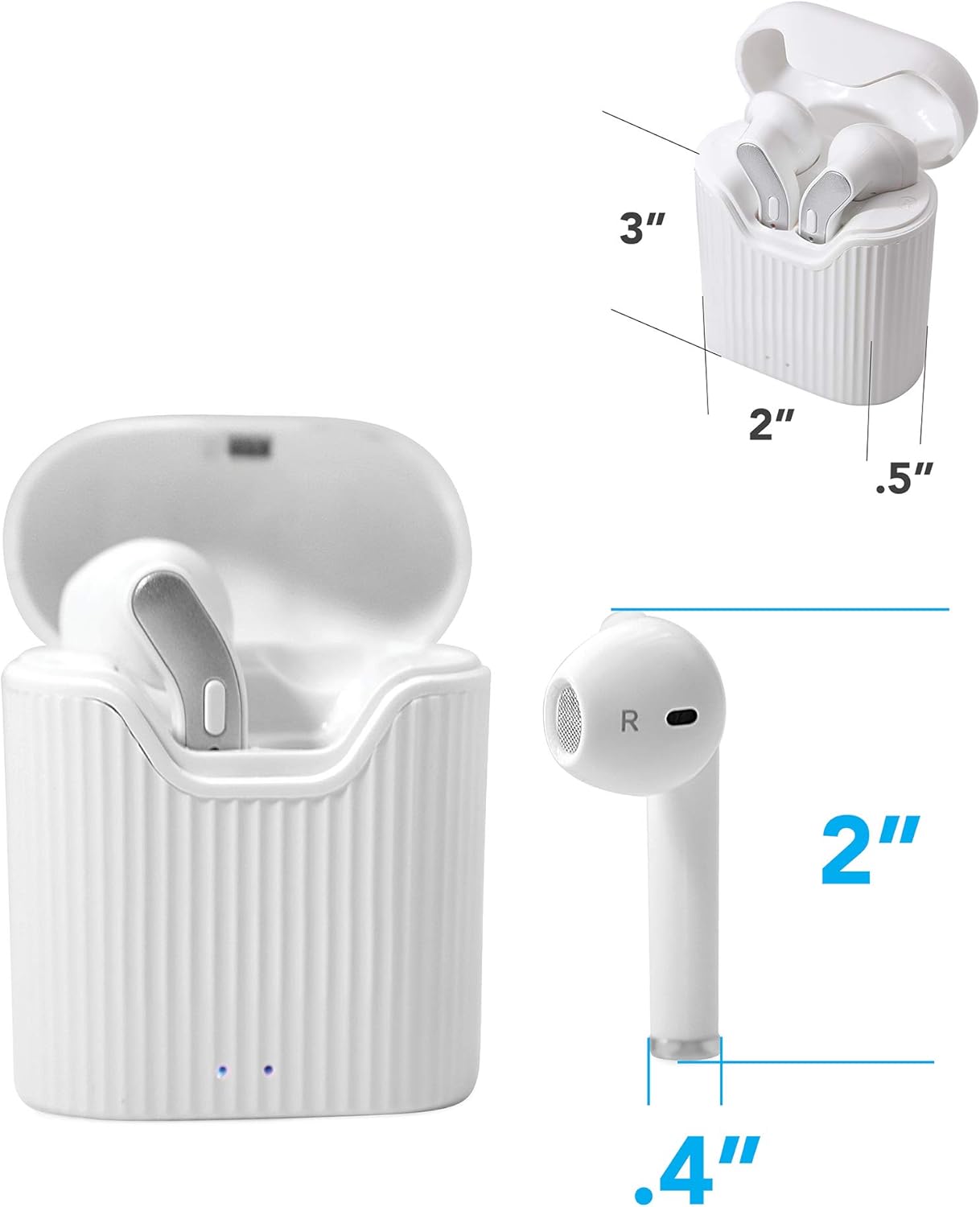
Image: Dimensions of the earbuds and charging case for reference.
Garantija ir palaikymas
For warranty information or technical support, please refer to the contact details provided with your purchase or visit the official Wireless Gear websvetainėje. Išsaugokite pirkimo įrodymą garantiniams reikalavimams.
Gamintojas: ESI Wireless Accessories
Ask a question about this manual
Ask about setup, troubleshooting, compatibility, parts, safety, or missing instructions. Manuals+ will review the question and use this page’s manual context to help answer it.