
Įvadas
Ačiū, kad pirkoteasing the N-Gear The Flash 1510 Bluetooth Speaker Trolley. This portable party system is designed to deliver rich sound and versatile connectivity for various occasions. This manual provides detailed instructions for setup, operation, maintenance, and troubleshooting to ensure you get the most out of your device.
Prieš naudodami gaminį, atidžiai perskaitykite šį vadovą ir išsaugokite jį, kad galėtumėte pasinaudoti ateityje.
Sąranka
Pakuotės turinys
- N-Gear The Flash 1510 Bluetooth Speaker Trolley
- Belaidis mikrofonas
- Laidinis mikrofonas
- Maitinimo adapteris
- Nuotolinio valdymo pultas
- Vartotojo vadovas (šis dokumentas)
Akumuliatoriaus įkrovimas
Before first use, fully charge the speaker's internal 2600 mAh battery. Connect the provided power adapter to the DC 15V input port on the speaker's control panel and plug it into a power outlet. The charging indicator light will show the charging status (e.g., red for charging, blue for full).

Image: Top control panel with DC 15V charging port.
A full charge provides up to 6 hours of playback time, depending on usage and volume levels.
Positioning the Speaker
Place the speaker on a stable, flat surface. The trolley design with wheels and a retractable handle allows for easy transport. Ensure adequate ventilation around the speaker.
Vaizdas: priekis view of the speaker trolley with handle extended.
Naudojimo instrukcijos
Maitinimo įjungimas/išjungimas
Raskite GALIA switch on the control panel. Slide it to the ON position to power on the speaker. Slide it to IŠJUNGTA išjungti.
Bluetooth ryšys
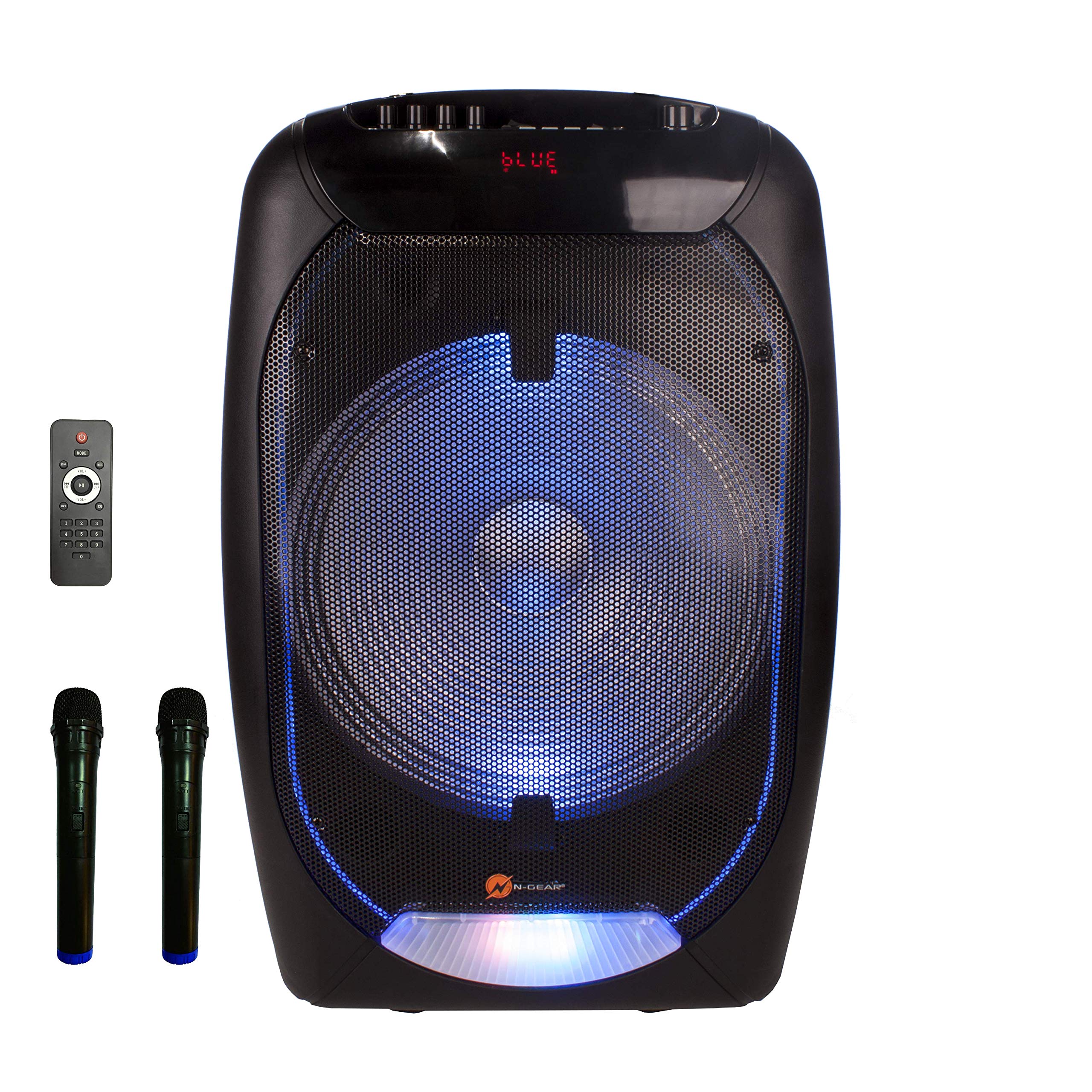
- Įjunkite garsiakalbį. Ekrane bus rodoma MĖLYNA spalva, rodanti „Bluetooth“ režimą.
- Įjunkite „Bluetooth“ savo mobiliajame įrenginyje (išmaniajame telefone, planšetiniame kompiuteryje, nešiojamajame kompiuteryje).
- Ieškokite available Bluetooth devices and select "N-GEAR TF-1510" from the list.
- Once paired, the speaker will emit a confirmation sound. You can now play audio from your device.

Image: Speaker front with blue LED lights, showing "BLUE" on the display.
USB / „MicroSD“ atkūrimas
- Insert a USB flash drive (max. 64GB) or a microSD card (max. 32GB) containing MP3 audio files into the respective port on the control panel.
- The speaker will automatically switch to USB or TF Card mode and begin playback.
- Naudokite PREV, PALEISTI / PAUZĖ, ir KITAS mygtukai, skirti valdyti atkūrimą.
AUX įvestis
Prijunkite išorinį garso įrenginį (pvz., MP3 grotuvą, nešiojamąjį kompiuterį) prie Aux in port using a 3.5mm audio cable (not included). Press the REŽIMAS mygtuką, kad perjungtumėte į AUX režimą.
Mikrofono naudojimas (karaoke)
- Belaidis mikrofonas: Insert batteries (not included) into the wireless microphone. Power it on. The speaker will automatically detect it.
- Laidinis mikrofonas: Plug the wired microphone into the MIC IN uostas.
- Mikrofono garsumą reguliuokite naudodami MIC.VOL rankenėlė.
- Adjust echo effect using the ECHO rankenėlė.

Image: Wireless microphone included with the speaker.
LED šviesos efektai
The speaker features integrated RGB LED lights on the front grille. Use the Šviesos jungiklis on the control panel to turn the lights on or off.
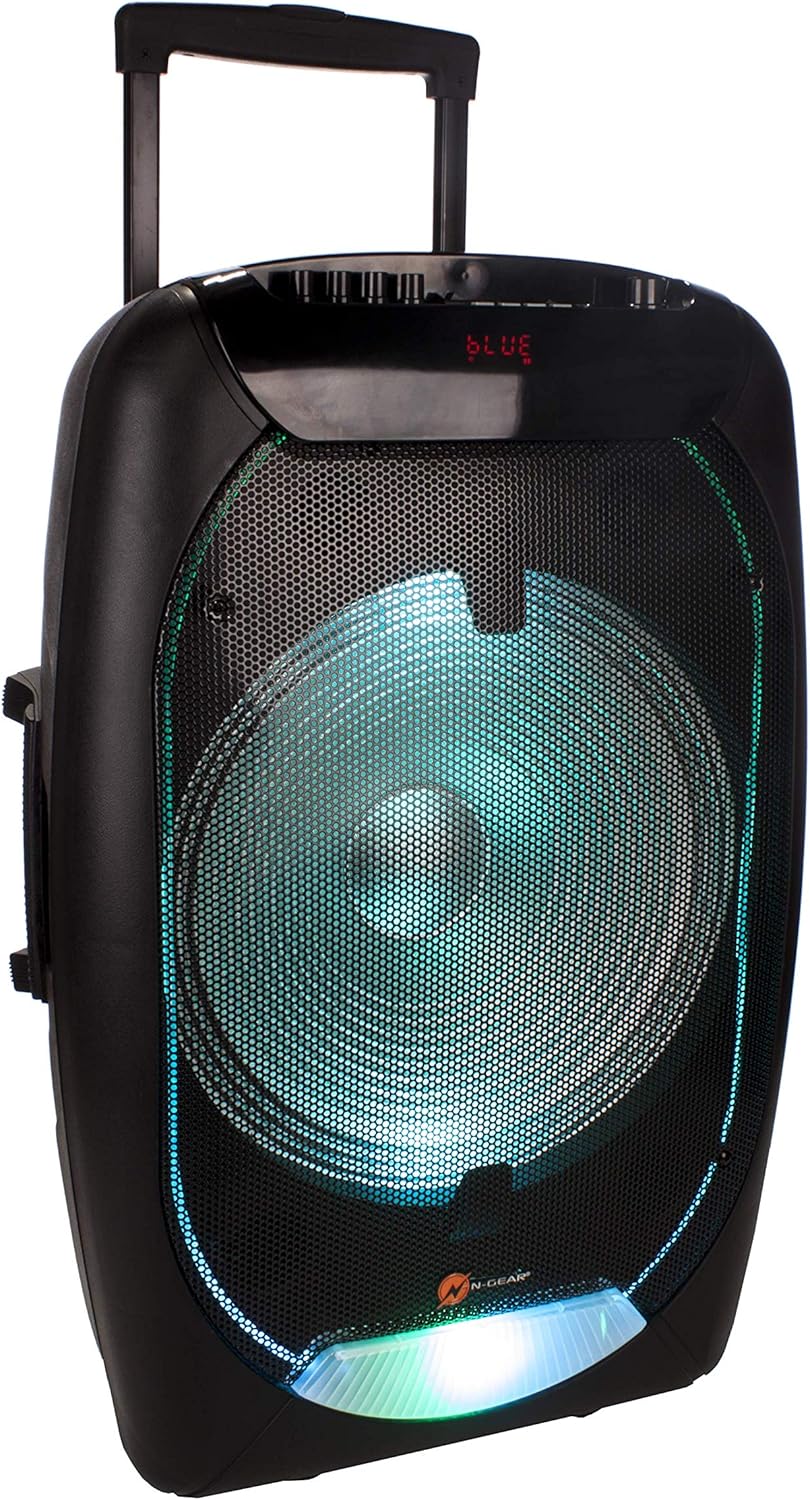
Image: Speaker front with green LED lights.
Nuotolinio valdymo pulto funkcijos
The included remote control allows for convenient operation from a distance. Functions include power, mode selection, volume control, track navigation, mute, and equalizer settings.

Image: Remote control for the speaker.
Priežiūra
- Valymas: Garsiakalbio išorę valykite minkšta, sausa šluoste. Nenaudokite abrazyvinių valiklių ar tirpiklių.
- Akumuliatoriaus priežiūra: Norėdami pailginti baterijos veikimo laiką, venkite dažnai visiškai ją iškrauti. Reguliariai įkraukite garsiakalbį, net jei ilgą laiką nenaudojate.
- Saugykla: Garsiakalbį laikykite vėsioje, sausoje vietoje, toliau nuo tiesioginių saulės spindulių ir ekstremalių temperatūrų.
- Vandens ekspozicija: Šis garsiakalbis nėra atsparus vandeniui. Venkite vandens ar per didelės drėgmės.
Trikčių šalinimas
| Problema | Galima priežastis | Sprendimas |
|---|---|---|
| Nėra galios | Baterija išsikrovusi; Maitinimo jungiklis išjungtas. | Įkraukite bateriją; Pastumkite maitinimo jungiklį į padėtį „Įjungta“. |
| Nėra garso | Volume is too low; Incorrect input mode; Device not paired (Bluetooth). | Increase volume; Press MODE to select correct input; Re-pair Bluetooth device. |
| Bluetooth neprisijungia | Garsiakalbis neporavimo režime; Įrenginys per toli; Trukdžiai. | Ensure speaker is in Bluetooth mode; Move device closer; Turn off other Bluetooth devices. |
| Mikrofonas neveikia | Microphone not powered on (wireless); Volume too low; Incorrect port. | Check microphone power/batteries; Increase MIC.VOL; Ensure microphone is plugged into MIC IN. |
Specifikacijos
- Modelis: TF-1510
- Prekinis ženklas: N-Gear
- Išėjimo vattage: 500 vatų
- Garsiakalbio dydis: 15-inch bass speaker
- Ryšys: Bluetooth, USB, MicroSD, AUX (3.5mm)
- Suderinami įrenginiai: Nešiojamasis kompiuteris, išmanusis telefonas
- USB palaikymas: Iki 64 GB
- MicroSD Support: Iki 32 GB
- Maitinimo šaltinis: Battery Powered (2600 mAh internal battery) / DC 15V adapter
- Baterijos veikimo laikas: Iki 6 valandų (priklausomai nuo naudojimo)
- Mikrofonai: 1x Wireless, 1x Wired (included)
- Ypatingos savybės: Trolley design with wheels and handle, RGB LED light effects, Power bank function (via internal battery)

Vaizdas: Galinis view of the speaker showing the rating label.
Garantija ir palaikymas
For warranty information and technical support, please refer to the documentation provided with your purchase or visit the official N-Gear websvetainėje. Išsaugokite pirkimo įrodymą, jei prireiktų pateikti garantinį ieškinį.