
1. Įvadas
1.1 Produktas baigtasview
The Renkforce RF-HC-100 is a compact 16-megapixel trail camera designed for outdoor monitoring. It features a time-lapse function, night vision capabilities, and a durable, camouflage brown housing. This camera is suitable for wildlife observation, property surveillance, and other outdoor recording needs.
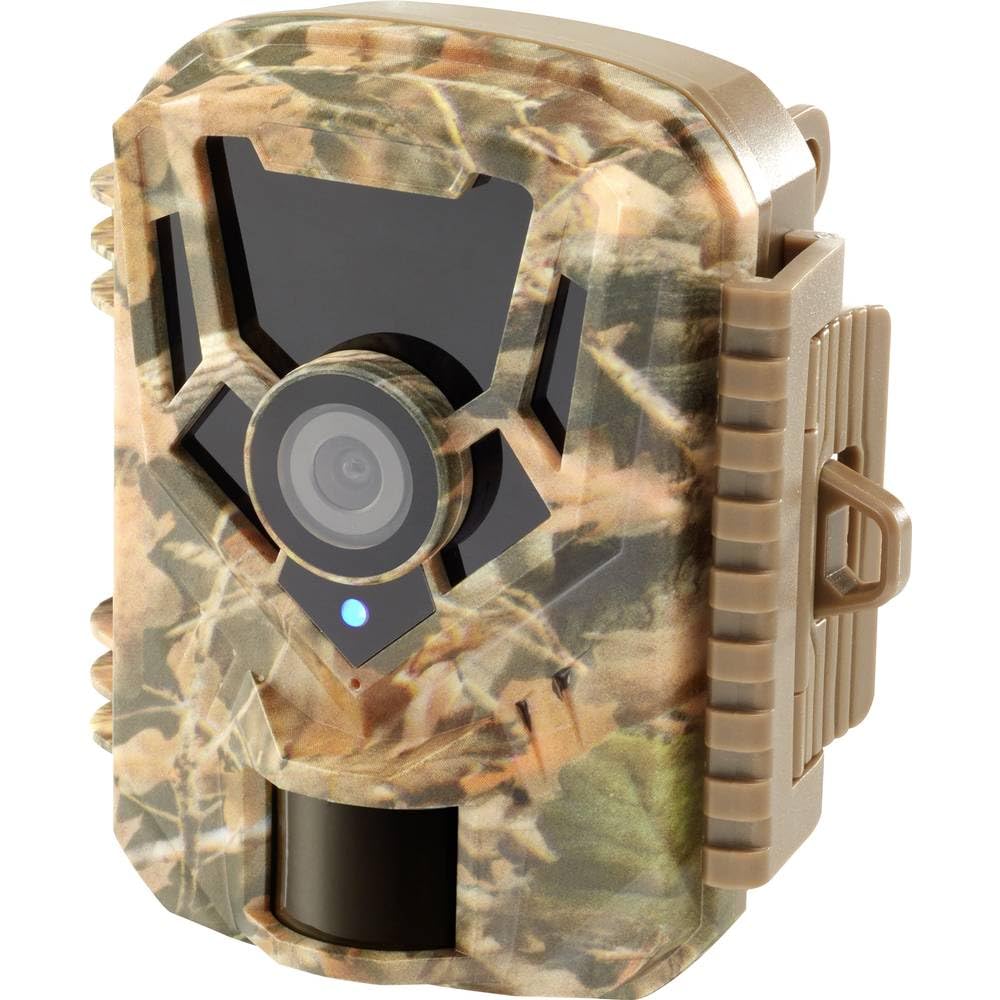
Vaizdas: Priekinė pusė view of the Renkforce RF-HC-100 Trail Camera, showcasing its compact design and camouflage pattern.

Vaizdas: priekis view of the Renkforce RF-HC-100 Trail Camera, highlighting the main lens and motion sensor.
1.2 Pakuotės turinys
- 1 x Renkforce RF-HC-100 Trail Camera Unit
- Note: Additional accessories such as mounting straps, USB cables, or user manuals may be included depending on the specific package.
2. Saugos informacija
- Prieš naudodami įrenginį, atidžiai perskaitykite visas instrukcijas.
- Do not expose the camera to extreme temperatures, direct sunlight for prolonged periods, or corrosive liquids.
- Ensure the battery compartment is properly sealed to maintain the IP65 weather resistance.
- Baterijas išmeskite pagal vietinius reikalavimus. Nemaišykite senų ir naujų arba skirtingų tipų baterijų.
- Prietaisą laikykite vaikams nepasiekiamoje vietoje.
- Nebandykite ardyti ar modifikuoti fotoaparato, nes tai panaikins garantiją ir galite jį sugadinti.
3. Produkto ypatybės
The Renkforce RF-HC-100 Trail Camera offers the following key features:
- Didelės raiškos vaizdavimas: 16 Megapixel effective capture resolution for clear photos and 1080p video recording.
- Naktinis matymas: Equipped with color night vision for monitoring in low-light conditions.
- Laiko intervalo funkcija: Capture images at set intervals to observe long-term events.
- SD kortelės lizdas: Supports external SD cards for ample storage of photos and videos.
- Atsparumas oro sąlygoms: IP65 international protection rating ensures durability in various outdoor environments.
- Kompaktiškas dizainas: Miniature form factor with a camouflage brown finish for discreet placement.
- Platus kampas View: 90-degree angle of view aprėpti plačią teritoriją.
- Ryšys: Features wired connectivity (USB, AV ports) and Wi-Fi protocol for data transfer and control via application.
- Montavimo parinktys: Includes support for wall mounting.
4. Sąranka
4.1 Akumuliatoriaus įdėjimas
- Atidarykite kameros korpusą, atlaisvindami šoninius spaustukus.
- Raskite akumuliatoriaus skyrių.
- Insert the required number of AA batteries (not included) according to the polarity markings (+/-).
- Saugiai uždarykite akumuliatoriaus skyrių.
4.2 SD kortelės įdiegimas
- Atidarę kameros korpusą, suraskite SD kortelės lizdą.
- Insert a compatible SD card (up to 32GB, Class 10 recommended) into the slot with the metal contacts facing down until it clicks into place.
- Norėdami išimti, vėl stumkite SD kortelę, kol ji iššoks.

Image: The Renkforce RF-HC-100 Trail Camera with its housing open, revealing the control panel, USB, AV, and DC ports, and the ON/SETUP/OFF switch.
4.3 Fotoaparato montavimas
The camera can be mounted using a strap or a wall mount bracket (if included or purchased separately).
- Dirželio tvirtinimas: Thread a mounting strap through the slots on the back of the camera and secure it to a tree or pole.
- Montavimas ant sienos: Use the integrated mounting points or a compatible wall mount bracket to attach the camera to a flat surface. Ensure the camera is stable and pointed in the desired direction.
5. Naudojimo instrukcijos
5.1 Įjungimas / išjungimas ir režimo pasirinkimas
Locate the ON/SETUP/OFF switch inside the camera housing.
- IŠJUNGTA: Powers off the camera.
- NUSTATYMAS: Enters setup mode, allowing you to configure settings via the internal display.
- ĮJUNGTA: Activates the camera for recording based on the configured settings.
5.2 Nustatymų konfigūravimas
In SETUP mode, use the navigation buttons (if available) to access the menu and adjust parameters such as:
- Nuotraukų / vaizdo įrašų raiška
- PIR jutiklio jautrumas
- Aptikimo delsa
- Laiko intervalas
- Data ir laikas
- Recording Mode (Photo, Video, Photo+Video, Time-Lapse)
5.3 Duomenų gavimas
Norėdami pasiekti įrašytą files:
- Per USB: Connect the camera to a computer using a USB cable. The camera will appear as a removable disk.
- Via SD Card: Remove the SD card from the camera and insert it into a computer's card reader.
6. Priežiūra
- Valymas: Use a soft, dry cloth to clean the camera lens and housing. For stubborn dirt, a slightly damp Galima naudoti šluostę, tačiau įsitikinkite, kad į įrenginį nepatenka drėgmės.
- Baterijos keitimas: Pakeiskite baterijas, kai pasirodo išsikrovusių baterijų indikatorius arba kai suprastėja veikimas.
- SD kortelės tvarkymas: Regularly format the SD card (after backing up important data) to maintain optimal performance and prevent errors.
- Saugykla: Kai fotoaparato nenaudojate ilgesnį laiką, išimkite baterijas ir laikykite jį vėsioje, sausoje vietoje, apsaugotoje nuo tiesioginių saulės spindulių.
7. Problemų sprendimas
| Problema | Galima priežastis | Sprendimas |
|---|---|---|
| Kamera neįsijungia. | Low or dead batteries; incorrect battery installation; power switch in OFF position. | Replace batteries; ensure correct polarity; set switch to ON or SETUP. |
| Prasta vaizdo / vaizdo kokybė. | Nešvarus objektyvas; prastas apšvietimas; neteisingi raiškos nustatymai. | Clean the lens; ensure adequate lighting or use night vision; adjust resolution settings. |
| Kamera neįrašo. | SD card full or faulty; incorrect mode selected; PIR sensor blocked. | Format or replace SD card; select appropriate recording mode; clear sensor path. |
| Nepavyksta prisijungti prie kompiuterio. | Faulty USB cable; camera not in correct mode; driver issues. | Try a different USB cable; ensure camera is in connection mode (if applicable); try another computer or card reader. |
8. Specifikacijos
| Modelio pavadinimas | RF-HC-100 (RF-4466574) |
| Effective Capture Resolution | 16 megapikselio |
| Vaizdo raiška | 1080p |
| Matmenys (I x P x A) | 21 x 12 x 9 cm (8.27 x 4.72 x 3.54 colio) |
| Svoris | 186 gramų (0.41 svaro) |
| Ryšio technologija | Wired (USB, AV), Wi-Fi Protocol (for control/transfer) |
| Ypatingos savybės | Local Recording, Night Vision (Color Night Vision) |
| Naudojimo aplinka | Lauke |
| Tarptautinis apsaugos įvertinimas | IP65 |
| Maitinimo šaltinis | Manual Operation (Battery-powered, batteries not included) |
| Vattage | 1.5 vatų |
| View Kampas | 90 laipsnių |
| Spalva | Camouflage Brown |
| Medžiaga | Metal (internal) |
| Montavimo tipas | Sieninio tvirtinimo atrama |
9. Garantija ir palaikymas
Renkforce provides support for its products. Spare parts availability is indicated for 1 year from the date of purchase. For technical assistance, troubleshooting beyond this manual, or warranty claims, please refer to the contact information provided with your product packaging or visit the official Renkforce websvetainę.