
1. Įvadas
This manual provides instructions for the Creative Stage V2 2.1 Soundbar System. It covers setup, operation, maintenance, and troubleshooting to ensure optimal performance and longevity of your device. Please read this manual thoroughly before using the product.
2. Pakuotės turinys
Patikrinkite, ar pakuotėje yra visi reikalingi daiktai:
- Kūrybinis Stage V2 Soundbar
- Žemųjų dažnių garsiakalbis
- Infraraudonųjų spindulių nuotolinis valdymas
- Maitinimo adapteris
- Optinis kabelis
- USB-C į USB-A laidas
- 3.5 mm AUX kabelis
- Sieninio laikiklio rinkinys (varžtai ir laikikliai)
- Greito paleidimo vadovas (neįtrauktas į šį skaitmeninį vadovą)

Image 1: Creative Stage V2 Soundbar, Subwoofer, and Remote Control. This image displays the main components included in the package: the soundbar unit, the external subwoofer, and the infrared remote control.
3. Produktas baigtasview
Kūrybinis Stage V2 is a 2.1 channel soundbar system designed to enhance your audio experience for TVs, computers, and other devices. It features a soundbar with dual full-range drivers and an external subwoofer for deep bass. Key technologies include Clear Dialog for enhanced vocal clarity and Surround for an immersive audio soundstage.
3.1. Soundbar Features
- Priekinis skydelis: LED display, power button, volume controls, input selection.
- Galinis skydas: Power input, HDMI ARC port, Optical input, USB-C port, AUX input, Subwoofer output.
- "Bluetooth 5.0": Belaidis garso transliavimas.
3.2. Subwoofer Features
- Wired connection to the soundbar for dedicated bass reproduction.
- Side-firing design for enhanced low-frequency response.
3.3. Nuotolinio valdymo funkcijos
- Maitinimo įjungimas/išjungimas
- Garsumo didinimas / sumažinimas
- Input Source Selection (TV ARC, Optical, USB, AUX, Bluetooth)
- Play/Pause, Skip Track (for Bluetooth/USB)
- Clear Dialog On/Off
- Erdvinio garso įjungimas/išjungimas
- Žemųjų dažnių lygio reguliavimas
- Treble Level Adjustment
- Nutildyti

Image 2: Creative Stage V2 Remote Control. This image highlights the remote control, showing buttons for power, input selection, volume, playback, Clear Dialog, Surround, and bass/treble adjustments.
4. Sąrankos instrukcijos
4.1. Įdėjimas
For optimal audio performance, place the soundbar centrally below your TV or monitor. The subwoofer can be placed on the floor near the soundbar, ideally in a corner for enhanced bass response, but ensure it is not obstructed.

Image 3: Recommended placement of the Creative Stage V2 Soundbar and Subwoofer with a television. The soundbar is positioned directly in front of the TV, and the subwoofer is placed to the side.
4.2. Tvirtinimas prie sienos (neprivaloma)
The soundbar can be wall-mounted using the provided kit. Ensure the wall material can support the weight of the soundbar. Refer to the wall mount kit instructions for detailed installation steps.
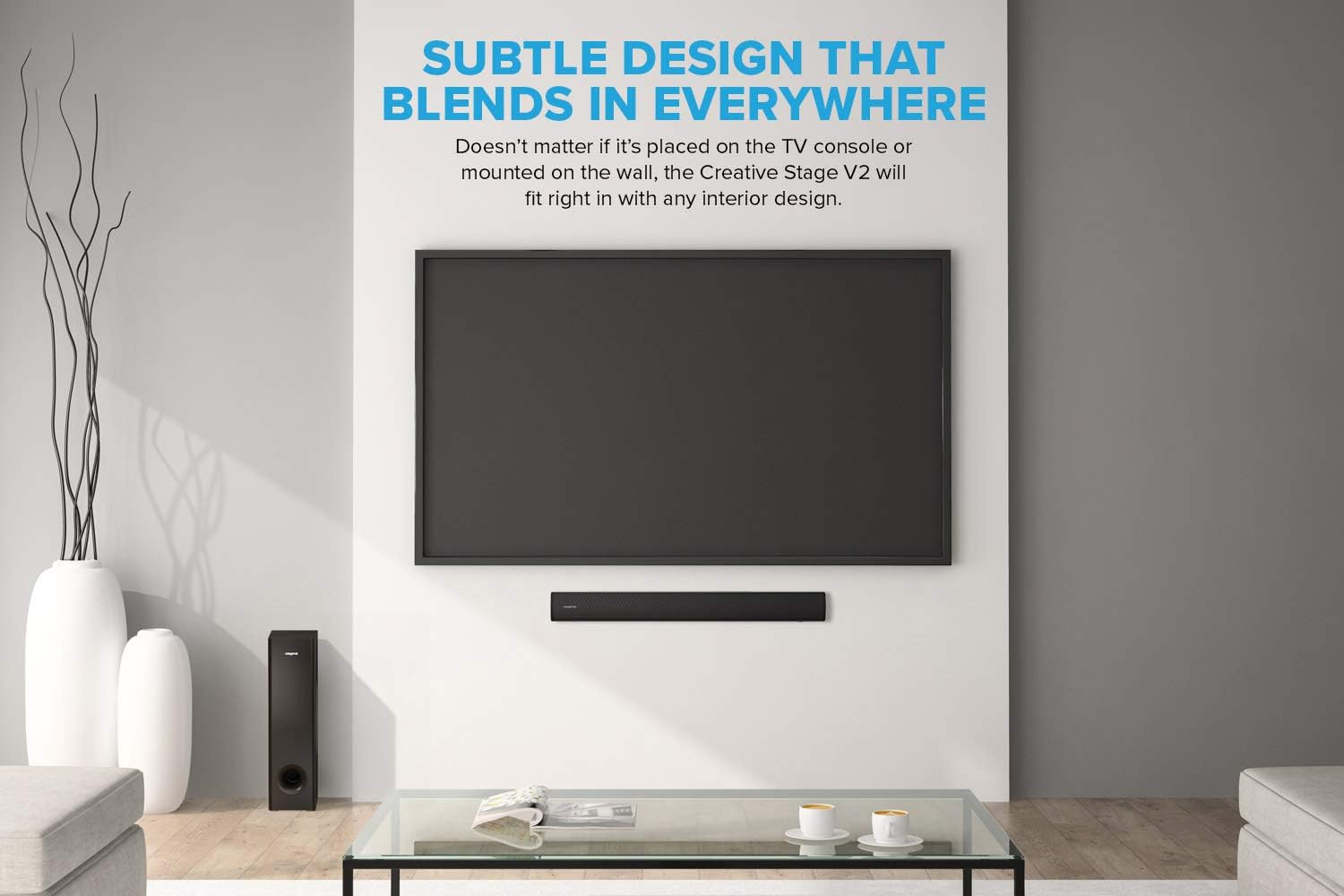
Image 4: Creative Stage V2 Soundbar wall-mounted below a television, demonstrating its subtle design integration into a living space.
4.3. Žemųjų dažnių garsiakalbio prijungimas
Connect the subwoofer cable to the dedicated subwoofer output port on the rear of the soundbar.
4.4. Maitinimo prijungimas
Connect the power adapter to the soundbar's power input, then plug the adapter into a wall outlet.
4.5. Garso jungtys
Choose one of the following connection methods based on your source device:
- HDMI ARC (rekomenduojama televizoriams): Connect an HDMI cable from the soundbar's HDMI ARC port to your TV's HDMI ARC port. This allows for audio return and control via your TV remote.
- Optinis: Connect an optical cable from the soundbar's optical input to your TV or device's optical output.
- USB Audio (for PC/Mac): Connect the USB-C to USB-A cable from the soundbar's USB-C port to your computer's USB-A port.
- AUX įvestis: Connect a 3.5mm audio cable from the soundbar's AUX input to your device's headphone jack or audio output.
- Bluetooth: For wireless connection, see Section 5.2.

5 vaizdas: Baigtaview „Creative S“tage V2's wide variety of connectivity options, including TV (ARC), Optical, USB, Bluetooth 5.0, and AUX-in, compatible with various devices.
5. Naudojimo instrukcijos
5.1. Įjungimas / išjungimas ir garsumo valdymas
- Norėdami įjungti arba išjungti įrenginį, paspauskite garso juostos arba nuotolinio valdymo pulto maitinimo mygtuką.
- Use the Volume Up/Down buttons on the soundbar or remote to adjust the volume.
5.2. „Bluetooth“ poravimas
- Press the Bluetooth button on the remote control or the input button on the soundbar until "BT" appears on the display.
- The soundbar will enter pairing mode, indicated by a flashing "BT" on the display.
- On your mobile device, enable Bluetooth and select "Creative Stage V2" from the list of available devices.
- Once paired, "BT" will stop flashing and remain solid.
5.3. Įvesties šaltinio pasirinkimas
Press the "Input" button on the soundbar or the dedicated input buttons (TV ARC, OPT, USB, AUX, BT) on the remote control to switch between connected audio sources.
5.4. Clear Dialog and Surround Features
Kūrybinis Stage V2 includes Sound Blaster's Clear Dialog and Surround technologies:
- Išvalyti dialogą: Press the "DIALOG" button on the remote to enhance vocal clarity, making spoken words more distinct.
- Apsupti: Press the "SURROUND" button on the remote to widen the soundstage, providing a more immersive audio experience.

Image 6: Visual representation of the Clear Dialog and Surround features, indicating their role in enhancing vocal clarity and creating an immersive sound experience.
5.5. Bass and Treble Adjustment
Use the "BASS" and "TREBLE" buttons on the remote control to fine-tune the low and high frequencies according to your preference. Adjustments range from -5 to +5.

Image 7: Illustrates the rich audio experience and powerful bass provided by the Creative Stage V2, featuring dual 2.25-inch drivers and a side-firing subwoofer.
6. Priežiūra
- Valymas: Garso juostos ir žemųjų dažnių garsiakalbio paviršiams valyti naudokite minkštą, sausą šluostę. Nenaudokite skystų valiklių ar abrazyvinių medžiagų.
- Vėdinimas: Įsitikinkite, kad garso juostos ir žemųjų dažnių garsiakalbio ventiliacijos angos nėra užblokuotos.
- Saugykla: Jei įrenginį ilgesnį laiką sandėliuosite, atjunkite jį nuo elektros tinklo ir laikykite vėsioje, sausoje vietoje.
7. Problemų sprendimas
| Problema | Galimas sprendimas |
|---|---|
| Nėra galios |
|
| Nėra garso |
|
| Bluetooth poravimo problemos |
|
| Nuotolinio valdymo pultas neveikia |
|
| Prastas boso atsakas |
|
8. Specifikacijos
| Funkcija | Detalė |
|---|---|
| Modelio numeris | 51MF8375AA001 |
| Prekės ženklas | KŪRYBINGAS |
| Garsiakalbio tipas | 2.1 Channel Soundbar System with Subwoofer |
| Ryšio technologija | Bluetooth 5.0, HDMI ARC, Optical, USB Audio, AUX-in |
| Maksimali išėjimo galia | 160 vatų viršūnė |
| Dažnio atsakas | 40 Hz–20 kHz |
| Žemųjų dažnių garsiakalbio skersmuo | 5.25 colių |
| Garso juostos matmenys (I x P x A) | 68 cm x 10 cm x 7.8 cm (apytiksliai) |
| Prekės svoris | 5.3 kilogramo (iš viso) |
| Kontrolės metodas | Nuotolinio valdymo pultas |
| Ypatingos savybės | Clear Dialog, Surround Sound Blaster Technology, Wall Mountable, Adjustable Bass/Treble |
| Suderinami įrenginiai | Desktop Computers, Laptops, Gaming Consoles, Smartphones, Televisions |
9. Garantija ir palaikymas
Informacija apie garantiją: Kūrybinis Stage V2 Soundbar System comes with a limited warranty. For specific details regarding warranty coverage and duration, please refer to the warranty card included with your product or visit the official Creative websvetainę.
Klientų aptarnavimas: For technical assistance, troubleshooting beyond this manual, or warranty claims, please contact Creative customer support. You can find contact information on the official Creative websvetainėje arba per savo pirkinių pardavėją.
Internetiniai ištekliai: For the latest drivers, firmware updates, and additional support resources, please visit the official Creative support page: www.creative.com/support