
Įvadas
This manual provides detailed instructions for the setup, operation, maintenance, and troubleshooting of your VTECH VS112-2 DECT 6.0 Bluetooth 2 Handset Cordless Phone. Please read this manual thoroughly to ensure proper use and to take full advantage visų savybių.

Image: The VTECH VS112-2 cordless phone system, showing two handsets and the base unit with an integrated answering machine.
Sąranka
1. Išpakavimas ir pradinis išdėstymas
- Atsargiai išimkite visus komponentus iš pakuotės.
- Place the base unit near a standard electrical outlet and a telephone wall jack.
- Ensure the location is away from heat sources, direct sunlight, and other electrical devices that may cause interference.
2. Pagrindinio įrenginio prijungimas
- Prijunkite mažąjį maitinimo adapterio galą prie maitinimo lizdo, esančio pagrindinio įrenginio gale.
- Prijunkite didelį maitinimo adapterio galą į sieninį lizdą.
- Prijunkite vieną telefono linijos laido galą prie TEL LINE lizdo, esančio pagrindinio įrenginio gale.
- Kitą telefono linijos laido galą prijunkite prie sieninio telefono lizdo.
3. Baterijos įdėjimas ir įkrovimas
- Each handset requires 2 product-specific batteries (included).
- Atidarykite baterijų skyriaus dangtelį kiekvieno rankinio telefono gale.
- Insert the batteries, observing the correct polarity (+ and - markings).
- Uždėkite akumuliatoriaus skyriaus dangtelį.
- Place each handset in its respective charger cradle. The CHARGE light on the handset will illuminate, indicating proper charging.
- Prieš pirmą kartą naudodami, leiskite rageliams įkrauti bent 16 valandų.
4. Prisijunkite prie mobiliojo ryšio poravimo
The Connect to Cell feature allows you to make and receive cellular calls using your cordless handsets. You can pair up to two cell phones or one cell phone and one Bluetooth headset.
- Įsitikinkite, kad jūsų mobiliojo telefono „Bluetooth“ yra įjungtas ir aptinkamas.
- On the VTECH handset, navigate to the Bluetooth menu.
- Select 'Pair New Device' and follow the on-screen prompts to search for and connect to your cell phone.
- Jei būsite paraginti, patvirtinkite susiejimo kodą abiejuose įrenginiuose.

Image: This image demonstrates the 'Connect to Cell' functionality, showing how the cordless phone integrates with mobile devices for call management.
5. Digital Answering System Setup
The system includes a digital answering machine with a voice guide to assist with setup.
- Access the Answering System menu on the handset or base unit.
- Follow the voice guide prompts to set the outgoing announcement, number of rings, and message alert tone.
- The system can record up to 22 minutes of messages, announcements, and memos.
Naudojimo instrukcijos
1. Skambinimas ir skambučių priėmimas
- Norėdami paskambinti: Paspauskite NAMAI / Blykstė už skambutį fiksuotojo ryšio telefonu arba LĄSTELĖ jei norite skambinti mobiliuoju telefonu, tada surinkite numerį.
- Norėdami atsiliepti į skambutį: Paspauskite bet kurį rinkimo klavišą (0–9, #, *) arba NAMAI / Blykstė or LĄSTELĖ kai suskamba telefonas.
- Norėdami baigti skambutį: Paspauskite IŠJUNGTA/ATŠAUKTI arba įdėkite ragelį į įkroviklį.
2. Garsiakalbio funkcija
The handset features a full-duplex speakerphone, allowing both parties to speak and be heard simultaneously for natural conversations.
- Pokalbio metu paspauskite GALBĖJAS mygtuką, kad įjungtumėte garsiakalbį.
- Paspauskite GALBĖJAS again to switch back to the earpiece.
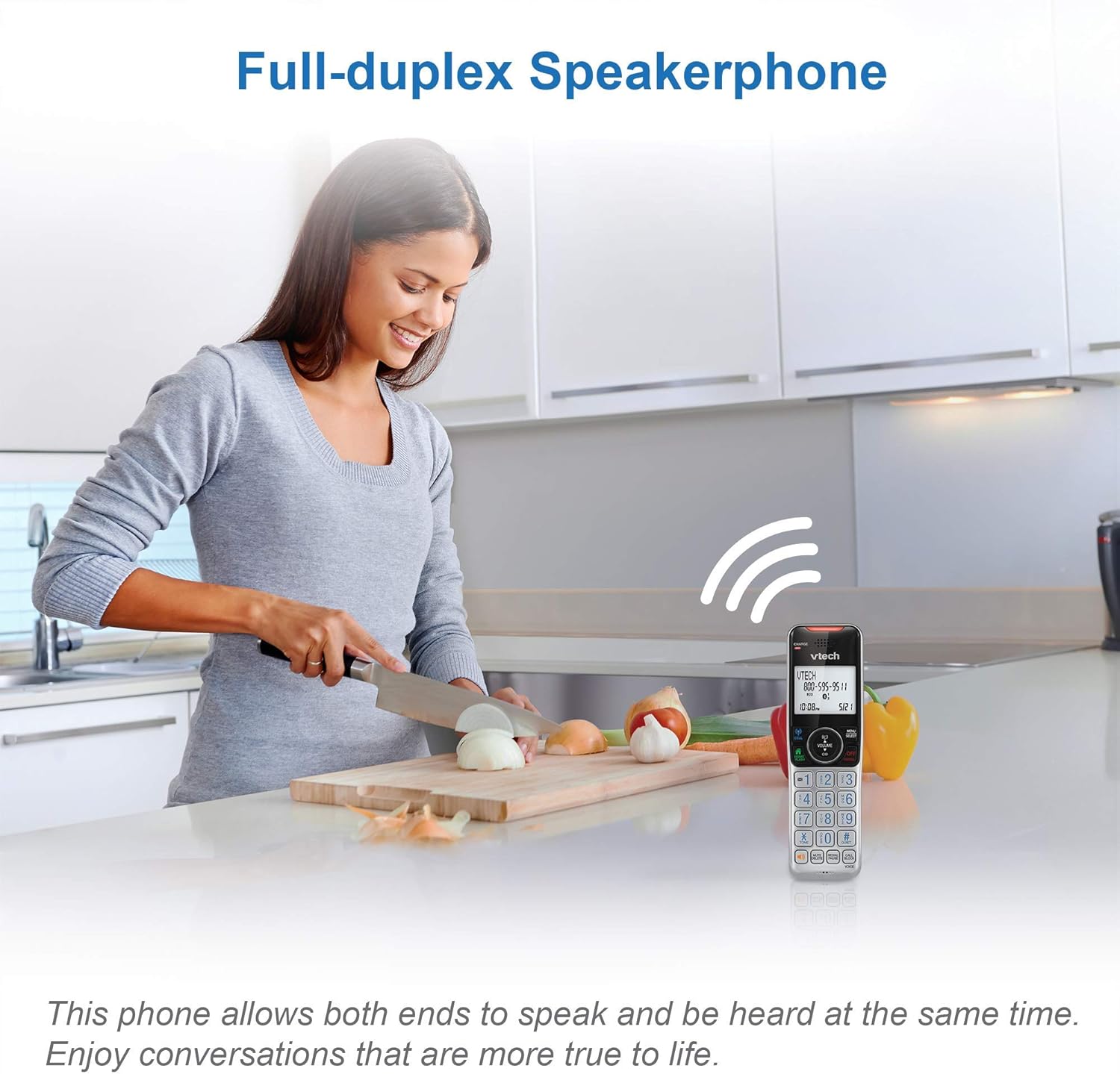
Image: This image illustrates the full-duplex speakerphone in use, showing a user engaged in a hands-free conversation.
3. Išmanusis skambučių blokatorius
This feature helps filter unwanted calls, including robocalls. It can block up to 1,000 numbers.
- Norėdami užblokuoti numerį skambučio metu: Paspauskite SKAMBINKITE BLOKĄ.
- To block a number from Caller ID history: Navigate to the Caller ID log, select the number, and press SKAMBINKITE BLOKĄ.
- Robocall screening: Nustatykite sistemą taip, kad skambinančiųjų būtų prašoma paspausti svaro klavišą.
- Unknown caller screening: Set the system to ask callers to record their names and press the pound key. The phone will announce the caller's name, allowing you to choose to answer, block, or send to voicemail.

Image: This graphic represents the Smart Call Blocker feature, designed to prevent unwanted calls from ringing through.

Image: This image illustrates the capacity of the smart call block directory, capable of storing up to 1,000 names and numbers.
4. Digital Answering System Operation
The answering system records incoming messages when you are unavailable.
- Pranešimų grojimas: Paspauskite PLAY/STOP baziniame bloke arba pasiekite atsakiklio meniu ragelyje.
- Recording a memo: Access the Answering System menu and select 'Record Memo'.
- Bazinio bloko LED pranešimų skaitiklis rodo naujų pranešimų skaičių.

Image: This image highlights the digital answering system, showing the message counter and a visual representation of a recorded message.
5. Skambinančiojo ID ir skambučio laukimas
The phone stores up to 50 name and number caller ID records.
- When a call comes in, the caller's name and number will display on the handset screen (requires subscription to caller ID service).
- If you have call waiting service, a tone will indicate an incoming second call. Press BLYKSTE norėdami perjungti skambučius.

Image: This close-up shows the phone's screen displaying caller ID details, indicating an incoming call.
6. Domofono funkcija
Norėdami bendrauti tarp ragelių, naudokite domofono funkciją.
- Paspauskite INT on one handset.
- The other handset will ring. Press any key to answer the intercom call.
7. Siri or Google Now Access
When connected to a cell phone via Bluetooth, you can access your smartphone's voice assistant.
- Paspauskite ir palaikykite LĄSTELĖ button on the handset to activate Siri or Google Now.
- Speak your command into the handset.
8. Vizualinis skambutis ir ekranas
The handset features a visual ringer and a large, backlit display for enhanced usability.
- A light on top of the handset flashes during an incoming call, providing a visual alert, especially useful in noisy environments or for those with hearing impairments.
- The 2-inch high-contrast, white backlit display and enlarged, lighted keypad ensure easy readability and dialing in various lighting conditions.
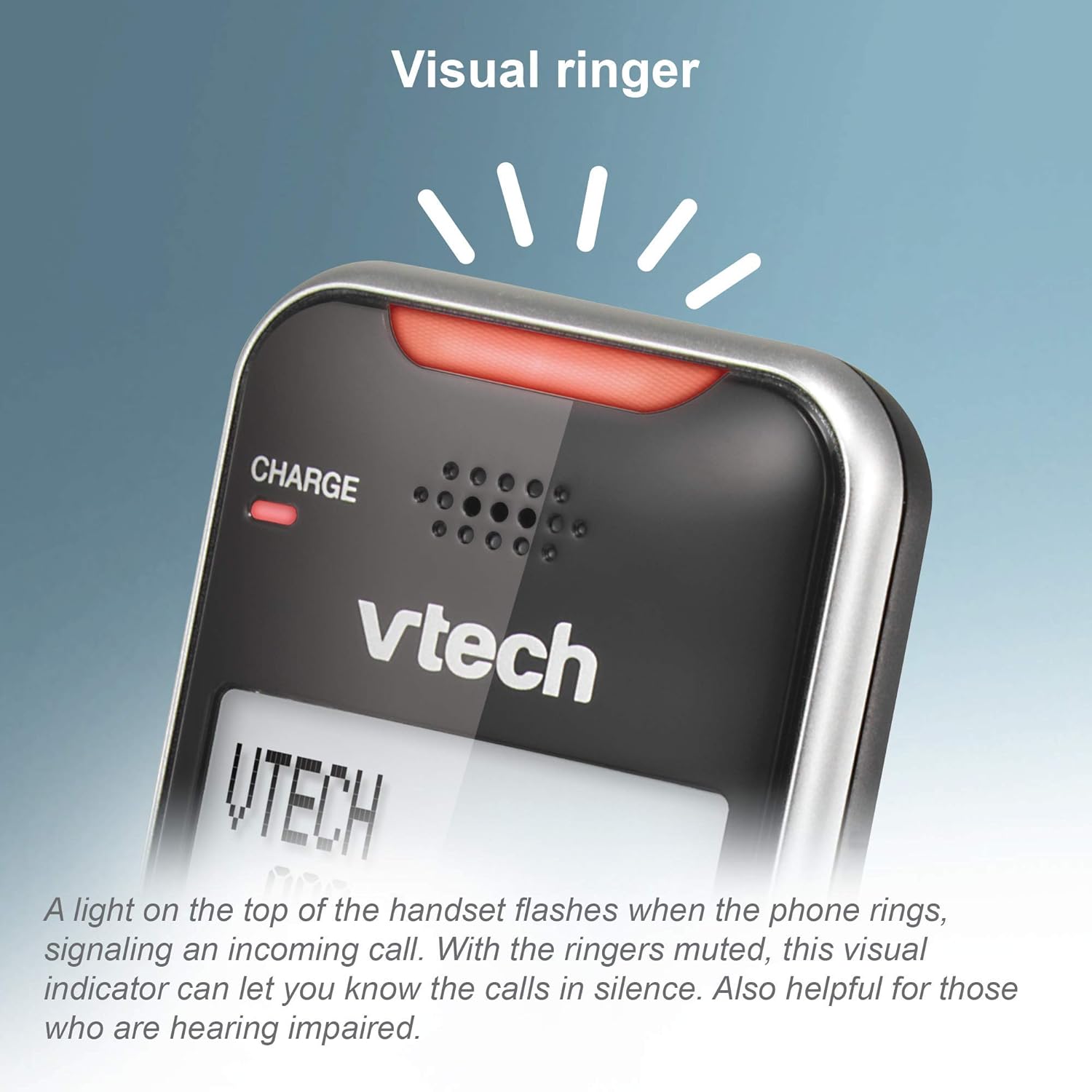
Image: This close-up shows the visual ringer, a light on the handset that flashes to signal an incoming call.

Image: This image highlights the large buttons and the 2-inch white backlit display of the handset, designed for improved visibility and ease of use.
Priežiūra
1. Telefono valymas
- Nuvalykite telefoną ir bazinį įrenginį minkšta, šiek tiek drėgna šluosteamp audinys.
- Nenaudokite valymo purškiklių ar skystų valiklių, nes jie gali pažeisti apdailą ar elektrinius komponentus.
- Ensure the phone is unplugged from the power source before cleaning.
2. Akumuliatoriaus priežiūra
- To maintain optimal battery performance, keep the handsets in their chargers when not in use.
- If the phone will be unused for an extended period, remove the batteries to prevent leakage.
- Pakeiskite baterijas, kai jos nebegali efektyviai išlaikyti įkrovos.
Trikčių šalinimas
Jei kyla problemų dėl telefono, išbandykite šiuos trikčių šalinimo veiksmus:
Nėra rinkimo tono
- Įsitikinkite, kad pagrindinio įrenginio maitinimo adapteris yra tvirtai prijungtas prie veikiančio elektros lizdo.
- Patikrinkite, ar telefono linijos laidas tinkamai prijungtas tiek prie pagrindinio įrenginio, tiek prie sieninio lizdo.
- Check if other phones on the same line have a dial tone. If not, the issue may be with your telephone service.
Ragelis neįkraunamas
- Ensure the handset is correctly seated in the charger cradle. The CHARGE light should illuminate.
- Clean the charging contacts on both the handset and the charger with a dry cloth.
- Verify the charger's power adapter is plugged into a working outlet.
Poor Call Quality or Static
- Patraukite ragelį arčiau pagrindinio įrenginio.
- Avoid placing the base unit near large metal objects, other cordless phones, Wi-Fi routers, or microwave ovens.
- If using Connect to Cell, ensure your cell phone is within range of the base unit.
Call Blocking Not Working
- Ensure you have correctly added the numbers to the call block list.
- Patikrinkite, ar telefono nustatymuose įjungta išmaniojo skambučių blokavimo funkcija.
- Note that some call blocking features may require a subscription to caller ID service from your telephone provider.
Answering System Issues
- Įsitikinkite, kad atsakiklis įjungtas.
- Check the memory capacity; if full, delete old messages.
- Verify the number of rings setting.
Specifikacijos
| Prekės ženklas | „VTech“ |
| Modelis | VS112-2 |
| Telefono tipas | Belaidis |
| Technologijos | DECT 6.0, „Bluetooth“ |
| Ragelių skaičius | 2 |
| Atsiliepimo sistemos tipas | Skaitmeninis |
| Atsakiklio įrašymo laikas | Iki 22 minučių |
| Skambinančiojo identifikavimas | Taip |
| Smart Call Blocker Capacity | Iki 1,000 skaičių |
| Ekranas | 2-inch, high-contrast, white backlit |
| Maitinimo šaltinis | Su laidu elektra |
| Baterijos | Reikalingos 2 gaminiui būdingos baterijos (pridedamos) |
| Gaminio matmenys | 5.95 x 3.33 x 7.36 colio |
| Prekės svoris | 1.82 svaro |
Garantija ir palaikymas
„Amazon“ atnaujinta garantija
This product is offered as an Amazon Renewed item. Amazon Renewed products are professionally inspected and tested to work and look like new. If you are not satisfied with your purchase, renewed products are eligible for replacement or refund under the Amazon Renewed Guarantee.
Gamintojo palaikymas
For further assistance, technical support, or detailed warranty information beyond the Amazon Renewed Guarantee, please refer to the official VTech website or contact VTech customer service directly. Contact information can typically be found on the manufacturer's websvetainėje arba originalioje produkto pakuotėje.