
JHS Pedals 3SOVERDRIVE
JHS 3 serijos „Overdrive“ naudotojo vadovas
Model: 3SOVERDRIVE
Įvadas
The JHS Pedals 3 Series Overdrive is a versatile guitar effects pedal designed to provide a wide range of overdrive sounds. Its straightforward design allows users to achieve various tones, from clean boost and transparent low-gain overdrive to saturated, amp-like medium overdrive. This manual provides detailed instructions for the proper setup, operation, maintenance, and troubleshooting of your JHS 3 Series Overdrive pedal.

Image: JHS 3 Series product line banner, showcasing the minimalist design.
Sąranka
Follow these steps to properly set up your JHS 3 Series Overdrive pedal:
- Maitinimo jungtis: The JHS 3 Series Overdrive requires a 9V DC Negative Center power supply. Connect a compatible power adapter to the 9V DC input jack on the pedal. The pedal consumes 12mA of current. Ensure your power supply meets these specifications to prevent damage.
- Įvesties jungtis: Prijunkite gitarą ar kitą instrumentą prie ĮVESTIS jack on the right side of the pedal using a standard 1/4 inch (6.35mm) instrument cable.
- Išvesties jungtis: Prijunkite IŠVADA domkratą kairėje pedalo pusėje prie savo amplifier or the next pedal in your signal chain using a standard 1/4 inch (6.35mm) instrument cable.
- Vieta: Place the pedal on a stable surface, such as a pedalboard, to prevent accidental movement during use.
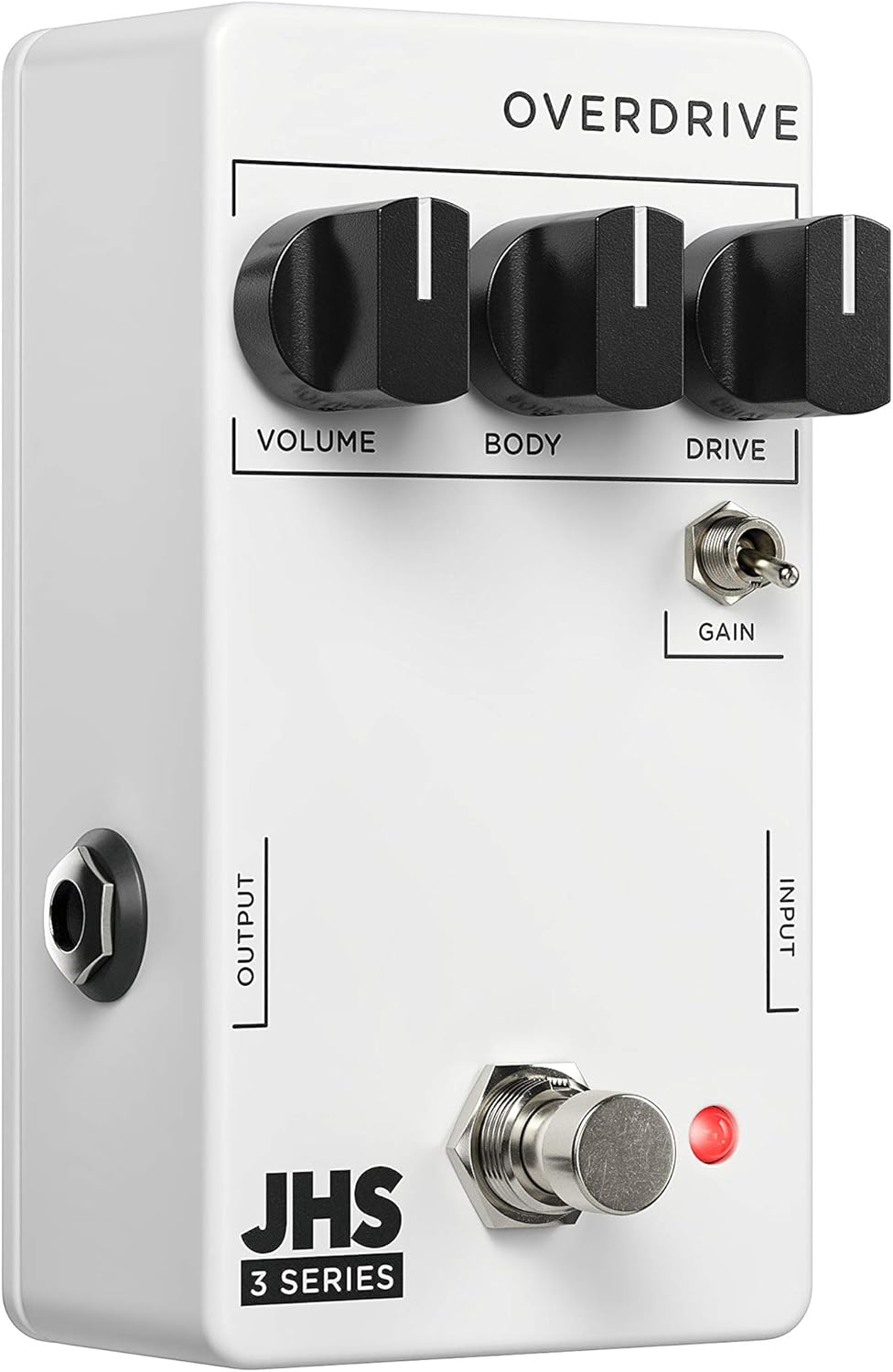
Vaizdas: kampuotas view of the JHS 3 Series Overdrive pedal, highlighting the input and output jacks for connection.
Operating the JHS 3 Series Overdrive
The JHS 3 Series Overdrive features three primary control knobs and one toggle switch, allowing for intuitive tone shaping.

Vaizdas: Iš viršaus į apačią view of the JHS 3 Series Overdrive pedal, showing the layout of its controls.
Valdikliai:

Apimtis: This knob controls the overall output level of the pedal. Turn clockwise to increase the volume, and counter-clockwise to decrease it. Use this to balance the pedal's output with your ampšvarų „lifier“ signalą arba norint padidinti garsumą.

Body (EQ): The Body knob acts as an EQ control, allowing you to shape the tonal character of the overdrive. Adjusting this knob will affect the mid-range and overall fullness of your sound, from thinner, brighter tones to thicker, warmer tones.

Vairuoti: This knob controls the amount of overdrive or gain. Turning it clockwise increases the saturation and distortion, ranging from subtle breakup to heavy overdrive. Experiment with this control to find your desired level of grit.

Gain Toggle: This two-position toggle switch alters the gain structure and dynamics of the pedal. In one position, it provides a more saturated and compressed sound, ideal for lead tones or heavier rhythm. In the other position, it offers a more open and crunchy dynamic, allowing for greater touch sensitivity and articulation. This switch significantly impacts how the pedal responds to your playing style.
To activate the pedal, press the footswitch. The red LED indicator will illuminate when the effect is active.
Priežiūra
- Valymas: Pedalo išorę valykite minkšta, sausa šluoste. Venkite naudoti abrazyvinius valiklius ar tirpiklius, nes jie gali pažeisti apdailą ar vidinius komponentus.
- Saugykla: When not in use for extended periods, disconnect the power supply and instrument cables. Store the pedal in a cool, dry place away from direct sunlight and extreme temperatures.
- Kabelių valdymas: Įsitikinkite, kad visi kabeliai yra tinkamai nukreipti ir nėra per daug įtempti, kad nepažeistumėte lizdų ar pačių kabelių.
- Maitinimas: Always use a regulated 9V DC negative center power supply. Using an incorrect power supply can damage the pedal and void the warranty.
Trikčių šalinimas
If you encounter issues with your JHS 3 Series Overdrive, try the following troubleshooting steps:
- Nėra garso:
- Patikrinkite visas kabelių jungtis (įvesties, išvesties, maitinimo), kad įsitikintumėte, jog jos tvirtai prijungtos.
- Verify that the power supply is correctly connected and providing the specified 9V DC negative center power.
- Ensure your guitar and amplifier are working correctly by testing them without the pedal in the signal chain.
- Check the pedal's footswitch and LED indicator. If the LED does not light up when pressed, there might be a power issue.
- Silpnas arba iškraipytas garsas:
- Sureguliuokite Apimtis ir Vairuoti knobs. Ensure the Volume is not set too low and the Drive is not excessively high, which can lead to unwanted distortion.
- Eksperimentuokite su Kūnas (EQ) knob to adjust the tonal balance.
- Check your guitar's pickups and volume/tone controls.
- Per didelis triukšmas / ūžesys:
- Ensure you are using a high-quality, isolated power supply. Daisy-chaining power with other noisy pedals can introduce hum.
- Check for faulty cables. Try swapping out instrument cables.
- Užtikrinkite tinkamą įžeminimą ampkeltuvas ir kita įranga.
If these steps do not resolve the issue, please contact JHS Pedals customer support for further assistance.
Specifikacijos
| Funkcija | Specifikacija |
|---|---|
| Modelis | 3SOVERDRIVE |
| Galios reikalavimas | 9V DC Negative Center |
| Dabartinis suvartojimas | 12 mA |
| Matmenys | 4 x 3 x 2 colio (10.16 x 7.62 x 5.08 cm) |
| Prekės svoris | 7.4 uncijos (0.21 kilogramo) |
| Jungties tipas | 1/4 colio (6.35 mm) garso lizdas |
| Signalo formatas | Analoginis |
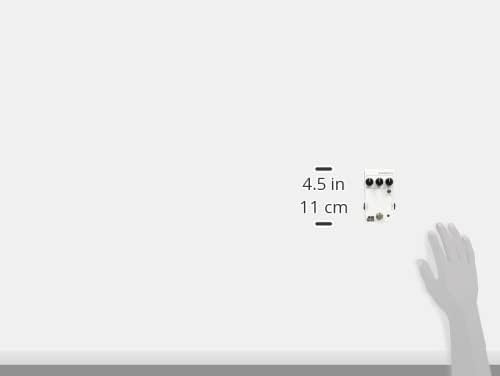
Image: JHS 3 Series pedal shown with approximate dimensions for reference.
Garantija ir palaikymas
JHS Pedals products are known for their quality and reliability. For detailed warranty information and customer support, please refer to the official JHS Pedals websvetainėje arba susisiekite tiesiogiai su jų klientų aptarnavimo tarnyba. Išsaugokite pirkimo įrodymą garantiniams reikalavimams.
Norėdami gauti daugiau išteklių ir informacijos apie produktą, apsilankykite JHS Pedals Store on Amazon.
Ask a question about this manual
Ask about setup, troubleshooting, compatibility, parts, safety, or missing instructions. Manuals+ will review the question and use this page’s manual context to help answer it.