
1. Įvadas
This manual provides detailed instructions for the Delton 10X Bluetooth Computer Headset. This wireless headset is designed for clear communication and extended use, featuring Bluetooth 5.0 connectivity, a noise-canceling microphone, and a USB dongle for versatile compatibility. Please read this manual thoroughly to ensure proper setup and operation of your device.

1.1 vaizdas: The Delton 10X Bluetooth Computer Headset and its accompanying USB dongle. This image displays the headset's over-the-head design, single ear cup, adjustable microphone boom, and the compact USB dongle.
2. Pakuotės turinys
Patikrinkite, ar pakuotėje yra visi reikalingi daiktai:
- Delton 10X Bluetooth Headset
- USB raktas
- Įkrovimo kabelis
- Vartotojo vadovas (šis dokumentas)
3. Produkto ypatybės
The Delton 10X headset offers a range of features designed for optimal performance and user comfort:
- Bluetooth 5.0 ryšys: Ensures stable and efficient wireless connection up to 30 feet.
- Triukšmą slopinantis mikrofonas: Reduces background noise for clear voice transmission.
- 270° pasukamas mikrofonas: Allows for flexible positioning and use on either ear.
- Pailgintas akumuliatoriaus veikimo laikas: Up to 15 hours talk time, 18 hours play time, and 160 hours standby time.
- Greitas įkrovimas: Visiškai įkraunama maždaug per 1.5 valandas.
- Adjustable Headband & Plush Ear Cushion: Provides comfort for prolonged wear.
- Ear Gripper T-Pad: Ensures secure fit during movement.
- Visuotinis suderinamumas: Works with smartphones, tablets, desktop PCs, laptops, and supports iOS and Windows platforms.

3.1 vaizdas: A visual summary of the Delton 10X headset's key features, including 15 hours talk time, Bluetooth 5.0, adjustable headband, high fidelity sound, noise-canceling mic, rotatable mic, long battery backup, voice assistant support, and plush cushions.
3.1 Akumuliatoriaus našumas
The Delton 10X headset is equipped with a long-lasting battery to support your daily communication needs.
- Pokalbio laikas: Iki 15 valandų
- Žaidimo laikas: Iki 18 valandų
- Budėjimo laikas: Iki 160 valandų
- Įkrovimo laikas: Maždaug 1.5 val
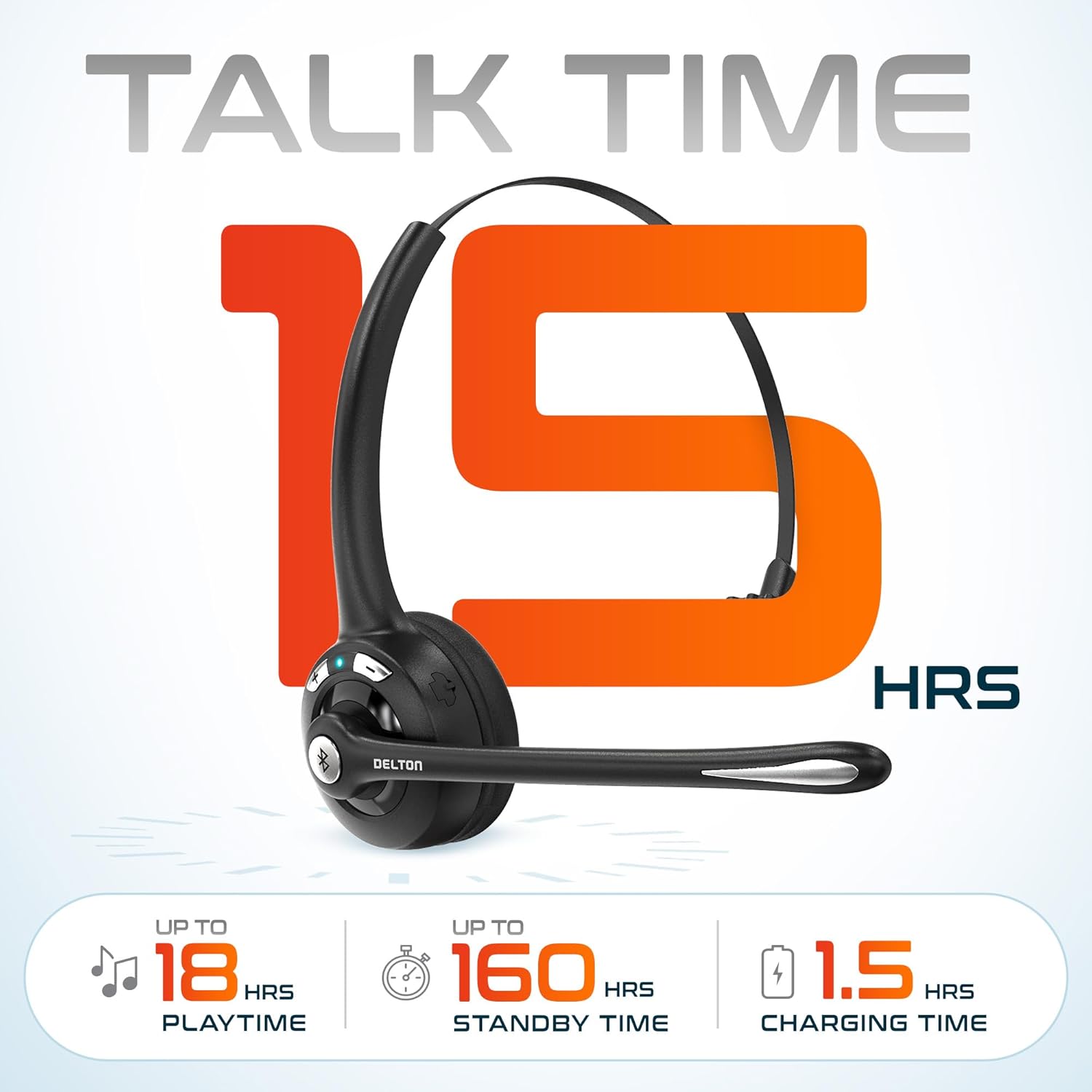
3.2 vaizdas: An infographic detailing the battery performance of the Delton 10X headset, highlighting 15 hours of talk time, 18 hours of play time, 160 hours of standby time, and a 1.5-hour charging time.
3.2 Advanced Technology
The headset incorporates an advanced chipset for seamless connectivity and improved power efficiency.

3.3 vaizdas: Iš arti view of the headset's internal components, illustrating the advanced Bluetooth 5.0 chipset. This image emphasizes the technology that reduces outside noise, improves power efficiency, and provides seamless connectivity up to 30 feet.
4. Sąranka
4.1 Ausinių įkrovimas
- Prijunkite pridedamą įkrovimo laidą prie ausinių įkrovimo prievado.
- Kitą laido galą prijunkite prie USB maitinimo šaltinio (pvz., kompiuterio USB prievado, sieninio adapterio).
- LED indikatorius rodys įkrovimo būseną. Pilnas įkrovimas trunka maždaug 1.5 valandas.
4.2 Maitinimo įjungimas/išjungimas
- Norėdami įjungti: Press and hold the Multi-Function Button (MFB) until the LED indicator flashes blue.
- Norėdami išjungti: Press and hold the MFB until the LED indicator flashes red and then turns off.
4.3 „Bluetooth“ susiejimas (tiesioginis)
To connect the headset directly to a Bluetooth-enabled device (e.g., smartphone, tablet):
- Įsitikinkite, kad laisvų rankų įranga išjungta.
- Press and hold the MFB for approximately 5-7 seconds until the LED indicator flashes red and blue alternately, indicating pairing mode.
- Įrenginyje įjunkite Bluetooth ir ieškokite galimų įrenginių.
- Select "Delton 10X" from the list of found devices.
- Prijungus, ausinių LED indikatorius lėtai mirksės mėlynai.
4.4 USB adapterio prijungimas
For computers without native Bluetooth or for a more stable connection, use the included USB dongle. The dongle provides instant auto-pairing.
- Plug the USB dongle into an available USB port on your computer. The dongle's LED will blink.
- Power on your Delton 10X headset.
- The headset and dongle will automatically pair. The dongle's LED will turn solid blue, and the headset's LED will flash blue slowly once connected.
- Ensure the Delton 10X is selected as the audio input and output device in your computer's sound settings.

4.1 vaizdas: A visual representation of the USB dongle being inserted into a laptop's USB port. The image highlights the 'Auto-Pair USB Dongle' feature and 'Plug & Play' functionality, indicating no driver installation is required.
4.5 Suderinamumas
The Delton 10X headset is designed for broad compatibility:
- Įrenginiai: Smartphones, Tablets, Desktop PCs, Laptops.
- Operacinės sistemos: iOS, Windows, Linux, Mac.
- Programos: MS Teams, Zoom, Google Meet, Slack, Skype.

4.2 vaizdas: Iliustracijų demonstracijaasing the wide compatibility of the Delton 10X headset with various devices, including phones, tablets, iOS & Windows laptops, and desktop computers/iMacs. This emphasizes its versatility across different platforms.
5. Naudojimo instrukcijos
5.1 Ausinių valdikliai
Ausinės turi intuityvius skambučių ir garso atkūrimo valdiklius:
- Daugiafunkcis mygtukas (MFB):
- Press once to Answer/End Call.
- Press and hold for 2 seconds to Redial.
- Paspauskite vieną kartą, kad paleistumėte / pristabdytumėte muziką.
- Garsumo didinimo (+) mygtukas:
- Paspauskite vieną kartą, kad padidintumėte garsumą.
- Press and hold for 2 seconds for Next Track.
- Garsumo mažinimo (-) mygtukas:
- Paspauskite vieną kartą, kad sumažintumėte garsumą.
- Press and hold for 2 seconds for Previous Track.

5.1 vaizdas: A detailed diagram of the Delton 10X headset's controls, showing the Volume Down (-), Volume Up (+), and Multi-Function Button (MFB) with their respective functions for call management, track control, and power.
5.2 Mikrofono naudojimas
The microphone is designed for clear voice pickup and can be adjusted for optimal positioning.
- Mikrofono reguliavimas: The microphone boom can rotate 270 degrees. Position the microphone approximately 1-2 inches from your mouth for best voice clarity.
- Triukšmo slopinimas: The integrated noise-canceling technology helps filter out ambient sounds, ensuring your voice is heard clearly by others.
5.3 Ausinių dėvėjimas
The Delton 10X headset is designed for comfort and can be worn on either ear.
- Reguliuojama galvos juosta: Ištieskite arba sutraukite galvos juostą, kad ji patogiai atitiktų jūsų galvos dydį.
- Ear Gripper T-Pad: This feature helps secure the headset in place.
- Left or Right Ear: Rotate the microphone boom to position the ear cup on your preferred ear.

5.2 vaizdas: An image illustrating the comfort and adjustability features of the Delton 10X headset. It shows the adjustable headband, the Ear Gripper T-Pad, the plush ear cushion, and the 270° rotation of the flexible microphone, demonstrating its usability on both left and right ears.
6. Priežiūra
Tinkama priežiūra užtikrina jūsų ausinių ilgaamžiškumą ir optimalų veikimą.
- Valymas: Ausines valykite minkšta, sausa šluoste. Ausų pagalvėles šiek tiek nuvalykite.amp Galima naudoti šluostes, tačiau prieš naudojimą įsitikinkite, kad jos yra visiškai sausos. Venkite stiprių cheminių medžiagų ar abrazyvinių medžiagų.
- Saugykla: Laikykite ausines vėsioje, sausoje vietoje, toliau nuo tiesioginių saulės spindulių ir ekstremalių temperatūrų.
- Akumuliatoriaus priežiūra: Norėdami pailginti baterijos veikimo laiką, venkite dažnai visiškai iškrauti ausines. Reguliariai jas įkraukite, net jei ilgą laiką nenaudojate.
- Venkite vandens: Ausinės nėra atsparios vandeniui. Venkite sąlyčio su skysčiais.
7. Problemų sprendimas
If you encounter issues with your Delton 10X headset, refer to the following common solutions:
| Problema | Galima priežastis | Sprendimas |
|---|---|---|
| Ausinės neįsijungia. | Žemas arba visai nėra akumuliatoriaus įkrovos. | Kraukite ausines bent 1.5 valandos. |
| Nepavyksta susieti su įrenginiu. | Ausinės neįjungtos susiejimo režimu; įrenginyje išjungtas „Bluetooth“ ryšys; įrenginys per toli. | Ensure headset is in pairing mode (flashing red/blue). Turn on device Bluetooth. Move headset closer to device (within 30 feet). Try using the USB dongle. |
| Poor microphone audio quality (others cannot hear me clearly). | Microphone position; computer audio settings; environmental noise. | Adjust the microphone closer to your mouth (1-2 inches). Check your computer's sound settings to ensure the Delton 10X is selected as the input device and microphone volume is adequate. Ensure the noise-canceling mic is facing the correct direction. |
| No sound or low sound from headset. | Headset volume too low; device volume too low; incorrect audio output device. | Increase headset volume using the '+' button. Increase volume on your connected device. Verify that the Delton 10X is selected as the audio output device in your computer's sound settings. |
| Ryšys dažnai nutrūksta. | Už diapazono ribų; trukdžiai. | Ensure you are within 30 feet of the connected device or USB dongle. Minimize obstacles between the headset and device. |
8. Specifikacijos
Detailed technical specifications for the Delton 10X Bluetooth Computer Headset:
| Funkcija | Specifikacija |
|---|---|
| Modelio pavadinimas | 10X Monoaural Headset + Dongle |
| Ryšio technologija | Belaidis ryšys („Bluetooth 5.0“) |
| Bluetooth diapazonas | Iki 30 pėdų |
| Triukšmo valdymas | Sound Isolation (Noise-Canceling Mic) |
| Dažnio atsakas | 20 Hz–20 000 Hz |
| Baterijos veikimo laikas (pokalbių laikas) | Iki 15 valandų |
| Baterijos veikimo laikas (žaidimo laikas) | Iki 18 valandų |
| Baterijos veikimo laikas (budėjimo režimas) | Iki 160 valandų |
| Įkrovimo laikas | 1.5 valandų |
| Ausinės Jack | USB (įkrovimui) |
| Valdymo tipas | Call Control, Volume Control, Track Control |
| Prekės svoris | 1.5 uncijos |
| Gaminio matmenys | 6 x 6 x 2 colio |
| Medžiaga | Plastikiniai |
| Ausų išdėstymas | Over Ear (Monoaural) |
9. Garantija ir palaikymas
For warranty information or technical assistance, please contact Delton customer support. Details can typically be found on the official Delton website or through your purchase documentation. Please retain your proof of purchase for warranty claims.