
Įvadas
Thank you for choosing the MEDION E11909 (MD 20059) 19-inch HD TV. This television features an integrated DVD player, a 12V car adapter for mobile use, and a triple tuner for receiving cable, satellite, or DVB-T2 HD signals. This manual provides essential information for the safe and efficient use of your new device. Please read it thoroughly before operation and keep it for future reference.
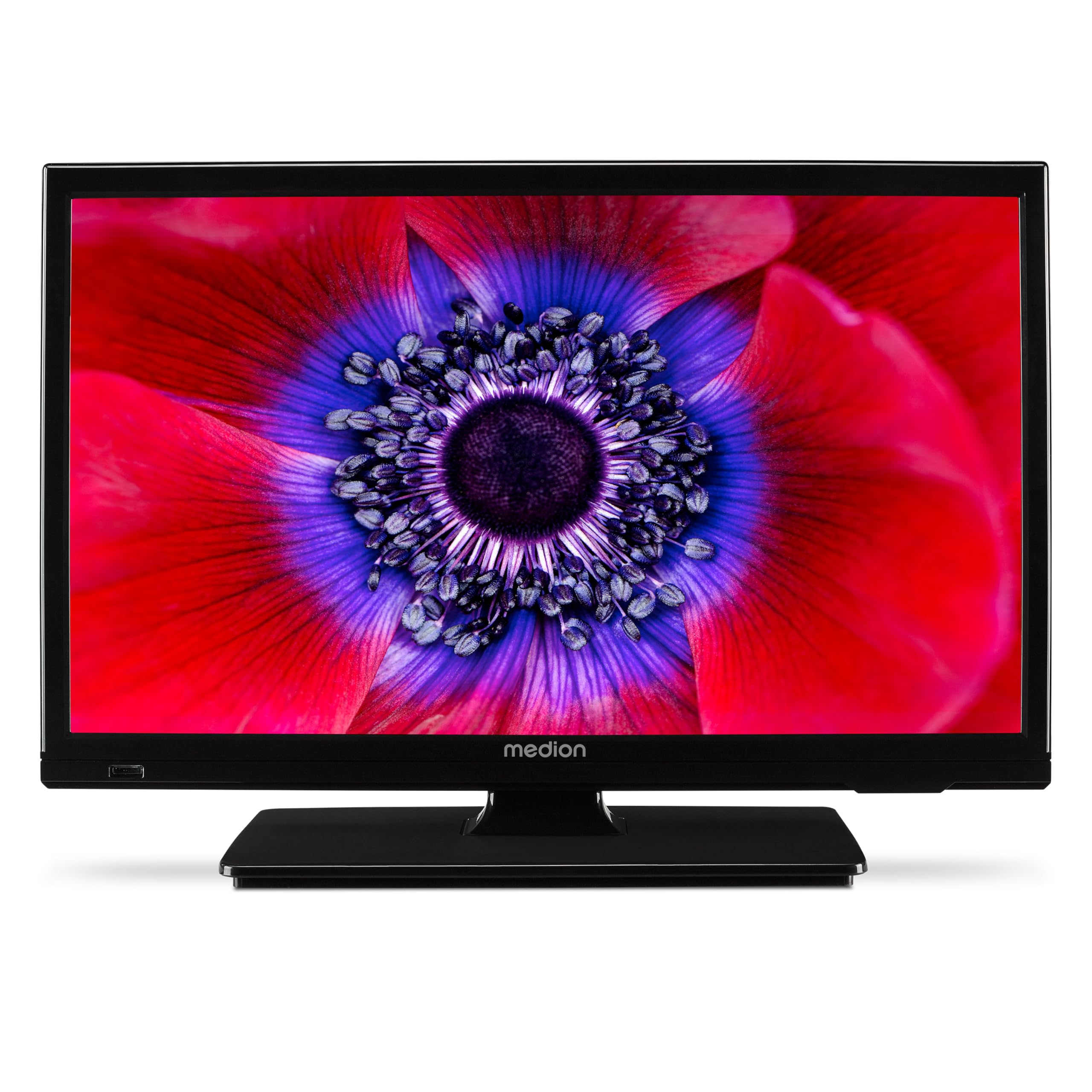
1 paveikslas: MEDION E11909 19-inch HD TV. This image shows the front view of the television, highlighting its compact design suitable for various environments.
Saugos informacija
Please observe the following safety instructions to prevent damage to the device or injury to yourself:
- Saugokite televizorių nuo lietaus ar drėgmės.
- Užtikrinkite tinkamą vėdinimą; neužblokuokite ventiliacijos angų.
- Naudokite tik su prietaisu pateiktą maitinimo adapterį.
- Neatidarykite televizoriaus korpusoasing; visus techninės priežiūros darbus patikėkite kvalifikuotiems darbuotojams.
- Laikykite televizorių atokiau nuo šilumos šaltinių ir tiesioginių saulės spindulių.
- When using the 12V car adapter, ensure the vehicle's power outlet is clean and provides stable power.
Pakuotės turinys
Prašome patikrinti, ar pakuotėje yra visi reikalingi daiktai:
- MEDION E11909 MD20059 LCD TV
- Remote control with batteries (AAA)
- Išorinis maitinimo adapteris
- Car adapter (12V)
- DVB-T antena
- AV adapteris
- Stovas su varžtais
- Vartotojo vadovas
- Garantijos knygelė
Sąranka
1. Stovo pritvirtinimas
- Atsargiai padėkite televizorių ekranu žemyn ant minkšto, švaraus paviršiaus.
- Sulygiuokite stovą su tvirtinimo angomis televizoriaus apačioje.
- Pritvirtinkite stovą, naudodami pateiktus varžtus.
2. Maitinimo prijungimas
- Naudojimui namuose: Connect the external power adapter to the TV's DC IN port and then plug it into a standard wall outlet.
- For Mobile Use (Car/Caravan): Connect the 12V car adapter to the TV's DC IN port and then plug it into your vehicle's 12V DC power socket.
3. Connecting Antennas and External Devices
Refer to the connection diagram below for port locations.

2 paveikslas: Rear panel connections. This image illustrates the various input and output ports on the back of the television, including HDMI, USB, SCART, VGA, AV In, YPbPr, PC Audio In, Headphone Jack, Digital Audio Out, and the 12V DC power input.
- Antena / kabelis: Connect your DVB-T antenna (included), cable, or satellite dish to the appropriate RF IN port.
- HDMI įrenginiai: Connect devices like Blu-ray players or game consoles to the HDMI ports.
- USB įrenginiai: Į USB prievadą įkiškite USB atmintines, skirtas medijos atkūrimui.
- Older Devices: Use the SCART, VGA, or AV IN ports for older equipment.
4. Pradinė sąranka
After connecting power and turning on the TV for the first time, an initial setup wizard will guide you through language selection, country, and channel scanning. Follow the on-screen instructions.
Veikiantis
1. Maitinimo įjungimas/išjungimas
Paspauskite GALIA button on the remote control or on the TV to turn the unit on or off.
2. Nuotolinio valdymo funkcijos
The remote control allows you to navigate menus, change channels, adjust volume, and select input sources. Refer to the remote control diagram in your separate warranty booklet for specific button functions.
3. Channel Selection and Volume
- Naudokite CH +/- mygtukai kanalams keisti.
- Naudokite VOL +/- mygtukai garsumui reguliuoti.
4. Įvesties šaltinio pasirinkimas
Paspauskite ŠALTINIS button on the remote control to cycle through available input sources (TV, HDMI1, HDMI2, AV, USB, DVD).
5. Using the Integrated DVD Player
- Insert a DVD disc into the disc slot on the side of the TV.
- Televizorius turėtų automatiškai persijungti į DVD režimą. Jei ne, paspauskite ŠALTINIS button and select DVD.
- Naudokite nuotolinio valdymo pulto atkūrimo mygtukus (PLAY, PAUSE, STOP, FF, REW) to control DVD playback.

3 paveikslas: TV with integrated DVD player. This image shows the television screen displaying high-definition content, with a DVD disc partially visible, indicating the integrated DVD player functionality.
6. Using the Media Player (USB)
- Į USB prievadą įkiškite USB laikmeną.
- Paspauskite ŠALTINIS button and select USB.
- Naršykite po savo files (photos, music, videos) using the remote control and press OK žaisti.

4 paveikslas: Easy playback of photos, videos, and more. This image highlights the USB port on the TV's side and icons representing music, photos, and video files, indicating the TV's multimedia playback capabilities.
Priežiūra
1. Ekrano valymas
Švelniai nuvalykite ekraną minkštu, nepūkuotu skudurėliu. Jei dėmės sunkiai įveikiamos, šiek tiek nuvalykite.ampNuvalykite šluostę vandeniu arba specializuotu ekrano valikliu. Nepurkškite skysčio tiesiai ant ekrano.
2. Įrenginio valymas
Nuvalykite televizorių casinminkštu, sausu skudurėliu. Venkite naudoti abrazyvinius valiklius ar tirpiklius.
3. Sandėliavimas
Jei televizorių ilgesnį laiką nenaudosite, atjunkite jį nuo maitinimo šaltinio, išimkite baterijas iš nuotolinio valdymo pulto ir laikykite jį vėsioje, sausoje vietoje, geriausia originalioje pakuotėje.
Trikčių šalinimas
If you encounter problems with your TV, please refer to the following common issues and solutions:
- Nėra galios:
- Check if the power adapter is securely connected to both the TV and the power outlet.
- Ensure the power outlet is functional. - Nėra vaizdo / garso:
- Verify that the correct input source is selected (e.g., HDMI1, TV, DVD).
- Check all cable connections (antenna, HDMI, AV).
- Perform a channel scan if using TV mode. - DVD Not Playing:
- Ensure the disc is inserted correctly with the label facing up.
- Check if the disc is clean and free from scratches.
- Try a different DVD to rule out disc issues. - Nuotolinio valdymo pultas neveikia:
- Replace the batteries (AAA).
- Įsitikinkite, kad tarp nuotolinio valdymo pulto ir televizoriaus IR jutiklio nėra jokių kliūčių.
Jei problema išlieka ir išbandžius šiuos sprendimus, susisiekite su klientų aptarnavimo tarnyba.
Specifikacijos
- Prekinis ženklas: MEDIONAS
- Modelis: E11909 (MD 20059)
- Ekrano dydis: 18.5 colių (47 cm)
- Ekrano technologija: LED skystųjų kristalų ekranas
- Rezoliucija: 768p (HD)
- Atnaujinimo dažnis: 60 Hz
- Kraštinių santykis: 1.77:1
- Ryšio technologija: HDMI, USB
- Ypatingos savybės: Built-in DVD player, 12V Car Adapter, Triple Tuner for HD reception (Cable, Satellite, DVB-T2)
- Įtraukti komponentai: LCD TV (MD 20059)
- Gaminio matmenys: 16 cm gylio x 44 cm pločio x 31 cm aukščio
- Garso išvestis: 2 x 3 W RMS Stereo Speakers
Garantija ir palaikymas
Your MEDION E11909 (MD 20059) TV comes with a manufacturer's warranty. Please refer to the included warranty booklet for detailed terms and conditions, including the warranty period and coverage.
For technical support, service, or further inquiries, please visit the official MEDION website or contact their customer service department. Contact information can typically be found in your warranty booklet or on the MEDION support page.