
DigiLand DL1036
DigiLand DL1036 Android planšetinio kompiuterio vartotojo vadovas
Modelis: DL1036
1. Įvadas
This manual provides detailed instructions for the safe and efficient use of your DigiLand DL1036 Android Tablet. Please read this manual thoroughly before operating the device and keep it for future reference. The DigiLand DL1036 is a 10.1-inch Android tablet designed for versatile use, featuring a quad-core processor, HD IPS touchscreen, and dual cameras.
2. Saugos informacija
To ensure proper operation and avoid damage, please observe the following safety precautions:
- Nelaikykite planšetinio kompiuterio ekstremaliose temperatūrose, tiesioginiuose saulės spinduliuose ar didelėje drėgmėje.
- Venkite planšetinio kompiuterio numetimo ar stiprių smūgių.
- Use only the charger and charging cable provided with the tablet.
- Do not disassemble, repair, or modify the tablet yourself. Refer to qualified service personnel.
- Laikykite tabletę atokiau nuo vandens ir kitų skysčių.
- Planšetinį kompiuterį ir jo bateriją utilizuokite atsakingai, laikydamiesi vietinių taisyklių.
3. Kas yra dėžutėje
Carefully unpack your DigiLand DL1036 Tablet and ensure all items are present:
- DL1036 Tablet
- Įkroviklis
- Įkrovimo kabelis
- Vartotojo vadovas (šis dokumentas)

Image: The DigiLand DL1036 Tablet shown with its included charger and charging cable, alongside the user manual.
4. Produktas baigtasview
Susipažinkite su savo planšetinio kompiuterio fizinėmis sudedamosiomis dalimis.
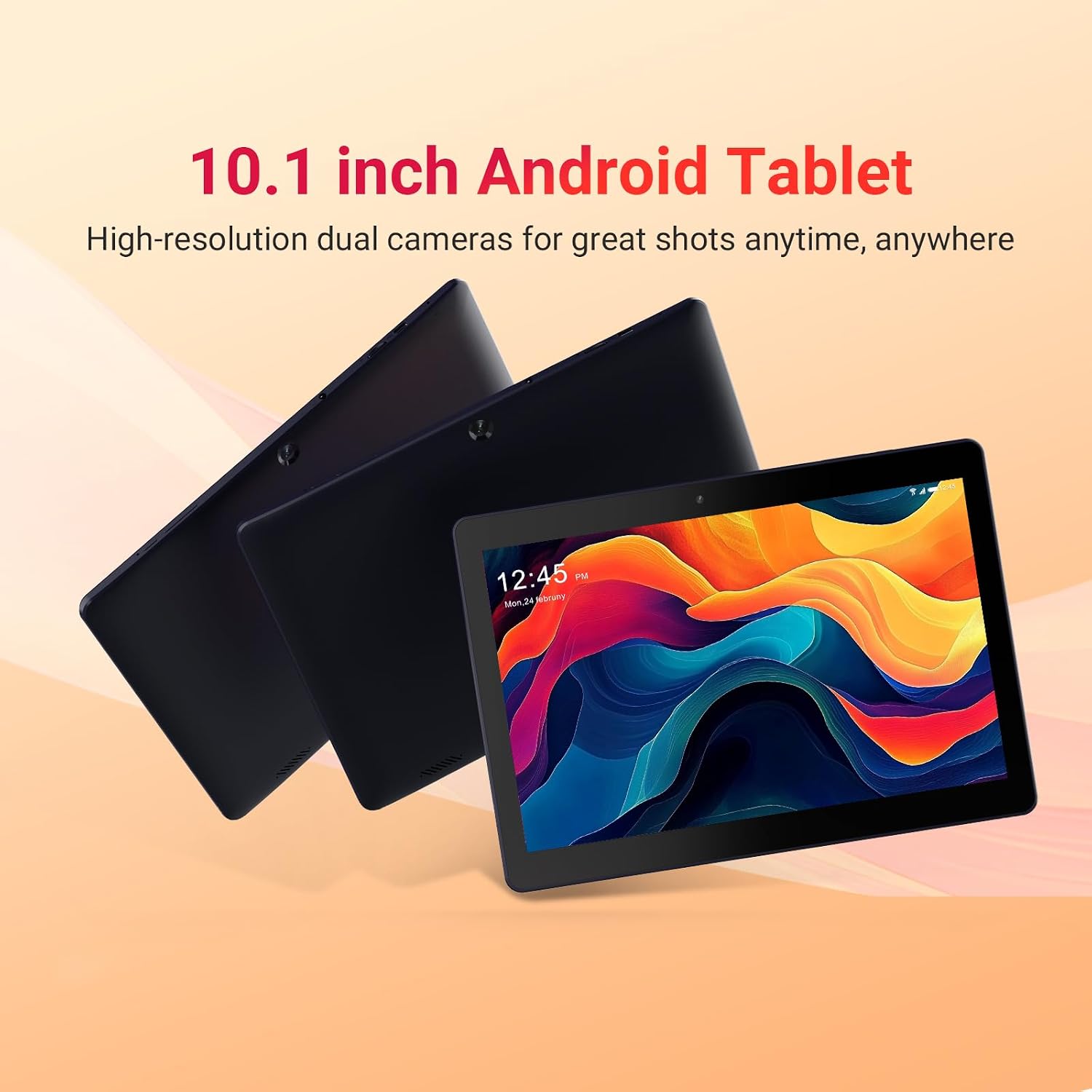
Image: Three DigiLand DL1036 tablets displayed from different angles, showcasing plonas profesionalasfile and rear camera placement.
4.1. Prievadai ir mygtukai
- Maitinimo mygtukas: Located on the side, used to turn the tablet on/off or put it to sleep/wake it up.
- Garsumo mygtukai: Sureguliuokite garso garsumą.
- USB-C prievadas: Įkrovimui ir duomenų perdavimui.
- Ausinių lizdas: 3.5 mm garso išvestis.
- MicroSD kortelės lizdas: Skirta atminties išplėtimui iki 256 GB.
- Priekinė kamera: Vaizdo skambučiams ir asmenukėms.
- Galinė kamera: Nuotraukų ir vaizdo įrašų darymui.
- Garsiakalbiai: Dėl garso išvesties.

Vaizdas: Stambus planas view of the DigiLand DL1036 tablet's side, highlighting the USB-C charging port and the MicroSD card slot.
5. Sąranka
5.1. Planšetinio kompiuterio įkrovimas
Before first use, fully charge the tablet. Connect the provided charging cable to the USB-C port on the tablet and the other end to the charger. Plug the charger into a power outlet. The battery indicator on the screen will show charging status.
5.2. Įjungimas/išjungimas
- Norėdami įjungti: Press and hold the Power button until the DigiLand logo appears.
- Norėdami išjungti: Paspauskite ir palaikykite maitinimo mygtuką, kol pasirodys maitinimo parinkčių meniu. Pasirinkite „Išjungti“ ir patvirtinkite.
- Miego / pabudimo: Trumpai paspauskite maitinimo mygtuką, kad planšetinį kompiuterį užmigdytumėte arba pažadintumėte.
5.3. Pradinė sąranka
Pirmą kartą įjungus planšetinį kompiuterį, jis atliks pradinį nustatymo procesą:
- Kalbos pasirinkimas: Pasirinkite pageidaujamą kalbą.
- „Wi-Fi“ ryšys: Select your Wi-Fi network and enter the password. A stable internet connection is recommended for setup.
- Google paskyra: Sign in with your existing Google account or create a new one. This is necessary to access the Google Play Store and other Google services.
- Data ir laikas: Nustatykite teisingą datą ir laiką arba leiskite tinklui juos nustatyti automatiškai.
- Saugumas: Dėl saugumo nustatykite ekrano užraktą (PIN kodą, šabloną arba slaptažodį).
6. Planšetinio kompiuterio valdymas
6.1. Navigacija ir gestai
The DigiLand DL1036 uses a touch-sensitive screen for navigation:
- Bakstelėkite: Norėdami pasirinkti elementą arba atidaryti programėlę.
- Palieskite ir palaikykite: Norėdami pasiekti kontekstinius meniu arba perkelti piktogramas.
- Perbraukimas: Norėdami slinkti per puslapius arba sąrašus.
- Žiupsnelis, norint priartinti: Norėdami priartinti arba atitolinti vaizdus arba web puslapių.
6.2. Prisijungimas prie Wi-Fi
Norėdami prisijungti prie „Wi-Fi“ tinklo:
- Eikite į Nustatymai > Tinklas ir internetas > Wi-Fi.
- Įjunkite „Wi-Fi“.
- Iš sąrašo pasirinkite norimą tinklą.
- Jei būsite paraginti, įveskite slaptažodį ir palieskite Prisijunkite.

Image: A graphic illustrating the 2.4G WiFi capability of the DigiLand DL1036 tablet, along with camera and charging details.
6.3. Programėlių atsisiuntimas
Access the Google Play Store to download and install applications:
- Bakstelėkite Play parduotuvė piktogramą pagrindiniame ekrane arba programėlių stalčiuje.
- Ieškokite programėlę, kurią norite įdiegti.
- Bakstelėkite Įdiegti ir vykdykite ekrane pateikiamus nurodymus.

Image: The DigiLand DL1036 tablet screen filled with various application icons, demonstrating its compatibility with Google Play Store apps.
6.4. Kameros naudojimas
Planšetinis kompiuteris turi 2 MP priekinę kamerą ir 2 MP galinę kamerą.
- Atidarykite Fotoaparatas programėlė.
- Norėdami perjungti priekinę ir galinę kameras, palieskite kameros perjungimo piktogramą.
- Palieskite užrakto mygtuką, kad nufotografuotumėte arba pradėtumėte / sustabdytumėte vaizdo įrašymą.

Paveikslėlis: Detalus grafinis demonstravimasasing the dual 2MP cameras of the DigiLand DL1036 tablet, emphasizing its photo and video capabilities.
6.5. Sandėliavimo valdymas
The tablet comes with 32GB of internal storage and supports expansion up to 256GB via a MicroSD card. To manage storage:
- Eikite į Nustatymai > Sandėliavimas į view saugyklos naudojimas.
- Insert a MicroSD card into the designated slot to expand storage for photos, videos, and other files.

Image: A visual representation of the DigiLand DL1036 tablet's 2GB RAM and 32GB ROM, indicating ample space for photos, videos, and music.
6.6. Baterijos veikimo laikas
The tablet is equipped with a 5000mAh battery, providing extended usage time. To optimize battery life:
- Sumažinkite ekrano ryškumą.
- Išjunkite „Wi-Fi“ arba „Bluetooth“, kai nenaudojate.
- Uždarykite nenaudojamas programas, veikiančias fone.

Image: A graphic highlighting the 5000mAh battery capacity of the DigiLand DL1036 tablet, emphasizing its long-lasting power.
7. Priežiūra
7.1. Valymas
Use a soft, lint-free cloth to clean the tablet screen and body. Do not use liquid cleaners or aerosols directly on the tablet.
7.2. Programinės įrangos atnaujinimai
Reguliariai tikrinkite, ar yra sistemos atnaujinimų, kad užtikrintumėte optimalų našumą ir saugumą:
- Eikite į Nustatymai > Sistema > Sistemos atnaujinimas.
- Vykdykite ekrane pateikiamus nurodymus, kad atsisiųstumėte ir įdiegtumėte visus galimus naujinimus.
7.3. Saugyklos optimizavimas
Norint užtikrinti sklandų veikimą, reguliariai pašalinkite nereikalingus files and apps:
- Pašalinkite nebenaudojamas programas.
- Išvalyti programų talpyklos duomenis Nustatymai > Programos ir pranešimai > [Programėlės pavadinimas] > Saugykla ir talpykla.
- Didelis perkėlimas files (photos, videos) to a MicroSD card or cloud storage.
8. Problemų sprendimas
Jei kyla problemų dėl planšetinio kompiuterio, žr. šiuos dažniausiai pasitaikančius sprendimus:
| Problema | Sprendimas |
|---|---|
| Planšetinis kompiuteris neįsijungia | Ensure the battery is charged. Connect the charger and wait a few minutes before attempting to power on again. If still unresponsive, perform a forced restart by holding the Power button for 10-15 seconds. |
| Wi-Fi ryšio problemos | Check if Wi-Fi is enabled in Settings. Restart your Wi-Fi router. Forget the network and reconnect. |
| Planšetinis kompiuteris veikia lėtai arba nereaguoja | Close unused apps. Clear app cache. Restart the tablet. Check for system updates. If issues persist, consider a factory reset (backup data first). |
| Programėlės stringa | Clear the app's cache and data (Settings > Apps & notifications > [App Name] > Storage & cache). Reinstall the app. Ensure the tablet's software is up to date. |
| Ekranas nereaguoja | Paleiskite planšetinį kompiuterį iš naujo. Įsitikinkite, kad ekranas švarus ir sausas. |
8.1. Gamyklinių parametrų atkūrimas
Gamyklinių parametrų atkūrimas ištrins visus planšetinio kompiuterio duomenis ir atkurs pradinius gamyklinius nustatymus. Prieš tęsdami, sukurkite visų svarbių duomenų atsargines kopijas.
- Eikite į Nustatymai > Sistema > Iš naujo nustatyti parinktis.
- Pasirinkite Ištrinti visus duomenis (atkurti gamyklinius).
- Patvirtinkite savo sprendimą ir, jei būsite paraginti, įveskite PIN kodą / šabloną / slaptažodį.
9. Specifikacijos
Key technical specifications for the DigiLand DL1036 Tablet:

Image: A comprehensive graphic detailing the DigiLand DL1036 tablet's core specifications including display, battery, processor, OS, RAM, and ROM.
| Funkcija | Specifikacija |
|---|---|
| Modelio pavadinimas | DL1036 |
| Ekrano dydis | 10.1 colių |
| Ekrano raiška | 1280x800 IPS |
| Procesorius | 2 GHz Quad-core (MediaTek) |
| RAM | 2 GB |
| Vidinė saugykla | 32 GB |
| Išplečiama saugykla | Up to 256GB (MicroSD) |
| Operacinė sistema | Android 11 Go |
| Galinis Webkumštelio raiška | 2 MP |
| Priekyje Webkumštelio raiška | 2 MP |
| Baterijos veikimo laikas (vidutinis) | 10 valandų |
| Baterijos talpa | 5000 mAh |
| Belaidis tipas | 802.11g (2.4G WiFi) |
| Prekės svoris | 1.06 svaro |
| Gaminio matmenys | 9.6 x 6.8 x 0.3 colio |
| Spalva | Mėlyna |
10. Garantija ir palaikymas
DigiLand products are covered by a limited warranty. For specific warranty terms and conditions, please refer to the warranty card included with your product or visit the official DigiLand website. If you encounter any issues or require technical assistance, please contact DigiLand customer support through the contact information provided on our website or in your product packaging. Please have your model number (DL1036) and purchase information ready when contacting support.
Ask a question about this manual
Ask about setup, troubleshooting, compatibility, parts, safety, or missing instructions. Manuals+ will review the question and use this page’s manual context to help answer it.