
Įvadas
This manual provides detailed instructions for the setup, operation, and maintenance of your FANGOR 15.6" Portable Monitor, model DH112222. Please read this manual thoroughly before using the product to ensure proper functionality and to prevent damage.
The FANGOR DH112222 is a versatile 15.6-inch Full HD 1080P IPS display designed for various applications, including extending laptop screens, gaming, and multimedia consumption. It features USB Type-C and HDMI connectivity, built-in speakers, and a smart cover for portability and protection.
Pakuotės turinys
Išpakuodami patikrinkite pakuotės turinį. Jei trūksta kokių nors daiktų arba jie pažeisti, susisiekite su klientų aptarnavimo tarnyba.
- FANGOR 15.6" Portable Monitor (DH112222)
- Smart Cover / Stand
- USB-C to USB-C Cable (for power and video/data)
- HDMI to Mini HDMI Cable (for video)
- USB-A–USB-C laidas (maitinimui)
- Maitinimo adapteris (jei yra)
- Vartotojo vadovas (šis dokumentas)
Produktas baigtasview
Familiarize yourself with the monitor's components and ports.
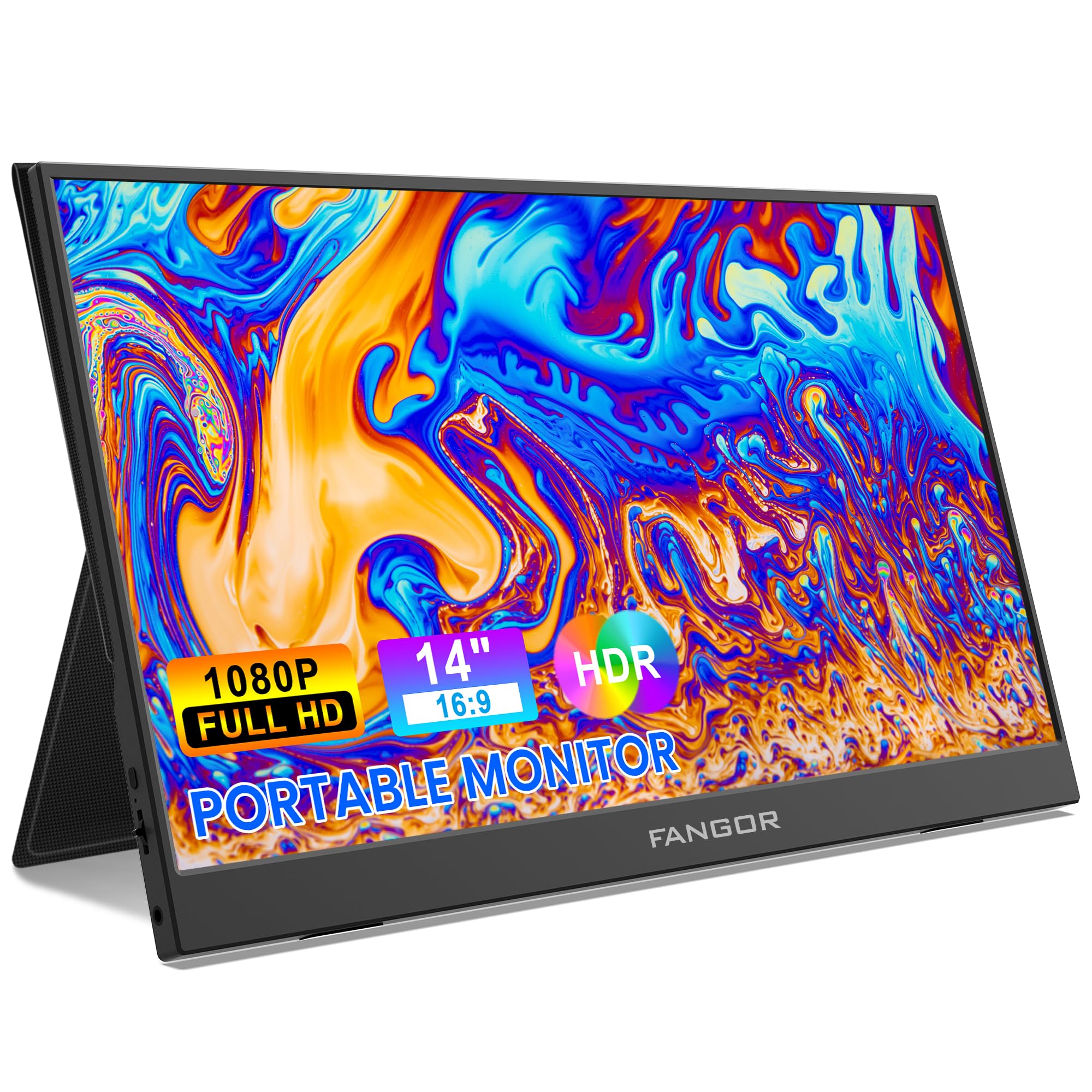
Image: FANGOR 15.6" Portable Monitor DH112222. This image displays the monitor with its smart cover, showcasing, tai plonas profesionalasfile ir ekranas.
Prievadai ir mygtukai:
- USB-C Port (Full-featured): For power, video, and data transmission from compatible devices.
- Mini HDMI prievadas: For video input from devices using an HDMI cable.
- 3.5 mm garso lizdas: Skirta išorinėms ausinėms arba garsiakalbiams prijungti.
- Power Button / OSD Menu Button: Press and hold to power on/off. Press to access the On-Screen Display (OSD) menu.
- Volume / Navigation Buttons: Used to adjust volume or navigate through the OSD menu.
- Integruoti garsiakalbiai: Located on the sides or rear of the monitor.
Note: A visual diagram showing the exact location of each port and button would typically be included here.
Sąrankos instrukcijos
1. Setting up the Smart Cover:
- Unfold the smart cover to form a triangular stand.
- Place the monitor into the grooves of the stand to achieve the desired viewing kampas.
Note: An illustration demonstrating how to fold the smart cover into a stand would be beneficial here.
2. Connecting to a Power Source:
The monitor requires power to operate. It can be powered via USB-C.
- Connect one end of the USB-C to USB-C cable to the monitor's full-featured USB-C port.
- Connect the other end to a power adapter (5V/3A or higher recommended) or a compatible device's USB-C port that supports power delivery.
- Alternatively, use the USB-A to USB-C cable with a power adapter.
Note: A diagram showing power connection options would be helpful.
Naudojimo instrukcijos
Prisijungimas prie įrenginių:
The FANGOR DH112222 supports various devices via USB-C and HDMI.
1. Connecting to a Laptop/PC (USB-C):
For laptops/PCs with a full-featured USB-C port (supporting DisplayPort Alternate Mode and Power Delivery):
- Connect one end of the USB-C to USB-C cable to the monitor's full-featured USB-C port.
- Connect the other end to the laptop's full-featured USB-C port.
- The monitor should automatically detect the signal and display the screen. If not, ensure the laptop's display settings are configured for an external monitor (e.g., Extend, Duplicate).
Note: Some laptops may require an external power source for the monitor if their USB-C port does not provide sufficient power.
2. Connecting to a Laptop/PC (HDMI):
For laptops/PCs with an HDMI port:
- Connect one end of the HDMI to Mini HDMI cable to the monitor's Mini HDMI port.
- Connect the other end (HDMI) to the laptop's HDMI port.
- Ensure the monitor is powered via its USB-C port (using a USB-A to USB-C cable connected to a power adapter or a USB-C to USB-C cable connected to a power source).
- The monitor should automatically detect the signal. Adjust display settings on your PC if necessary.
3. Connecting to Gaming Consoles (PS4, Xbox, Switch):
Use the HDMI to Mini HDMI cable for video and a USB-C cable for power.
- Connect the monitor to a power source via USB-C.
- Connect the HDMI to Mini HDMI cable from the console's HDMI output to the monitor's Mini HDMI input.
- Power on the console and the monitor.
4. Connecting to Smartphones (USB-C):
For smartphones with a full-featured USB-C port (supporting DisplayPort Alternate Mode and Power Delivery):
- Connect one end of the USB-C to USB-C cable to the monitor's full-featured USB-C port.
- Connect the other end to the smartphone's USB-C port.
- The monitor will display the phone's screen. Some phones may offer a desktop mode.
Note: Not all smartphones support video output via USB-C. Check your phone's specifications.
Ekrano ekrano (OSD) meniu:
OSD meniu leidžia reguliuoti įvairius ekrano nustatymus.
- Press the Power/OSD button to open the OSD menu.
- Use the Volume/Navigation buttons to move up/down or left/right through the menu options.
- Press the Power/OSD button again to select an option or confirm a setting.
- To exit the OSD menu, navigate to the 'Exit' option or wait for the menu to time out.
Common OSD Menu Options: Brightness, Contrast, Color Temperature, Aspect Ratio, Input Source, Volume.
Priežiūra
- Ekrano valymas: Šiek tiek naudokite minkštą, be pūkelių šluostę dampnuplaukite vandeniu arba neabrazyviniu ekrano valikliu. Nepurkškite skysčio tiesiai ant ekrano.
- C valymasasing: Use a soft, dry cloth. Avoid harsh chemicals or abrasive materials.
- Saugykla: When not in use, store the monitor in its smart cover to protect the screen from scratches and dust. Avoid extreme temperatures and humidity.
- Tvarkymas: Visada imkite monitorių už kraštų. Venkite spausti ekraną.
Trikčių šalinimas
| Problema | Galimas sprendimas |
|---|---|
| Nėra signalo / Juodas ekranas |
|
| Iš garsiakalbių nėra garso |
|
| Ekrano mirgėjimas arba nestabilus vaizdas |
|
| Monitorius neįsijungia |
|
Specifikacijos
| Funkcija | Detalė |
|---|---|
| Modelio numeris | 112222 DH |
| Ekrano dydis | 15.6 colių |
| Rezoliucija | FHD 1080p (1920 x 1080) |
| Ekrano tipas | LCD, IPS |
| Krašto santykis | 16:9 |
| Atnaujinimo dažnis | 60 Hz |
| Kontrasto santykis | 1000:1 |
| Viewing kampas | 160 laipsnių |
| Screen Finish | Blizgus |
| Ryšys | HDMI, USB-C (full-featured), Mini HDMI |
| Garsas | Built-In Speakers, 3.5mm Audio Jack |
| Gaminio matmenys | 38 x 28.5 x 45 cm |
| Prekės svoris | 612.35 g (1.35 svaro) |
| Suderinami įrenginiai | Laptop, PC, Smartphone, XBOX, Switch, PS4 |
Saugos informacija
- Saugokite monitorių nuo lietaus ar drėgmės, kad išvengtumėte gaisro ar elektros smūgio pavojaus.
- Neatidarykite monitoriaus c.asing. Visus techninės priežiūros darbus patikėkite kvalifikuotiems techninės priežiūros darbuotojams.
- Venkite monitoriaus statyti šalia šilumos šaltinių arba tiesioginiuose saulės spinduliuose.
- Naudokite tik gamintojo pateiktą arba rekomenduojamą maitinimo adapterį ir laidus.
- Laikykite monitorių atokiau nuo stiprių magnetinių laukų.
Garantija ir palaikymas
For warranty information and technical support, please refer to the warranty card included with your product or visit the official FANGOR websvetainėje. Išsaugokite pirkimo kvitą kaip pirkimo įrodymą garantiniams reikalavimams.
For further assistance, contact FANGOR customer support through their official channels.