
1. Įvadas
Thank you for choosing the WiZ 6-inch Tunable White LED Recessed Downlight. This smart lighting solution allows you to enjoy personalized illumination, enhancing your home environment with ease. This manual provides essential information for the safe and efficient use of your new downlight, covering installation, operation, maintenance, and troubleshooting.
2. Produkto ypatybės
- Išmanusis apšvietimo valdymas: Enjoy intelligent lighting with the WiZ 6-inch (15cm diameter) Tunable White LED Recessed Downlight.
- Tunable White Spectrum: Choose between different shades of warm to cool white light (from 2700K to 6500K) to help you concentrate, relax, energize, or simply illuminate your space clearly.
- Customizable Schedules & Scenes: Set personalized schedules to turn lights on and off according to your daily routines, or select from preset scenes.
- Balso valdymo suderinamumas: Control your lights using your voice with popular smart assistants like Alexa, Siri, or Google Assistant.
- „Wi-Fi“ ryšys: WiZ lights connect directly to your existing Wi-Fi network without the need for additional hardware or a hub.
- Ilgas tarnavimo laikas ir energijos vartojimo efektyvumas: Features a lifespan of 15,000 hours and a luminous flux of 1950 lumens, offering both durability and energy savings.

2.1 pav. Baigtaview of WiZ Smart Features
3. Pakuotės turinys
Patikrinkite, ar pakuotėje yra visi komponentai:
- 1 x WiZ 6-inch Tunable White LED Recessed Downlight (RD6 17W)
- 1 x Naudotojo vadovas (šis dokumentas)
4. Saugos informacija
Prieš montuodami ir naudodami, perskaitykite ir supraskite visas saugos instrukcijas. Nesilaikant šių instrukcijų, gali kilti elektros smūgis, gaisras ar kiti pavojai.
- Elektros sauga: Always turn off power at the circuit breaker before installing or servicing the downlight. Ensure proper grounding.
- Montavimas: Install in accordance with national and local electrical codes. If you are unsure about the installation, consult a qualified electrician.
- Veikimo aplinka: Do not use in wet locations or where directly exposed to water. Suitable for indoor use only.
- Suderinamumas: Use only with WiZ compatible devices and applications.
- Šalinimas: Produktą ir jo komponentus utilizuokite atsakingai, laikydamiesi vietinių taisyklių.
5. Sąrankos vadovas
Follow these steps to install and connect your WiZ Recessed Downlight:
- Pasiruoškite montavimui: Turn off the power to the circuit at the main fuse box or circuit breaker.
- Priemonės atidarymas: Ensure your ceiling opening is suitable for a 6-inch (15cm) recessed downlight. Refer to the product dimensions.
- Prijunkite laidus: Connect the downlight's wiring to your household electrical wiring according to the wiring diagram provided with the product (not shown here, typically in a separate installation guide). Ensure all connections are secure.
- Įterpti apšvietimą: Gently push the downlight into the ceiling opening until the spring clips secure it in place.
- Atkurti maitinimą: Prie grandinės pertraukiklio vėl įjunkite maitinimą.
- Atsisiųskite „WiZ“ programėlę: Download the WiZ app from your smartphone's app store (available for iOS and Android).
- Pair the Downlight: Open the WiZ app and follow the on-screen instructions to pair your new downlight. The app will guide you through the process of connecting the light to your Wi-Fi network.

5.1 pav.: Gaminio matmenys

Figure 5.2: WiZ App Pairing Process
6. Naudojimo instrukcijos
Once installed and paired, you can control your WiZ downlight using the WiZ app or voice commands.
6.1. Using the WiZ App
- Įjungta/Išjungta: Tap the light icon in the app to turn the downlight on or off.
- Ryškumo reguliavimas: Use the slider in the app to adjust the brightness level.
- Spalvos temperatūra: Select from a range of warm to cool white tones (2700K to 6500K) to suit your mood or activity.
- Scenos: Choose from a variety of pre-set dynamic light modes or create your own custom scenes for different occasions.
- Tvarkaraščiai: Set up daily or weekly schedules for your lights to turn on/off or change scenes automatically.
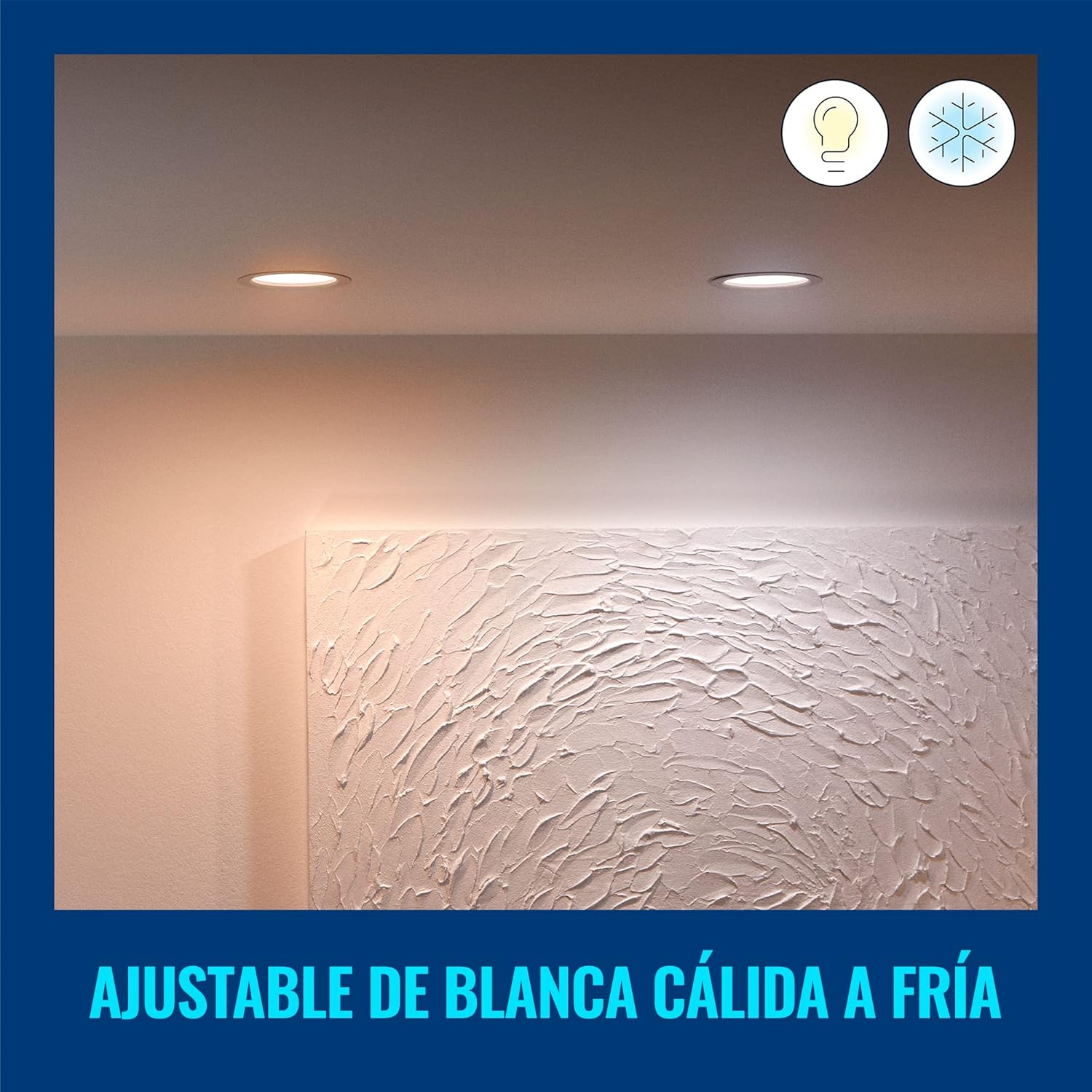
Figure 6.1: Warm White Light Setting
6.2. Valdymas balsu
Integrate your WiZ downlight with smart home assistants for hands-free control:
- „Google“ padėjėjas: Link your WiZ account in the Google Home app. Then use commands like, "Hey Google, turn on the living room light."
- Amazon Alexa: Enable the WiZ skill in the Alexa app. Use commands such as, "Alexa, set the kitchen light to warm white."
- „Apple Siri“ spartieji klavišai: „WiZ“ programėlėje sukurkite pasirinktinius „Siri“ sparčiuosius klavišus, kad galėtumėte greitai duoti balso komandas.

6.2 pav.: Balso valdymo integravimas
7. Priežiūra ir priežiūra
To ensure the longevity and optimal performance of your WiZ downlight, follow these simple care instructions:
- Valymas: Disconnect power before cleaning. Use a soft, dry cloth to wipe the surface of the downlight. Do not use abrasive cleaners or solvents.
- Nėra vartotojo aptarnaujamų dalių: The LED light source is integrated and not replaceable. Do not attempt to disassemble the downlight.
- Aplinkos sąlygos: Avoid exposing the downlight to extreme temperatures or high humidity, as this may affect its performance and lifespan.
8. Problemų sprendimas
If you encounter issues with your WiZ downlight, refer to the following common problems and solutions:
| Problema | Galima priežastis | Sprendimas |
|---|---|---|
| Į apačią nukreiptas apšvietimas neįsijungia. | Nėra maitinimo, atsilaisvinę laidai arba sugedęs įrenginys. | Check circuit breaker. Ensure wiring is secure. If problem persists, contact customer support. |
| Nepavyksta prisijungti prie „Wi-Fi“. | Incorrect Wi-Fi password, out of range, or router issue. | Verify Wi-Fi password. Move downlight closer to router. Restart router. Ensure you are connecting to a 2.4GHz Wi-Fi network. |
| Šviesa netikėtai mirksi arba pritemsta. | Unstable power supply or interference. | Check electrical connections. Ensure no other devices are causing electrical interference. |
| Balso valdymas neveikia. | Incorrect setup with smart assistant or internet connectivity issues. | Ensure WiZ account is correctly linked in your smart assistant app. Check internet connection. |
For further assistance, please refer to the customer support section.
9. Specifikacijos
| Atributas | Vertė |
|---|---|
| Prekės ženklas | „WiZ“ |
| Modelio numeris | 929002647712 |
| Gamintojas | Signify Mexico |
| Spalva | Baltas |
| Medžiaga | Plastikiniai |
| Forma | Apvalus |
| Maitinimo šaltinis | Elektrinis |
| ttage | 120 voltai (kintamoji srovė) |
| Vattage | 17 vatų |
| Lemputės tipas | LED (integruotas) |
| Šviesos srautas | 1950 liumenų |
| Ypatingos savybės | Dimmable, Low Consumption |
| Naudojimas | Decoration, General Lighting |
| Reikalingos baterijos? | Nr |
| Gaminio matmenys (I x P x A) | 16.5 x 15 x 4.7 cm (6.5 x 5.91 x 1.85 colio) |
| Produkto svoris | 220 g |
| Gyvenimo trukmė | 15,000 valandos |
10. Informacija apie garantiją
WiZ products are designed for reliability and performance. This product comes with a standard manufacturer's warranty against defects in materials and workmanship. Please refer to the official WiZ webKonkrečias garantijos sąlygas, įskaitant galiojimo laiką ir aprėpties informaciją, rasite svetainėje arba pirkimo dokumentuose.
11. Pagalba klientams
If you have any questions, require technical assistance, or need to report an issue, please contact WiZ customer support through the following channels:
- Palaikymas internetu: Aplankykite pareigūną „WiZ“ websvetainę for FAQs, troubleshooting guides, and contact forms.
- Pagalba programėlėje: Access support resources directly within the WiZ mobile application.
- Mažmenininkų palaikymas: Dėl su pirkimu susijusių klausimų kreipkitės į pardavėją, iš kurio įsigijote gaminį.