
1. Įvadas
Thank you for choosing the Symcode 2-in-1 Wireless CCD Barcode Scanner. This device offers both 2.4GHz wireless and USB wired connectivity, providing flexibility for various applications. It is designed for efficient and accurate scanning of 1D barcodes from both printed materials and digital screens. This manual provides detailed instructions on setting up, operating, maintaining, and troubleshooting your barcode scanner.
2. Produktas baigtasview
2.1 Pakuotės turinys
Išpakuodami patikrinkite, ar yra visi toliau išvardyti daiktai ir ar jie yra geros būklės:
- 1 x Symcode CCD Barcode Scanner
- 1x USB laidas
- 1 x 2.4 GHz belaidis adapteris
- 1 x angliškas vartotojo vadovas

Figure 2.1: Package Contents of the Symcode Barcode Scanner.
2.2 Scanner Components
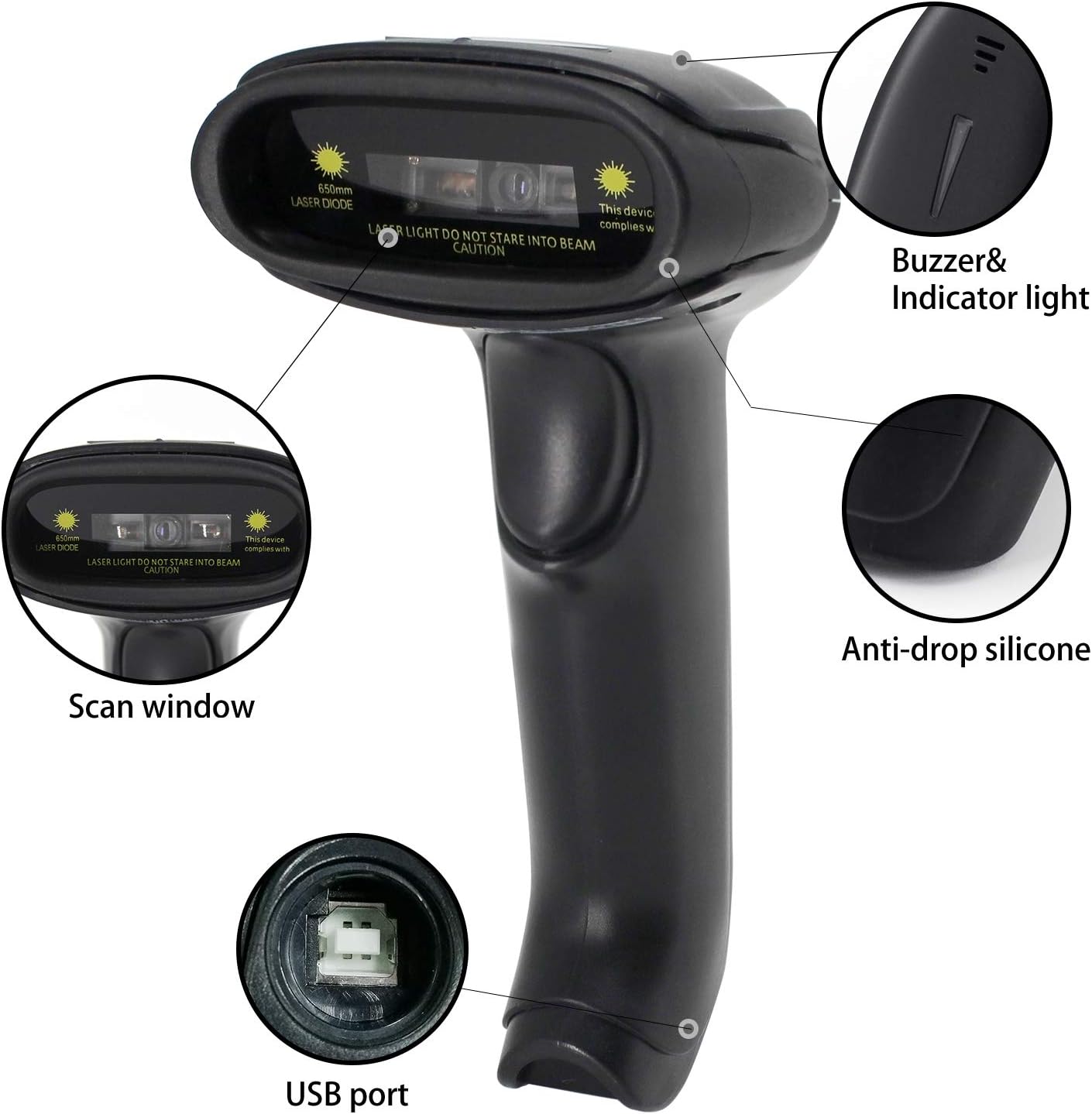
Figure 2.2: Key Components of the Symcode Barcode Scanner.
- Nuskaitymo langas: Area through which the barcode is read.
- Buzzer & Indicator Light: Provides audio and visual feedback for successful scans and status.
- USB prievadas: Laidiniam prijungimui ir įkrovimui.
- Anti-drop Silicone: Provides protection against accidental drops.
2.3 Gaminio matmenys
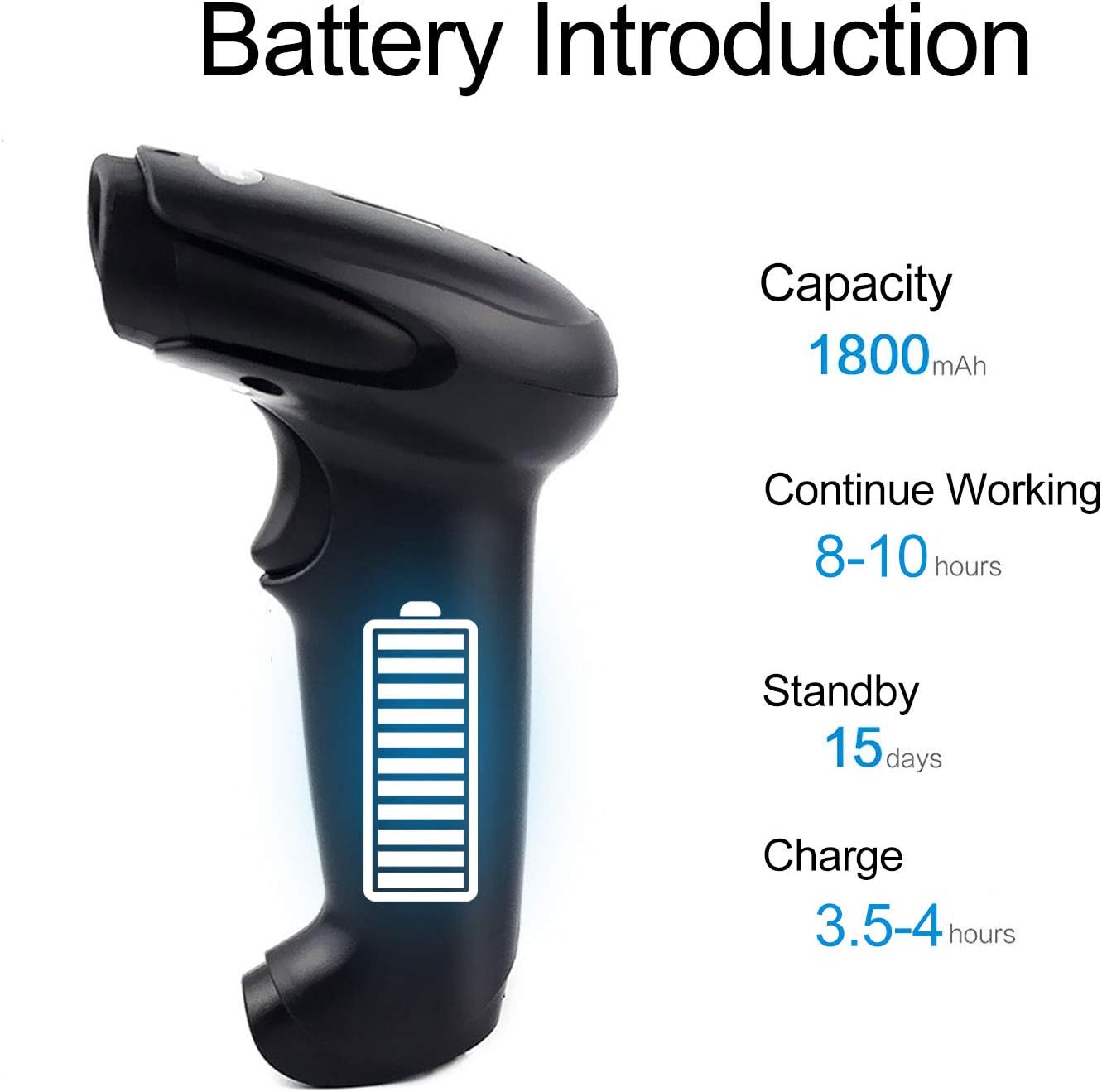
Figure 2.3: Dimensions of the Symcode Barcode Scanner.
3. Sąranka
3.1 laidinis ryšys (USB)
- Connect the USB cable to the scanner's USB port.
- Plug the other end of the USB cable into an available USB port on your computer, laptop, or POS machine.
- The scanner is plug-and-play; no additional drivers are required. It will be recognized automatically by Windows, Mac, Android, and Linux systems.
3.2 Wireless Connection (2.4GHz Dongle)
- Insert the 2.4GHz wireless dongle into an available USB port on your computer, laptop, or POS machine.
- Turn on the barcode scanner. It will automatically pair with the dongle.
- The scanner is plug-and-play; no additional drivers are required. It will be recognized automatically by Windows, Mac, Android, and Linux systems.
4. Naudojimo instrukcijos
4.1 Pagrindinė nuskaitymo procedūra
- Ensure the scanner is powered on and connected (wired or wireless).
- Nukreipkite nuskaitymo langą į brūkšninį kodą, kurį norite nuskaityti.
- Press the trigger button (if in trigger mode) or position the scanner over the barcode (if in auto-sense or continuous mode).
- A successful scan will be indicated by a beep and a flash of the indicator light. The barcode data will be transmitted to your connected device.
4.2 Skenavimo režimai
The scanner supports three scanning modes:
- Trigerio nuskaitymas: Press the trigger button to activate the scan beam.
- Auto-sense Scan: Skaitytuvas automatiškai aptinka brūkšninį kodą savo lauke view and activates the scan beam.
- Nuolatinis nuskaitymas: The scan beam remains continuously active, allowing for rapid scanning without pressing the trigger.
Refer to the included user manual (physical copy) for instructions on how to switch between these scanning modes. If you encounter difficulties, please contact Symcode customer support.
4.3 Palaikomi brūkšninių kodų tipai
This CCD barcode scanner is designed to read 1D brūkšniniai kodai, whether printed on paper or displayed on digital screens. It does not support 2D barcodes (e.g., QR codes).
Supported 1D barcode symbologies include: EAN-8, EAN-13, Codabar, CODE11, CODE 39, CODE 93, CODE128, China Post, GS1-128, GS1 Limited, GS1 Omnidirectional, UPC-A, UPC-E, ISBN/ISSN, ISBT, Interleaved 2 of 5, Matrix 2 of 5, Industrial 2 of 5, 2 of 5, MSI, Plessey, ITF14.

Figure 4.1: Scanning a barcode from a digital screen.
5. Informacija apie akumuliatorių
The Symcode barcode scanner is equipped with a high-capacity rechargeable battery for extended operation.

5.1 pav.: Baterijos specifikacijos.
- Talpa: 1800 mAh
- Nepertraukiamas darbo laikas: 8-10 valandas
- Budėjimo laikas: 15 dienų
- Įkrovimo laikas: 3.5-4 valandas
To charge the scanner, connect it to a USB power source using the provided USB cable. The indicator light will show charging status.
6. Belaidis ryšys
The 2.4GHz wireless connection provides reliable data transmission over a significant range.
- Transmission Distance (Indoor): 15-30 meters (in crowded indoor environments)
- Transmission Distance (Outdoor): 30-100 meters (in open outdoor environments)

Figure 6.1: Wireless Transmission Range.
6.1 Darbo režimai
The scanner supports two primary operating modes for data handling:
- Įprastas režimas: Data is transferred immediately after each scan.
- Saugojimo režimas: Barcode data is stored internally in the scanner's 16MB memory (capable of storing over 50,000 barcode entries). Data can then be uploaded to the connected device by scanning a specific setting code. This mode is useful for inventory taking or when out of wireless range.
7. Barcode Programming
The Symcode barcode scanner is programmable, allowing customization of its output and behavior. These settings are typically configured by scanning specific programming barcodes found in the full user manual.
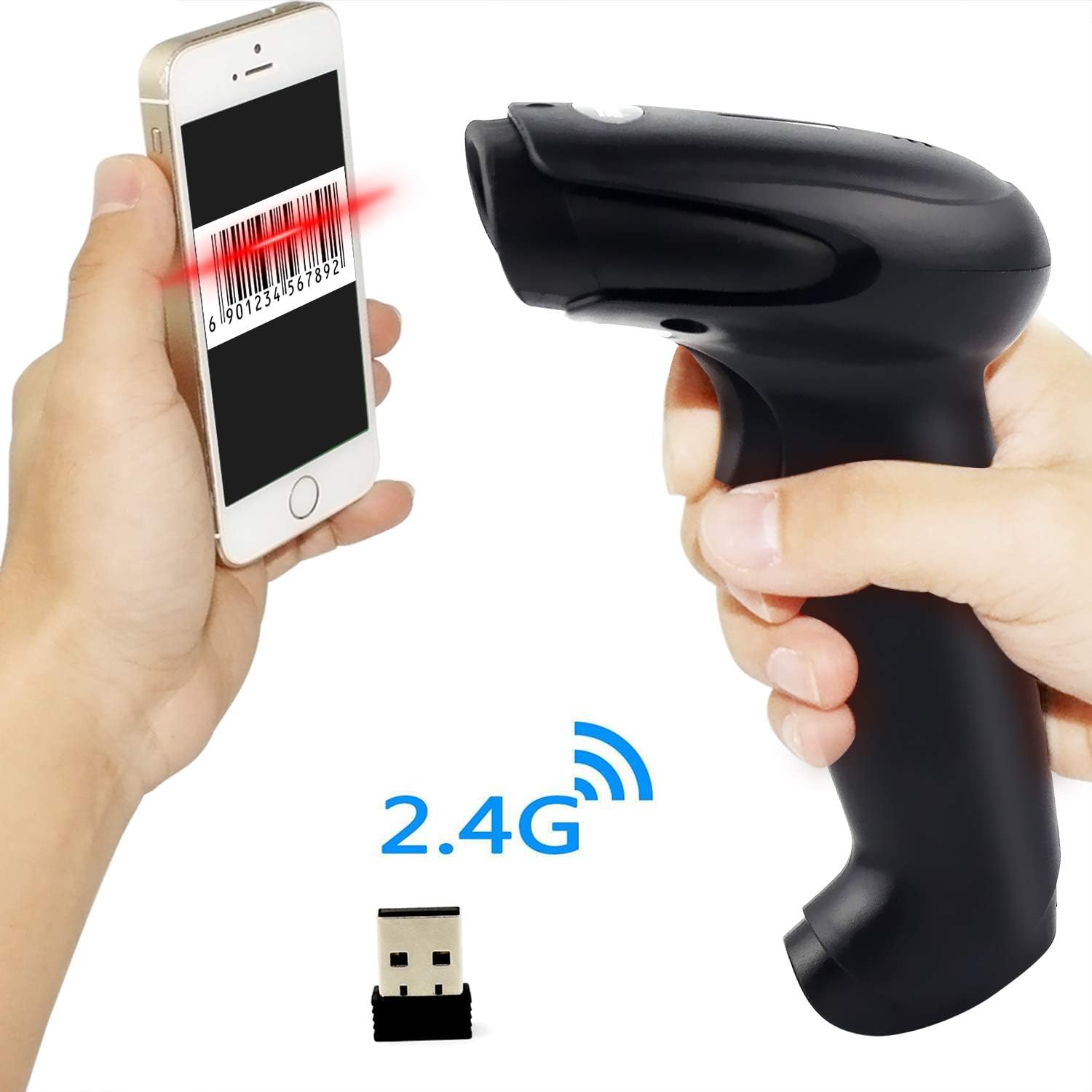
Figure 7.1: Barcode Programming Capabilities.
Programuojamos funkcijos apima:
- Atvejo konvertavimas: Adjusting output to uppercase or lowercase.
- Garso reguliavimas: Changing the sound level of the buzzer.
- Terminator Setting: Adding a specific character (e.g., Enter, Tab) after each scanned barcode.
- Prefix or Suffix Setting: Adding custom characters before or after the scanned data.
- Character Manipulation: Adding or masking specific characters within the barcode data.
For detailed programming instructions, please refer to the comprehensive programming guide included with your scanner or contact Symcode support.
8. Priežiūra
Tinkama priežiūra užtikrina jūsų skaitytuvo ilgaamžiškumą ir optimalų veikimą.
- Valymas: Skaitytuvo išorę valykite minkšta, sausa šluoste. Nuskaitymo langelį lengvai nuvalykite nepūkuota šluoste.ampvalykite neabrazyviniu valikliu. Venkite stiprių cheminių medžiagų ar abrazyvinių medžiagų.
- Saugykla: Skaitytuvą laikykite vėsioje, sausoje vietoje, toliau nuo tiesioginių saulės spindulių ir ekstremalių temperatūrų.
- Akumuliatoriaus priežiūra: Avoid fully discharging the battery frequently. If storing for a long period, charge the battery to about 50% and recharge every few months.
9. Problemų sprendimas
Jei kyla problemų dėl skaitytuvo, žr. toliau pateiktas dažniausiai pasitaikančias problemas ir sprendimus:
| Problema | Galima priežastis / sprendimas |
|---|---|
| Skaitytuvas neįsijungia. | Battery is low or depleted. Charge the scanner for 3.5-4 hours. |
| Skaitytuvas nenuskaito brūkšninių kodų. |
|
| Į kompiuterį duomenys neperduodami. |
|
| Scanner beeps continuously or behaves erratically. | The scanner might be in an incorrect setting mode. Refer to the full user manual for factory reset instructions or contact support. |
If the problem persists after trying these solutions, please contact Symcode customer support for further assistance.
10. Specifikacijos
| Parametras | Vertė |
|---|---|
| Šviesos šaltinis | 632nm Visible LED Light |
| Nuskaitymo režimas | Trigger / Auto-sense / Continuous |
| Rezoliucija | ≥ 4 mil / 0.1mm @ PCS90% |
| Procesorius | ARM32-bit |
| Nuskaitymo greitis | 200 nuskaitymų/sek |
| Lauko gylis | 40-500 mm |
| Rodiklis | LED ir garsinis signalas |
| Spausdinimo kontrastas | ≥ 30% |
| Veiklos ttage | DC 3.3V-5V |
| Baterijos talpa | 1800 mAh |
| Nepertraukiamas veikimas | 8-10 valandas |
| Budėjimo laikas | 15 dienų |
| Įkrovimo laikas | 3.5-4 valandas |
| Wireless Transmission (Indoor) | 15-30 metrai |
| Wireless Transmission (Outdoor) | 30-100 metrai |
| Sandėliavimo talpa | 16MB (over 50,000 barcode entries) |
| Darbinė temperatūra | -20 ℃ to 50 ℃ (-4 ℉ to 122 ℉) |
| Laikymo temperatūra | -40 ℃ to 70 ℃ (-40 ℉ to 158 ℉) |
| Drėgmė | nuo 5% iki 95% (nekondensuojantis) |
| Aplinkos ryškumas | Daugiausia 100,000 XNUMX liuksų |
| Palaikoma OS | Windows, Mac, Android, Linux |
11. Garantija ir palaikymas
The Symcode barcode scanner comes with a 180 dienų garantija nuo įsigijimo datos, apimanti gamybos defektus ir gedimus įprasto naudojimo metu. Išsaugokite pirkimo įrodymą garantiniams reikalavimams.
For technical support, warranty service, or any questions regarding your product, please contact Symcode customer service through the platform where you purchased the product or refer to the contact information provided in the physical user manual.