
PlayZoom GoCam
PlayZoom GoCam User Manual
Vandeniui atspari veiksmo kamera vaikams
Model: GoCam | Brand: PlayZoom
Įvadas
The PlayZoom GoCam is a durable and fun waterproof action camera designed specifically for kids. It allows young adventurers to capture their exciting moments in 1080P HD video and 12MP photos, whether on land or underwater. With its robust waterproof casing, built-in microphone and speaker, and a variety of mounting options, the GoCam is ready for any adventure.

The PlayZoom GoCam, enclosed in its protective waterproof housing, ready for action.
Produktas baigtasview
Familiarize yourself with the various parts and components of your PlayZoom GoCam.

Išsamus view of the GoCam's buttons and ports, including the Power/Mode button, Shutter/Select button, Micro SD slot, and Micro USB port.
Kameros komponentai:
- Objektyvas: Užfiksuoja vaizdus ir vaizdo įrašus.
- 2 colių LCD ekranas: Už viewgyvas footage, playback, and menu navigation.
- Maitinimo / režimo mygtukas: Turns the camera on/off and switches between video, photo, and playback modes.
- Užrakto / pasirinkimo mygtukas: Starts/stops recording, takes photos, and confirms selections.
- Mygtukas aukštyn: Navigates menus upwards or zooms in.
- Down/Shutter Button: Navigates menus downwards or acts as an alternative shutter button.
- Mikrofonas: Įrašo garsą.
- Pranešėjas: Garso atkūrimui.
- „Micro SD“ lizdas: For inserting a Micro SD card (up to 32GB, not included) to store recordings.
- „Micro USB“ prievadas: For charging the camera and transferring data.
- Būsenos indikatoriaus lemputė: Shows camera status (e.g., charging, recording).
Pridedami priedai:
- Vandeniui atsparus dėklas: Protects the camera underwater up to 90 feet (30 meters).
- Montavimo komplektas: Various mounts for attaching the camera to helmets, bikes, skateboards, and more.
- USB įkrovimo laidas: Kameros įkrovimui.

Key features of the GoCam, including its 2-inch LCD screen and built-in battery.
Sąranka
1. Fotoaparato įkrovimas
Before first use, fully charge your GoCam. Connect the included USB charging cable to the camera's Micro USB port and the other end to a USB power adapter (not included) or a computer's USB port. The status indicator light will show charging progress and turn off when fully charged. A full charge provides approximately 1.5 hours of recording time.
2. Installing a Micro SD Card
The GoCam requires a Micro SD card (not included) to save photos and videos. It supports cards up to 32GB. Locate the Micro SD slot on the side of the camera. Gently insert the Micro SD card with the gold contacts facing the back of the camera until it clicks into place. To remove, push the card in again until it springs out.
3. Attaching the Waterproof Case and Mounts
For underwater adventures or added protection, place the GoCam inside its waterproof case. Ensure the case is securely latched before submersion. The included mounting kit allows you to attach the camera to various surfaces and gear.
- Open the waterproof case by releasing skląstį.
- Carefully place the GoCam inside, ensuring it fits snugly.
- Close the case firmly, making sure the latch is secure.
- Attach the desired mount (e.g., helmet mount, bike mount) to the bottom of the waterproof case using the provided screws and adapters.
- Secure the mount to your gear.

Examples of how to use the mounting kit for different activities like skateboarding and biking.

The GoCam is versatile for various adventures, from roller coasters to mountain climbing.
Naudojimo instrukcijos
Maitinimo įjungimas/išjungimas
- Norėdami įjungti: paspauskite ir palaikykite Maitinimo / režimo mygtukas for a few seconds until the screen lights up.
- Norėdami išjungti: paspauskite ir palaikykite Maitinimo / režimo mygtukas dar kartą, kol ekranas išsijungs.
Perjungimo režimai
Once the camera is on, short press the Maitinimo / režimo mygtukas to cycle through the different modes: Video Recording, Photo Capture, and Playback.
Vaizdo įrašų įrašymas
- Switch to Video Recording mode (indicated by a video camera icon on the screen).
- Paspauskite Užrakto / pasirinkimo mygtukas once to start recording. A red dot or recording timer will appear on the screen.
- Paspauskite Užrakto / pasirinkimo mygtukas dar kartą, kad sustabdytumėte įrašymą. Vaizdo įrašas file bus įrašytas į Micro SD kortelę.
Fotografavimas
- Switch to Photo Capture mode (indicated by a camera icon on the screen).
- Kadruokite kadrą naudodami LCD ekraną.
- Paspauskite Užrakto / pasirinkimo mygtukas once to take a photo. The image will be saved to the Micro SD card.
Atkūrimas
- Switch to Playback mode (indicated by a play icon).
- Naudokite Up ir Žemyn buttons to navigate through your recorded videos and photos.
- Paspauskite Užrakto / pasirinkimo mygtukas to play a video or view nuotrauka per visą ekraną.
Underwater Use
The PlayZoom GoCam is waterproof up to 90 feet (30 meters) when properly enclosed in its waterproof case. Always ensure the case is clean and securely sealed before taking it underwater. After use in saltwater, rinse the case with fresh water and let it air dry.
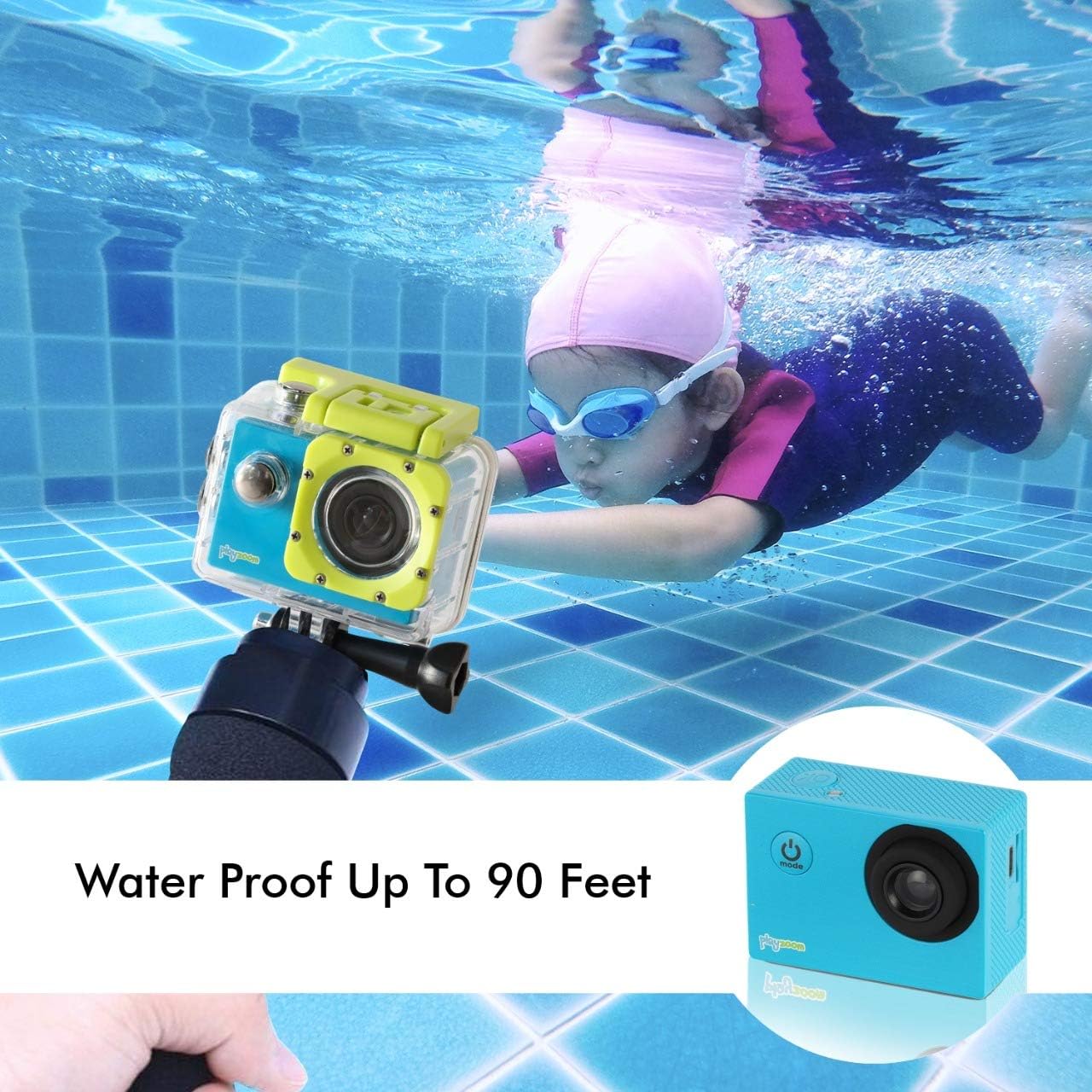
The GoCam is designed for underwater adventures, waterproof up to 90 feet.
Priežiūra
- Valymas: Use a soft, dry cloth to clean the camera body. For the lens, use a lens cleaning cloth. For the waterproof case, rinse with fresh water after each use, especially in saltwater, and wipe dry.
- Saugykla: Laikykite kamerą vėsioje, sausoje vietoje, toliau nuo tiesioginių saulės spindulių ir ekstremalių temperatūrų. Jei ketinate ją laikyti ilgesnį laiką, išimkite „Micro SD“ kortelę.
- Akumuliatoriaus priežiūra: Norėdami pailginti akumuliatoriaus veikimo laiką, venkite dažnai visiškai jį iškrauti. Reguliariai įkraukite fotoaparatą, net jei jo nenaudojate, kad palaikytumėte akumuliatoriaus būklę.
- Waterproof Case Seal: Periodically inspect the rubber seal of the waterproof case for any dirt, debris, or damage. A clean and intact seal is crucial for maintaining its waterproof integrity.
Trikčių šalinimas
| Problema | Galima priežastis | Sprendimas |
|---|---|---|
| Kamera neįsijungia. | Baterija išsikrovusi. | Visiškai įkraukite fotoaparatą naudodami USB laidą. |
| Negalima įrašyti vaizdo ar fotografuoti. | Neįdėta „Micro SD“ kortelė arba ji pilna / sugadinta. | Insert a Micro SD card. If already inserted, check if it's full and delete files or format the card (this will erase all data). Try a different Micro SD card. |
| Prasta vaizdo / vaizdo kokybė. | Objektyvas nešvarus arba apšvietimo sąlygos prastos. | Clean the camera lens with a soft cloth. Ensure adequate lighting for best results. |
| Kamera užstringa arba nereaguoja. | Programinės įrangos triktis. | Press and hold the Power/Mode button for 10-15 seconds to force a shutdown. Restart the camera. |
Specifikacijos
| Funkcija | Detalė |
|---|---|
| Prekės ženklas | „PlayZoom“ |
| Modelio pavadinimas | „GoCam“. |
| Vaizdo įrašymo raiška | 1080p HD |
| Veiksminga nejudančioji raiška | 12 MP |
| Ekrano dydis | 2 colio (LCD) |
| Atsparumo vandeniui lygis | Waterproof (up to 90 feet / 30 meters with case) |
| „Flash“ atminties tipas | Micro SD (supports up to 32GB) |
| Integruota baterija | 400 XNUMX mAh įkraunama ličio baterija |
| Įrašymo laikas | apytiksliai 1.5 valandas |
| Prekės svoris | 4 uncijos |
| Gaminio matmenys | 3 x 1 x 3.5 colio |
Garantija ir palaikymas
For warranty information and customer support, please refer to the contact details provided with your product packaging or visit the official PlayZoom websvetainėje. Išsaugokite pirkimo kvitą kaip pirkimo įrodymą bet kokiems garantiniams prašymams.
For additional assistance or frequently asked questions, you may visit the PlayZoom Store on Amazon.
Ask a question about this manual
Ask about setup, troubleshooting, compatibility, parts, safety, or missing instructions. Manuals+ will review the question and use this page’s manual context to help answer it.