
1. Įvadas
Thank you for choosing the Greadio Retro Bluetooth Speaker and FM Radio. This device combines vintage design with modern audio technology, offering versatile playback options including Bluetooth, FM radio, TF card, and AUX input. This manual provides essential information for safe and optimal use of your speaker.
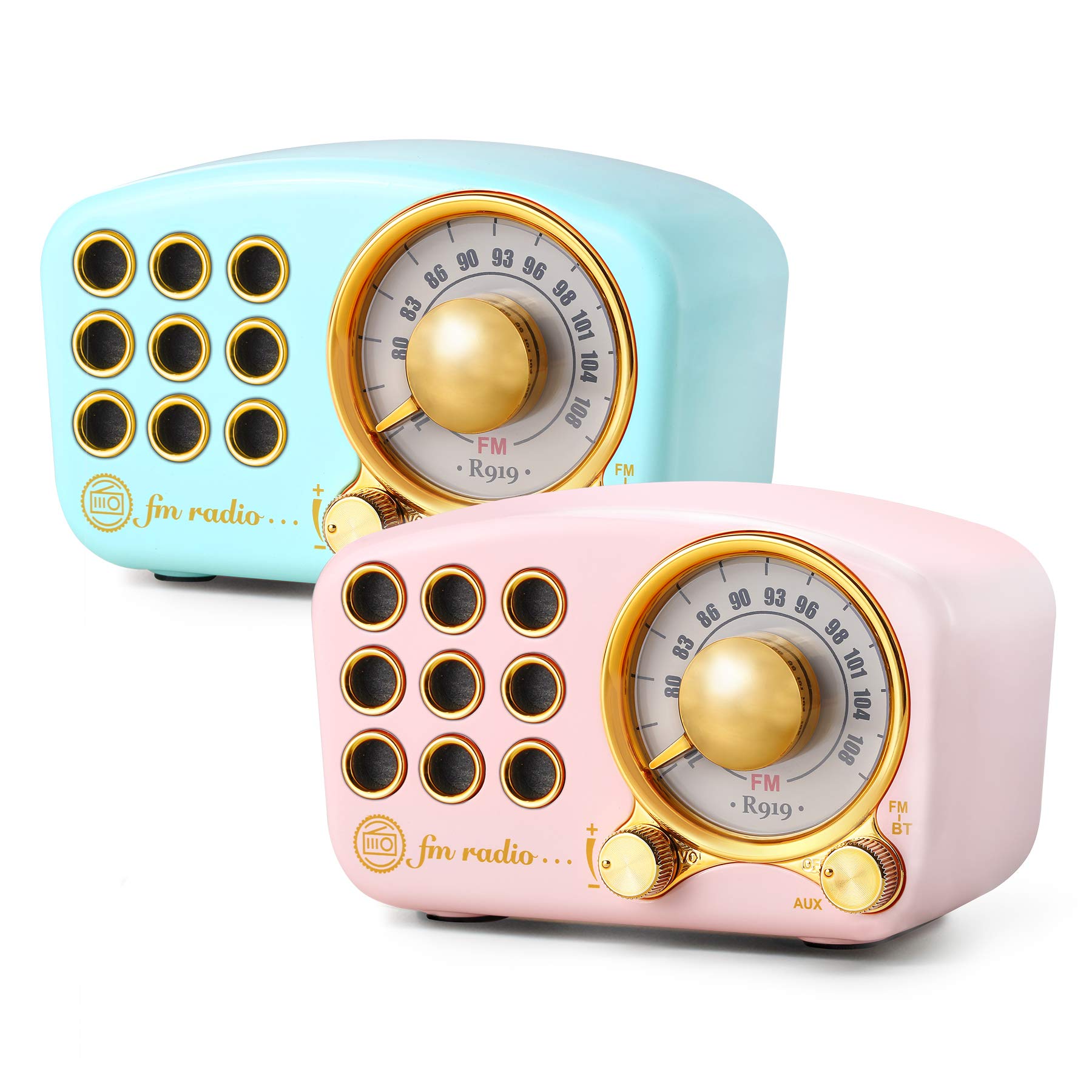
Image: The Greadio Retro Bluetooth Speaker, showcasing its compact size and retro design.
2. Pakuotės turinys
Patikrinkite pakuotę, ar joje yra šie daiktai:
- Greadio Retro Bluetooth Speaker (Main Unit)
- AUX laidas
- Naudotojo vadovas (šis dokumentas)
3. Įrenginio išdėstymas
Familiarize yourself with the buttons and ports on your speaker.

Image: Front panel of the speaker, highlighting the tuning dial, mode switch, and control buttons.
Note: Specific button functions are detailed in the "Operating Instructions" section.
4. Sąranka
4.1 Garsiakalbio įkrovimas
The speaker is equipped with a built-in 1100mAh rechargeable battery. Before first use, fully charge the speaker.
- Connect the provided charging cable (not explicitly listed as included, but implied for rechargeable battery) to the speaker's charging port.
- Kitą įkrovimo laido galą prijunkite prie USB maitinimo adapterio (nepridedamas) arba kompiuterio USB prievado.
- Užsidegs įkrovimo indikatoriaus lemputė. Kai įkrovimas bus baigtas, ji užges arba pakeis spalvą.
A full charge typically provides up to 9 hours of playback time, depending on volume and usage.
4.2 Įjungimas / išjungimas
- To power on: Rotate the volume knob clockwise or press and hold the power button (refer to device layout for exact control).
- To power off: Rotate the volume knob counter-clockwise until it clicks, or press and hold the power button.
5. Naudojimo instrukcijos
5.1 „Bluetooth“ režimas
The speaker uses Bluetooth 4.2 for wireless connection.
- Įjunkite garsiakalbį. Jis automatiškai įsijungs į „Bluetooth“ susiejimo režimą, tai nurodys mirksintis LED indikatorius.
- Mobiliajame įrenginyje (išmaniajame telefone, planšetiniame kompiuteryje ir kt.) įjunkite „Bluetooth“ ir ieškokite galimų įrenginių.
- Select "Greadio Speaker" (or similar name) from the list of devices.
- Once connected, the LED indicator will stop flashing and remain solid. You can now play audio from your device through the speaker.

Image: Speaker connected via Bluetooth to a smartphone, demonstrating wireless audio playback.
5.2 FM radijo režimas
Enjoy FM radio broadcasts with the built-in tuner.
- Įjunkite garsiakalbį.
- Switch the mode selector to "FM" (or press the Mode button until FM is selected).
- Use the tuning dial to scan for radio stations. Rotate the dial slowly to find clear signals.
- Sureguliuokite garsumą naudodami garsumo rankenėlę.
Tip: For better FM reception, extend the antenna if available, or reposition the speaker.
5.3 TF kortelės atkūrimas
Groti MP3 garsą filetiesiai iš TF („MicroSD“) kortelės.
- Insert a TF card (up to 32GB, formatted to FAT32) with MP3 files į TF kortelės lizdą.
- Power on the speaker. The speaker should automatically switch to TF card mode or you may need to select it using the Mode button.
- Playback will begin automatically. Use the control buttons (e.g., Play/Pause, Next/Previous) to manage playback.
5.4 AUX įvesties režimas
Connect external audio devices using the provided AUX cord.
- Connect one end of the AUX cord to the speaker's AUX input port.
- Connect the other end of the AUX cord to the headphone jack or audio output of your external device (e.g., MP3 player, computer).
- Switch the speaker's mode selector to "AUX" (or press the Mode button until AUX is selected).
- Play audio from your external device. Adjust volume on both the speaker and the external device.
6. Priežiūra
- Valymas: Use a soft, dry cloth to clean the speaker's surface. Do not use abrasive cleaners, alcohol, or solvents.
- Saugykla: Garsiakalbį laikykite vėsioje, sausoje vietoje, toliau nuo tiesioginių saulės spindulių ir ekstremalių temperatūrų.
- Akumuliatoriaus priežiūra: Norėdami pailginti baterijos veikimo laiką, venkite dažnai visiškai ją iškrauti. Reguliariai įkraukite garsiakalbį, net jei ilgą laiką jo nenaudojate.
- Vandens ekspozicija: Šis garsiakalbis nėra atsparus vandeniui. Venkite sąlyčio su vandeniu ar didele drėgme.
7. Problemų sprendimas
| Problema | Galima priežastis | Sprendimas |
|---|---|---|
| Garsiakalbis neįsijungia. | Baterija išsikrovusi. | Visiškai įkraukite garsiakalbį. |
| Nėra garso. | Garsumas per mažas; pasirinktas neteisingas režimas; įrenginys netinkamai prijungtas. | Increase volume; ensure correct mode (Bluetooth, FM, TF, AUX) is selected; re-pair Bluetooth or re-connect AUX cable. |
| „Bluetooth“ ryšys nepavyksta. | Speaker is too far from device; speaker not in pairing mode; interference. | Ensure speaker is within 10 meters of device; restart speaker and device; try pairing again. |
| Prastas FM radijo priėmimas. | Silpnas signalas; aplinkos trukdžiai. | Reposition the speaker; extend the antenna if applicable. |
8. Specifikacijos
- Modelio numeris: 5acc8bb8-96b8-41bc-9445-b84cbdcaadb7
- Prekinis ženklas: Greadio
- Matmenys (P x P x A): 4.4" x 2.7" x 2"
- Ryšys: Bluetooth 4.2, Auxiliary (AUX)
- Ypatinga funkcija: Įkraunamas
- Tuner technologija: FM
- Maitinimo šaltinis: Maitinamas baterija (įmontuota 1100 mAh įkraunama baterija)
- Palaikomos radijo juostos: FM
- Garso išvestis: 5 vatai ampgyvybingesnis
- Atkūrimo laikas: Iki 9 valandų (priklauso nuo garsumo ir naudojimo)
- Įtraukti komponentai: AUX laidas
9. Garantija ir palaikymas
The Greadio Retro Bluetooth Speaker comes with a 1-year money-back warranty. Greadio also provides lifetime customer service for this product (excluding wear and tear).
For technical support, warranty claims, or any inquiries, please contact Greadio customer service through the retailer's platform or the official Greadio websvetainę.