
1. Įvadas
This manual provides detailed instructions for the installation, operation, and maintenance of your PINEWORLD S2-T Bluetooth Smart Door Lock. Please read this manual thoroughly before installation and use to ensure proper function and safety. Keep this manual for future reference.
2. Saugos informacija
- Nebandykite patys ardyti ar taisyti spynos. Dėl remonto kreipkitės į kvalifikuotus specialistus.
- Use only specified batteries (4x AAA, not included). Do not mix old and new batteries or different types of batteries.
- Ensure the lock is installed correctly according to the instructions to prevent malfunction.
- Mechaninius raktus laikykite saugioje vietoje už pastato ribų.
- Protect your passwords and fingerprints from unauthorized access.
3. Produktas baigtasview
The PINEWORLD S2-T Smart Door Lock integrates multiple unlocking methods and smart features for enhanced security and convenience.

Figure 3.1: Lock Components
This diagram illustrates the main components of the PINEWORLD S2-T Smart Door Lock. Key features include the USB emergency charging port, traditional keyhole, fingerprint collector for biometric access, an LCD keypad for password entry, and the battery cover requiring 4x AAA batteries (not included).
4. Savybės
- Keli atrakinimo būdai: Fingerprint, TUYA Bluetooth App, Password, and Mechanical Keys.
- Greitas pirštų atspaudų atpažinimas: 360-degree fingerprint reading for unlocking within 0.3 seconds.
- Aukštas saugumas: Semiconductor fingerprint recognition, virtual password function, and high-strength aluminum alloy construction.
- Avarinis maitinimas: USB charging port for emergency power supply.
- TUYA Bluetooth App Control: User management, password management, message management, security alarm, and built-in doorbell.
- Lengvas montavimas: Designed for easy replacement of existing knobs without wiring or drilling.
- Vartotojo talpa: Supports administrator and up to 100 user settings.
5. Specifikacijos
| Funkcija | Specifikacija |
|---|---|
| Prekės ženklas | PINEWORLD |
| Modelis | S2-T |
| Medžiaga | Aliuminis |
| Spalva | Sidabras |
| Apdailos tipas | Poliruotas |
| Užrakto tipas | Electronic Lock, Key Lock |
| Ypatingos savybės | Be rakto |
| Maitinimo šaltinis | 4x AAA baterijos (nepridedamos) |
| Darbinė temperatūra | -25°C iki 55°C |
| Durų storio suderinamumas | 1-3/8'' to 2-1/8'' (35mm - 55mm) |
| Reguliuojamas užraktas | 2-3/8'' (60mm) to 2-1/8'' (70mm) |
| Rekomenduojami naudojimo būdai | Residential, Commercial (Indoor Use) |
6. Sąranka ir diegimas
The PINEWORLD S2-T lock is designed for straightforward installation, replacing most standard single-cylinder American door latch locks without requiring complex wiring or drilling.
6.1 Durų paruošimas
Įsitikinkite, kad jūsų durys atitinka šiuos reikalavimus:
- Durų storis: Between 1-3/8'' to 2-1/8'' (35mm - 55mm).
- Adjustable Latch: Compatible with backsets of 2-3/8'' (60mm) or 2-1/8'' (70mm).
- Applicable for both left and right-handed doors.

6.1 pav.: Durų matavimo vadovas
This image provides a visual guide for measuring your door's thickness and the latch backset to ensure compatibility with the PINEWORLD S2-T lock. The door thickness should be between 35mm and 55mm, and the latch can be adjusted for 60mm or 70mm backsets.
6.2 Akumuliatoriaus įdėjimas
The lock requires 4x AAA batteries (not included). Open the battery cover as shown in the product overview and insert the batteries, ensuring correct polarity. Close the cover securely.
6.3 Pradinė sąranka
Follow the instructions provided with the lock's packaging for physical installation. Once installed, refer to the operating instructions for initial programming of fingerprints and passwords.
7. Naudojimo instrukcijos
The PINEWORLD S2-T offers multiple convenient ways to unlock your door.
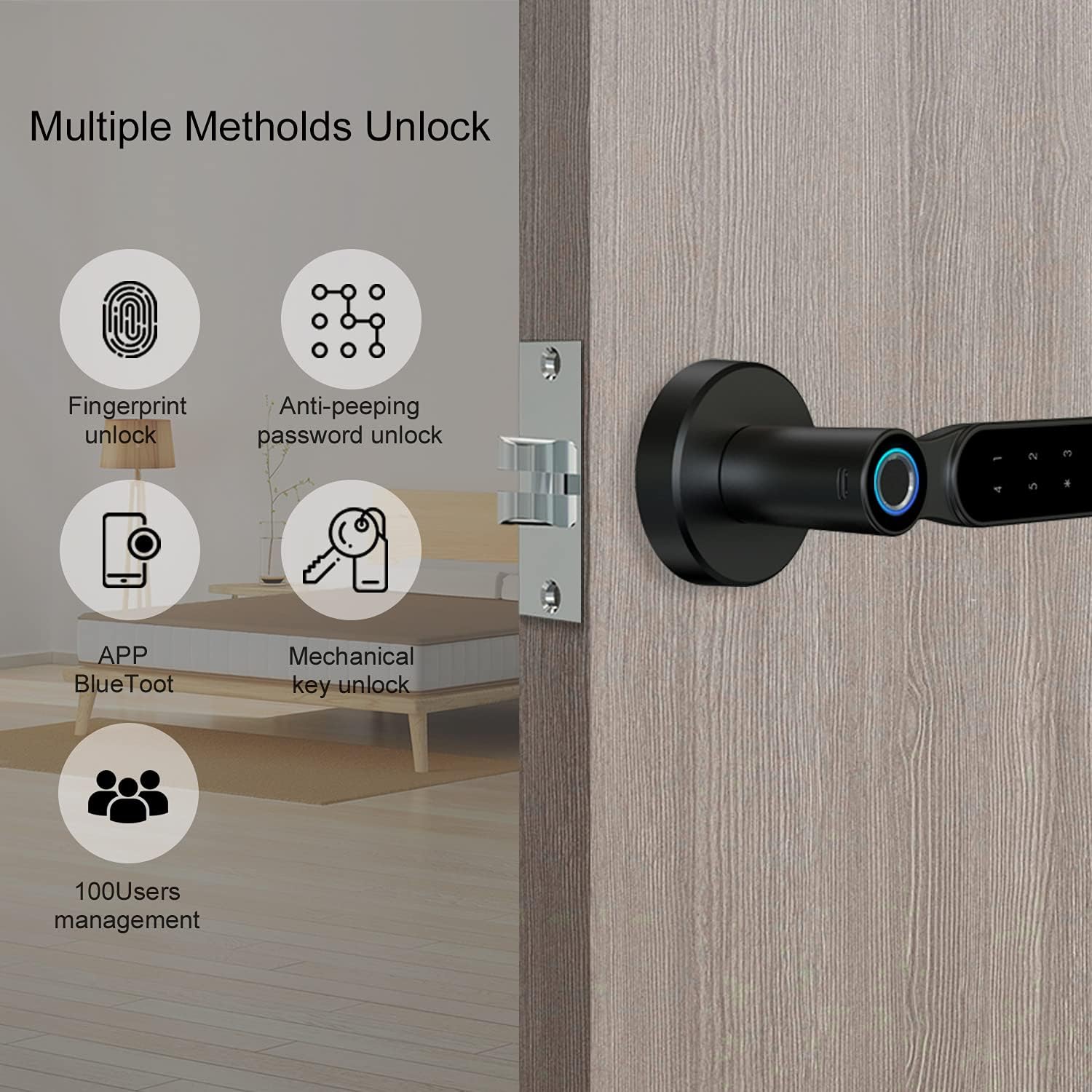
7.1 pav.: Keli atrakinimo būdai
This image highlights the four primary methods for unlocking the PINEWORLD S2-T Smart Door Lock: fingerprint recognition, anti-peeping password entry, control via the TUYA Bluetooth app, and traditional mechanical keys. The system also supports management for up to 100 users.
7.1 Atrakinimas pirštų atspaudais
- Registruoti piršto atspaudą: Access the lock's programming menu (refer to the quick start guide for specific steps). Follow the prompts to register your fingerprint by placing your finger on the fingerprint collector multiple times from different angles.
- Atrakinti: Place your registered finger on the fingerprint collector. The lock will unlock within 0.3 seconds if the fingerprint is recognized.
7.2 Password Unlocking
- Nustatyti slaptažodį: In the programming menu, set your desired password.
- Virtual Password Function: Norėdami padidinti saugumą, galite įvesti atsitiktinius skaitmenis prieš ir po tikrojo slaptažodžio. Pavyzdžiui,ample, jei jūsų slaptažodis yra
123456, galite įeiti012345678. The lock will recognize the embedded correct sequence.

7.2 pav.: Virtualaus slaptažodžio funkcija
This image illustrates the virtual password function, a security feature that allows users to input random digits before and after their actual password. This method helps prevent others from guessing your password by observing your finger movements on the keypad.
7.3 TUYA Bluetooth App Control
- Atsisiųsti programą: Download the TUYA Smart app from your smartphone's app store.
- Poros užraktas: Follow the in-app instructions to pair your PINEWORLD S2-T lock via Bluetooth.
- Programėlės funkcijos: Use the app for user management (add/delete users), password management (generate temporary passwords), view message logs, activate security alarms, and utilize the built-in doorbell function.
7.4 Mechanical Key Unlocking
In case of electronic failure or depleted batteries, the lock can be opened using the provided mechanical keys. Insert the key into the keyhole and turn to unlock.
7.5 Emergency USB Charging
If the batteries are completely drained, connect a power bank to the emergency USB charging port on the lock's exterior to temporarily power the lock and gain entry using a fingerprint or password.
8. Priežiūra
- Baterijos keitimas: Replace all four AAA batteries when the low battery indicator appears or if the lock becomes unresponsive. Always use new, high-quality batteries.
- Valymas: Spynos paviršių nuvalykite minkšta, sausa šluoste. Nenaudokite abrazyvinių valiklių ar tirpiklių, kurie gali pažeisti apdailą ar elektroninius komponentus.
- Pirštų atspaudų jutiklis: Kad pirštų atspaudų jutiklis veiktų optimaliai, jį laikykite švarų ir sausą.
9. Problemų sprendimas
- Užraktas nereaguoja: Check battery levels. Replace batteries if necessary. Use the emergency USB charging port or mechanical key for immediate access.
- Piršto atspaudas neatpažintas: Įsitikinkite, kad jūsų pirštas švarus ir sausas. Jei problemos išlieka, iš naujo užregistruokite piršto atspaudą.
- Slaptažodis neveikia: Double-check the entered password. Ensure you are pressing '#' after the sequence. Try the virtual password method if applicable.
- Programėlės ryšio problemos: Ensure Bluetooth is enabled on your smartphone and the lock is within range. Restart the app or re-pair the lock if needed.
- Lock is stuck: Do not force the handle. Use the mechanical key to unlock. If the issue persists, contact customer support.
10. Garantija ir palaikymas
PINEWORLD offers a 30 dienų nemokama grąžinimo ir keitimo politika ir a one-year warranty service for the S2-T Smart Door Lock. For technical support, warranty claims, or any inquiries, please contact PINEWORLD customer service through the retailer where the product was purchased or visit the official PINEWORLD websvetainė kontaktinei informacijai.
11. Applicable Locations
The PINEWORLD S2-T Smart Door Lock is suitable for various indoor environments, providing secure and convenient access.

Figure 11.1: Versatile Application
This image demonstrates the PINEWORLD S2-T Smart Door Lock's suitability for various indoor settings, including residential homes (kitchens, bedrooms) and office environments, highlighting its adaptability for different personal and commercial spaces.