
1. Įvadas
This instruction manual provides essential information for the setup and operation of your CHUNGHOP Universal Remote. This remote is designed as a replacement for various LG Smart TV Magic Remote models. Please note that this is an infrared (IR) remote control and does not support voice control, gyro, mouse, or pointer functions.
2. Suderinamumas
The CHUNGHOP Universal Remote is compatible with the following LG Smart TV Magic Remote Control models:
- AN-MR18BA, AN-MR19BA, AN-MR600G, AN-MR650, AN-MR650G, ANMR650A, ANMR600, AN-MR650B
- AKB75095307, AKB74475401, AKB74475433, AKB73975702, AKB75055701
- AKB73975711, AKB73715608, AKB74475401, AKB75375604, AGF76631064
- AKB74915324, AKB73715601, AKB75095308, AKB72915239

Image: The CHUNGHOP Universal Remote shown alongside a list of compatible LG Smart TV Magic Remote models.
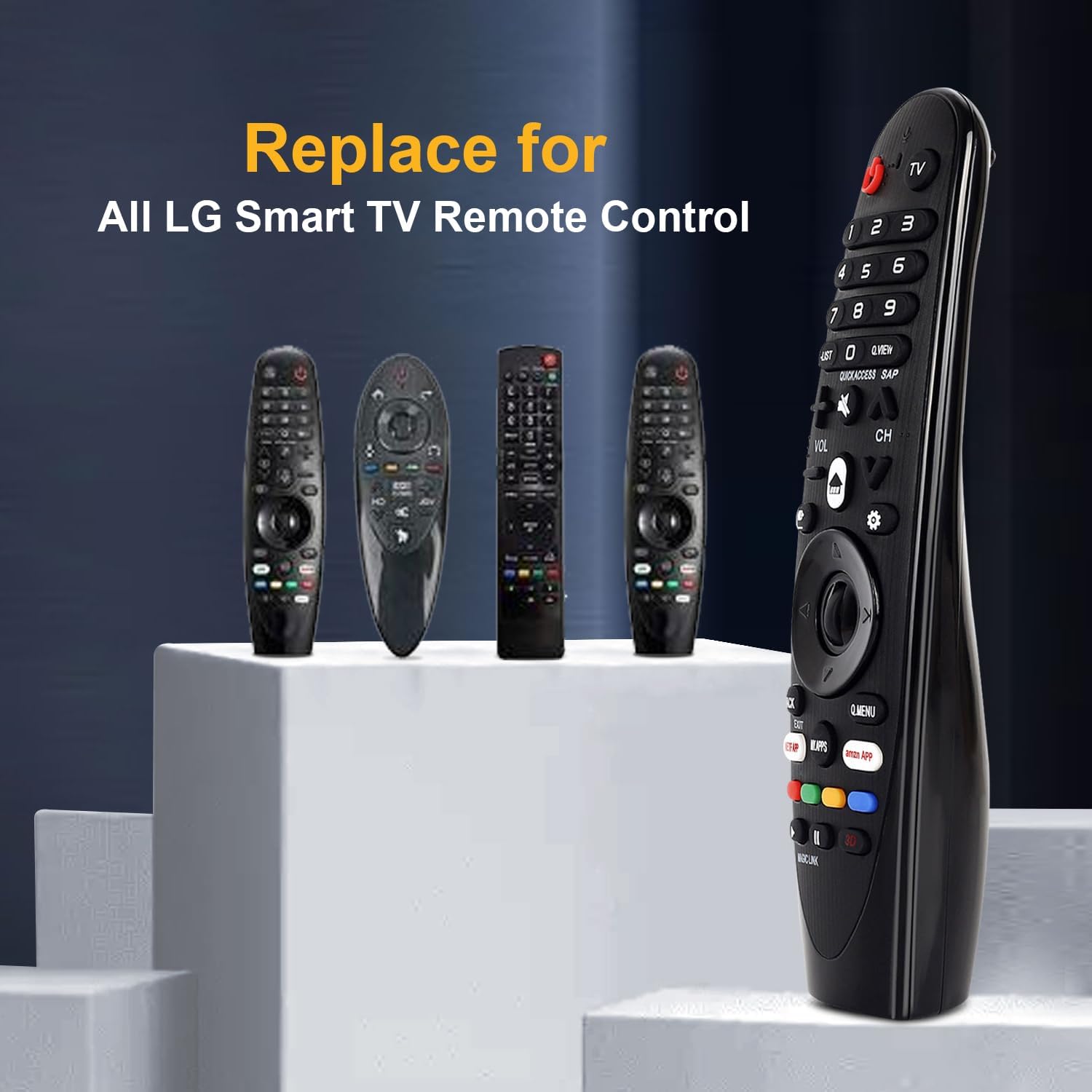
Image: The CHUNGHOP remote positioned as a replacement for several original LG Smart TV remotes.
3. Savybės
- Specialūs karštieji klavišai: Includes direct access buttons for 3D, Amazon, and Netflix for quick navigation to popular streaming services and features.
- Infraraudonųjų spindulių (IR) technologija: Operates using stable infrared signals.
- Tolimojo nuotolio valdymas: Effective control distance of up to 33 feet (10 meters).
- Ergonomiškas dizainas: Sukurta patogiam valdymui ir lengvam naudojimui.

Image: A close-up of the remote control highlighting the dedicated hotkeys for Netflix, Amazon, and My Apps.

Image: A visual representation demonstrating the remote's effective long-distance control up to 33 feet.
4. Sąranka
4.1 Akumuliatoriaus įdėjimas
This remote control requires 2 x 1.5V AA batteries (not included). No programming or additional setup is required after battery installation.
- Atidarykite baterijų skyriaus dangtelį, esantį nuotolinio valdymo pulto gale.
- Įdėkite dvi AA baterijas, užtikrindami teisingą poliškumą (+ ir -), kaip nurodyta skyrelio viduje.
- Saugiai uždarykite akumuliatoriaus skyriaus dangtelį.

Image: The remote's battery compartment is open, showing the correct placement for two AA batteries.
Video: A demonstration of installing batteries into the CHUNGHOP Universal Remote and a general overview of the remote's design and compatibility.
5. Naudojimo instrukcijos
Once batteries are installed, the remote is ready for use with your compatible LG Smart TV. Point the remote directly at your television for optimal performance.
5.1 Pagrindinės funkcijos
- Maitinimo mygtukas: Įjungia arba išjungia televizorių.
- Skaičių mygtukai (0–9): Tiesioginiam kanalų pasirinkimui.
- Garsumo didinimas / sumažinimas (VOL +/-): Reguliuoja televizoriaus garsumą.
- Kanalo aukštyn/žemyn (CH +/-): Keičia televizijos kanalus.
- Directional Pad (Up/Down/Left/Right) and OK Button: Naršo meniu ir patvirtina pasirinkimus.
5.2 Hotkeys and Special Buttons
- NETFLIX: Tiesioginė prieiga prie „Netflix“ programėlės.
- AMAZON: Tiesioginė prieiga prie „Amazon“ programėlės.
- MANO PROGRAMĖLĖS: Accesses your installed applications.
- Q.MENU: Atidaro spartųjį meniu, kuriame pateikiami bendrieji nustatymai.
- ATGAL/IŠĖJIMAS: Returns to the previous screen or exits a menu/application.
- 3D: Activates or deactivates 3D mode (if supported by your TV).
5.3 Important Note on Features
This remote control operates via infrared (IR) signals only. It ne include the following functions found on some original LG Magic Remotes:
- Valdymas balsu
- Gyroscope (motion sensing)
- Pelės funkcija
- Rodyklės funkcija
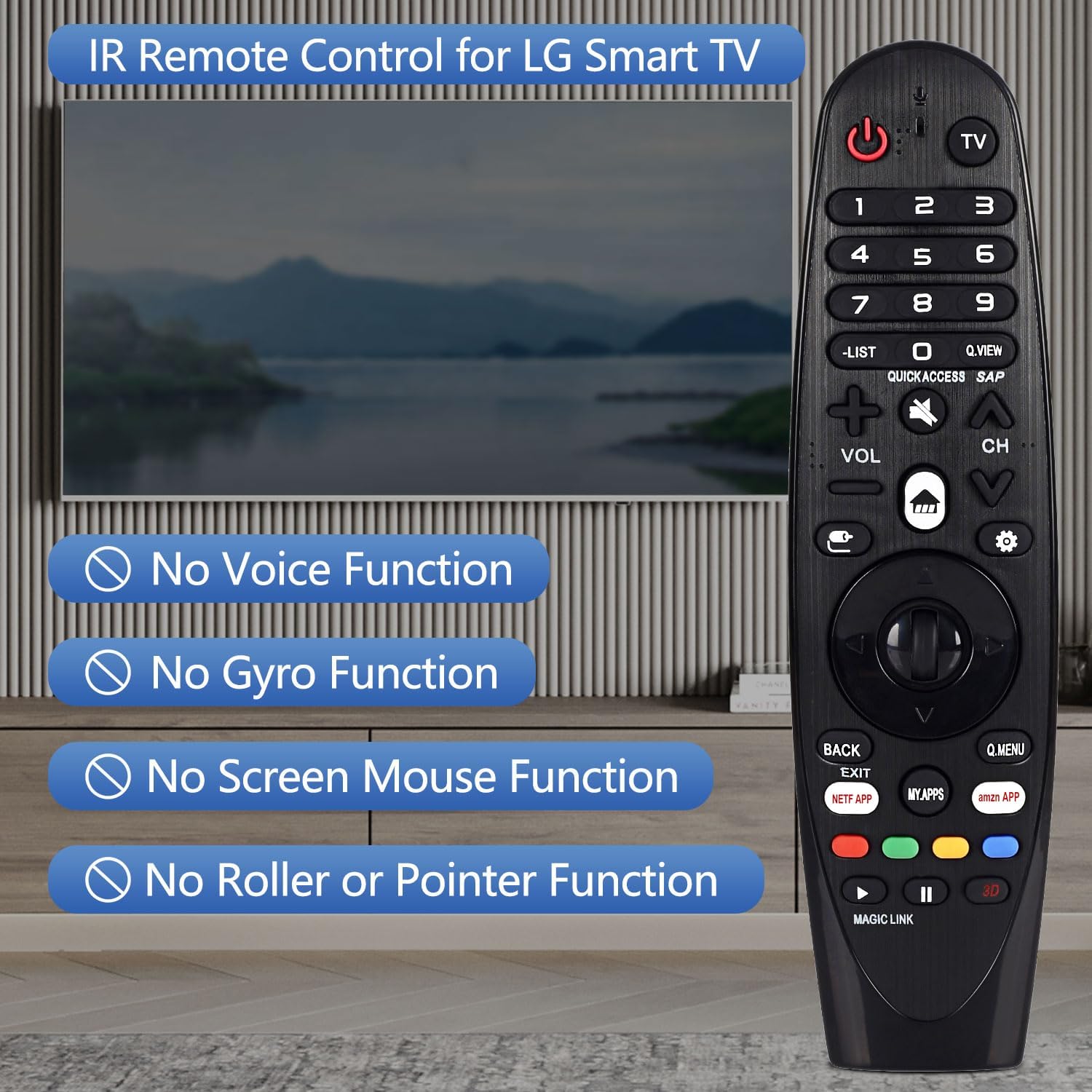
Image: The remote control displayed with text overlays explicitly stating the absence of voice, gyro, mouse, and pointer functions.

Paveikslėlis: detalus view of the remote control from both the front and side, highlighting its ergonomic shape and button arrangement.
6. Specifikacijos
| Specifikacija | Detalė |
|---|---|
| Prekės ženklas | CHUNGHOP |
| Modelio pavadinimas | AN-MR19BA |
| Ryšio technologija | Infraraudonųjų spindulių (IR) |
| Baterijos tipas | 2 x AA (neįtraukta) |
| Didžiausias diapazonas | 10 metrai (33 pėdos) |
| Valdiklio tipas | Mygtukų valdymas |
| Mygtukų kiekis | 18 |
| Ypatinga funkcija | Ergonomiškas dizainas |
7. Problemų sprendimas
- Nuotolinis nereaguoja:
- Įsitikinkite, kad baterijos yra tinkamai įdėtos, laikantis tinkamo poliškumo.
- Pakeiskite senas baterijas naujomis AA baterijomis.
- Patikrinkite, ar nėra kliūčių tarp nuotolinio valdymo pulto ir televizoriaus IR imtuvo.
- Ensure you are within the maximum operating range of 33 feet (10 meters).
- Voice control, pointer, or mouse functions are not working:
- This CHUNGHOP Universal Remote is an infrared (IR) remote control and does not support voice, gyro, mouse, or pointer functions. These features are specific to certain original LG Magic Remote models and are not replicated by this replacement remote.
8. Garantija ir palaikymas
For any questions, technical assistance, or warranty inquiries regarding your CHUNGHOP Universal Remote, please contact the manufacturer directly through their official support channels. Refer to the product packaging or the seller's information for specific contact details.