
1. Įvadas
Thank you for choosing the Philips CoreLine Panel RC133V G4 LED36S/840 Recessed Luminaire. This manual provides essential information for the safe and correct installation, operation, and maintenance of your new lighting product. Please read this manual thoroughly before installation and retain it for future reference.
2. Svarbi saugos informacija
Visada laikykitės toliau nurodytų saugos priemonių, kad išvengtumėte sužalojimų ar gaminio sugadinimo.
- Elektros sauga: Installation must be performed by a qualified electrician in accordance with all local and national electrical codes. Ensure the main power supply is switched off before commencing any installation, maintenance, or repair work.
- Produkto vientisumas: Do not modify or alter the luminaire in any way. Use only genuine Philips replacement parts if necessary.
- Tvarkymas: Handle the luminaire with care to avoid damage to the LED components or housing.
- Aplinka: This luminaire is designed for indoor use in dry locations. Do not expose to moisture or extreme temperatures unless specified otherwise.
- Šalinimas: Produktą ir jo komponentus utilizuokite atsakingai, laikydamiesi vietinių elektroninių atliekų tvarkymo taisyklių.
3. Pakuotės turinys
Verify that all components are present and undamaged upon opening the package. If any items are missing or damaged, contact your supplier immediately.
- 1 x Philips CoreLine Panel RC133V G4 LED36S/840 Recessed Luminaire
- 1 x maitinimo blokas (PSU)
- Instrukcijų vadovas (šis dokumentas)
4. Sąranka ir diegimas
4.1 Prieš pradėdami
- Ensure the power supply to the installation area is switched off at the circuit breaker.
- Gather necessary tools: screwdriver, wire strippers, measuring tape, safety gloves, safety glasses.
- Confirm the ceiling opening dimensions are suitable for the W62L62 (62x62 cm) panel.
4.2 diegimo žingsniai
The luminaire requires assembly and professional installation.
- Paruoškite lubų angą: Ensure the recessed ceiling opening is clean and correctly sized for the luminaire.
- Connect the PSU: Connect the mains power supply cable (L, N, E) to the Power Supply Unit (PSU) terminals. Ensure correct polarity and secure connections.
- Connect Luminaire to PSU: Connect the output cable from the PSU to the input connector on the luminaire. Ensure a firm and secure connection.
- Position the Luminaire: Carefully insert the luminaire into the prepared ceiling opening. Ensure it sits flush and is securely held by the ceiling grid or mounting clips (if applicable, not included).
- Galutinis patikrinimas: Double-check all electrical connections and ensure the luminaire is properly seated.
- Atkurti maitinimą: Kai įrengimas baigtas ir patikrintas, atkurkite elektros tiekimą grandinės pertraukikliu.
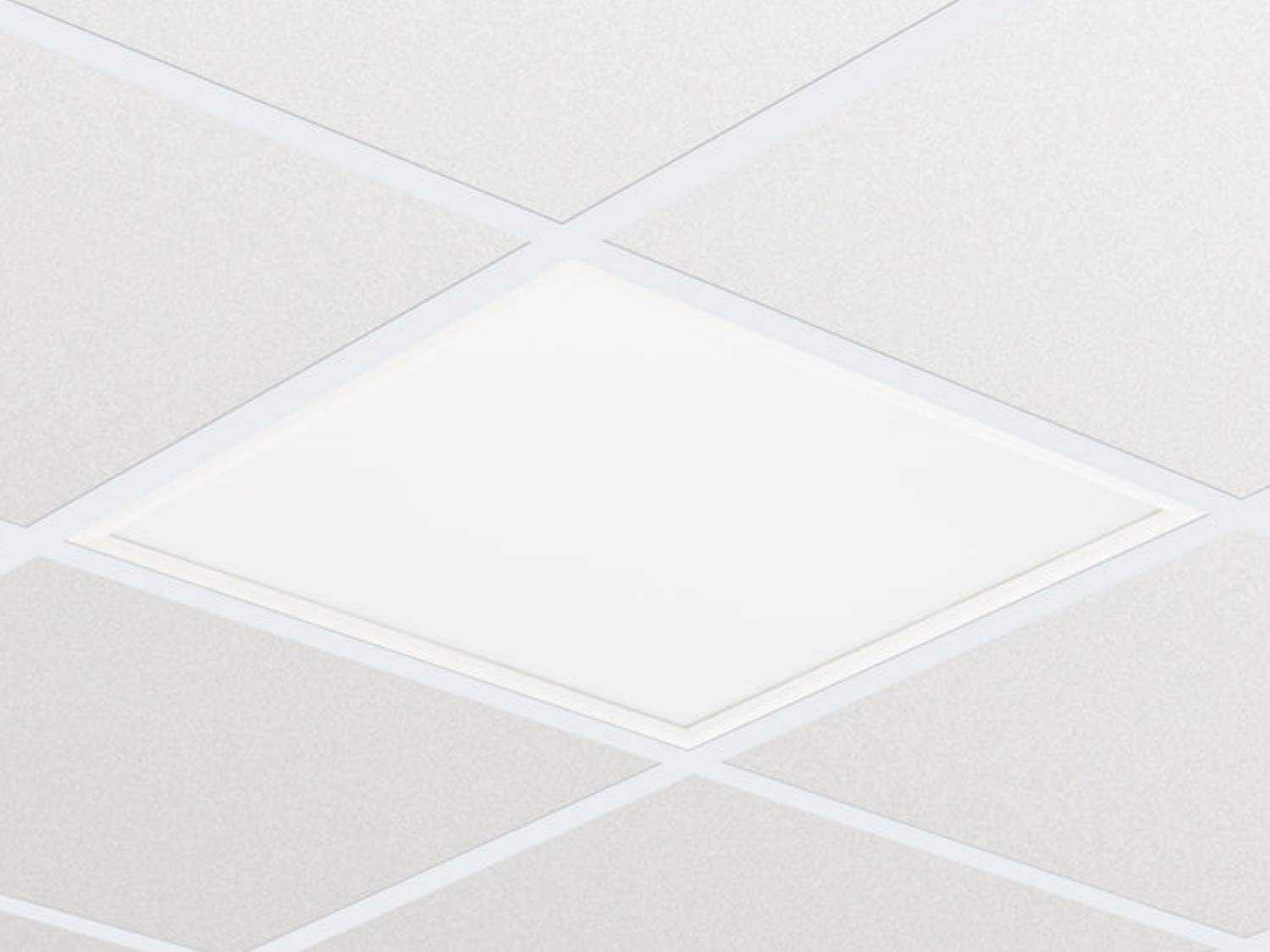
1 pav.: pvz.ample of the Philips CoreLine Panel RC133V G4 LED36S/840 Recessed Luminaire. This image illustrates the general appearance of the panel, which is designed for seamless integration into a suspended ceiling grid.
5. Naudojimo instrukcijos
The Philips CoreLine Panel RC133V G4 LED36S/840 is designed for straightforward operation.
- Maitinimo įjungimas/išjungimas: Once installed and connected to the mains power supply, the luminaire will operate via the standard wall switch or building lighting control system it is wired to.
- No User Controls: This luminaire does not feature integrated user controls (e.g., dimmers, color temperature adjustments) on the unit itself. Operation is external.
6. Priežiūra
Regular maintenance helps ensure optimal performance and longevity of your luminaire.
- Valymas: Prieš valydami atjunkite maitinimą. Naudokite minkštą, sausą arba šiek tiek sudrėkintą šluostę.amp cloth to wipe the surface of the luminaire. Do not use abrasive cleaners, solvents, or harsh chemicals, as these can damage the finish or optical components.
- Patikra: Periodically inspect the luminaire for any signs of damage, loose connections, or unusual operation. If any issues are detected, disconnect power and consult a qualified electrician.
- Nėra vartotojo aptarnaujamų dalių: The LED light source and driver are integrated and not user-replaceable. Do not attempt to open or repair the unit.
7. Problemų sprendimas
If you encounter issues with your luminaire, refer to the table below for common problems and solutions.
| Problema | Galima priežastis | Sprendimas |
|---|---|---|
| Šviestuvas neįsijungia. | Nėra maitinimo. Atsipalaidavusi elektros jungtis. Sugedęs jungiklis. | Patikrinkite grandinės pertraukiklį ir sieninį jungiklį. Ensure all connections are secure (power off first!). Test the switch or consult an electrician. |
| Šviesa mirga arba yra pritemdyta. | Nestabilus maitinimo šaltinis. Neteisingas laidų sujungimas. Product fault. | Patikrinkite stabilų maitinimo šaltinį. Dėl laidų patikrinimo kreipkitės į kvalifikuotą elektriką. If problem persists, contact Philips support. |
| Unusual noise from luminaire. | Atsipalaidavę komponentai. Elektros problema. | Disconnect power and inspect for loose parts (if safe to do so). Nedelsdami kreipkitės į kvalifikuotą elektriką. |
8. Techninės specifikacijos
Key technical details for the Philips CoreLine Panel RC133V G4 LED36S/840.
| Specifikacija | Detalė |
|---|---|
| Prekės ženklas | Philips |
| Modelis | RC133V G4 LED36S/840 PSU W62L62 OC |
| ASIN | B08PYWRP3N |
| Energijos suvartojimas | 29 vatų |
| ttage | 133 voltų |
| Šviesos srautas | 3600 liumenų |
| Spalvos temperatūra | 4000K (šaltas baltas) |
| Šviesos šaltinio tipas | LED |
| Medžiaga | Metal (Housing), Aluminum (Shade) |
| Stilius | Modernus |
| Kambario tipas | Svetainė (as per general classification, suitable for office) |
| Maitinimo šaltinis | Su laidu elektra |
| Pagrindo tipas | G4 (refers to internal component, not external base) |
| Reikalingas surinkimas | Taip |
9. Garantija ir palaikymas
Warranty information for the Philips CoreLine Panel RC133V G4 LED36S/840 is typically provided with your purchase documentation or can be found on the official Philips website. For technical support, service, or warranty claims, please contact your retailer or visit the Philips lighting support portal.