
Įvadas
The VENZ R4115 Doorbell Camera is designed to enhance your home security by providing a clear view of your doorstep. It captures a wide 180-degree diagonal viewing angle, allowing you to see visitors from head to toe and packages on the ground. Equipped with night vision, it ensures clear visibility even in low-light conditions. The two-way audio feature enables communication with visitors, and motion detection provides real-time alerts to your smartphone.
Pakuotės turinys
Prieš montuodami patikrinkite, ar yra visi komponentai:
- VENZ R4115 Doorbell Camera (Camera Body)
- Montavimo įranga
- Vartotojo vadovas (šis dokumentas)
- Power Kit (if applicable for wired installation)
Sąranka ir diegimas
Follow these steps to set up and install your VENZ R4115 Doorbell Camera.
1. Download the Woox Security App
Ieškokite "Woox Security" in your smartphone's app store (iOS or Android) and download the application. This app is required for device configuration and operation.

Image: Steps for downloading the Woox Security APP, resetting the doorbell camera, connecting to Wi-Fi, and scanning a QR code for setup.
2. Install the Power Kit (if applicable)
If your installation requires a power kit, follow the instructions provided with the kit to connect it to your existing doorbell wiring. Ensure power is off before handling electrical connections.

Image: Step-by-step diagram illustrating the installation of the power kit, followed by mounting the smart doorbell and tightening security screws.
3. Mount Your Smart Doorbell
Securely mount the doorbell camera to your desired location using the provided mounting hardware. Ensure it is positioned to capture the optimal viewzonoje.
4. Reset and Connect to Wi-Fi
Power on the device. Follow the in-app instructions to reset the doorbell camera. Once reset, connect the device to your 2.4GHz Wi-Fi network through the Woox Security app. You may need to scan a QR code displayed on your phone with the doorbell camera.
Naudojimo instrukcijos
Tiesiogiai View ir dvipusis garsas
Open the Woox Security app to access the live video feed from your doorbell camera. Tap the microphone icon to enable two-way audio, allowing you to speak with visitors and hear their responses.
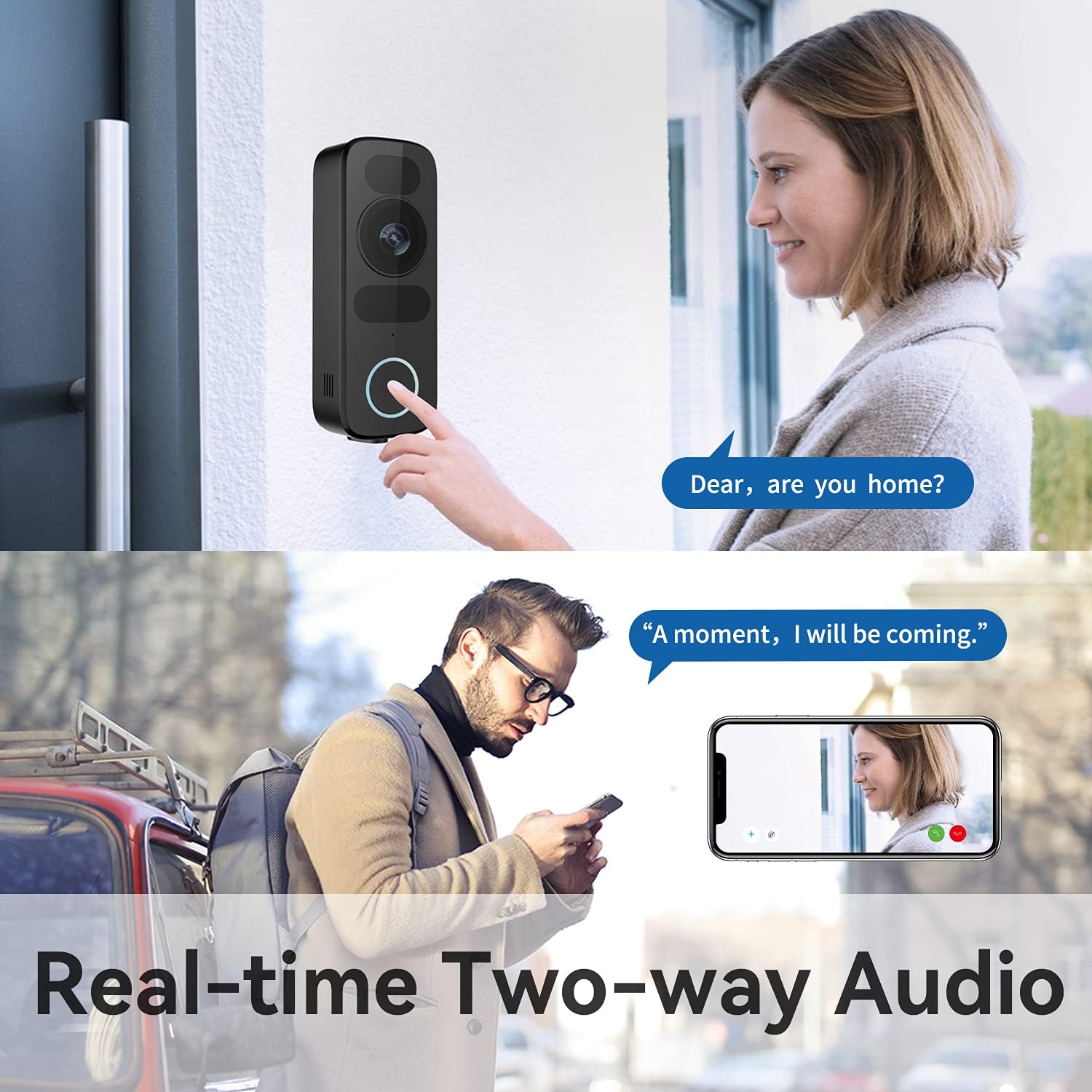
Image: A person pressing the doorbell button, while another person views the live feed and communicates using real-time two-way audio on a smartphone.
Judesio aptikimas ir įspėjimai
The doorbell camera features improved motion detection. You will receive real-time notifications on your smartphone when motion is detected at your door. Sensitivity settings can be adjusted within the app to minimize false alerts.

Image: Comparison showing the doorbell detecting a person (checked) but not a dog (crossed out), demonstrating adjustable sensitivity.
Naktinis matymas
The VENZ R4115 is equipped with infrared night vision, providing clear video quality even in complete darkness. The camera automatically switches between day and night modes.
Image: A split image showing a person at the door in daylight (left) and the same scene in night vision (right), both displayed on a smartphone, highlighting 1080P and night vision features.
Saugojimo parinktys
The doorbell camera supports both cloud storage and local storage via a microSD card (up to 128GB, sold separately). Configure your preferred storage method within the app settings.

Image: The VENZ doorbell camera displayed alongside icons indicating support for Cloud Storage and a maximum of 128GB SD card storage.
Priežiūra
- Valymas: Naudokite minkštą, damp cloth to clean the camera lens and body. Avoid abrasive cleaners or solvents.
- Firmware atnaujinimai: Regularly check the Woox Security app for available firmware updates to ensure optimal performance and security.
- „Wi-Fi“ ryšys: Ensure a stable Wi-Fi connection for uninterrupted operation.
Trikčių šalinimas
| Problema | Galimas sprendimas |
|---|---|
| Įrenginys neprisijungia prie „Wi-Fi“ | Ensure your Wi-Fi network is 2.4GHz. Check Wi-Fi password. Move the doorbell closer to the router. Reset the device and try pairing again. |
| Nėra judesio aptikimo įspėjimų | Check motion detection settings in the app. Adjust sensitivity. Ensure the camera lens is clean and unobstructed. |
| Prasta vaizdo kokybė | Check your Wi-Fi signal strength. Clean the camera lens. Ensure adequate lighting for optimal night vision performance. |
| Neveikia dvipusis garsas | Check microphone and speaker permissions for the app on your phone. Ensure the doorbell's microphone and speaker are not obstructed. |
Specifikacijos
| Funkcija | Detalė |
|---|---|
| Modelis | R4115 |
| Vaizdo įrašymo raiška | 1080p „Full HD“ |
| Viewing kampas | 180 laipsnių |
| Ypatingos savybės | Naktinis matymas, judesio aptikimas, dvipusis garsas |
| Ryšio technologija | Belaidis ryšys (Wi-Fi) |
| Sandėliavimas | Cloud Storage, Supports up to 128GB MicroSD Card |
| Maitinimo šaltinis | AC (Wired) |
| Medžiaga | Metalas |
| Matmenys (I x P x A) | 5 x 2.4 x 13.3 cm (apytiksliai 1.97 x 0.93 x 5.23 colio) |
| Naudojimas viduje / lauke | Lauke |
| Suderinami įrenginiai | Smartphone, Tablet (via Woox Security App) |
Garantija ir palaikymas
The VENZ R4115 Doorbell Camera comes with a 1 metų garantija from the date of purchase. This warranty covers manufacturing defects and malfunctions under normal use. For warranty claims or technical support, please contact VENZ customer service through their official websvetainę arba perkant pateiktą kontaktinę informaciją.
For further assistance, refer to the Woox Security app's help section or visit the VENZ support page online.