
VENZ R4040-V2
VENZ Indoor Camera R4040-V2 User Manual
Model: R4040-V2 | Brand: VENZ
Produktas baigtasview
The VENZ Indoor Camera R4040-V2 is a 1080P HD home security camera designed for indoor use. It features 360° pan-tilt-zoom (PTZ) capabilities, two-way audio, motion detection, and night vision, making it suitable for monitoring babies, pets, or general home security.
Pagrindinės savybės
- 1080p HD raiška: Provides clear and smooth video.
- 360° PTZ funkcionalumas: Offers 360° horizontal rotation and 104° vertical view dėl išsamios aprėpties.
- Dvipusis garsas: Įmontuotas mikrofonas ir garsiakalbis bendravimui.
- Judesio aptikimas ir sekimas: Sends instant alerts and tracks detected movement.
- Naktinis matymas: IR LEDs provide clear vision up to 28 feet in low light.
- Kelios saugojimo parinktys: Supports cloud storage and up to 128GB Micro SD card (not included).
- Balso valdymo suderinamumas: Works with Echo Show/Spot/Fire TV and Google Nest Hub/Chromecast.
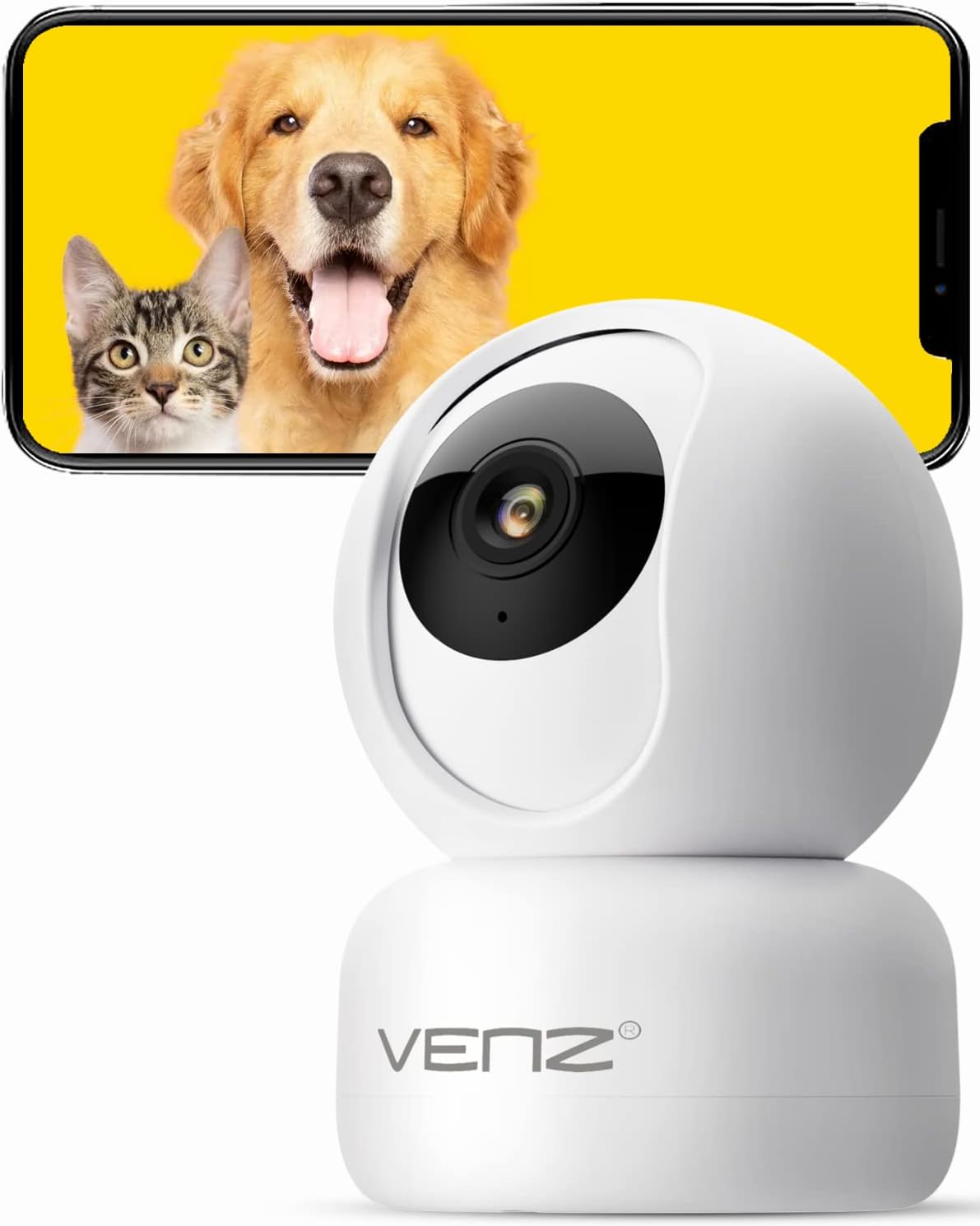
Image: The VENZ Indoor Camera R4040-V2, a white dome-shaped camera, shown next to a smartphone displaying live feed of a dog and a cat, illustrating its use for pet monitoring.
Kas yra dėžutėje
Prieš tęsdami montavimą, patikrinkite, ar yra visi komponentai.
- Išmanioji PTZ kamera x 1
- USB kabelis x 1
- Vartotojo vadovas x 1
- Montavimo kronšteinas x 1
- Adapteris x 1
- Sraigtinis maišas x 1
- Perforuotas lipdukas x 1
- Iš naujo nustatyti kaištį x 1
Sąrankos vadovas
1. Fotoaparato įjungimas
- Connect the provided USB cable to the camera's power port.
- Plug the USB cable into the adapter.
- Plug the adapter into a standard electrical outlet (DC 5V).
- Wait for the camera's indicator light to flash, indicating it is ready for setup.
2. Programėlės diegimas ir paskyros sukūrimas
The VENZ Indoor Camera operates via the Woox Home App.
- Download the "Woox Home" app from the Google Play parduotuvė or Apple App Store.
- Atidarykite programėlę ir, jei dar neturite paskyros, užregistruokite ją arba prisijunkite naudodami esamus prisijungimo duomenis.

Image: The Woox Home App logo, indicating compatibility with Amazon Alexa and Google Assistant, and showing the app interface on a smartphone and a smart display.
3. Kameros pridėjimas prie programėlės
- In the Woox Home app, tap the "+" icon to add a new device.
- Select "Camera" or "Security Camera" from the device list.
- Follow the on-screen instructions to connect the camera to your 2.4GHz Wi-Fi network. Ensure your Wi-Fi password is correct.
- The app will display a QR code. Position your camera to scan this QR code from your phone screen. Hold the phone approximately 6-8 inches (15-20 cm) from the camera lens.
- Once the camera successfully scans the QR code, it will emit a confirmation sound. Tap "I heard a prompt" in the app.
- The camera will then connect to your Wi-Fi network. Once connected, you can name your camera and begin using it.

Image: A hand holding a smartphone displaying a QR code, with the VENZ Indoor Camera positioned to scan it, illustrating the quick setup process.
4. Kameros montavimas (neprivaloma)
The camera can be placed on a flat surface or mounted to a wall or ceiling using the included bracket.
- Choose a suitable location for mounting, ensuring it has a clear view ir yra „Wi-Fi“ ryšio diapazone.
- Use the punched sticker to mark the drilling positions on the wall/ceiling.
- Gręžkite skyles ir įstatykite sieninius inkarus.
- Pritvirtinkite tvirtinimo laikiklį prie sienos / lubų naudodami pateiktus varžtus.
- Secure the camera onto the mounting bracket by twisting it into place.
Fotoaparato valdymas
Tiesiogiai View ir PTZ valdymas
- Open the Woox Home app and select your camera from the device list.
- Bus rodomas tiesioginis vaizdo įrašas.
- Use the on-screen joystick or directional arrows to pan (rotate horizontally 360°) and tilt (rotate vertically 104°) the camera lens.
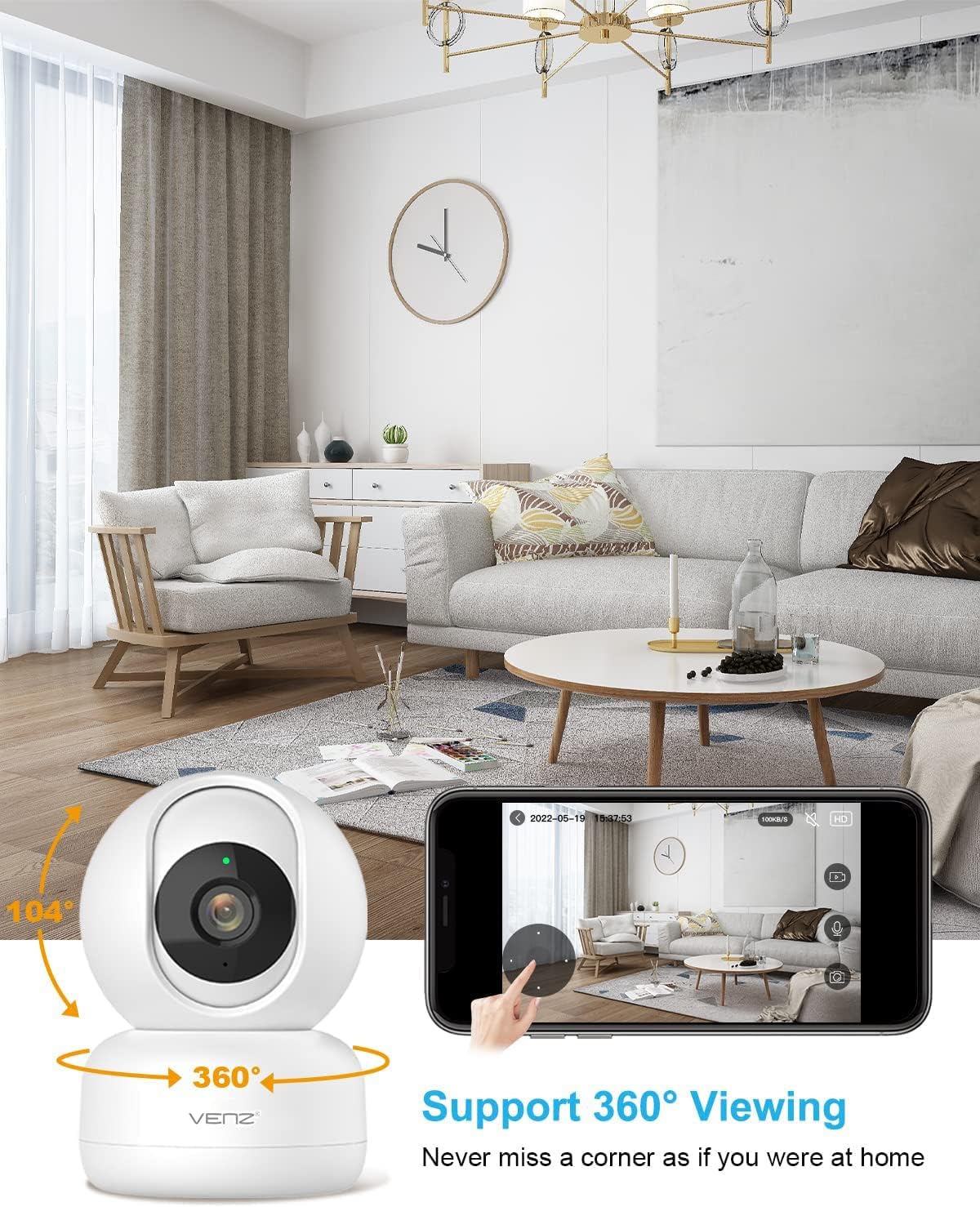
Image: The VENZ Indoor Camera with arrows indicating its 360-degree horizontal rotation and 104-degree vertical tilt capabilities, alongside a smartphone displaying the live view sąsaja.
Dvipusis garsas
- Kol vyksta gyvai view, tap the microphone icon in the app to speak through the camera.
- Norėdami klausytis garso iš kameros aplinkos, palieskite garsiakalbio piktogramą.

Image: Illustrations showing a woman speaking into her phone and a child interacting with a dog near the camera, demonstrating the two-way audio communication feature.
Judesio aptikimas ir sekimas
- Navigate to the camera settings within the Woox Home app.
- Enable "Motion Detection" to receive instant alerts on your phone when movement is detected.
- Activate "Motion Tracking" for the camera to automatically follow and keep the detected subject within its field of view.
- Adjust sensitivity levels and set activity areas as needed.

Image: A child and an adult entering a room, with the camera's motion tracking feature highlighted by red boxes, and a smartphone displaying a "Motion Tracking Detection" notification from the Woox Home app.

Image: Two cats in a living room, with one jumping and the other sitting, demonstrating the camera's motion tracking capability by highlighting the subjects with yellow crosses, and a smartphone showing real-time motion detection notifications.
Naktinis matymas
- Fotoaparatas automatiškai persijungia į naktinio matymo režimą prasto apšvietimo sąlygomis.
- Infrared LEDs provide clear black-and-white video up to 28 feet (8.5 meters).
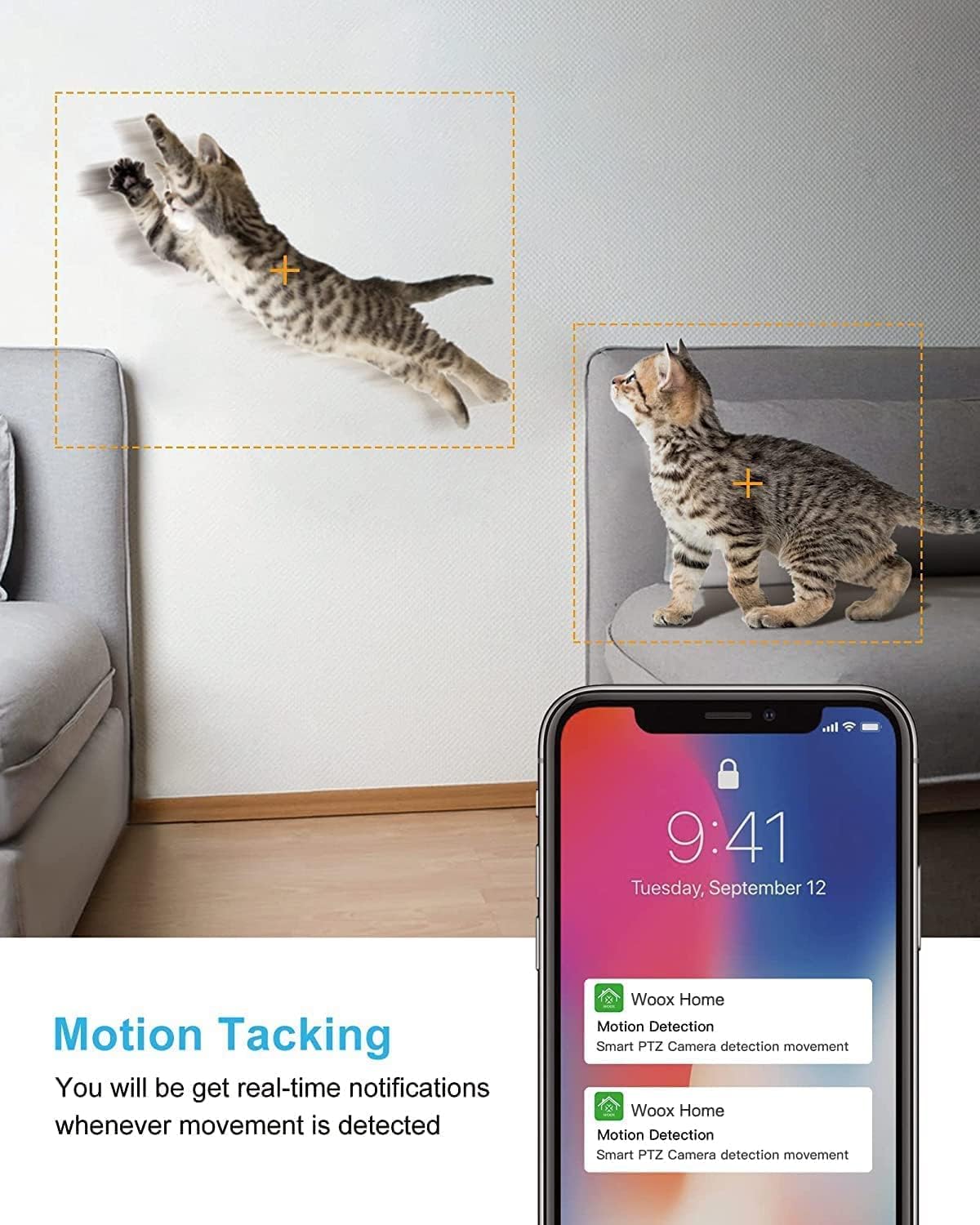
Image: A split image showing a baby sleeping in a crib in a dark room (top, black and white) and a woman viewing a clear image on her phone in bed (bottom), illustrating the camera's clear night vision capability.
Saugykla ir atkūrimas
- „Micro SD“ kortelė: Insert a Micro SD card (up to 128GB, not included) into the camera's slot for local storage of recordings.
- Saugykla debesyje: Subscribe to the optional cloud storage service via the Woox Home app for secure, encrypted data storage.
- Prieiga įrašyta footage per programėlės skiltį „Atkūrimas“ arba „Istorija“.

Image: The VENZ Indoor Camera with an arrow pointing to its Micro SD card slot and a cloud icon with a shield, illustrating both local (Micro SD) and cloud storage options for recording and playback.
Multi-User and Multi-Device Access
- Share camera access with family members through the Woox Home app.
- Programėlė palaiko viewing multiple Wi-Fi cameras simultaneously (up to 4 live videos on one screen).
Priežiūra
- Valymas: Kameros objektyvą ir korpusą valykite minkšta, sausa šluoste. Venkite abrazyvinių valiklių ar tirpiklių.
- Firmware atnaujinimai: Regularly check for and install firmware updates through the Woox Home app to ensure optimal performance and security.
- Tinklo stabilumas: Ensure your Wi-Fi network is stable and strong to prevent connection issues and maintain continuous monitoring.
- SD kortelės tvarkymas: If using a Micro SD card, periodically check its storage capacity and format it if necessary to prevent data corruption.
Trikčių šalinimas
| Problema | Galima priežastis | Sprendimas |
|---|---|---|
| Kamera neprisijungusi / Nepavyksta prisijungti prie „Wi-Fi“ |
|
|
| Poor video quality/Lagging feed |
|
|
| Judesio aptikimas neveikia |
|
|
| No audio/Poor two-way audio |
|
|
| SD kortelė neįrašo |
|
|
Specifikacijos
| Funkcija | Detalė |
|---|---|
| Modelio numeris | R4040-V2 |
| Naudojimas viduje / lauke | Vidinis |
| Vaizdo įrašymo raiška | 1080p |
| Laukas View | 360 laipsnių (sukimas horizontaliai), 104 laipsnių (pakreipimas) |
| Naktinio matymo diapazonas | 28 pėdos (8.5 metro) |
| Ryšio protokolas | „Wi-Fi“ (tik 2.4 GHz) |
| Maitinimo šaltinis | Laidinis elektrinis (nuolatinė 5 V srovė) |
| Valdiklio tipas | „Google“ padėjėjas, „Amazon Alexa“ |
| Saugojimo parinktys | Debesijos saugykla, „Micro SD“ kortelė (iki 128 GB) |
| Matmenys (I x P x A) | 2.91 x 2.91 x 4.21 colio |
| Prekės svoris | 13.1 uncijos |
| Medžiaga | PVC |
| UPC | 751004742501 |
Garantija ir palaikymas
Informacija apie garantiją
Konkreti garantijos informacija paprastai pateikiama kartu su pirkimo dokumentais arba oficialiame gamintojo dokumente. website. Please refer to the warranty card included in your product packaging for the most accurate and up-to-date information regarding coverage and duration.
Pagalba klientams
For technical assistance, troubleshooting, or any inquiries regarding your VENZ Indoor Camera, please visit the official VENZ website or contact their customer support team. You can often find contact information (email, phone, or support portal) on the product packaging or the brand's online presence.
Visit the official VENZ Store for more information and support: VENZ Store on Amazon
Ask a question about this manual
Ask about setup, troubleshooting, compatibility, parts, safety, or missing instructions. Manuals+ will review the question and use this page’s manual context to help answer it.