
1. Įvadas
Thank you for choosing the ErGear PC Monitor Arm. This manual provides essential information for the safe and efficient installation, operation, and maintenance of your monitor arm. Please read these instructions carefully before use and retain them for future reference.
2. Saugos informacija
- Prieš surinkdami įsitikinkite, kad visi komponentai yra ir nepažeisti. Nenaudokite, jei trūksta dalių arba jos yra sugedusios.
- This monitor arm is designed for monitors between 13 and 32 inches, with a weight capacity of 2-10kg. Do not exceed these limits.
- Always adjust the gas spring pressure only when the arm is in a horizontal position. Failure to do so may prevent proper adjustment.
- Ensure the mounting surface (desk) is stable and strong enough to support the combined weight of the monitor arm and your monitor.
- Montavimo metu neleiskite vaikams ir naminiams gyvūnėliams atokiau.
- Tvirtai priveržkite visus varžtus, bet neperveržkite, kad nesubraižytumėte sriegių ir nepažeistumėte komponentų.
3. Pakuotės turinys
Įsitikinkite, kad pakuotėje yra visos dalys:
- Monitoriaus svirties mazgas
- C-Clamp Montavimo įranga
- Žiedų tvirtinimo detalės
- VESA plokštė
- Kabelių valdymo spaustukai
- Šešiakampiai raktai / veržliarakčiai
- Instrukcijų vadovas
4. Specifikacijos
| Prekės ženklas | ErGear |
| Modelio numeris | EGSSK4W |
| Medžiaga | Legiruotasis plienas |
| Spalva | Baltas |
| Montavimo tipas | Desk Mount (C-Clamp arba žiedas) |
| Judėjimo tipas | Tiltable, Swivel, Rotate |
| Suderinamas monitoriaus dydis | 13-32 colių |
| Apkrova | 2-10 kg |
| VESA suderinamumas | 75x75mm, 100x100mm |
| Maksimalus pakreipimo kampas | 90° aukštyn, 40° žemyn |
| Pasukimo kampas | ±90° |
| Rotacija | 360° |
| Garantija | 5 metų gamintojo garantija |
5. Sąranka ir diegimas
The ErGear monitor arm offers two installation methods: C-clamp and grommet. Choose the method best suited for your desk.
5.1 Pre-Purchase Checklist
Before installation, ensure your setup meets the following requirements:
- Monitoriaus dydis: 13-32 colių
- Stebėti svorį: 2-10 kg
- VESA standartas: 75x75mm arba 100x100mm
- Stalo storis:
- C-Clamp: 10-82 mm
- Grommet: 10-86mm

5.2 Montavimo būdai

5.3 diegimo žingsniai
Follow these general steps for installation. Refer to the included detailed manual for specific diagrams and screw types.
- Pritvirtinkite pagrindą: Secure the chosen mounting base (C-clamp or grommet) to your desk. Ensure it is tightly fastened.
- Connect the Arm: Slide the monitor arm onto the base post.
- Pritvirtinkite VESA plokštę prie monitoriaus: Secure the VESA plate to the back of your monitor using the provided screws.
- Monitoriaus tvirtinimas prie rankos: Slide the VESA plate with the monitor onto the arm's VESA head. Tighten the securing screw.

6. Valdymas ir reguliavimas
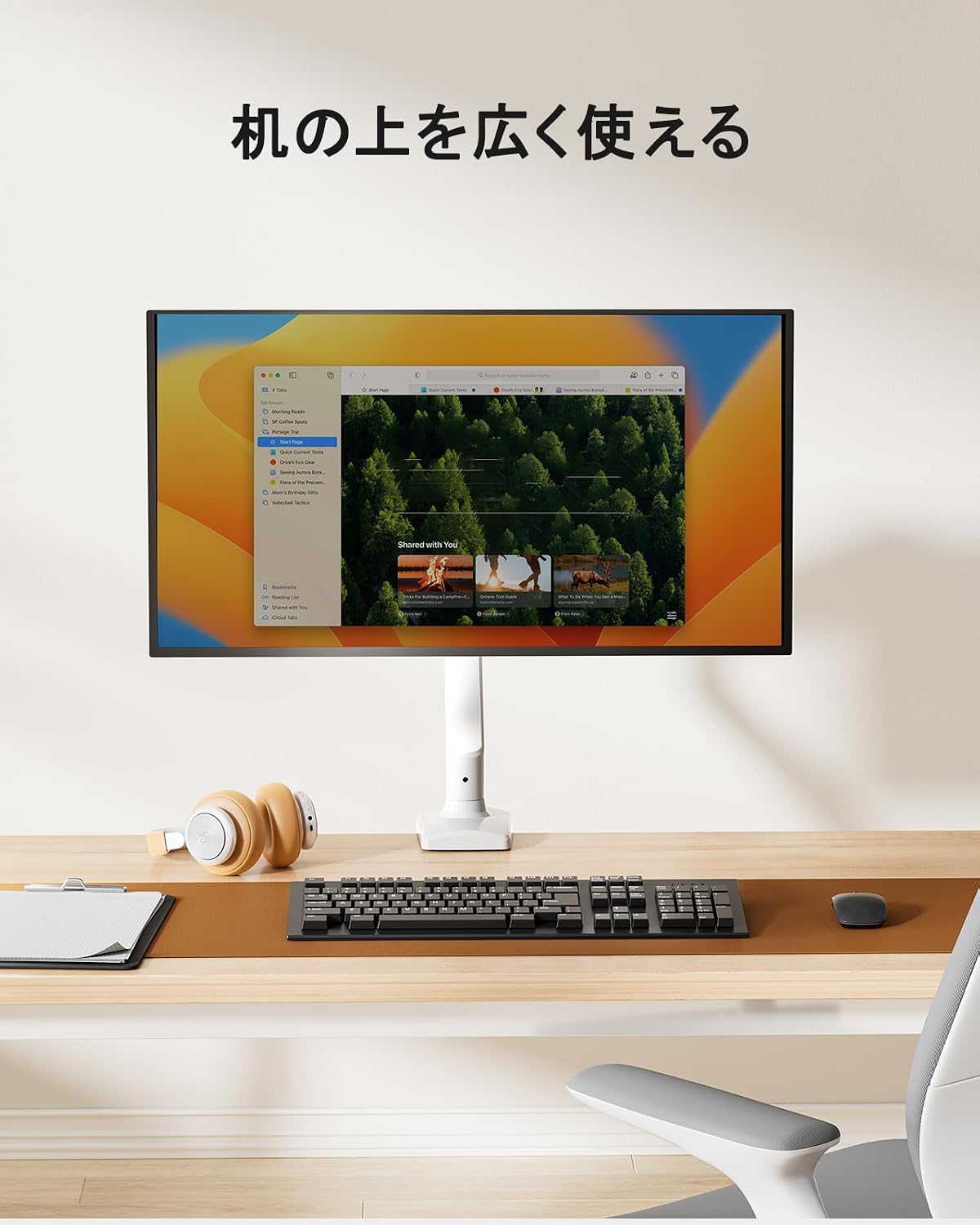
The ErGear monitor arm features a gas spring system for smooth and effortless adjustments, allowing you to optimize your viewing experience and desk space.
6.1 Monitoriaus padėties reguliavimas
Once installed, you can adjust your monitor to various positions:
- Aukščio reguliavimas: Easily move the monitor up or down to achieve ergonomic eye-level viewing.
- Pakreipti: Adjust the screen angle up to 90° upwards and 40° downwards to reduce glare and improve viewkomfortas.
- Sukamasis: Rotate the monitor left or right by 90° at the arm joints.
- Pasukimas: Rotate the monitor 360° from landscape to portrait orientation.


6.2 Adjusting Gas Spring Tension
The gas spring tension needs to be adjusted to match your monitor's weight for optimal movement and stability.
- Ensure the monitor arm is in a horizontal position.
- Locate the gas spring adjustment screw on the arm.
- Use the provided hex key to turn the screw:
- Turn towards '+' for heavier monitors (increase tension).
- Turn towards '-' for lighter monitors (decrease tension).
- Test the arm's movement. Adjust until the monitor stays in place when released and moves smoothly with minimal effort.
Important: Adjust the gas spring pressure only when the arm is horizontal. Gas pressure cannot be adjusted if the arm is not horizontal.

6.3 Kabelių valdymas
Utilize the integrated cable management clips to route and organize your monitor cables, maintaining a tidy and efficient workspace.


7. Priežiūra
Regular maintenance ensures the longevity and optimal performance of your ErGear monitor arm.
- Valymas: Wipe the arm with a soft, damp šluoste. Venkite abrazyvinių valiklių ar tirpiklių, kurie gali pažeisti apdailą.
- Patikrinkite jungtis: Periodiškai patikrinkite visus varžtus ir veržles, kad jie būtų tvirtai priveržti. Jei reikia, priveržkite.
- Dujinė spyruoklė: If the arm's movement becomes stiff or loose, re-adjust the gas spring tension as described in Section 6.2.

8. Problemų sprendimas
Jei kyla problemų dėl monitoriaus laikiklio, žr. šias dažniausiai pasitaikančias problemas ir sprendimus:
| Problema | Galima priežastis | Sprendimas |
|---|---|---|
| Monitor arm sags or won't stay in position. | Dujinės spyruoklės įtempimas per mažas monitoriaus svoriui. | Increase gas spring tension (turn '+' on adjustment screw). Ensure arm is horizontal during adjustment. |
| Monitor arm is too stiff to move. | Dujinės spyruoklės įtempimas per didelis monitoriaus svoriui. | Decrease gas spring tension (turn '-' on adjustment screw). Ensure arm is horizontal during adjustment. |
| Monitorius svyruoja arba atrodo nestabilus. | Mounting screws are loose; monitor is too heavy. | Check and tighten all mounting screws. Verify monitor weight is within the 2-10kg range. |
| Cannot adjust gas spring. | Arm is not horizontal during adjustment. | Position the arm horizontally before attempting to adjust the gas spring tension. |
9. Garantija ir palaikymas
The ErGear PC Monitor Arm (Model EGSSK4W) comes with a 5 metų gamintojo garantija nuo pirkimo datos. Ši garantija apima medžiagų ir gamybos defektus normaliai naudojant.
For warranty claims, technical support, or any questions regarding your product, please contact ErGear customer service through the retailer where you purchased the product or visit the official ErGear websvetainė kontaktinei informacijai.
Please have your purchase receipt and product model number (EGSSK4W) available when contacting support.