
1. Įvadas
This manual provides essential instructions for the Calypso Smartime K8502/1 Digital Quartz Watch. This device features a digital display, a durable rubber case, and a comfortable silicone strap. It is designed for daily wear and includes various smart functionalities.
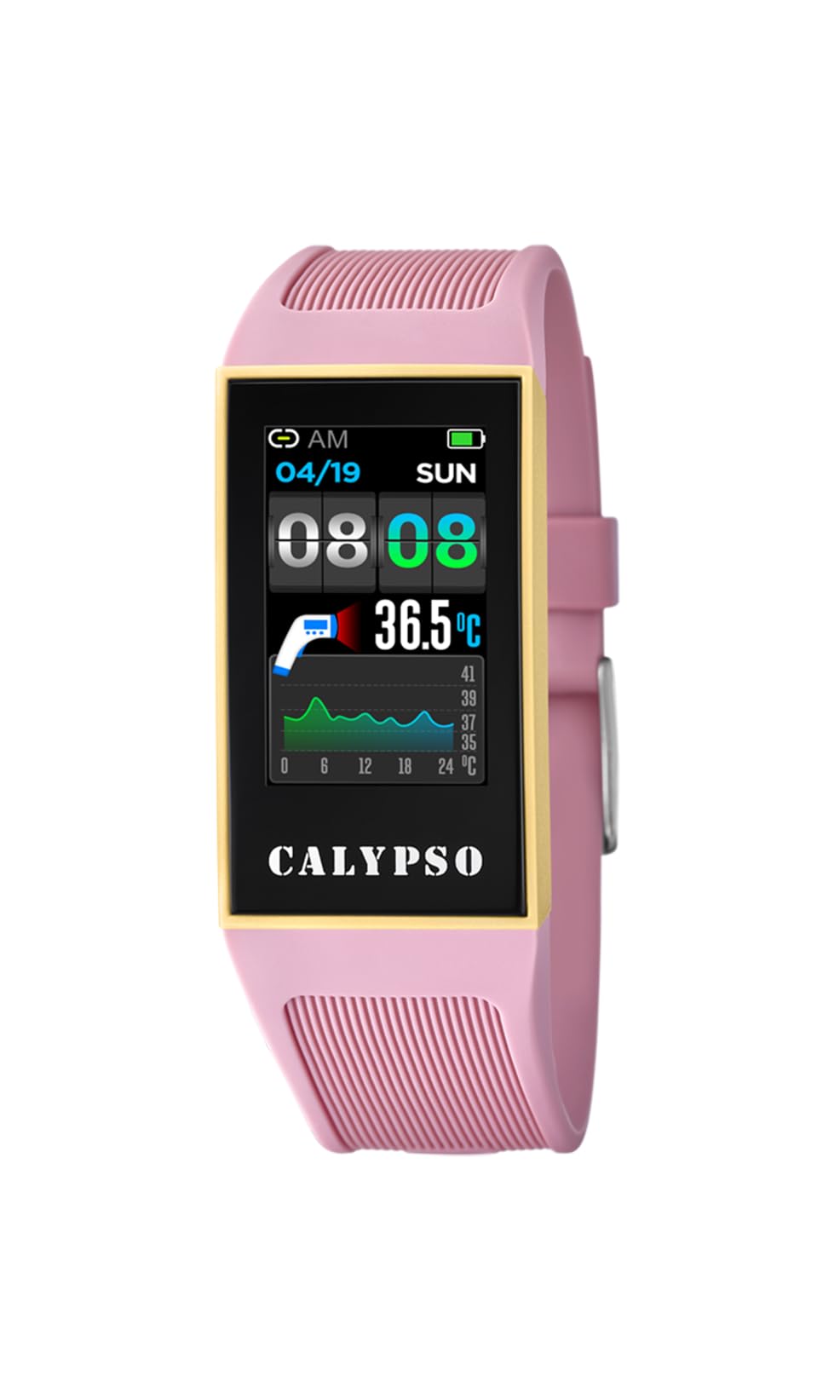
Figure 1: Calypso Smartime K8502/1 Digital Quartz Watch. The watch features a black dial, a pink rubber case, and a pink silicone strap.
2. Sąranka
2.1 Pradinis įkrovimas
Before first use, fully charge your Calypso Smartime K8502/1 watch. Connect the provided charging cable to the watch's charging port and a compatible USB power source. The watch display will indicate charging status. A full charge typically takes approximately 2 hours.
2.2 Įjungimas / išjungimas
- Norėdami įjungti: Press and hold the power button (usually located on the side of the watch case) for 3-5 seconds until the Calypso logo appears.
- Norėdami išjungti: Press and hold the power button for 3-5 seconds. A power-off menu will appear on the screen. Select "Power Off" to shut down the device.
2.3 Pairing with a Mobile Device (Android)
Your Calypso Smartime K8502/1 watch operates with an Android operating system and can be paired with a compatible smartphone via Bluetooth for extended functionalities.
- Įsitikinkite, kad jūsų laikrodis yra įkrautas ir įjungtas.
- On your smartphone, enable Bluetooth and open the dedicated Calypso Smartime application (downloadable from the Google Play Store).
- Follow the on-screen instructions in the application to search for and pair with your watch. The watch's Bluetooth name will typically be "Calypso K8502/1" or similar.
- Patvirtinkite susiejimo užklausą ir laikrodyje, ir išmaniajame telefone.
3. Naudojimo instrukcijos
3.1 Pagrindinė navigacija
The watch features a digital display. Interaction is primarily through touch gestures and potentially a side button (if present, referred to as 'dial' in specifications, which might imply a rotating crown or button).
- Braukite aukštyn / žemyn / kairėn / dešinėn: Navigate through menus, notifications, and widgets.
- Bakstelėkite: Pasirinkite elementą arba atidarykite programą.
- Paspauskite šoninį mygtuką: Typically returns to the home screen or activates a specific function (e.g., screen on/off).
3.2 Pagrindinės savybės
- Signalizacija: Set multiple alarms through the watch's alarm application or the paired smartphone app.
- Calendaring: View your schedule and appointments. Requires synchronization with your smartphone calendar.
- Chronografas: Laiko matavimo veiklai naudokite chronometro funkciją.
- Kompasas: Access the digital compass for navigation. Ensure the watch is calibrated for accurate readings.
- Dual-time: Display time from two different time zones simultaneously.
4. Priežiūra
4.1 Valymas
Norėdami išlaikyti laikrodžio išvaizdą ir funkcionalumą:
- Nuvalykite laikrodžio korpusą ir dirželį minkšta,amp audinys.
- Avoid using harsh chemicals, abrasive cleaners, or solvents, as these can damage the rubber and silicone materials.
- Prieš įkraudami įsitikinkite, kad įkrovimo prievadas yra sausas.
4.2 Atsparumas vandeniui (IP68)
The Calypso Smartime K8502/1 watch has an IP68 water resistance rating. This means it is dust-tight and protected against continuous immersion in water up to 1.5 meters for 30 minutes. It is suitable for showering, swimming in shallow water, and everyday splashes. It is not suitable for diving, snorkeling, or high-pressure water activities.
Svarbu: Do not operate the watch buttons or touchscreen while submerged in water. Ensure the watch is completely dry before charging.
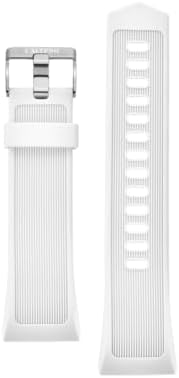
Figure 2: Silicone watch strap. The strap is durable and easy to clean. Color may vary from the product image.
5. Problemų sprendimas
| Problema | Galima priežastis | Sprendimas |
|---|---|---|
| Laikrodis neįsijungia. | Senka baterija. | Įkraukite laikrodį mažiausiai 30 minučių. |
| Nepavyksta susieti su išmaniuoju telefonu. | Bluetooth is off on watch/phone, app not open, or watch is out of range. | Ensure Bluetooth is enabled on both devices. Open the Calypso Smartime app. Bring devices closer. Restart both devices. |
| Ekranas nereaguoja. | Programinės įrangos gedimas arba senka baterija. | Paleiskite laikrodį iš naujo laikydami nuspaustą maitinimo mygtuką. Jei nereaguoja, leiskite akumuliatoriui visiškai išsikrauti, tada įkraukite. |
| Water resistance issues after exposure. | Buttons operated underwater, or watch exposed to high-pressure water. | Ensure proper usage within IP68 limits. If issues persist, contact customer support. |
6. Specifikacijos
| Funkcija | Detalė |
|---|---|
| Modelio numeris | K8502/1 |
| Prekės ženklas | Calypso |
| Ekrano tipas | Skaitmeninis |
| Ekrano dydis | 24 mm |
| Bylos medžiaga | Guma |
| Juostos medžiaga | Silikonas |
| Korpuso skersmuo | 24 mm |
| Operacinė sistema | Android |
| Belaidis suderinamumas | Bluetooth |
| Atsparumas vandeniui | IP68 (Dust-tight, protected against immersion up to 1.5m for 30 minutes) |
| Papildomos funkcijos | Alarm, Calendaring, Chronograph, Compass, Dual-time |
| Maitinimo šaltinis | Rechargeable Battery (1 Product Specific battery included) |
| Prekės svoris | 0.5 kilogramo |
7. Garantija ir palaikymas
For warranty information and customer support, please refer to the documentation included in your product packaging or visit the official Calypso websvetainėje. Išsaugokite pirkimo kvitą kaip pirkimo įrodymą garantiniams reikalavimams.