
Įvadas
This manual provides detailed instructions for the installation, operation, and maintenance of your Kolink INSPIRE K9 Midi-Tower Gaming Case. Please read this manual thoroughly before beginning assembly or use to ensure proper functionality and safety. The Kolink INSPIRE K9 is designed for gaming enthusiasts, offering ample space for high-performance components, efficient cooling options, and customizable RGB lighting.
Produkto savybės
- ATX Tower Compatibility: The interior accommodates motherboards from Mini-ITX to ATX formats, along with high-performance graphics cards up to 300 mm in length. CPU coolers can be installed with a maximum height of 155 mm.
- Aušinimo sistema: Features a pre-installed 120 mm fan at the rear with digitally addressable RGB lighting. Supports up to six 120 mm fans in total. Radiators up to 240 mm can be installed at the front, and up to 120 mm at the rear for water cooling setups.
- Saugojimo parinktys: The case provides space for up to 2 x 3.5/2.5 inch drive bays and 2 x 2.5 inch drive bays.
- Įvesties / išvesties skydelis: Equipped with 1x USB 3.0 port, 2x USB 2.0 ports, and an RGB LED control button for easy access and customization.
- RGB Design with Tempered Glass: A side panel made of lightly tinted tempered glass complements the elegant design of the midi tower, allowing for a clear view vidinių komponentų ir RGB apšvietimo.
Specifikacijos
| Prekės ženklas | koli |
| Modelio pavadinimas | Inspire K9 |
| Atvejo tipas | Midi bokštas |
| Pagrindinės plokštės suderinamumas | Mini-ITX, ATX |
| Medžiaga | Grūdintas stiklas |
| Spalva | Juoda |
| Aušinimo būdas | Oras, vanduo |
| Iš anksto įdiegti ventiliatoriai | 1 x 120mm (rear, RGB) |
| Maksimalus ventiliatoriaus palaikymas | 6x120mm |
| Radiatoriaus palaikymas | Front: up to 240mm, Rear: up to 120mm |
| Drive Bays | 2 x 3.5/2.5 inch, 2 x 2.5 inch |
| Išplėtimo lizdai | 7 |
| I/O skydelis | 1x USB 3.0, 2x USB 2.0, RGB LED Control |
| Maksimalus GPU ilgis | 300 mm |
| Maksimalus procesoriaus aušintuvo aukštis | 155 mm |
| Elemento matmenys (D x P x A) | 48G x 44P x 23A cm |
| Prekės svoris | 4 kilogramo |
Sąranka ir diegimas
Follow these steps for proper assembly and installation of components within your Kolink INSPIRE K9 case.
1. Bylos rengimas
- Unpack the case and place it on a stable, flat surface.
- Remove the tempered glass side panel by unscrewing the thumb screws, then carefully slide it off and set it aside on a soft, non-abrasive surface to prevent scratches.
- Remove the solid metal side panel by unscrewing the thumb screws at the rear and sliding it backward.
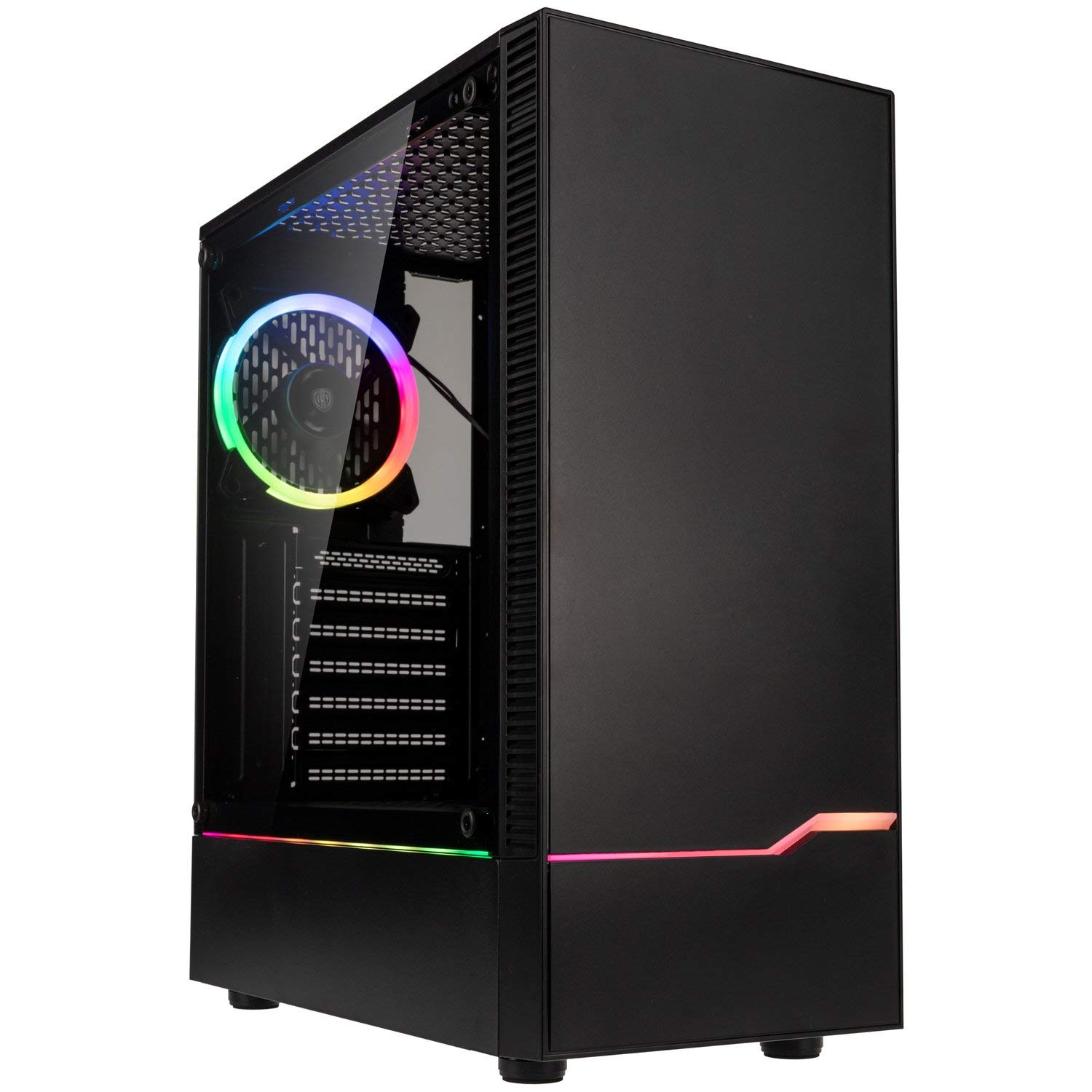
Vaizdas: Priekinis kairysis view of the Kolink INSPIRE K9 case, showcasing the tempered glass side panel and front RGB strip.

Image: Right side panel of the Kolink INSPIRE K9 case, showing the solid metal panel.
2. Pagrindinės plokštės montavimas
- Install the I/O shield that came with your motherboard into the designated slot at the rear of the case.
- Align your ATX or Mini-ITX motherboard with the standoffs inside the case. Ensure all standoffs match the screw holes on your motherboard.
- Pritvirtinkite pagrindinę plokštę naudodami pateiktus varžtus. Neperveržkite.
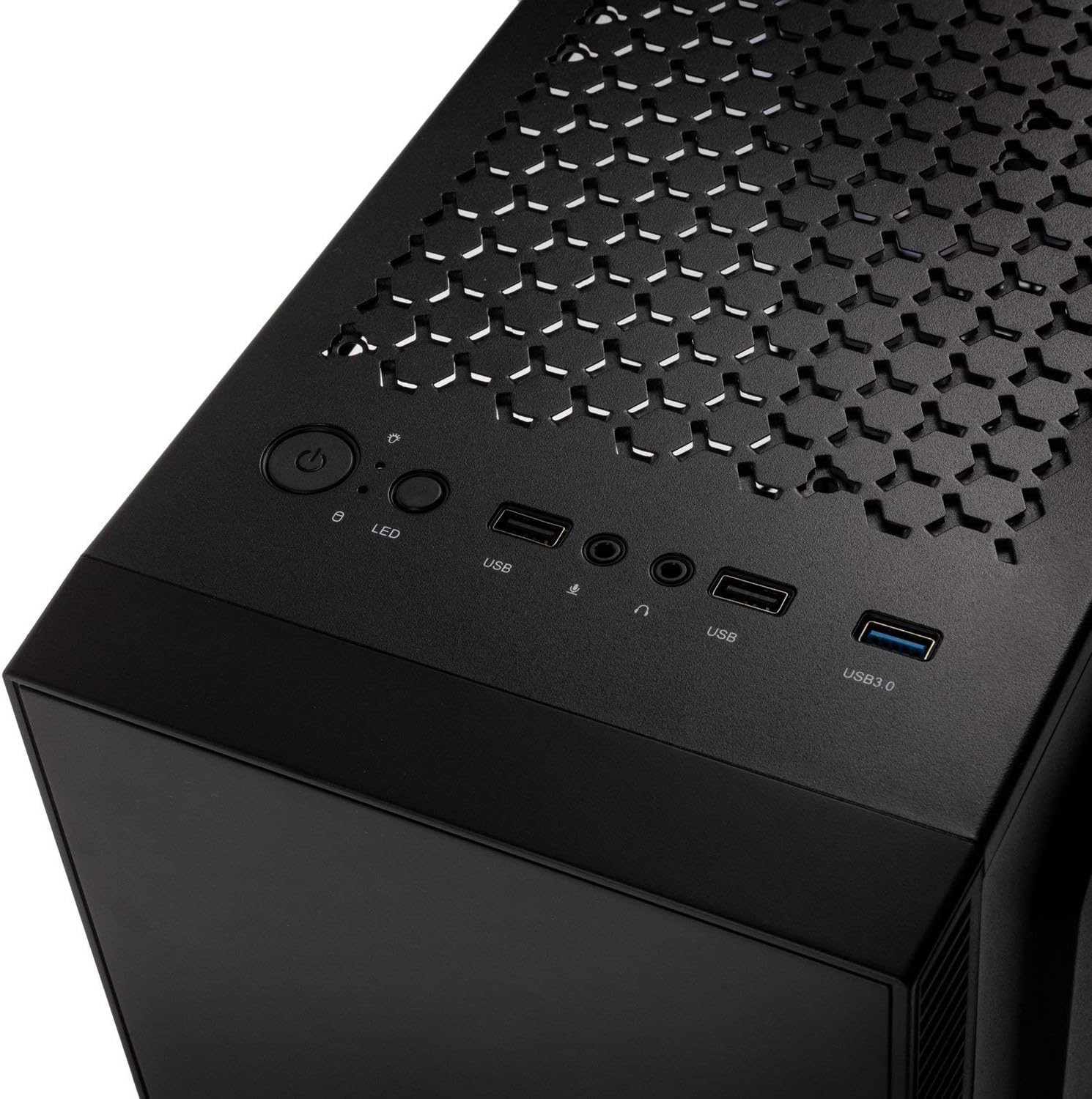
Vaizdas: Interjeras view of the Kolink INSPIRE K9 case, showing the motherboard tray and cable routing options.
3. CPU and CPU Cooler Installation
- Install your CPU onto the motherboard socket according to your motherboard's instructions.
- Apply thermal paste to the CPU. Refer to the video below for proper thermal paste application techniques.
- Install your CPU cooler (air or liquid) ensuring it fits within the 155 mm height limit. For liquid coolers, install radiators at the front (up to 240mm) or rear (up to 120mm) of the case.
Video: Guide on how to apply thermal paste correctly to a CPU. This is crucial for efficient CPU cooling.
4. Vaizdo plokštės (GPU) diegimas
- Remove the necessary expansion slot covers at the rear of the case. The case has 7 expansion slots.
- Insert your graphics card into the primary PCIe slot on your motherboard. Ensure it clicks into place.
- Secure the graphics card with screws. The case supports GPUs up to 300 mm in length.
5. Atminties disko diegimas
- Install 3.5-inch or 2.5-inch drives into the designated drive bays. The case supports 2 x 3.5/2.5 inch and 2 x 2.5 inch drives.
- Secure the drives with screws.
6. Maitinimo šaltinio (PSU) įrengimas
- Install your PSU into the bottom mounting area of the case.
- Pritvirtinkite maitinimo bloką varžtais iš korpuso galo.
7. Kabelių valdymas
- Route all power and data cables through the cutouts in the motherboard tray to the rear of the case.
- Use cable ties (not included) to neatly bundle and secure cables behind the motherboard tray. This improves airflow and aesthetics.

Vaizdas: Galinis view of the Kolink INSPIRE K9 case, showing the I/O shield cutout, expansion slots, and rear fan.

Vaizdas: Interjeras view of the Kolink INSPIRE K9 case from the right side, showing cable routing space and drive bays.
8. Connecting Front Panel I/O
- Connect the front panel cables (USB 3.0, USB 2.0, HD Audio, Power Switch, Reset Switch, Power LED, HDD LED, RGB LED Control) to the corresponding headers on your motherboard. Refer to your motherboard manual for header locations.

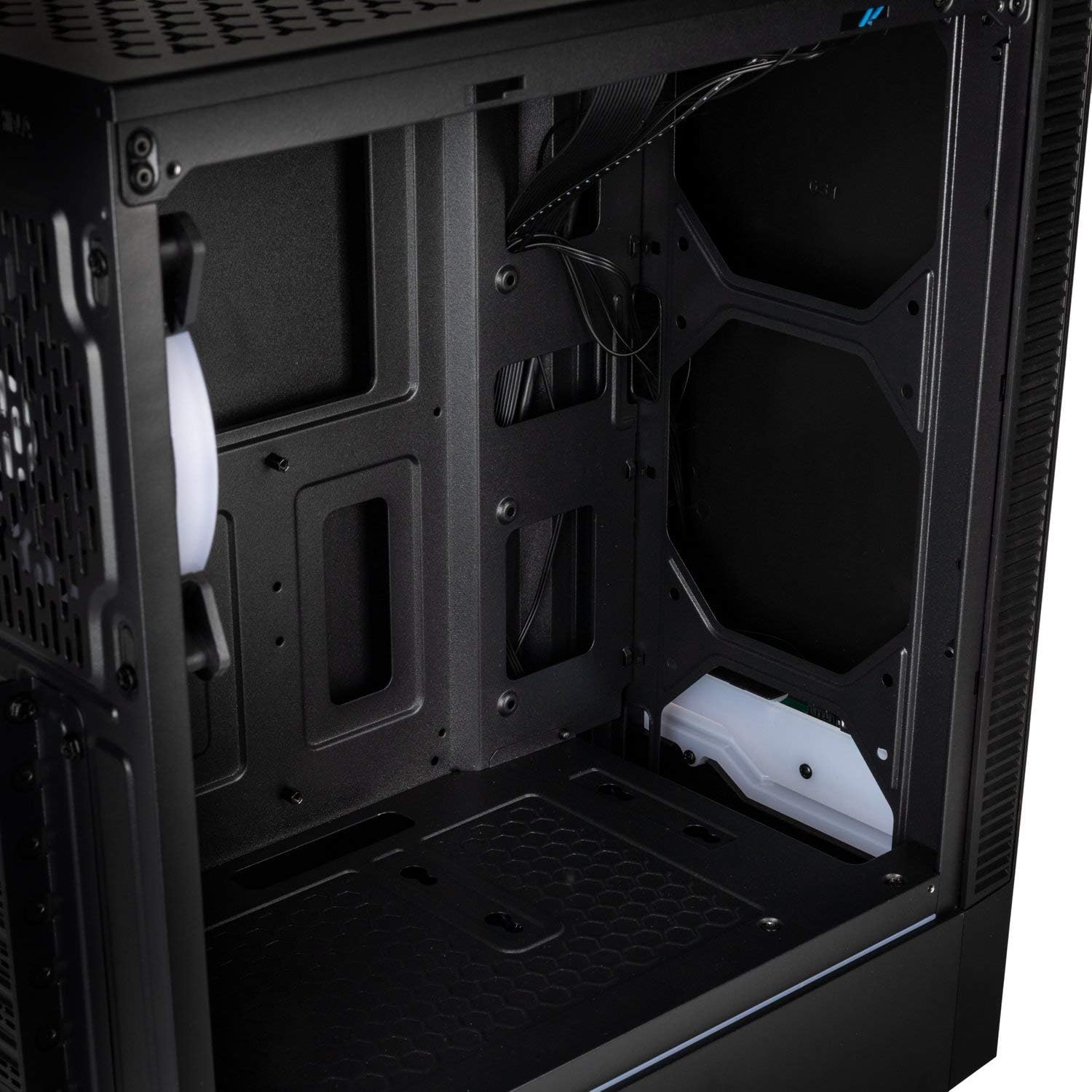
Image: Close-up of the top I/O panel of the Kolink INSPIRE K9 case, featuring USB ports, audio jacks, power button, and RGB LED control.
Naudojimo instrukcijos
- Maitinimo įjungimas/išjungimas: Press the power button on the top I/O panel to turn your system on or off.
- RGB valdymas: Use the dedicated RGB LED control button on the top I/O panel to cycle through various lighting modes and colors for the pre-installed RGB fan and front RGB strip.
- USB prievadai: Utilize the USB 3.0 and USB 2.0 ports for connecting peripherals and external devices.
- Garso lizdai: Connect your headphones and microphone to the audio jacks on the top I/O panel.
Vaizdas: Stambus planas view of the pre-installed 120mm RGB fan at the rear of the Kolink INSPIRE K9 case.
Priežiūra
Reguliarus techninis aptarnavimas padeda užtikrinti optimalų kompiuterio komponentų veikimą ir ilgaamžiškumą.
- Dulkių valymas: Periodically clean dust from the interior of the case, especially from fans and dust filters. Use compressed air or a soft brush.
- Išorinis valymas: Wipe the exterior surfaces, including the tempered glass panel, with a soft, damp audinys. Venkite abrazyvinių valiklių.
- Kabelių tvarkymo patikrinimas: Retkarčiais patikrinkite laidų išdėstymą, kad įsitikintumėte, jog jie netrukdo oro srautui ar ventiliatoriaus veikimui.
Trikčių šalinimas
If you encounter issues with your PC build, consider the following common troubleshooting steps related to the case:
- Sistema neįsijungia:
- Ensure the power supply is properly connected to the wall outlet and the PSU switch is in the ON position.
- Patikrinkite, ar priekinio skydelio maitinimo jungiklio kabelis tinkamai prijungtas prie pagrindinės plokštės lizdo.
- Patikrinkite visas maitinimo jungtis nuo maitinimo bloko iki pagrindinės plokštės ir komponentų.
- Ventiliatoriai nesisuka / RGB neveikia:
- Confirm that the fan power cables are securely connected to the motherboard or fan controller.
- Check that the RGB cables are properly connected to the motherboard's RGB header or the case's RGB controller.
- Press the RGB LED control button on the I/O panel to cycle through modes.
- Neveikiantys USB prievadai:
- Ensure the USB 3.0 and USB 2.0 front panel cables are correctly plugged into their respective headers on the motherboard.
- Perkaitimo problemos:
- Verify that all case fans are spinning correctly and are oriented for optimal airflow (intake/exhaust).
- Clean any dust buildup from fans and filters.
- Ensure the CPU cooler is properly seated and thermal paste is correctly applied.
Garantija ir palaikymas
For warranty information and technical support, please refer to the official KOLINK websvetainėje arba susisiekite su pardavėju. Išsaugokite pirkimo įrodymą, jei prireiktų pateikti garantinį prašymą.
Gamintojas: koli
Modelio numeris: INSPIREK9
Pasaulinis prekybos prekės numeris (GTIN): 05999094004030