
Įvadas
Welcome to the AEEZO Kids Tablet TK701 user manual. This guide provides essential information for setting up, operating, maintaining, and troubleshooting your new tablet. Designed for children, this 7-inch tablet features a Full HD IPS touch screen, Android 10 operating system, and pre-installed Kidoz for a safe and engaging experience.
Produktas baigtasview
Planšetinio kompiuterio komponentai

Vaizdo aprašymas: A detailed diagram of the AEEZO Kids Tablet TK701, highlighting its various ports and buttons. The tablet is shown from the front, side, and top views, with numbers indicating specific components.
- Atstatyti: Small pinhole for device reset.
- Maitinimo įjungimas/išjungimas: Button to turn the tablet on or off.
- Garsumas+: Mygtukas garsumui didinti.
- Apimtis: Mygtukas garsumui sumažinti.
- Priekinė kamera: Camera located on the front of the tablet.
- Ausinių lizdas: 3.5 mm prievadas ausinėms.
- SD kortelės lizdas: Slot for inserting a microSD card for expanded storage.
- C tipo prievadas: USB C tipo prievadas įkrovimui ir duomenų perdavimui.
- Galinė kamera: Camera located on the back of the tablet.
- Pranešėjas: Audio output speaker.
- Mikrofonas: Įmontuotas mikrofonas.
Pagrindinės savybės

Vaizdo aprašymas: An image comparing 1080p FHD image quality (right, showing Red from Angry Birds clearly) with a lower resolution (left, showing a blurry green pig), illustrating the superior display of the AEEZO tablet.
- Ekranas: 7-inch FHD IPS Touch Screen with 1920x1200 resolution, 323 PPI, offering a 178° wide viewing kampas.
- Operacinė sistema: GMS-certified Android 10.0.
- Procesorius: 1.6 GHz Quad-Core processor.
- Atmintis ir saugojimas: 2GB RAM, 32GB ROM (expandable up to 128GB via microSD card, not included).
- Kameros: Dual cameras (2MP front, 5MP rear).
- Baterija: 2,600mAh battery, providing approximately 4 hours of average use.
- Ryšys: WiFi.
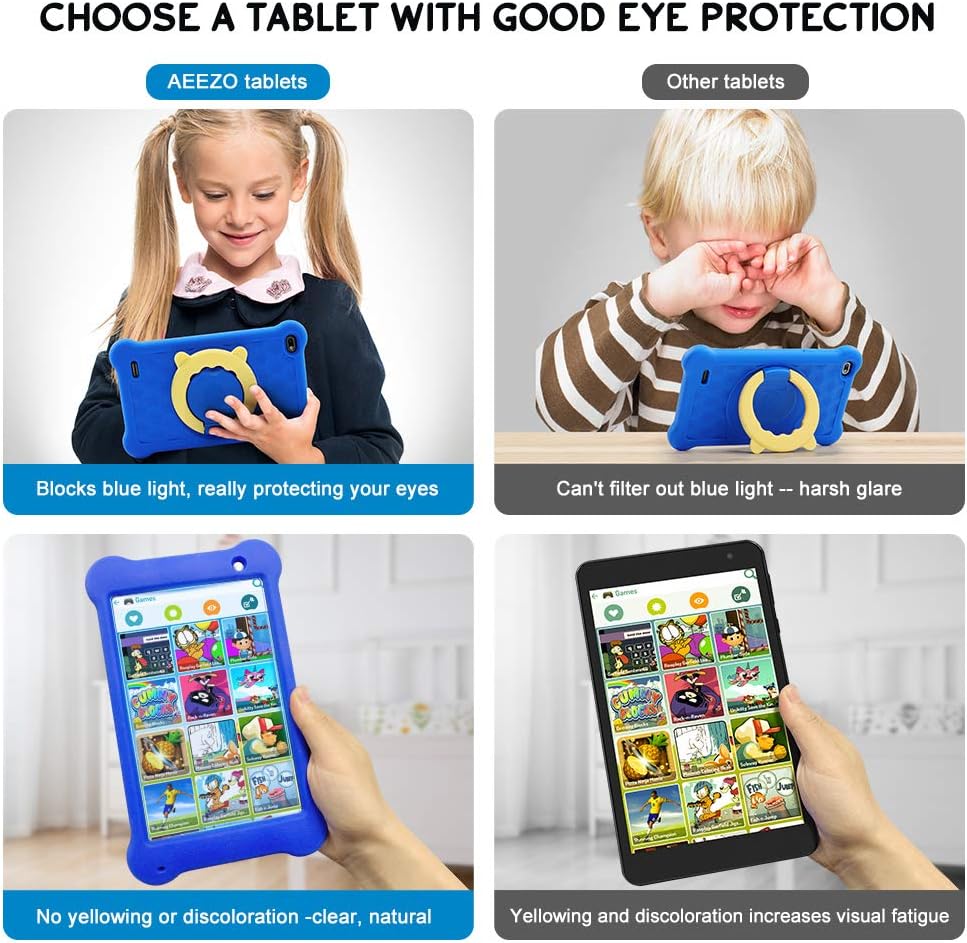
Vaizdo aprašymas: A four-panel image demonstrating the AEEZO tablet's eye protection features. Two top panels show a child comfortably using an AEEZO tablet (blocking blue light) versus a child squinting at another tablet (harsh glare). Two bottom panels show the AEEZO tablet's clear display versus another tablet's yellowed display, highlighting the absence of discoloration.
- Apsauginės savybės: Food-grade silicone cover designed to prevent damage from falls and collisions, and a pre-applied screen protection film that blocks harmful blue light for eye protection. The cover includes a 360-degree adjustable ring stand.
- Child-Friendly Software: Pre-installed Kidoz app, a COPPA-certified platform for kids, with parental controls.
Sąranka
1. Pradinis įkrovimas
Before first use, fully charge the tablet. Connect the provided USB Type-C cable to the tablet's Type C Port (8) and to a compatible 5V 2A charger (not included). The charging indicator will show the charging status.
2. Įjungimas/išjungimas
- Norėdami įjungti: Press and hold the Power on/off button (2) until the screen lights up.
- Norėdami išjungti: Press and hold the Power on/off button (2) until a power-off menu appears. Select "Power off" to shut down the device.
3. Pradinės sąrankos vedlys
Upon first power-on, follow the on-screen instructions to complete the initial setup. This includes selecting your language, connecting to a Wi-Fi network, and setting up your Google account.
4. „MicroSD“ kortelės įdėjimas (pasirinktinai)
To expand storage, insert a microSD card (up to 128GB, not included) into the SD Card Slot (7). Ensure the tablet is powered off before inserting or removing the card.
Naudojimo instrukcijos
Pagrindinė navigacija
- Jutiklinis ekranas: Navigate the tablet by tapping, swiping, and pinching on the screen.
- Pagrindinis ekranas: Access apps and widgets from the main home screen.
- Pranešimai: Braukite žemyn nuo ekrano viršaus iki view pranešimai ir greitieji nustatymai.
Using Google Play

Vaizdo aprašymas: A young child smiling next to the AEEZO tablet, surrounded by icons for Google Play, Kidoz, Family Link, and FamilyGroup, indicating the tablet's software capabilities.
The tablet provides full access to Google services, including the Google Play Store. Parents can download a wide range of educational apps, games, and other content suitable for children. Ensure your Google account is set up and parental controls are configured within Google Play for content filtering.
Kidoz App

Vaizdo aprašymas: The AEEZO Kids Tablet, encased in its blue protective cover, displays the colorful Kidoz app interface. Various icons representing kid-friendly games, videos, and creative tools are shown floating above the tablet.
Kidoz is a pre-installed, COPPA-certified application designed for children. It offers a curated selection of age-appropriate content. Navigate through Kidoz to find games, videos, and educational activities.
Tėvų kontrolė

Vaizdo aprašymas: A mother and child are comfortably seated on a sofa, with the child holding the AEEZO Kids Tablet. On the right side of the image, three circular icons represent key parental control features: Child Lock, Content Filter, and Time Limits.
The AEEZO Kids Tablet is equipped with robust parental control features to ensure a safe digital environment for children.
- Kidoz Parental Control: The pre-installed Kidoz app includes an advanced parental control system. Parents can set up a password to manage access to content, filter age-inappropriate material, and monitor usage.
- Turinio filtravimas: Utilize the age filter within Kidoz to ensure children only access content suitable for their age group.
- Laiko limitai: Set daily time limits for tablet usage to promote healthy screen habits.
- Programų valdymas: Control which applications your child can access.
- Google Family Link: For more comprehensive device management, consider using Google Family Link, which allows parents to manage app downloads, screen time, and device location from their own device.
Priežiūra
- Valymas: Use a soft, lint-free cloth to clean the screen and tablet body. Avoid abrasive cleaners or solvents.
- Akumuliatoriaus priežiūra: To prolong battery life, avoid extreme temperatures. Do not allow the battery to fully discharge frequently. Charge the tablet regularly.
- Programinės įrangos atnaujinimai: Reguliariai tikrinkite, ar planšetinio kompiuterio nustatymuose yra sistemos naujinimų, kad užtikrintumėte optimalų našumą ir saugumą.
- Apsauginis dangtelis: The food-grade silicone cover provides protection against drops and impacts. Keep it clean and ensure it is properly fitted.
- Ekrano apsauga: The pre-applied screen protection film helps block harmful blue light and protects the screen. If it becomes damaged, consider replacing it with a similar eye-protective film.
Trikčių šalinimas
Planšetinis kompiuteris neįsijungia
- Įsitikinkite, kad planšetinis kompiuteris yra pakankamai įkrautas. Prijunkite jį prie maitinimo šaltinio bent 30 minučių.
- Press and hold the Power on/off button (2) for 10-15 seconds.
- If unresponsive, use a thin object (like a paperclip) to press the Reset button (1) and then attempt to power on.
Lėtas našumas
- Uždarykite nenaudojamas programas, veikiančias fone.
- Išvalykite dažnai naudojamų programų talpyklos duomenis.
- Ensure there is sufficient storage space. Uninstall unnecessary apps or move files į SD kortelę.
- Iš naujo paleiskite planšetinį kompiuterį.
„Wi-Fi“ ryšio problemos
- Įsitikinkite, kad planšetinio kompiuterio nustatymuose įjungtas „Wi-Fi“.
- Paleiskite iš naujo „Wi-Fi“ maršrutizatorių.
- Pamirškite tinklą ir vėl prisijunkite, dar kartą įvesdami slaptažodį.
- Įsitikinkite, kad planšetinis kompiuteris yra „Wi-Fi“ signalo diapazone.
Baterija greitai išsikrauna
- Sumažinkite ekrano ryškumą.
- Uždarykite fonines programas ir išjunkite nereikalingus pranešimus.
- Išjunkite „Wi-Fi“ arba „Bluetooth“, kai nenaudojate.
- Check for apps consuming excessive battery in settings.
Specifikacijos
| Funkcija | Detalė |
|---|---|
| Modelio pavadinimas | TK701 |
| Ekrano dydis | 7 colių |
| Ekrano raiška | 1920 x 1200 (FHD IPS) |
| Procesorius | 1.6 GHz Quad-Core (ARM) |
| RAM | 2 GB |
| Vidinė saugykla | 32 GB |
| Išplečiama saugykla | Iki 128 GB („MicroSD“, nepridedama) |
| Operacinė sistema | „Android 10.0“ (sertifikuota GMS) |
| Galinis Webkumštelio raiška | 5 MP |
| Priekinė kamera | 2 MP |
| Baterija | 2,600 mAh ličio jonų |
| Vidutinis baterijos veikimo laikas | Maždaug 4 valandos |
| Ryšys | WiFi |
| Prekės svoris | 1.43 svaro (apie 648 g) |
| Gaminio matmenys | 9.06 x 6.69 x 1.97 colio |
| Spalva | Mėlyna |
Garantija ir palaikymas
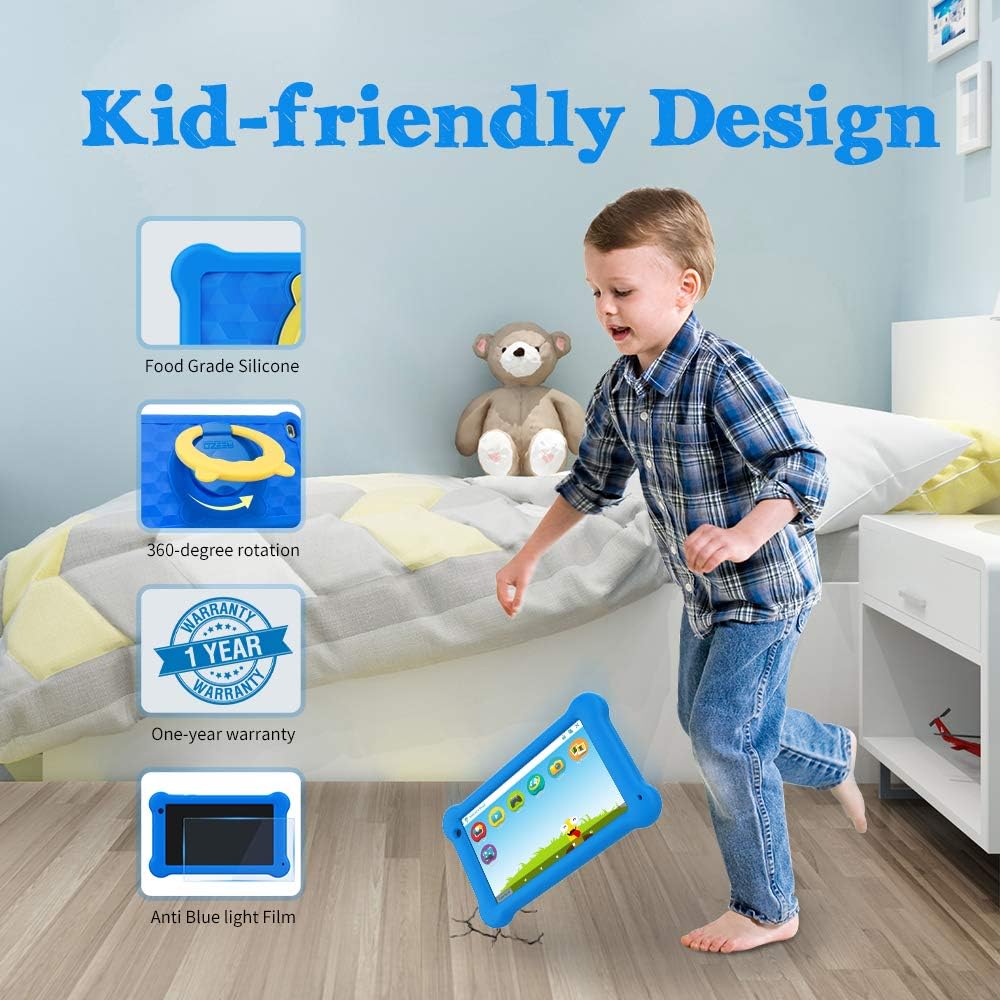
Vaizdo aprašymas: A young boy is shown playing with the AEEZO Kids Tablet, which is protected by a blue silicone case and features a yellow rotating stand. Insets highlight key features: Food Grade Silicone, 360-degree rotation, a "1 Year Warranty" badge, and "Anti Blue Light Film."
The AEEZO Kids Tablet TK701 comes with a 1 metų garantija nuo įsigijimo datos. Ši garantija taikoma gamybos defektams, atsiradusiems įprasto naudojimo metu. Išsaugokite pirkimo įrodymą, jei galėtumėte pateikti pretenzijas dėl garantijos.
For technical support, warranty service, or any questions regarding your tablet, please contact AEEZO customer service through the retailer where you purchased the product or visit the official AEEZO websvetainė kontaktinei informacijai.