
1. Įvadas
This manual provides detailed instructions for the proper use and maintenance of your USHINING W380S 3G Unlocked Senior Flip Phone. Designed for ease of use, this phone features large buttons, a clear display, and essential functions including an SOS emergency button and a charging cradle. Please read this manual thoroughly before operating your device.
2. Pakuotės turinys
Patikrinkite, ar pakuotėje yra visi toliau išvardyti daiktai. Jei kurių nors daiktų trūksta arba jie pažeisti, susisiekite su klientų aptarnavimo tarnyba.
- USHINING W380S Flip Phone
- Įkrovimo lopšys
- Charging Cord (Micro USB)
- Vartotojo vadovas
- Battery (Nokia BL-5C compatible)
- SIM kortelės adapteris
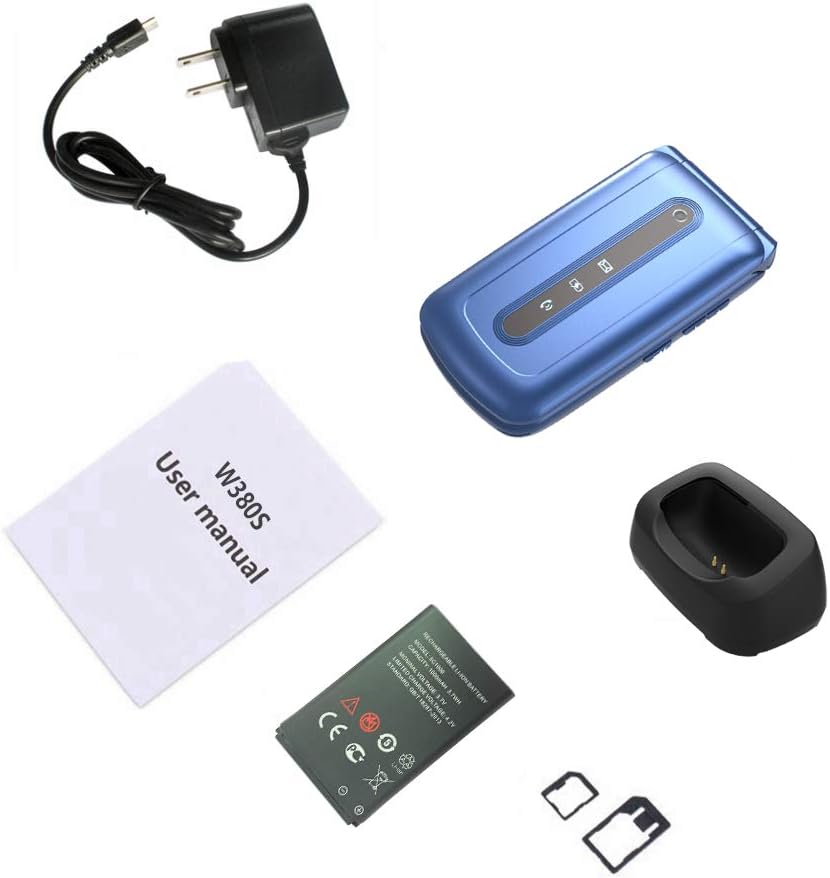
Image: Contents of the USHINING W380S package, including the flip phone, charging cradle, charging cord, user manual, battery, and SIM card adapter.
3. Telefonas baigtasview
Familiarize yourself with the key components and features of your USHINING W380S flip phone.
- Dideli mygtukai: Sukurta lengvam rinkimui ir naršymui.
- Large Icon Display: Ensures clear visibility of menu options and text.
- SOS mygtukas: Įsikūręs gale, skirtas iškvietimams pagalbos tarnyboms.
- Įkrovimo dėklas: Simplifies charging by placing the phone in the dock.
- Aukštos kokybės garsiakalbis: Provides loud and clear audio for calls.
- Dual LED Torch: Integrated flashlight for convenience.

Image: The USHINING W380S flip phone shown in its charging cradle and a separate view of the phone's rear, highlighting the SOS button.

Image: The USHINING W380S flip phone open, displaying large icons on the screen and large, easy-to-press buttons on the keypad.
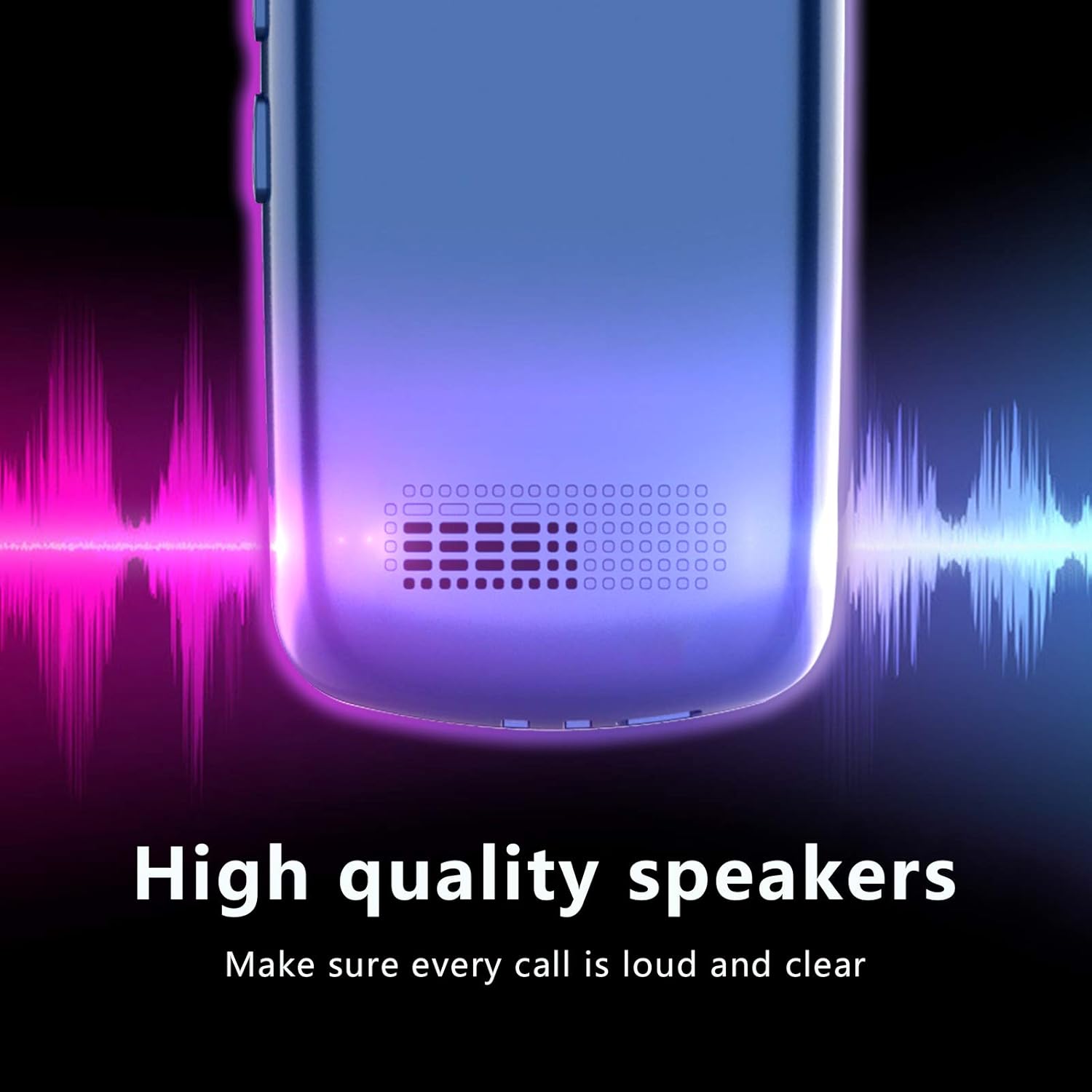
Vaizdas: Stambus planas view of the USHINING W380S phone's speaker grille, emphasizing its high-quality audio output.
4. Sąranka
4.1 Akumuliatoriaus įdėjimas
- Nuimkite telefono galinį dangtelį, švelniai jį atlenkdami nuo įpjovos.
- Įdėkite bateriją į skyrių, užtikrindami, kad auksiniai kontaktai sutaptų su telefono gnybtais.
- Uždėkite galinį dangtelį, tvirtai spausdami, kol jis užsifiksuos vietoje.
4.2 SIM kortelės montavimas
Important Note for 3G SIM Card Activation:
Since this is a 3G phone and many carriers have stopped activating new SIM cards for 3G devices, please do not activate a new SIM card directly on this phone. When purchasing a new SIM card, provide the IMEI number of an older phone or any other compatible phone to get the SIM card activated. Once activated, you can then insert the SIM card into your USHINING W380S phone. It will automatically connect to the carrier's network after turning on.
- Įsitikinkite, kad telefonas yra išjungtas ir išimta baterija.
- Locate the SIM card slot(s) beneath the battery compartment. This phone supports a standard size SIM card.
- Insert the activated standard SIM card into the designated slot with the gold contacts facing down and the cut corner aligned correctly.
4.3 „Micro SD“ kortelės įdėjimas (neprivaloma)
To expand storage for photos or contacts, you can install a Micro SD card (up to 32GB, not included).
- Įsitikinkite, kad telefonas yra išjungtas ir išimta baterija.
- Locate the Micro SD card slot next to the SIM card slot.
- Įkiškite „Micro SD“ kortelę į lizdą, kol ji spragtelės ir užsifiksuos.
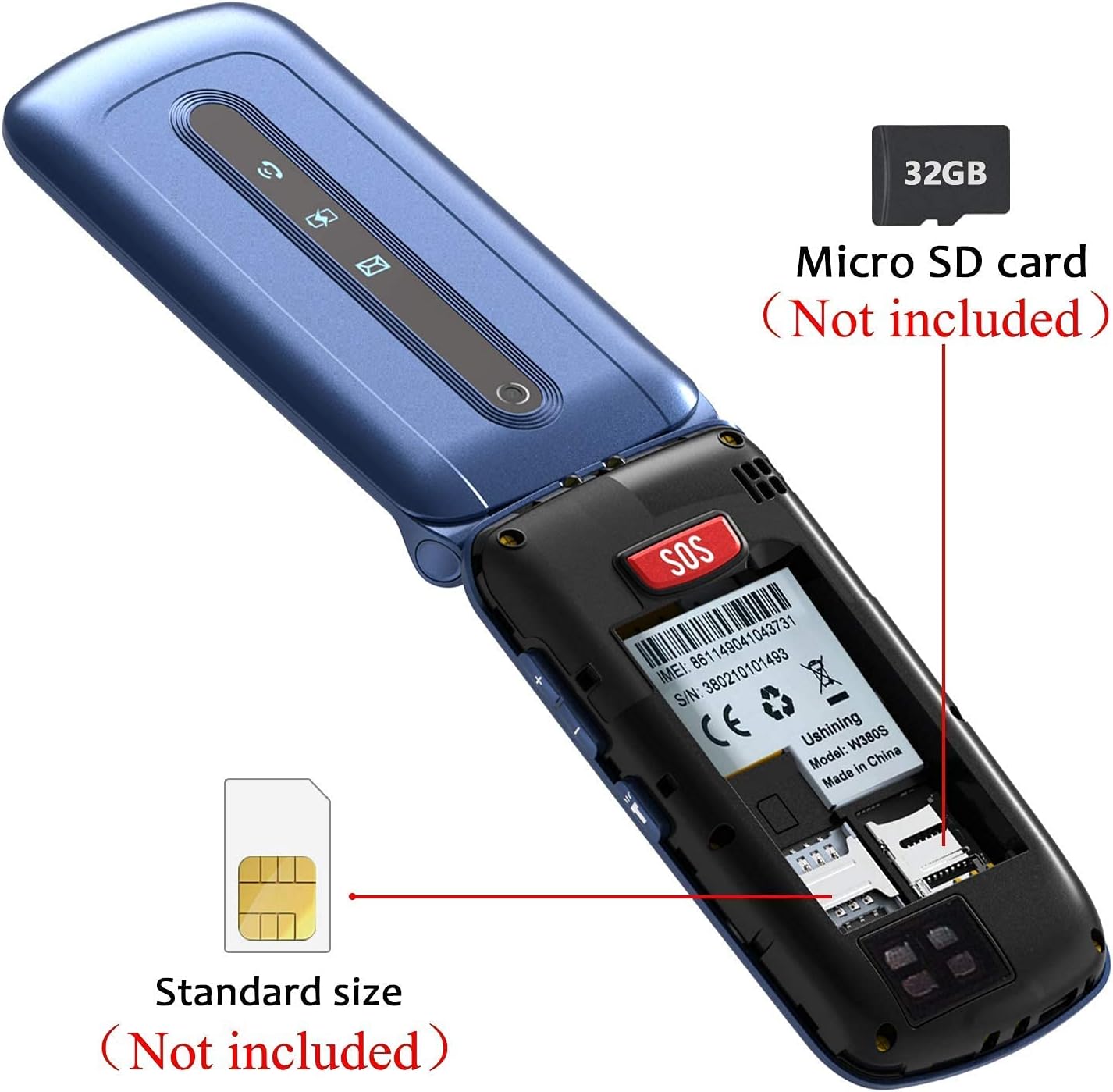
Paveikslėlis: vidinis view of the USHINING W380S flip phone, showing the slots for a standard SIM card and a Micro SD card.

Image: A graphic emphasizing the important instruction for activating a new SIM card for the 3G phone, advising against direct activation on the device.
4.4 Telefono įkrovimas
You can charge your phone using the included charging cradle or directly via the Micro USB port.
- Įkrovimo stovo naudojimas: Connect the charging cord to the cradle and a power adapter. Place the phone into the cradle, ensuring it sits securely and the charging indicator appears on the screen.
- Tiesioginis įkrovimas: Connect the charging cord directly to the Micro USB port on the side of the phone and to a power adapter.
4.5 Įjungimas / išjungimas
- Norėdami įjungti: Paspauskite ir palaikykite raudoną mygtuką „Baigti skambutį“, kol ekranas užsidegs.
- Norėdami išjungti: Paspauskite ir palaikykite raudoną mygtuką „Baigti skambutį“, kol pasirodys išjungimo parinktys, tada pasirinkite „Išjungti“.
5. Naudojimo instrukcijos
5.1 Skambinimas ir skambučių priėmimas
- Norėdami paskambinti: Enter the phone number using the keypad and press the green 'Call' button.
- Norėdami atsiliepti į skambutį: Press the green 'Call' button when the phone rings.
- Norėdami baigti skambutį: Press the red 'End Call' button.
5.2 Pranešimų siuntimas ir gavimas
- Eikite į meniu „Žinutės“.
- Norėdami parašyti naują SMS žinutę, pasirinkite „Rašyti žinutę“.
- Įveskite gavėjo numerį ir savo žinutę, tada išsiųskite.
- New messages will appear in your inbox.
5.3 SOS avarinė funkcija
SOS mygtukas leidžia greitai susisiekti su iš anksto nustatytais pagalbos numeriais.
- Go to 'Settings' > 'SOS Settings' to configure up to 5 emergency contacts.
- In an emergency, press and hold the red SOS button on the back of the phone.
- The phone will automatically dial the emergency contacts in sequence until one answers. It will also send an emergency SMS to these contacts.

Image: A diagram illustrating the SOS emergency call function, showing the SOS button on the phone and how it connects to pre-set family numbers and first aid contacts.
5.4 Greitasis rinkimas
Assign frequently called numbers to speed dial keys (M1, M2, M3).
- Eikite į „Nustatymai“ > „Greitasis rinkimas“.
- Select M1, M2, or M3 and assign a contact from your phonebook or enter a new number.
- To use, press and hold the assigned speed dial key.
5.5 Telefonų knyga
Store and manage your contacts.
- Eikite į meniu „Telefonų knyga“.
- Select 'Add New Contact' to save a name and number.
- You can also edit or delete existing contacts.
5.6 Kamera
The phone includes a basic camera for capturing photos.
- Pasiekite kamerą iš pagrindinio meniu.
- Point the camera at your subject and press the 'OK' button to take a photo.
- Photos are saved to the phone's memory or the Micro SD card if installed.
5.7 Torch/Flashlight
Activate the dual LED torch for illumination.
- The torch can typically be activated by a dedicated side button or through the 'Tools' menu.

Image: The USHINING W380S flip phone held in a hand, with its dual LED torch emitting light.
5.8 Pagrindiniai nustatymai
Customize your phone's behavior through the 'Settings' menu.
- Kalba: Pakeiskite ekrano kalbą.
- Laikas ir data: Nustatykite dabartinį laiką ir datą.
- Apimtis: Adjust ringtone, call, and media volumes.
- Ekranas: Modify backlight time, contrast, etc.
6. Priežiūra
To ensure the longevity and optimal performance of your USHINING W380S phone, follow these maintenance guidelines:
- Laikykite telefoną sausai. Drėgmė gali pažeisti elektronines grandines.
- Venkite ekstremalių temperatūrų. Aukšta temperatūra gali sutrumpinti elektroninių prietaisų tarnavimo laiką ir sugadinti baterijas.
- Telefonui valyti nenaudokite stiprių cheminių medžiagų, valymo tirpiklių ar stiprių ploviklių. Nuvalykite jį minkšta,amp audinys.
- Handle the phone gently. Dropping, knocking, or shaking it can damage internal components.
- Do not attempt to disassemble the phone. This will void the warranty and can cause damage.
7. Problemų sprendimas
Jei kyla problemų dėl telefono, žr. toliau pateiktas dažniausiai pasitaikančias problemas ir sprendimus:
| Problema | Galimas sprendimas |
|---|---|
| Telefonas neįsijungia. | Ensure the battery is correctly installed and charged. Connect to the charger for at least 30 minutes. |
| Negalima skambinti arba priimti skambučių. | Check if the SIM card is properly inserted and activated. Verify network signal strength. Contact your carrier if necessary. |
| Pokalbio metu nėra garso. | Check the call volume settings. Ensure the speaker is not blocked. |
| Baterija greitai išsikrauna. | Reduce screen brightness, close unused applications, or consider replacing an old battery. |
| SOS mygtukas neveikia. | Verify that emergency contacts are correctly set up in the SOS settings. Ensure the phone has network coverage. |
Jei problema išlieka, kreipkitės į klientų aptarnavimo tarnybą dėl tolesnės pagalbos.
8. Specifikacijos
Key technical specifications for the USHINING W380S flip phone:
- Modelis: W380S
- Matmenys: 4.09 x 2.11 x 0.75 colio
- Prekės svoris: 8.8 uncijos
- RAM: 64 MB
- ROM: 128 MB
- Ekrano dydis: 2.4 colių
- Ekrano skiriamoji geba: 240 x 320
- Belaidžio ryšio technologijos: Bluetooth, Cellular (3G WCDMA: 850/1900MHz; 2G GSM: 850/1900 mHz)
- Ryšio technologijos: „Bluetooth“, mikro USB
- Baterijos talpa: 1000 milijonųamp Valandos
- Išplečiama atmintis: Micro SD kortelė iki 32GB (nepridedama)
- Kamera: Galinis
- Žmogaus sąsajos įvestis: Mygtukai, ratukas
9. Garantija ir palaikymas
For warranty information and customer support, please refer to the documentation included with your purchase or contact USHINING customer service. Keep your purchase receipt as proof of purchase for warranty claims.
For inquiries, you may visit the USHINING store page on Amazon and use the 'Ask a question' feature to send an email. Customer support typically responds within 24 hours.