
1. Produktas baigtasview
The TRUDIN Digital Kitchen Scale is designed for precise measurement of ingredients in cooking and baking. Featuring a durable 304 stainless steel platform and a clear LCD display, it offers accurate readings up to 33 lbs (15 kg) with 1g/0.1oz increments. Its compact design and multiple unit conversion capabilities make it an essential tool for any kitchen.
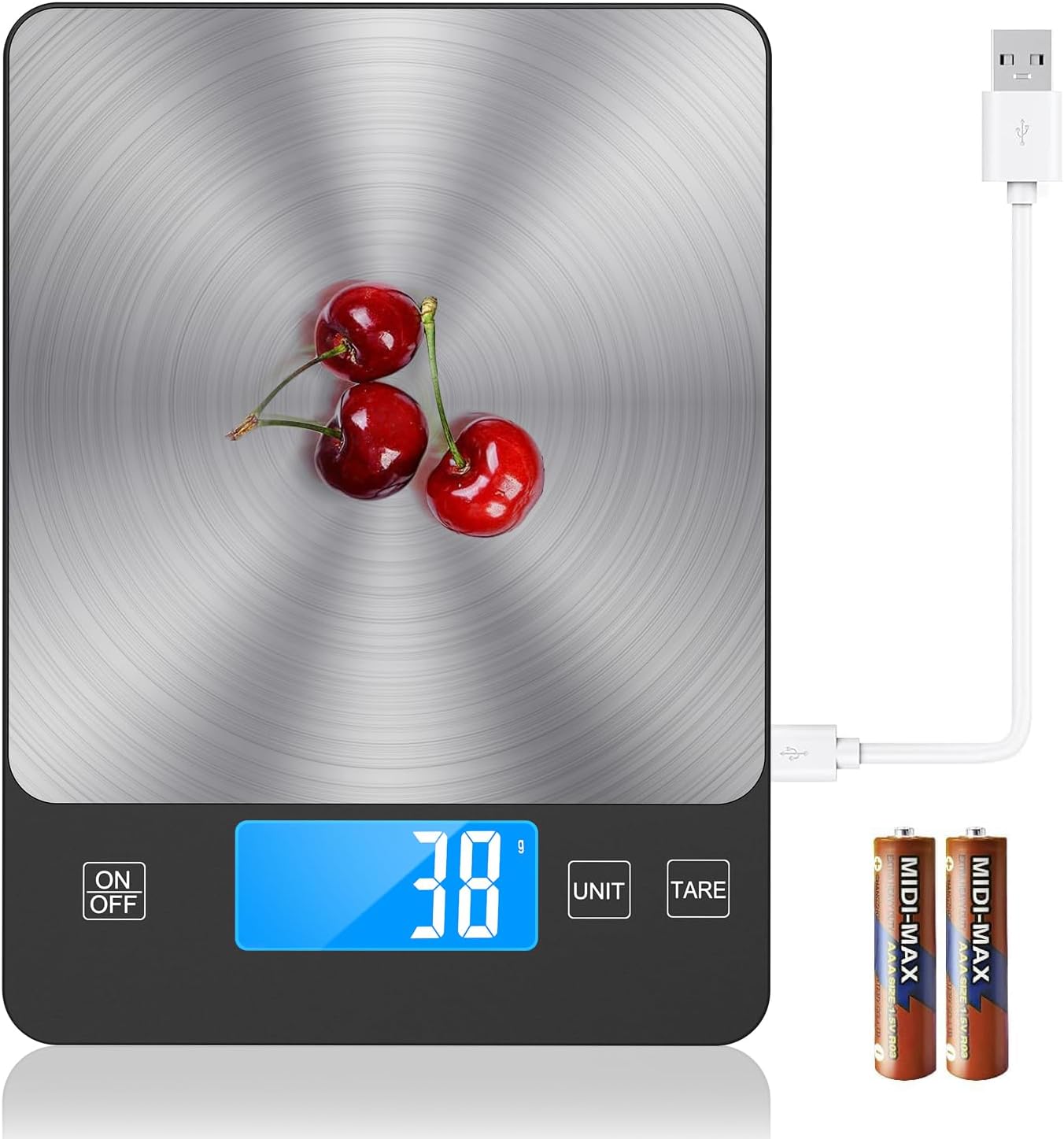
The TRUDIN Digital Kitchen Scale features a sleek stainless steel surface and a clear LCD display, designed for precise measurements in cooking and baking.
2. Pakuotės turinys
Prašome patikrinti, ar pakuotėje yra visi reikalingi daiktai:
- Digital Kitchen Scale (x1)
- USB laidas (x1)
- AAA baterijos (x2)
3. Sąranka
3.1 Svarstyklių maitinimas
The TRUDIN Digital Kitchen Scale offers two power methods: USB charging and AAA battery power.
- USB įkrovimas: Connect the provided USB cable to the scale's charging port and a compatible USB power source. The scale has a built-in rechargeable battery.
- Baterijos galia: Open the battery compartment on the underside of the scale and insert two AAA batteries, ensuring correct polarity (+/-).

The scale supports two power methods: a built-in rechargeable battery via USB cable and two AAA batteries. Ensure batteries are inserted correctly or connect the USB cable for charging.
3.2 Pradinis išdėstymas
Place the scale on a hard, flat, and stable surface to ensure accurate measurements. Uneven surfaces can lead to inaccurate readings.
4. Naudojimo instrukcijos
4.1 Įjungimas / išjungimas
- Press the "ON/OFF" button to turn the scale on.
- Press and hold the "ON/OFF" button to turn the scale off. The scale will automatically turn off after 120 seconds of inactivity to conserve energy.
4.2 Vieneto konvertavimas
The scale can convert between five units of measurement.
- Press the "UNIT" button to cycle through the available units: grams (g), kilograms (kg), pounds:ounces (lb:oz), ounces (oz), and milliliters (ml).

The scale allows easy conversion between grams (g), kilograms (kg), pounds:ounces (lb:oz), fluid ounces (fl'oz), and milliliters (ml) using the 'UNIT' button.
4.3 Taros funkcija
The Tare function allows you to subtract the weight of a container or previous ingredients, enabling you to measure only the net weight of new items.
- Padėkite tuščią indą ant svarstyklių.
- Press the "TARE" button. The display will reset to zero.
- Į indą sudėkite norimus pasverti ingredientus. Ekrane bus rodomas tik įdėtų ingredientų svoris.

To measure the net weight of ingredients, place an empty container on the scale, press the 'TARE' button to reset the display to zero, then add your ingredients.
4.4 Matavimo tikslumas
This digital food scale provides precise weight graduation accurate to 1g (0.1oz). The measuring range is from 0.1oz (3g) to 33 lbs (15kg).

The scale provides precise measurements, accurate to 1 gram or 0.1 ounce, essential for baking and cooking.
5. Priežiūra
5.1 Valymas
Norėdami išvalyti svarstykles, nuvalykite paviršių šiek tiek drėgnu skudurėliu.amp cloth. Do not immerse the scale in water or use abrasive cleaning agents, as this may damage the electronic components.
5.2 Saugykla
Store the scale in a cool, dry place away from extreme temperatures and humidity. Its slim design allows for easy storage in drawers or cabinets.
6. Problemų sprendimas
Dažnos problemos ir sprendimai:
- „Lo“ arba išsikrovusio akumuliatoriaus indikatorius: If the display shows "Lo", the batteries are low. Replace the AAA batteries or recharge the built-in battery via the USB cable.
- „O-Ld“ arba perkrovos indikatorius: This indicates that the weight on the scale exceeds its maximum capacity (33 lbs / 15 kg). Remove the excess weight immediately to prevent damage to the scale.
- Netikslūs rodmenys: Ensure the scale is placed on a flat, stable, and level surface. Avoid placing it near strong electromagnetic fields or vibrating equipment. If issues persist, try turning the scale off and on again.
- Svarstyklės neįsijungia: Check if the batteries are inserted correctly and have sufficient charge. If using USB power, ensure the cable is properly connected and the power source is active.
7. Specifikacijos
| Funkcija | Detalė |
|---|---|
| Prekės ženklas | TRUDINAS |
| Modelio numeris | 001 |
| Svorio apribojimas | 33 svarų (15 kg) |
| Nuskaitymo tikslumas | 1 g / 0.1 uncijos |
| Medžiaga | Nerūdijantis plienas |
| Ekrano tipas | LCD |
| Gaminio matmenys | 9 x 6.3 x 0.7 colio |
| Prekės svoris | 9.6 uncijos |
| Maitinimo šaltinis | 2 AAA batteries (included) / USB Charging |
| Ypatinga funkcija | Tare Function, Unit Conversion |
8. Garantija ir palaikymas
TRUDIN provides lifetime after-sales service for this product. We take full responsibility for any loss or damage of the product during transportation and for defects in materials and workmanship.
For any questions, concerns, or support needs, please contact TRUDIN customer service through the platform where you purchased the product or refer to the contact information provided with your purchase documentation.