
1. Svarbi saugos informacija
Prieš surinkdami ir naudodami, atidžiai perskaitykite visas instrukcijas. Išsaugokite šį vadovą ateičiai.
- Ensure the umbrella is securely anchored in a heavy base (not included) to prevent tipping, especially in windy conditions.
- Do not use the umbrella during strong winds, heavy rain, or snow. Close and secure the umbrella to prevent damage or injury.
- Keep children and pets away from the umbrella during opening and closing operations.
- Avoid placing the umbrella near open flames or heat sources.
- Do not attempt to modify the umbrella or its components. Use only original replacement parts if necessary.
- The solar panel and LED lights are designed for outdoor use. Do not immerse electrical components in water.
- Periodiškai patikrinkite visų varžtų ir veržlių tvirtumą ir prireikus priveržkite.
2. Pakuotės turinys
Verify that all parts are present before beginning assembly. If any parts are missing or damaged, contact Yaheetech customer service.
- Umbrella Canopy with LED Lights and Ribs (1)
- Upper Pole (1)
- Lower Pole (1)
- Solar Panel (1)
- Solar Rechargeable Battery (pre-installed or separate) (1)
- Naudojimo instrukcija (1)
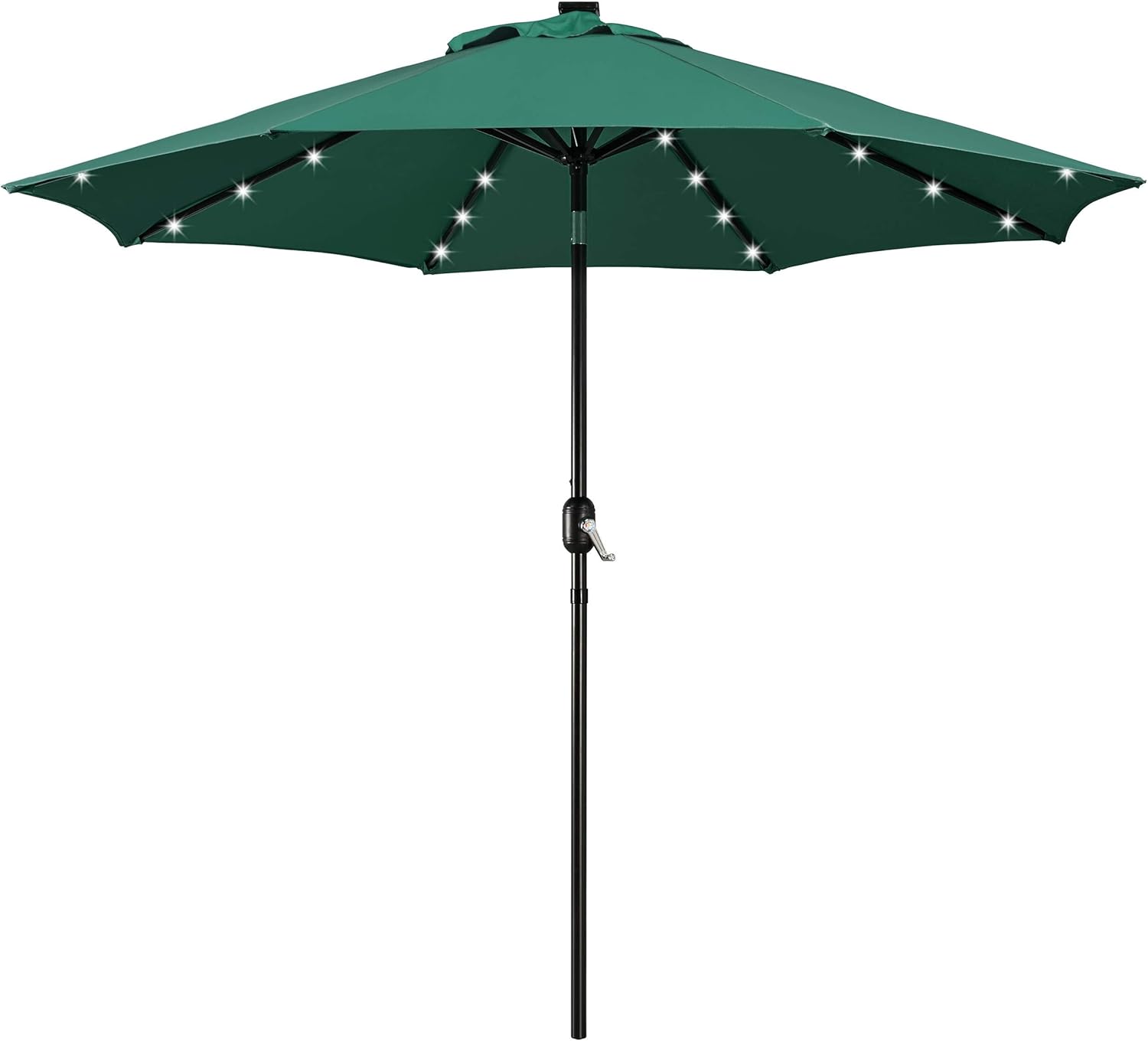
Image: The complete Yaheetech 9FT Patio Umbrella with Solar Lights in Dark Green, showcasing tai oktagonal canopy and central pole with integrated LED lights.
3. Surinkimo instrukcijos
Follow these steps to assemble your patio umbrella. It is recommended to have two people for easier assembly.
- Pritvirtinkite saulės kolektorių: Locate the solar panel on top of the umbrella canopy. If not pre-installed, gently push the solar panel into its designated slot on the top of the umbrella. Ensure it clicks into place securely. Connect the wire from the solar panel to the corresponding connector inside the umbrella canopy.
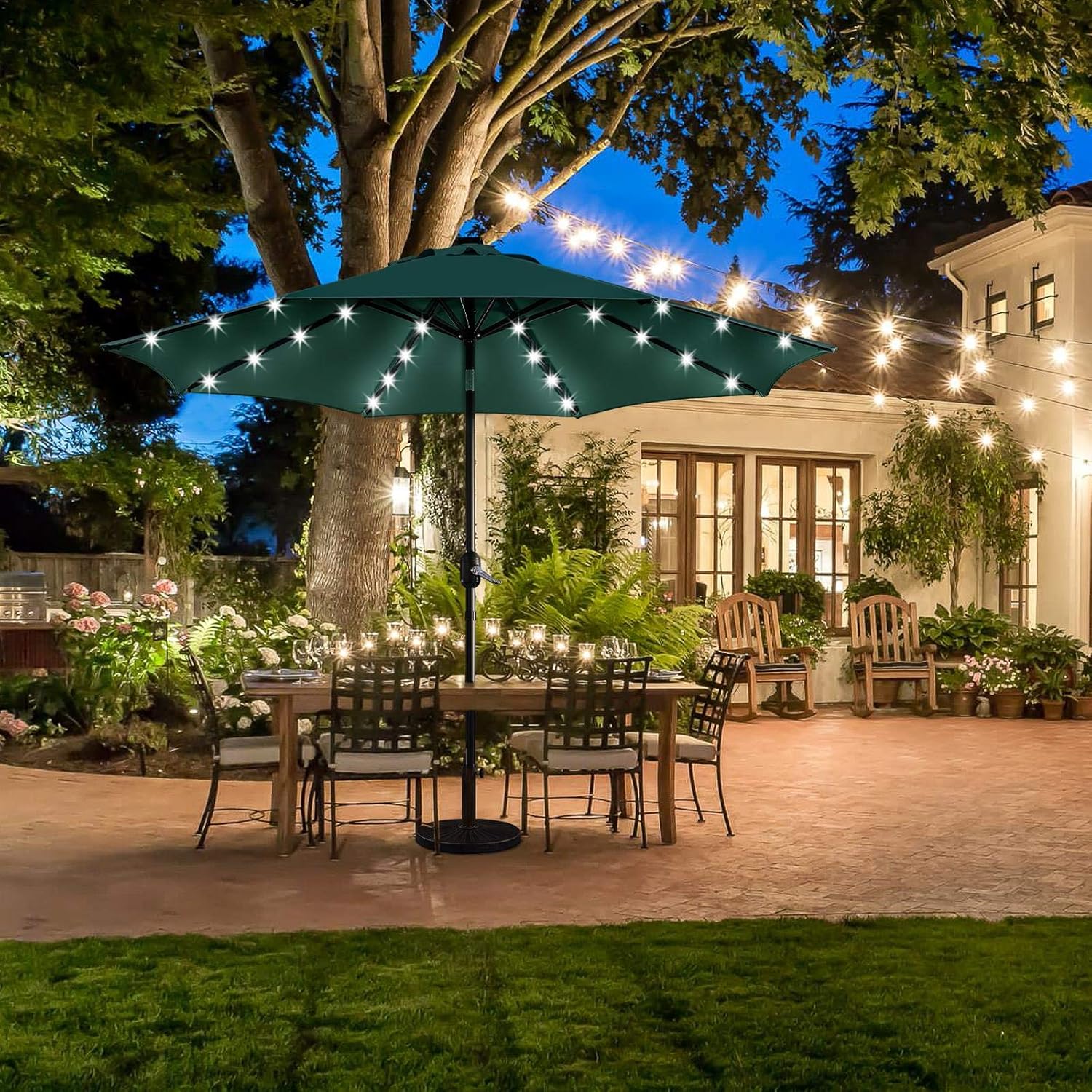
Image: A three-step visual guide showing how to insert the solar panel into the umbrella's top and connect its internal wiring for power.
- Prijunkite polius: Insert the upper pole (with the umbrella canopy attached) into the lower pole. Align the holes and secure them with the provided locking pin or screw, ensuring a tight fit.
- Įterpti į pagrindą: Place the assembled umbrella pole into a suitable, heavy umbrella base (sold separately). Ensure the base is stable and heavy enough to support the umbrella's size and weight.
- Atidarykite skėtį: Use the crank handle located on the pole to slowly open the umbrella canopy until it is fully extended.

Paveikslėlis: detalus view of the convenient crank system for opening and closing the umbrella, along with the integrated ON/OFF switch for the LED lights.
4. Naudojimo instrukcijos
4.1 Opening and Closing the Umbrella
- Į atidaryti the umbrella, turn the crank handle clockwise until the canopy is fully extended and taut.
- Į uždaryti the umbrella, turn the crank handle counter-clockwise until the canopy is fully retracted. Secure the canopy with the sewn-in fastening strap when closed.
4.2 Tilting the Umbrella Canopy
- Į pakreipti the umbrella, locate the push button on the pole, just above the crank mechanism. Press the button firmly and gently push the canopy in the desired direction. Release the button once the desired tilt angle is achieved. The canopy can be tilted in two directions.
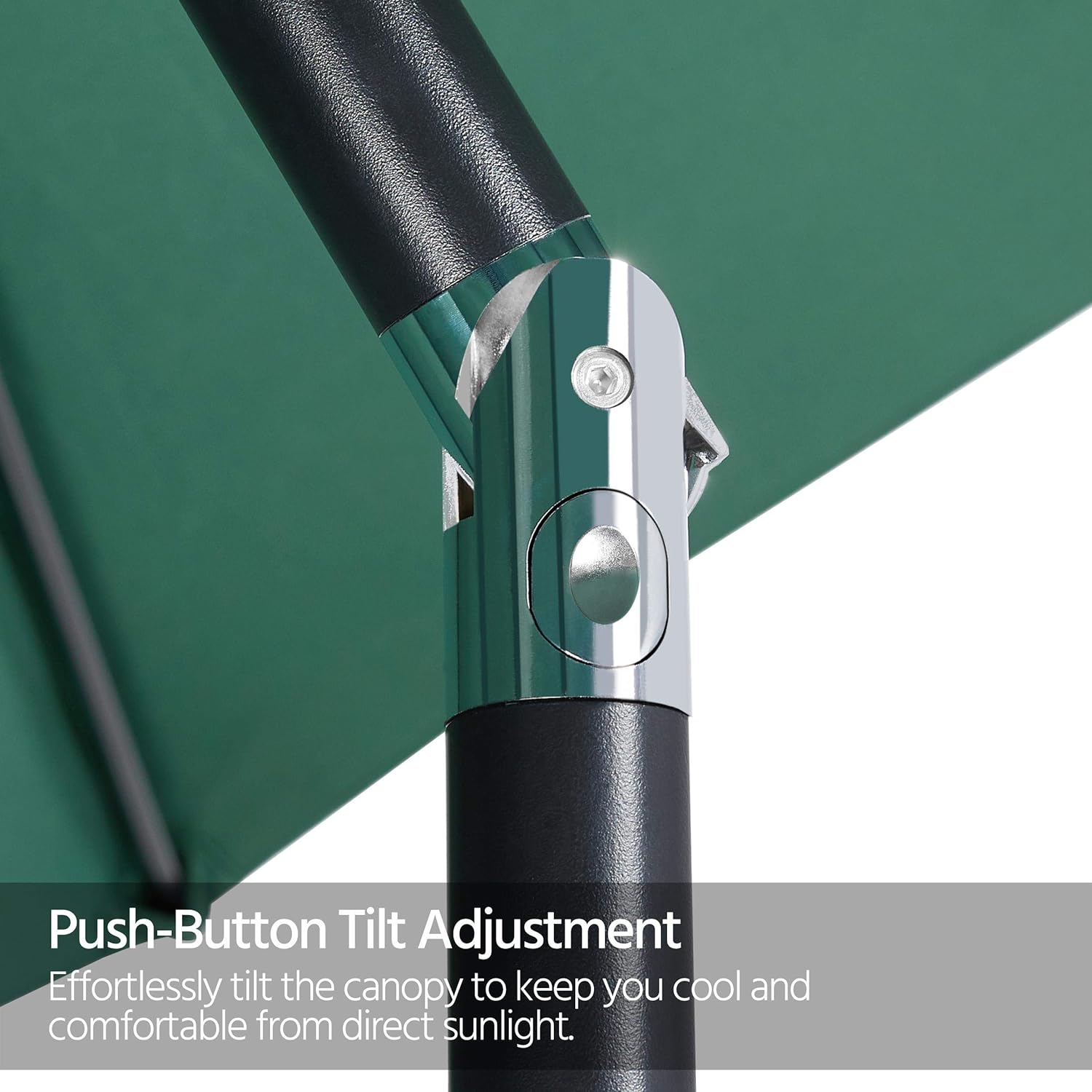
Paveikslėlis: detalus view of the push-button mechanism on the umbrella pole, allowing for easy adjustment of the canopy's tilt angle to block direct sunlight.
4.3 Using the Solar LED Lights
- The 32 LED lights are solar-powered and charge during the day via the solar panel located on top of the umbrella.
- Į įjungti the lights, locate the ON/OFF switch on the umbrella pole (typically near the crank handle) and flip it to the 'ON' position.
- Į išjungti the lights, flip the switch to the 'OFF' position.
- For optimal performance, ensure the solar panel receives direct sunlight for several hours during the day. The lights have a run time of approximately 8 hours after a full charge.

Image: The Yaheetech patio umbrella with its solar-powered LED lights glowing, providing ambient illumination for an outdoor dining area at night.
5. Priežiūra ir priežiūra
- Kupolo valymas: Clean the polyester canopy with a mild soap and water solution. Use a soft brush or cloth to gently scrub away dirt. Rinse thoroughly with clean water and allow the canopy to air dry completely before closing or storing.

Vaizdas: Padidintas view of the umbrella's dark green polyester fabric, demonstrating its water-resistant properties with visible water droplets on the surface.
- Rėmo valymas: Wipe the powder-coated steel pole and ribs with a damp audiniu. Nedelsdami nusausinkite, kad nesusidarytų rūdžių.
- Saulės skydelio priežiūra: Keep the solar panel clean and free of dust, dirt, and debris to ensure efficient charging. Wipe it regularly with a soft, damp audinys.
- Saugykla: When not in use for extended periods or during inclement weather, close the umbrella and secure it with the strap. For long-term storage, it is recommended to remove the umbrella from its base and store it in a dry, protected area, preferably in a storage cover.
- Baterijos keitimas: The solar rechargeable battery may need replacement after several years. Refer to the solar panel compartment for battery type (typically AA rechargeable) and replacement instructions.
6. Problemų sprendimas
| Problema | Galima priežastis | Sprendimas |
|---|---|---|
| LED lemputės neįsijungia. |
|
|
| Crank mechanism is stiff or stuck. |
|
|
| Umbrella wobbles or is unstable. |
|
|
7. Specifikacijos
| Funkcija | Detalė |
|---|---|
| Baldakimo spalva | Tamsiai žalia |
| Baldakimo medžiaga | 180g Polyester |
| Stulpo medžiaga | Milteliniu būdu dažytas geležis |
| Fully Open Dimension (LxWxH) | 9 x 9 x 8 ft (103.94 x 103.94 x 95.47 inches) |
| Stogo skersmuo | 9 pėdų |
| LED šviesos kiekis | 32 |
| Umbrella Rib Quantity | 8 |
| Prekės svoris | 14.33 svaro |
| Ypatingos savybės | Lighted, UV Resistant, Vented |
| Forma | Octagonal |

Image: A visual representation of the umbrella's dimensions and a summary table of its key specifications, including canopy size, material, and LED light count.
8. Garantija ir palaikymas
For warranty information, please refer to the terms and conditions provided at the time of purchase or visit the official Yaheetech website. If you encounter any issues or require assistance with your Yaheetech 9FT Patio Umbrella with Solar Lights, please contact Yaheetech customer support directly.
Daugiau informacijos ir kontaktinius duomenis galite rasti adresu „Yaheetech“ prekės ženklo parduotuvė „Amazon“ platformoje.