
Įvadas
Thank you for choosing the Symcode MJ-9200DA-S 2D Wireless Barcode Scanner. This manual provides detailed instructions for setting up, operating, maintaining, and troubleshooting your device. Please read this manual thoroughly before use to ensure optimal performance and longevity of your scanner.

Vaizdo aprašymas: The main product image displays the Symcode MJ-9200DA-S 2D Wireless Barcode Scanner, its accompanying stand, a USB cable, and a wireless USB dongle. The scanner is black, ergonomically designed, and the stand provides a stable base for hands-free operation.
1. Sąranka ir prijungimas
The Symcode MJ-9200DA-S scanner offers versatile 2-in-1 connectivity, supporting both 2.4 GHz wireless and USB wired connections. It is designed for plug-and-play operation, requiring no driver installation.
1.1 Pakuotės turinys
Prieš tęsdami, patikrinkite, ar pakuotėje yra visi reikalingi daiktai:

Vaizdo aprašymas: This image displays the individual components included with the Symcode MJ-9200DA-S scanner: the barcode scanner unit, a dedicated stand, a USB cable, a wireless USB dongle, and the user manual (brochure).
- Symcode MJ-9200DA-S Barcode Scanner
- Skaitytuvo stovas
- USB kabelis
- 2.4G belaidis USB adapteris
- Vartotojo vadovas
1.2 Ryšio režimai
The scanner supports two primary connection methods:

Vaizdo aprašymas: This image illustrates the two connection options for the scanner: Wireless Mode (2.4G Connection) using a USB dongle, and Wired Mode (USB Connection) using a USB cable, both connecting to a laptop.
- 2.4 GHz belaidis režimas:
- Insert the 2.4G wireless USB dongle into an available USB port on your computer (PC, laptop, POS machine, etc.).
- The scanner will automatically pair with the dongle. A successful connection is indicated by a specific sound or LED indicator (refer to the scanner's LED status guide in the full manual).
- USB laidinis režimas:
- Prijunkite skaitytuvą prie kompiuterio naudodami pateiktą USB kabelį.
- The scanner will function as a standard USB HID keyboard device.
The scanner is compatible with Windows, Mac, Android, and Linux operating systems. No additional drivers are required for basic functionality.
2. Naudojimo instrukcijos
2.1 Skenavimo režimai
The MJ-9200DA-S scanner supports multiple scanning modes to suit various operational needs:
- Trigerio nuskaitymas: Press the trigger button to activate the scan beam and read a barcode.
- Auto-Sensing Scan: Skaitytuvas automatiškai aptinka brūkšninį kodą savo lauke view and scans it without requiring a trigger press.
- Nuolatinis nuskaitymas: The scan beam remains active, continuously scanning barcodes as they are presented.
Refer to the full user manual or contact support for instructions on how to switch between these scanning modes.
2.2 Barcode Decoding Capability
This 2D barcode scanner is capable of reading a wide range of 1D and 2D barcodes, whether printed on labels or displayed on screens. It can even decode damaged or blurred barcodes.

Vaizdo aprašymas: This image demonstrates the scanner's ability to decode various 1D and 2D barcodes, including QR Code, Data Matrix, PDF417, as well as damaged and blurred linear barcodes. It also highlights a scanning angle of up to 80 degrees.
Palaikomi 1D brūkšniniai kodai:
- EAN, UPC, Code39, Code93, Code128, UCC/EAN 128, Codabar, Interleaved 2 of 5, ITF-6, BNF-14, ISS, ISSN, MSI-Plessey, GS1 Databar, GS1 Composite, Code 11, Industrial 25, Standard 25, Plessey, Matrix 2 of 5.
Palaikomi 2D brūkšniniai kodai:
- QR Code, Data Matrix, PDF417, Aztec, Maxicode, HanxinCode.
2.3 Data Uploading Modes
The scanner offers two methods for uploading scanned data to your connected device:

Vaizdo aprašymas: This image illustrates the two data uploading modes: Instant Upload Mode, where data is sent immediately after scanning, and Storage Mode, where up to 50,000 barcodes can be stored internally before being uploaded to a device.
- Momentinio įkėlimo režimas: Barcode data is synchronously uploaded to your device immediately after scanning. This is suitable for real-time data entry.
- Saugojimo režimas: The scanner can store up to 50,000 barcodes in its internal 16MB memory. This mode is ideal for situations where real-time connection is not available. Data can be uploaded to your device later when needed.
2.4 Programuojamos funkcijos
The Symcode scanner supports various programmable settings to customize its behavior:
- Uppercase/Lowercase settings
- Garso reguliavimas
- Terminatoriaus nustatymas
- Prefix or Suffix addition
- Character addition or masking
These settings are typically configured by scanning specific programming barcodes found in the comprehensive user manual.
3. Priežiūra
3.1 Informacija apie akumuliatorių
The scanner is equipped with a high-capacity Lithium-ion battery for extended operation.

Vaizdo aprašymas: This image highlights the scanner's internal battery, indicating a capacity of 1800mAh and the ability to perform approximately 50,000 scans on a full charge.
- Baterijos talpa: 1800 mAh
- Nepertraukiamo veikimo laikas: 8-10 valandas
- Budėjimo laikas: 15 dienų
- Įkrovimo laikas: 3.5-4 valandas
To charge the scanner, connect it to a USB power source using the provided USB cable.
3.2 Valymas ir patvarumas
To maintain optimal performance, keep the scanner's scanning window clean. Use a soft, dry, lint-free cloth to gently wipe the surface. Avoid using abrasive cleaners or solvents.
The scanner features a sturdy, anti-shock construction with anti-drop silicone, designed to withstand drops from up to 5 feet (approximately 1.5 meters) onto concrete.
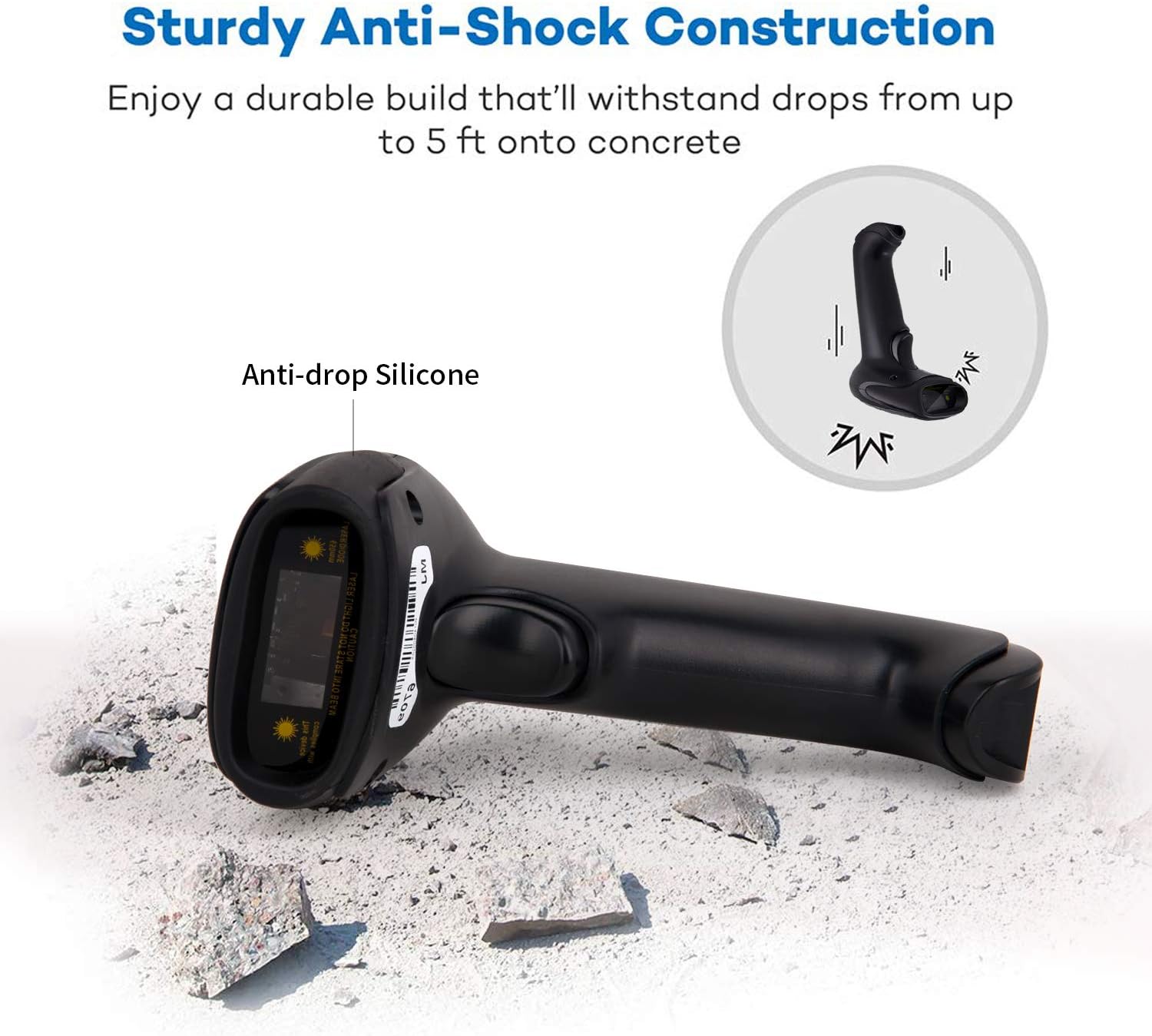
Vaizdo aprašymas: This image illustrates the robust design of the scanner, highlighting its anti-drop silicone casing and its ability to withstand impacts from a height of up to 5 feet onto concrete.
4. Problemų sprendimas
If you encounter issues with your Symcode MJ-9200DA-S scanner, please refer to the following common problems and solutions:
- Skaitytuvas neprisijungia:
- Ensure the USB dongle is securely inserted or the USB cable is properly connected.
- Verify that the scanner is powered on and has sufficient battery charge.
- Pabandykite prijungti prie kito kompiuterio USB prievado.
- For wireless mode, ensure the scanner is within range of the dongle.
- Skaitytuvas neskaito brūkšninių kodų:
- Ensure the barcode is clean, undamaged, and within the scanner's optimal reading distance and angle.
- Check if the correct scanning mode (trigger, auto-sensing, continuous) is selected.
- Clean the scanner's reading window with a soft, dry cloth.
- Verify that the barcode type is supported by the scanner (refer to Section 2.2).
- If experiencing issues with specific 2D codes like Data Matrix, ensure the code is clear and well-printed. If problems persist, contact support.
- No data output to computer:
- Confirm the scanner is successfully connected to your device (indicated by LED or sound).
- Ensure the target application (e.g., Notepad, Word, POS software) is active and ready to receive input.
- Check if the scanner is in "Storage Mode" and needs to be switched to "Instant Upload Mode" or have its stored data uploaded.
- Baterija nekraunama:
- Ensure the USB cable is properly connected to both the scanner and a working USB power source.
- Išbandykite kitą USB kabelį arba maitinimo adapterį.
For further assistance, please refer to the "Support and Warranty" section.
5. Specifikacijos
| Funkcija | Detalė |
|---|---|
| Prekės ženklas | symcode |
| Modelio numeris | MJ-9200DA-S |
| Ryšio technologija | 2.4G Wireless (via USB dongle), USB Wired |
| Operacinės sistemos suderinamumas | Windows, Mac, Android, Linux |
| Brūkšninių kodų tipai (1D) | EAN, UPC, Code39, Code93, Code128, UCC/EAN 128, Codabar, Interleaved 2 of 5, ITF-6, BNF-14, ISS, ISSN, MSI-Plessey, GS1 Databar, GS1 Composite, Code 11, Industrial 25, Standard 25, Plessey, Matrix 2 of 5 |
| Brūkšninių kodų tipai (2D) | QR Code, Data Matrix, PDF417, Aztec, Maxicode, HanxinCode |
| Baterijos tipas | Ličio jonų |
| Baterijos talpa | 1800 mAh |
| Nepertraukiamo veikimo laikas | 8-10 valandas |
| Budėjimo laikas | 15 dienų |
| Įkrovimo laikas | 3.5-4 valandas |
| Atsparumas kritimui | Up to 5 feet (approx. 1.5 meters) onto concrete |
| Vidinė saugykla | 16 MB (iki 80 000 brūkšninių kodų) |
| UPC | 719986641137 |
| Sertifikatai | CE |
6. Palaikymas ir garantija
6.1 Informacija apie garantiją
The Symcode MJ-9200DA-S barcode scanner comes with a 180 dienų garantija from the date of purchase. During this period, if the scanner is damaged due to manufacturing defects, we guarantee an exchange for a new replacement unit or a full refund. This warranty does not cover damage caused by misuse, accidents, or unauthorized modifications.
6.2 Pagalba klientams
For any questions, technical assistance, or warranty claims, please contact Symcode customer support. When contacting support, please have your model number (MJ-9200DA-S) and purchase details ready.
If you are unsure how to change scanning modes or configure specific settings, our support team can provide guidance.
Kontaktinė informacija: Please refer to the contact details provided in your product packaging or on the official Symcode websvetainę.