
1. Įvadas
Ačiū, kad pirkoteasing the Generic B10 Hi-Fi Stereo Wireless Bluetooth Over-Ear Headphones. This manual provides essential information for the safe and efficient operation of your device. Please read it thoroughly before use and retain it for future reference.
2. Produktas baigtasview
The B10 headphones offer versatile audio playback options, including wireless Bluetooth connectivity, an integrated SD card reader, FM radio, and a wired audio input. They feature an over-ear design for comfort and include a built-in microphone for hands-free calls.
Pakuotės turinys:
- Generic B10 Over-Ear Headphones
- USB įkrovimo laidas
- 3.5 mm garso laidas
- Vartotojo vadovas
Headphone Diagram:
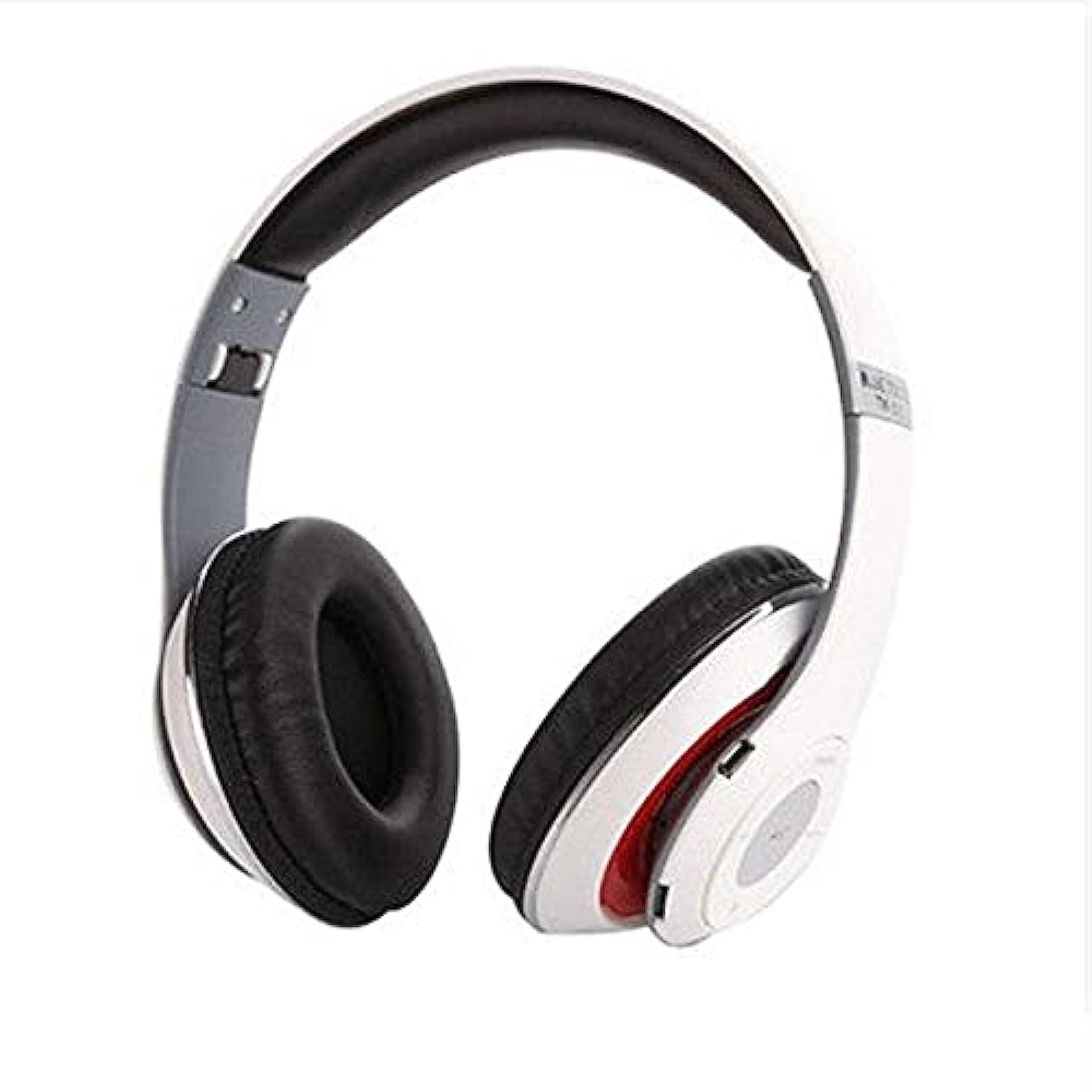
Image: The Generic B10 Over-Ear Headphones, featuring the adjustable headband, cushioned earcups, and visible control buttons on one earcup.
Pagrindinės funkcijos:
- Belaidis Bluetooth ryšys
- Built-in SD Card Reader for MP3 Playback
- Integruotas FM radijo imtuvas
- Wired Audio Input (3.5mm AUX)
- Integruotas mikrofonas skambinti laisvų rankų įranga
- Triukšmo izoliacija
- Over-Ear Design for Comfort
3. Sąranka
3.1. Ausinių įkrovimas
- Prijunkite mažąjį USB įkrovimo laido galą prie ausinių įkrovimo prievado.
- Prijunkite didesnį USB įkrovimo laido galą prie USB maitinimo adapterio (nepridedamas) arba kompiuterio USB prievado.
- The LED indicator will illuminate, typically red, during charging.
- Once fully charged, the LED indicator will change color or turn off (refer to specific LED behavior in the specifications).
- Atjunkite įkrovimo laidą.
Pastaba: For optimal battery life, fully charge the headphones before first use.
3.2. Įjungimas/išjungimas
- Norėdami įjungti: Press and hold the Power/Multi-function button for approximately 3-5 seconds until the LED indicator flashes and an audible prompt is heard.
- Norėdami išjungti: Press and hold the Power/Multi-function button for approximately 3-5 seconds until the LED indicator turns off and an audible prompt is heard.
4. Naudojimo instrukcijos
4.1. „Bluetooth“ poravimas
- Įsitikinkite, kad ausinės yra išjungtos.
- Press and hold the Power/Multi-function button for about 5-7 seconds until the LED indicator flashes red and blue alternately, indicating pairing mode.
- Įjunkite „Bluetooth“ įrenginyje (išmaniajame telefone, planšetiniame kompiuteryje).
- Ieškokite available Bluetooth devices. The headphones will appear as "B10" or a similar name.
- Select "B10" to connect. Once paired, the LED indicator will typically flash blue slowly, and an audible confirmation will be heard.
- Jei prašoma slaptažodžio, įveskite „0000“.
4.2. SD kortelės atkūrimas
- Insert a microSD card (TF card) with MP3 audio files into the SD card slot on the headphones. Ensure the card is inserted correctly until it clicks into place.
- The headphones will automatically switch to MP3 mode and begin playing music from the SD card.
- Use the 'Next Track' and 'Previous Track' buttons to navigate songs.
- Norėdami pristabdyti arba tęsti atkūrimą, paspauskite mygtuką „Groti / pristabdyti“.
4.3. FM radijo režimas
- With the headphones powered on, press the 'Mode' button to switch to FM Radio mode.
- Press the 'Play/Pause' button once to automatically scan and save available FM stations. This process may take a few minutes.
- Use the 'Next Track' and 'Previous Track' buttons to switch between saved FM stations.
4.4. Wired Audio Mode (AUX)
- Connect one end of the 3.5mm audio cable to the AUX input port on the headphones.
- Connect the other end of the 3.5mm audio cable to the audio output jack of your device (e.g., smartphone, computer, MP3 player).
- Ausinės automatiškai persijungs į laidinį režimą.
- Pastaba: In wired mode, the headphone controls (volume, track, play/pause) may not function. Control playback directly from your connected device.
4.5. Skambinimo funkcijos
- Atsiliepti į skambutį: Vieną kartą paspauskite maitinimo / daugiafunkcinį mygtuką.
- Baigti skambutį: Skambučio metu vieną kartą paspauskite maitinimo / daugiafunkcį mygtuką.
- Atmesti skambutį: Press and hold the Power/Multi-function button for approximately 2 seconds.
- Perrink paskutinį numerį: Dukart paspauskite maitinimo / daugiafunkcinį mygtuką.
4.6. Bendrieji valdikliai
| Mygtukas | Funkcija |
|---|---|
| Maitinimo / daugiafunkcis | Power On/Off, Play/Pause, Answer/End/Reject Call, Redial |
| Garsumas + / Kitas takelis | Short press: Next Track/Station; Long press: Volume Up |
| Garsumas - / Ankstesnis takelis | Short press: Previous Track/Station; Long press: Volume Down |
| Režimas (M) | Switch between Bluetooth, SD Card, and FM Radio modes |
5. Priežiūra
- Ausines valykite minkštu, sausu skudurėliu. Nenaudokite abrazyvinių valiklių ar tirpiklių.
- Venkite ausinių laikymo ekstremaliose temperatūrose, drėgmėje ar tiesioginiuose saulės spinduliuose.
- Nenaudojamas ausines laikykite vėsioje, sausoje vietoje.
- Nebandykite ardyti ar modifikuoti ausinių, nes tai panaikins garantiją ir gali sukelti gedimų.
6. Problemų sprendimas
| Problema | Galimas sprendimas |
|---|---|
| Ausinės neįsijungia. | Įsitikinkite, kad akumuliatorius įkrautas. Prijunkite prie maitinimo šaltinio naudodami USB laidą. |
| Nepavyksta susieti per „Bluetooth“. | Ensure headphones are in pairing mode (flashing red/blue). Turn off and on Bluetooth on your device. Move closer to the headphones. |
| Nėra garso iš ausinių. | Check volume levels on both headphones and connected device. Ensure headphones are correctly paired or connected via AUX cable. Check if the correct mode (Bluetooth, SD, FM) is selected. |
| SD card music not playing. | Ensure the SD card is inserted correctly and contains compatible MP3 files. Press the 'Mode' button to switch to SD card mode. |
| FM radijas neveikia. | Ensure you are in FM mode. Perform an auto-scan for stations by pressing the Play/Pause button. Try in a location with better signal. |
7. Specifikacijos
| Funkcija | Detalė |
|---|---|
| Prekės ženklas | Bendras |
| Modelio numeris | B10 |
| Spalva | Baltas |
| Ryšio technologija | Laidinis / belaidis („Bluetooth“) |
| Ausų išdėstymas | Virš ausies |
| Formos faktorius | Virš ausies |
| Triukšmo valdymas | Triukšmo izoliacija |
| Mikrofonas | Taip |
| Baterija | Rechargeable (Included) |
| Suderinami įrenginiai | All devices with Bluetooth or 3.5mm audio output |
| Ypatingos savybės | Noise Cancellation, Microphone Included |
| Valdymo tipas | Garsumo valdymas |
| Kontrolės metodas | Jutiklinis (mygtukai) |
| Atsparumo vandeniui lygis | Neatsparus vandeniui |
8. Saugos informacija
- Nenaudokite ausinių dideliu garsumu ilgą laiką, kad nepažeistumėte klausos.
- Nenaudokite ausinių vairuodami, važiuodami dviračiu ar kitose situacijose, kai reikia girdėti aplinkos garsus.
- Keep the headphones away from water, moisture, and extreme temperatures.
- Dispose of the battery according to local regulations. Do not expose to fire or extreme heat.
- Laikyti vaikams nepasiekiamoje vietoje.
9. Garantija ir palaikymas
This product comes with a standard manufacturer's warranty. For warranty claims or technical support, please refer to the contact information provided at your point of purchase. Keep your proof of purchase for warranty validation.