
Swissten Stonebuds (54100200)
SWISSTEN „Stonebuds“ belaidės „Bluetooth“ ausinės, naudotojo vadovas
Model: Stonebuds (54100200)
1. Įvadas
Thank you for choosing the SWISSTEN Stonebuds True Wireless Bluetooth Earphones. These earphones are designed to provide a high-quality audio experience with the convenience of true wireless technology. This manual will guide you through the features, setup, and operation of your new earphones.
Pagrindinės funkcijos:
- True wireless design with Bluetooth connectivity.
- Over 10 hours of total music playback (2.5 hours from earphones + 7.5 hours from charging case).
- Ergonomic shape for comfortable, all-day wear.
- Elegant design suitable for all users.
- Quick charging time of 2 hours.
2. Pakuotės turinys
Patikrinkite pakuotę, ar joje yra šie daiktai:
- SWISSTEN Stonebuds True Wireless Earphones (Left and Right)
- Nešiojamas įkrovimo dėklas
- Įkrovimo kabelis
- Vartotojo vadovas
3. Produktas baigtasview
Familiarize yourself with the components of your SWISSTEN Stonebuds earphones and charging case.
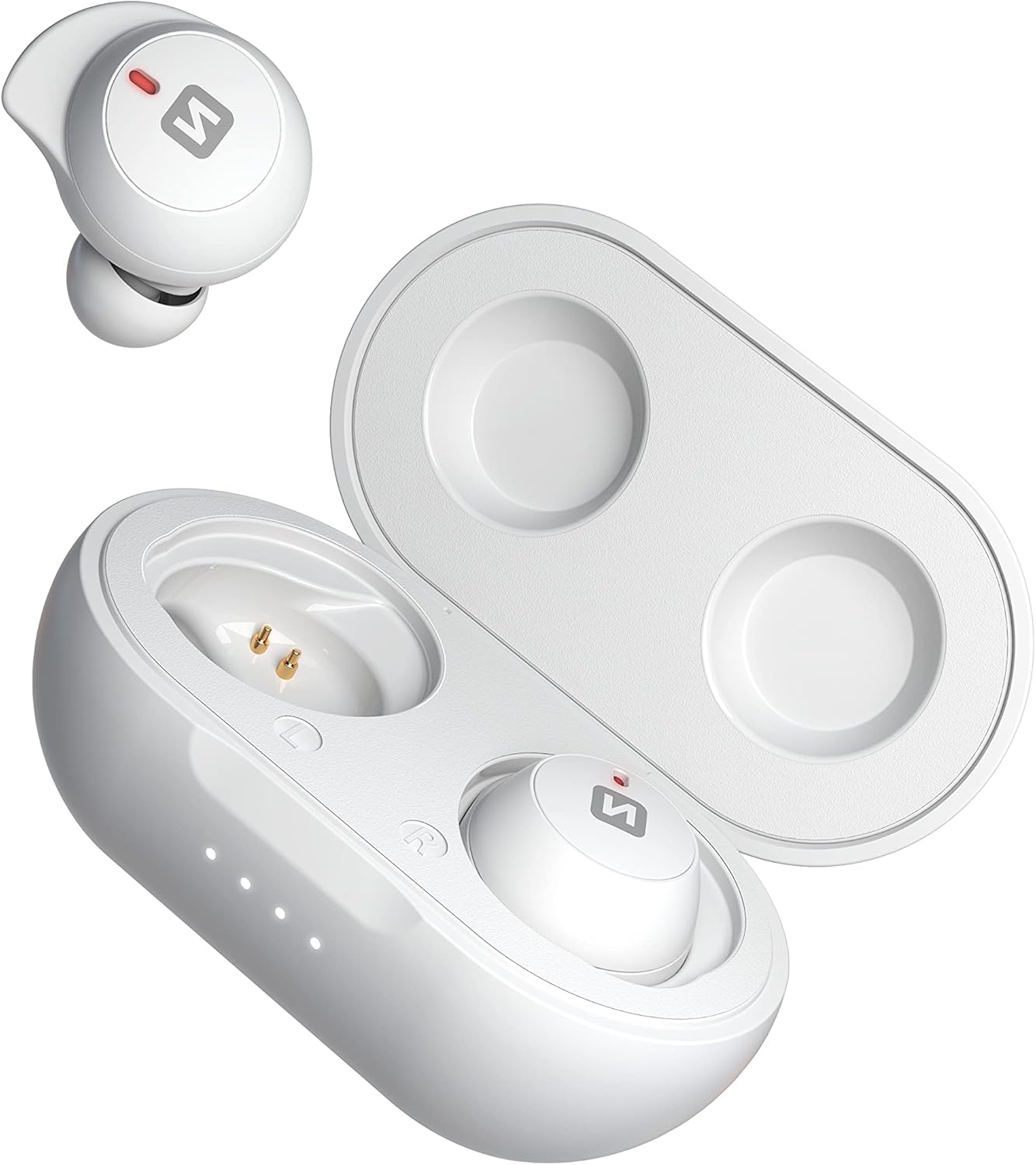
Image: SWISSTEN Stonebuds earphones shown with the charging case open, displaying the earbuds and charging contacts.

Paveikslėlis: Arčiau view of the SWISSTEN Stonebuds earphones securely placed inside their open charging case.

Vaizdas: Išsamus view of the left and right SWISSTEN Stonebuds earphones, highlighting their ergonomic shape and charging points.

Image: The compact and sleek SWISSTEN Stonebuds charging case in its closed state, featuring the brand logo.

Image: The SWISSTEN Stonebuds earphones positioned next to their closed charging case, showcasing visą komplektą.

Image: A stylized view of the SWISSTEN Stonebuds earphones and open charging case against a dark background, with the 'STONEBUDS' branding.
4. Sąranka ir pirmasis naudojimas
4.1 Charging the Case and Earphones
- Prieš pirmą kartą naudodami, visiškai įkraukite įkrovimo dėklą ir ausines.
- Place both earphones into the charging case. Ensure they are correctly seated and the charging indicators light up.
- Connect the charging cable to the charging port on the case and plug the other end into a USB power source (e.g., computer, wall adapter).
- Dėklo indikatoriaus lemputės rodys įkrovimo būseną. Pilnas įkrovimas trunka maždaug 2 valandas.
4.2 Susiejimas su „Bluetooth“ įrenginiu
- Atidarykite įkrovimo dėklą. Ausinės automatiškai įsijungs ir pradės veikti susiejimo režimu.
- Savo įrenginyje (išmaniajame telefone, planšetiniame kompiuteryje ir kt.) įjunkite „Bluetooth“.
- Ieškokite new Bluetooth devices. You should see "SWISSTEN Stonebuds" in the list.
- Select "SWISSTEN Stonebuds" to connect. Once connected, you will hear a confirmation tone, and the earphone indicators will stop flashing.
- If pairing fails, turn off Bluetooth on your device, place the earphones back in the case, close it, and then repeat the steps.
5. Naudojimo instrukcijos
5.1 Maitinimo įjungimas/išjungimas
- Maitinimas: Open the charging case, and the earphones will automatically power on. Alternatively, press and hold the touch control area on both earphones for 3 seconds.
- Išjungti: Place the earphones back into the charging case and close the lid. Alternatively, press and hold the touch control area on both earphones for 5 seconds.
5.2 Muzikos atkūrimas
- Leisti / pristabdyti: Vieną kartą palieskite bet kurios ausinės jutiklinio valdymo sritį.
- Kitas takelis: Dukart palieskite jutiklinio valdymo sritį dešinėje ausinėje.
- Ankstesnis takelis: Dukart palieskite jutiklinio valdymo sritį kairiojoje ausinėje.
- Pagarsink: Triple-tap the touch control area on the right earphone.
- Patildyti: Triple-tap the touch control area on the left earphone.
5.3 Skambučių valdymas
- Atsiliepti / Baigti skambutį: Vieną kartą palieskite bet kurios ausinės jutiklinio valdymo sritį.
- Atmesti skambutį: 2 sekundes palaikykite nuspaudę bet kurios ausinės jutiklinio valdymo sritį.
5.4 Balso padėjėjas
- Suaktyvinti „Voice Assistant“: 2 sekundes palaikykite nuspaudę bet kurios ausinės jutiklinio valdymo sritį (kai neskambinate).
6. Baterija ir įkrovimas
The SWISSTEN Stonebuds offer extended listening time with their portable charging case.
- Ausinių baterijos veikimo laikas: Vienu įkrovimu veikia iki 2.5 valandų.
- Įkrovimo dėklo talpa: Provides an additional 7.5 hours of listening time (multiple recharges).
- Bendras atkūrimo laikas: Over 10 hours with the charging case.
- Įkrovimo laikas: Approximately 2 hours for a full charge of the case and earphones.
Always ensure the charging contacts on the earphones and inside the case are clean and dry before charging.
7. Priežiūra ir priežiūra
To ensure the longevity and optimal performance of your SWISSTEN Stonebuds, follow these care guidelines:
- Valymas: Ausinėms ir įkrovimo dėklui valyti naudokite minkštą, sausą, nepūkuotą šluostę. Nenaudokite abrazyvinių valiklių, alkoholio ar cheminių tirpiklių.
- Saugykla: Kai nenaudojate, laikykite ausines įkrovimo dėkle, kad jos būtų apsaugotos ir įkrautos.
- Venkite vandens: Ausinės nėra atsparios vandeniui. Venkite vandens, drėgmės ar ekstremalių temperatūrų poveikio.
- Elkitės atsargiai: Do not drop, disassemble, or attempt to repair the earphones or charging case yourself. This may void the warranty.
8. Problemų sprendimas
If you encounter issues with your SWISSTEN Stonebuds, try the following solutions:
| Problema | Galimas sprendimas |
|---|---|
| Earphones not pairing/connecting. |
|
| Veikia tik vienos ausinės. |
|
| Nėra garso arba garsas per mažas. |
|
| Įkrovimo dėklas neįkraunamas. |
|
9. Specifikacijos
| Funkcija | Detalė |
|---|---|
| Modelio pavadinimas | Stonebuds |
| Prekės modelio numeris | 54100200 |
| Prekės ženklas | Šveicarija |
| Ryšio technologija | Belaidis ryšys („Bluetooth“) |
| Belaidžio ryšio technologija | Bluetooth |
| Ausų išdėstymas | Į ausis |
| Formos faktorius | Į ausis |
| Spalva | Baltas |
| Medžiaga | Plastikiniai |
| Varža | 16 omai |
| Triukšmo izoliacija | Akustinė izoliacija |
| Jautrumas | 105 dB |
| Ausinių baterijos talpa | 2 x 45 mAh |
| Dėklo akumuliatoriaus talpa | 300 mAh |
| Baterijos sudėtis | Ličio polimeras |
| Įkraunama baterija | Taip |
| Įkrovimo laikas | 2 valandos |
| Įtraukti komponentai | Kabelis |
| Amžiaus diapazonas (aprašas) | Suaugęs |
| Gamintojas | Šveicarija |
| Data, kurią pirmą kartą galima rasti Amazon.com.be svetainėje | 15 m. balandžio 2022 d |
10. Garantija ir palaikymas
For warranty information and customer support, please refer to the documentation provided with your purchase or visit the official Swissten websvetainėje. Išsaugokite pirkimo įrodymą, jei prireiktų pateikti garantinį ieškinį.
Atsarginių dalių prieinamumas: Informacija apie atsargines dalis nepateikiama.
Programinės įrangos atnaujinimai garantuojami iki: Informacijos nėra.
Ask a question about this manual
Ask about setup, troubleshooting, compatibility, parts, safety, or missing instructions. Manuals+ will review the question and use this page’s manual context to help answer it.