
YetiCool TX36
YetiCool TX36 Dual Zone Portable Compressor Cooler
Naudotojo instrukcija
Produktas baigtasview
The YetiCool TX36 is a high-quality dual-zone portable compressor cooler designed for travelers and outdoor enthusiasts. It offers both refrigeration and freezing capabilities, with a wide temperature range from -20°C to +20°C. Equipped with a powerful compressor and the option for external battery connection, it can maintain temperatures for extended periods. The cooler features Bluetooth 5.0 connectivity for remote control via a mobile app (Android/iOS), an intuitive LCD control panel, and multiple power input options (12/24V DC and 100-240V AC). Its robust design includes a telescopic handle, durable wheels, and solid side handles for easy transport. Additional features like an internal light, integrated USB charging port, and a bottle opener enhance its utility for various applications, from camping and picnics to medical transport.

Image: The YetiCool TX36 portable compressor cooler, showcasing its grey and black design with wheels and handle.
Saugos instrukcijos
- Prieš naudodami atidžiai perskaitykite visas instrukcijas.
- Užtikrinkite tinkamą vėdinimą aplink šaldytuvą, kad jis neperkaistų.
- Neužblokuokite ventiliacijos angų.
- Keep the cooler away from direct heat sources and moisture.
- Use only the provided power cables and adapters.
- Avoid placing liquids directly on the control panel.
- Do not immerse the cooler in water.
- Unplug the cooler before cleaning or maintenance.
- Laikyti vaikams nepasiekiamoje vietoje.
Pakuotės turinys
Atidarius pakuotę, patikrinkite, ar yra visi komponentai ir ar jie nepažeisti:
- YetiCool TX36 Portable Compressor Cooler (Grey/Black)
- Krepšelio įdėklas
- 12/24V DC Connection Cable (3.5 meters long)
- AC/DC Adapter with 100-240V Connection Cable (EU/UK plug)
- Vartotojo vadovas

Image: The included 12/24V DC cable for car/truck use and the 100-240V AC adapter with various plug types for household use.
Sąranka
1. Maitinimo prijungimas
- Nuolatinė srovė (12 V / 24 V): Connect the 12/24V DC cable to the cooler's DC input port and then to your vehicle's cigarette lighter socket or a compatible 12V/24V power source.
- Kintamoji srovė (100–240 V): Connect the AC/DC adapter to the cooler's AC input port. Then, plug the AC power cable into the adapter and a standard wall outlet (100-240V).
- Ensure the power source matches the cooler's voltage reikalavimus.
2. Pradinis paskirstymas
Place the cooler on a flat, stable surface. Ensure there is adequate space around the ventilation grilles for proper airflow (at least 10 cm on all sides).
3. Dual Zone Configuration
The TX36 features two cooling chambers with independent temperature control. An adjustable divider separates these zones. If you wish to use the cooler as a single large zone, you can remove this divider to increase the overall useful capacity.
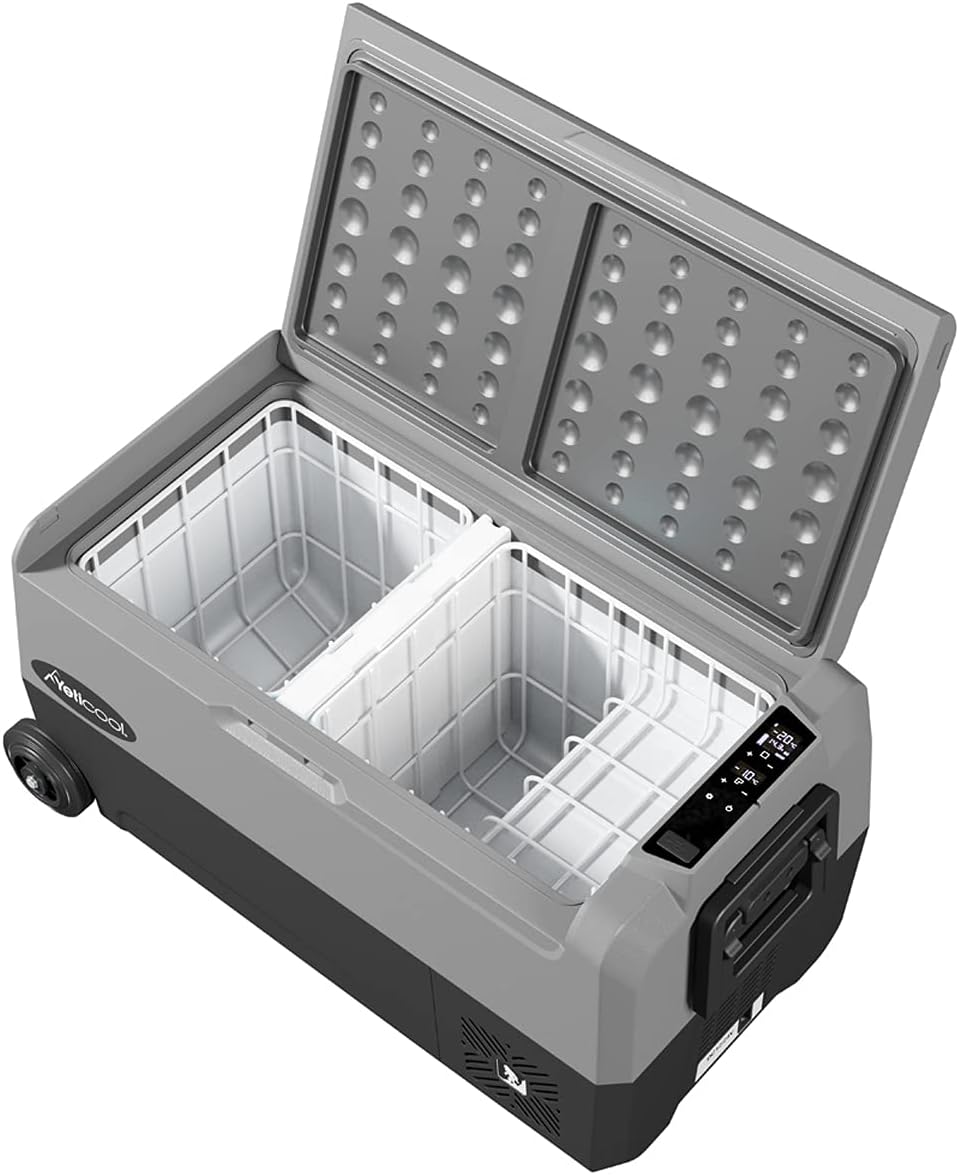
Image: The interior of the YetiCool TX36, showing the two separate cooling compartments and the removable divider.
4. „Bluetooth“ programėlės prijungimas
- Download the official YetiCool app from your mobile device's app store (available for Android and iOS).
- Įjunkite „Bluetooth“ savo mobiliajame įrenginyje.
- Open the YetiCool app and follow the on-screen instructions to pair with your TX36 cooler.
- Once paired, you can monitor and control the cooler's settings remotely.
Naudojimo instrukcijos
1. Valdymo skydelis baigtasview
The cooler features an intuitive LCD control panel for easy operation. The display shows the current temperature of each zone and operational status. Buttons allow for power on/off, temperature adjustment, and mode selection.
2. Įjungimas/išjungimas
Norėdami įjungti arba išjungti aušintuvą, paspauskite ir palaikykite nuspaudę maitinimo mygtuką valdymo skydelyje.
3. Temperatūros reguliavimas
- Norėdami nustatyti pageidaujamą kiekvienos zonos temperatūrą, naudokite valdymo skydelio mygtukus „+“ ir „-“.
- The temperature range is from -20°C to +20°C.
- For dual-zone models, ensure you select the correct zone before adjusting the temperature.
- Alternatively, use the YetiCool mobile app for precise temperature control.
4. Battery Protection Settings
The cooler is equipped with multi-stage battery discharge protection to prevent your vehicle's battery from draining. You can typically select between High, Medium, and Low protection levels via the control panel or app. Refer to the detailed in-app instructions for specific settings.
5. USB įkrovimo prievadas
An integrated USB socket is available on the cooler to charge external devices such as smartphones or tablets. Simply connect your device's USB cable to the port.
Priežiūra
1. Valymas
- Prieš valydami visada atjunkite šaldytuvą nuo elektros tinklo.
- Vidinius ir išorinius paviršius nuvalykite damp skudurėliu ir švelniu plovikliu.
- Nenaudokite abrazyvinių valiklių ar tirpiklių.
- Ensure the cooler is completely dry before reconnecting power.
2. Atšildymas
If ice builds up inside the freezer compartment, turn off the cooler and allow the ice to melt naturally. Wipe away excess water with a cloth. Do not use sharp objects to remove ice.
3. Sandėliavimas
When storing the cooler for extended periods, ensure it is clean, dry, and unplugged. Store in a cool, dry place with the lid slightly ajar to prevent odors and mold growth.
Trikčių šalinimas
| Problema | Galima priežastis | Sprendimas |
|---|---|---|
| Aušintuvas neįsijungia | No power, loose connection, blown fuse, low battery voltage. | Check power cable connection. Ensure power source is active. Check vehicle's fuse. Adjust battery protection setting to 'Low' or charge vehicle battery. |
| Temperatūra nepasiekia norimo lygio | Poor ventilation, ambient temperature too high, lid not sealed properly, too much content. | Ensure adequate airflow around the cooler. Avoid direct sunlight. Check lid seal. Do not overfill. |
| Error code on LCD display | Internal fault, sensor error, voltage klausimas. | Note the error code and refer to the full user manual or contact customer support for specific error code meanings. Try restarting the unit. |
| Bluetooth ryšio problemos | „Bluetooth“ išjungtas, programėlė neatnaujinta, trukdžiai. | Ensure Bluetooth is enabled on your device. Restart the app and cooler. Move closer to the cooler. |
Specifikacijos
| Funkcija | Detalė |
|---|---|
| Modelis | TX36 Grey |
| Prekės ženklas | YetiCool |
| Talpa | 36 litrai |
| Temperatūros diapazonas | -20°C iki +20°C (nuo -4°F iki +68°F) |
| Maitinimo įvestis | DC 12V/24V, AC 100-240V |
| Matmenys (I x P x A) | 72.3 x 40.3 x 36.8 cm (28.4 x 15.8 x 14.4 colio) |
| Svoris | 18.31 kg (40.37 svaro) |
| Medžiaga | Plastikiniai |
| Ryšys | Bluetooth 5.0 (App Control for Android/iOS) |
| Ypatingos savybės | Dual Zone, LCD Display, USB Charging Port, Telescopic Handle, Durable Wheels, Internal Light, Bottle Opener, Multi-stage Akumuliatoriaus apsauga |

Image: Technical drawing illustrating the external dimensions of the YetiCool TX36 cooler.

Image: Diagram showing the internal dimensions and layout of the YetiCool TX36's dual compartments.
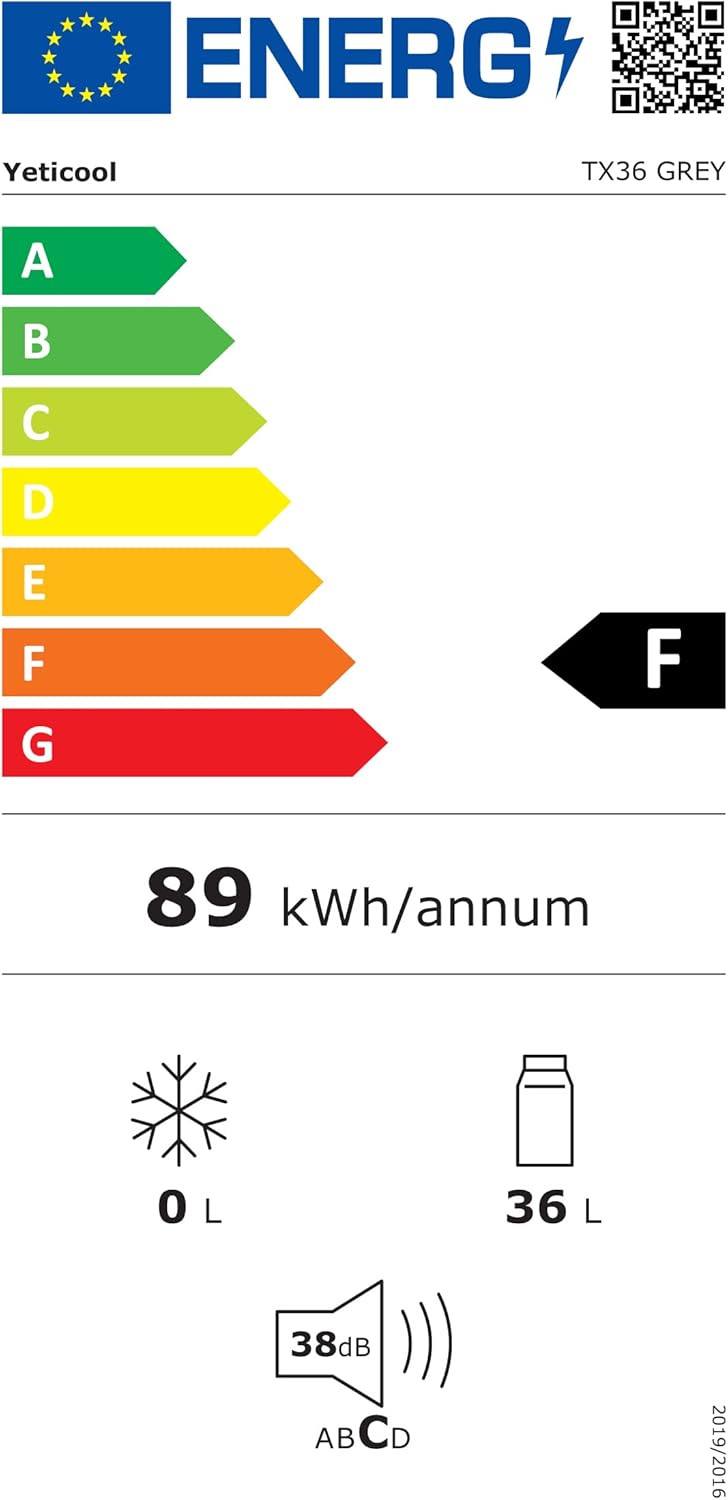
Image: The energy efficiency label for the YetiCool TX36, indicating its energy consumption and capacity. For more details, visit the official EPREL duomenų bazė.
Garantija ir palaikymas
For warranty information, technical support, or service inquiries, please contact YetiCool customer service. Refer to the contact details provided in the full user manual included with your product or visit the official YetiCool websvetainę.
Gamintojas: ARKAS SP. Z O.O.
Ask a question about this manual
Ask about setup, troubleshooting, compatibility, parts, safety, or missing instructions. Manuals+ will review the question and use this page’s manual context to help answer it.