
1. Įvadas
This manual provides detailed instructions for the installation, operation, and maintenance of your Alptop AT-200DW Outdoor PTZ WiFi IP Security Camera. This 1080P HD camera offers pan/tilt functionality, two-way audio, motion detection, and color night vision, designed to enhance your home surveillance.

Figure 1: Alptop AT-200DW Outdoor PTZ WiFi IP Security Camera.
Pagrindinės funkcijos:
- Full 1080P HD Video Resolution (1920x1080P)
- Pan/Tilt Functionality: 320° horizontal, 90° vertical rotation
- Intelligent Full-color Night Vision (up to 100FT) and IR Night Vision (up to 150FT)
- Motion Detection Alerts with push notifications, email, or FTP upload
- Clear Two-Way Audio with built-in microphone and speaker
- Reliable 2.4G WiFi Connection (5Ghz not supported)
- IP66 atsparus oro sąlygoms dizainas
- Supports max 128GB Micro SD Card for local storage
- Daugiaplatformė viewing via CamHi/CamHiPro App (iOS/Android) and PC Software (Windows/Mac)
2. Sąrankos vadovas
2.1 Pakuotės turinys
Before installation, please ensure all components are present:
- Alptop AT-200DW Camera Unit
- Maitinimo adapteris (12V 2A)
- Tvirtinimo varžtai ir sieniniai kaiščiai
- Vartotojo vadovas (šis dokumentas)
2.2 Fizinis įrengimas
The camera supports multiple installation options including vertical, wall, and ceiling mount. Choose a location that provides optimal viewing coverage and stable Wi-Fi signal.
- Pažymėkite gręžimo taškus, naudodami tvirtinimo laikiklį kaip šabloną.
- Jei tvirtinate prie mūro, išgręžkite skyles ir įkiškite sieninius kaiščius.
- Secure the mounting bracket to the desired surface using the provided screws.
- Attach the camera unit to the mounted bracket.
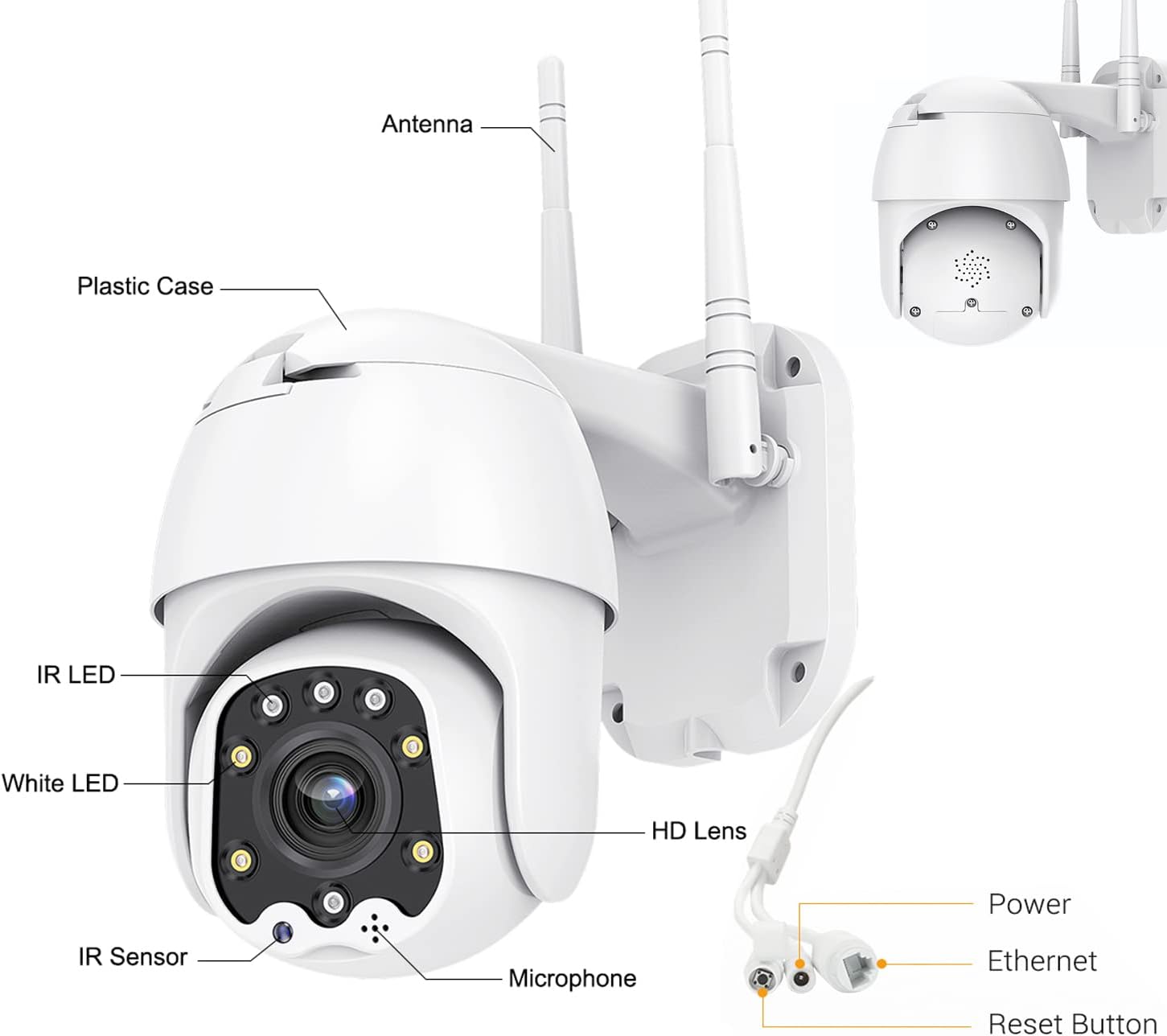
Figure 2: Camera Components and Connections.
2.3 SD Card Installation (Optional)
The camera supports a Micro SD card up to 128GB for local video storage (card not included).
- Open the cover on the camera body.
- Carefully insert the Micro SD card into the slot until it clicks into place.
- Saugiai uždarykite dangtelį.
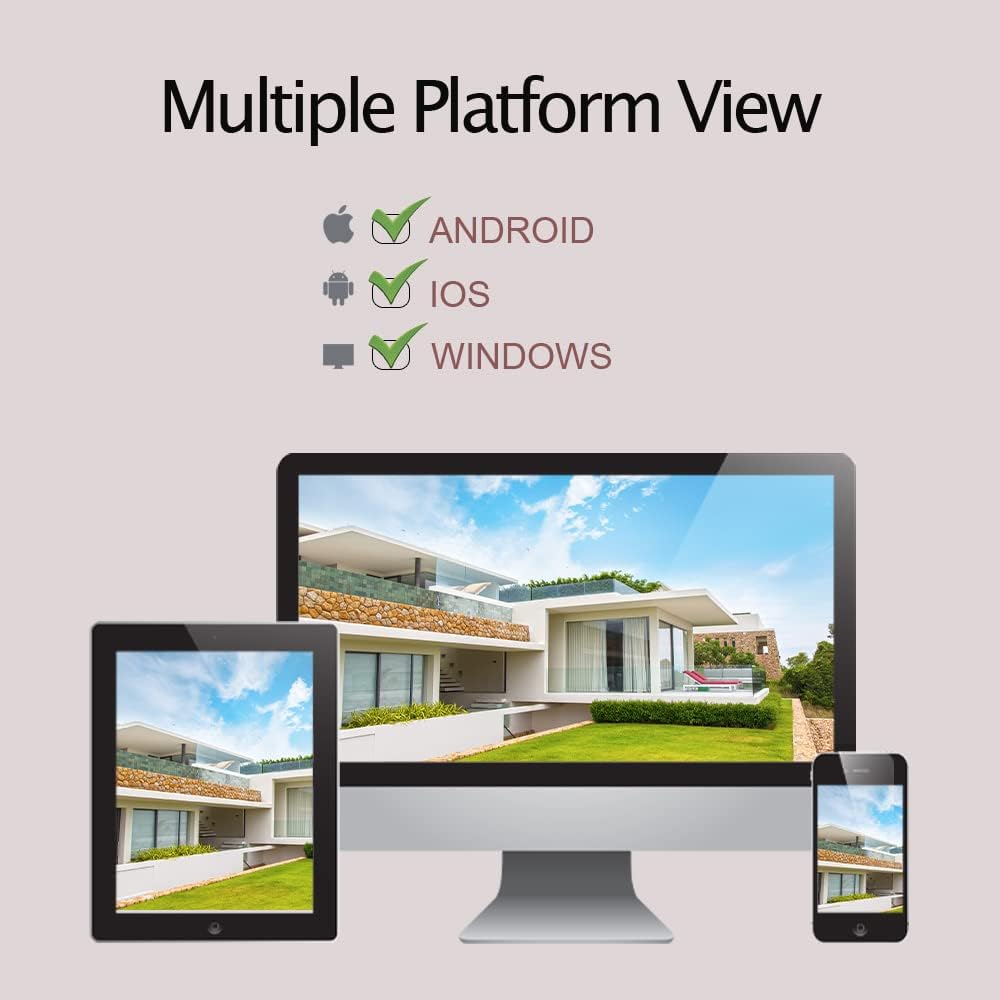
Figure 3: SD Card Installation Steps.
2.4 Network Connection and App Setup
The camera connects via 2.4GHz Wi-Fi. Ensure your Wi-Fi password does not contain special symbols.
- Download the "CamHiPro" app from the App Store (iOS) or Google Play Store (Android).
- Užregistruokite paskyrą ir prisijunkite.
- Įjunkite fotoaparatą.
- In the app, follow the on-screen instructions to add a new device. Select "Add Camera" and choose the Wi-Fi setup method.
- Enter your 2.4GHz Wi-Fi network details when prompted.
- The camera will connect to your Wi-Fi network. Once connected, you can view tiesioginė transliacija.
3. Fotoaparato valdymas
3.1 Tiesiogiai View ir PTZ valdymas
Once connected, you can access the live video feed through the CamHiPro app or PC software.
- Stumti / pakreipti: Use the directional controls within the app to rotate the camera horizontally (320°) and vertically (90°) to adjust the viewing kampas.
- Skaitmeninis priartinimas: Pinch to zoom on the live view to digitally magnify the image.
3.2 Dvipusis garsas
Kamera turi įmontuotą mikrofoną ir garsiakalbį dvipusiam ryšiui.
- Norėdami kalbėti per kameros garsiakalbį, programėlėje palieskite mikrofono piktogramą.
- Kameros mikrofonas užfiksuos garsą iš aplinkos.

Figure 4: Two-Way Audio Functionality.
3.3 Judesio aptikimas ir įspėjimai
The camera can detect motion and send alerts to your device.
- Configure motion detection sensitivity and detection areas within the app settings.
- When motion is detected, the camera can send push notifications to your phone, send an email with a photo, or upload photos/videos to an FTP server.
- The camera also supports recording alarm video to the local Micro SD card.
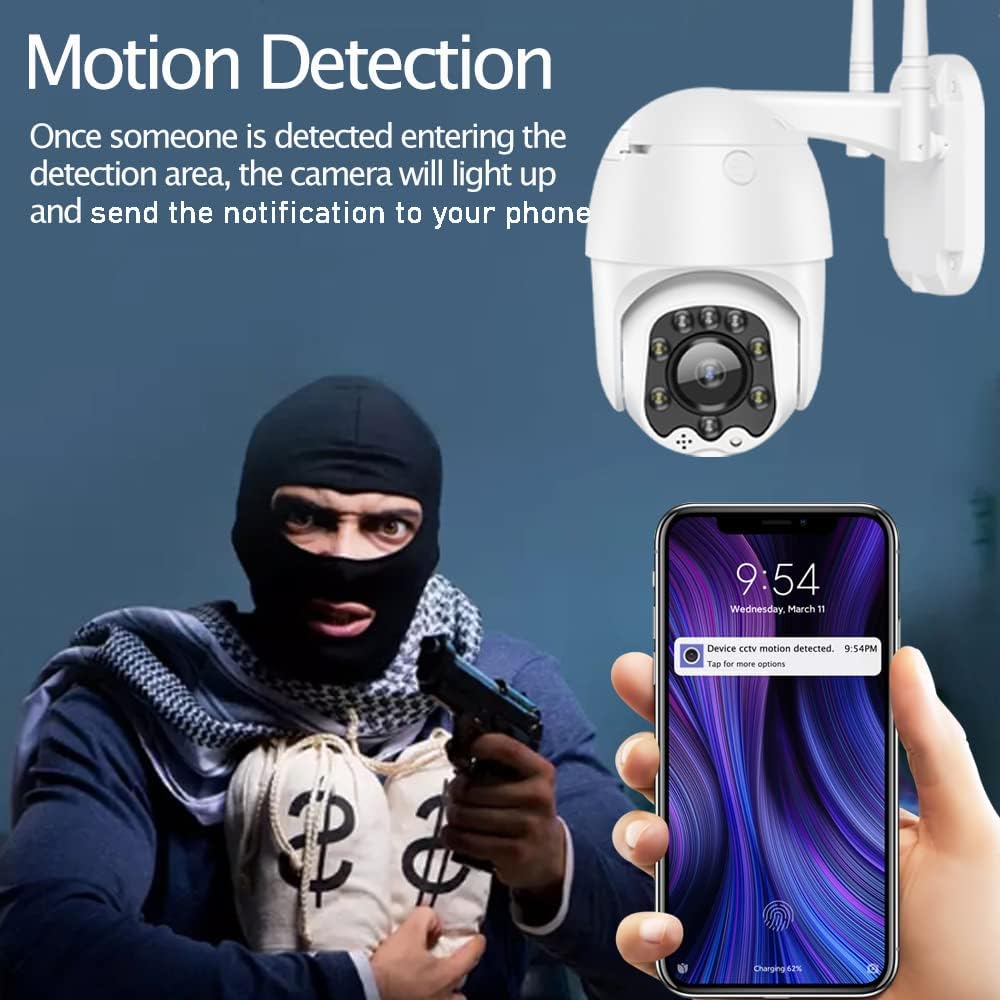
Figure 5: Motion Detection Alerts.
3.4 Naktinio matymo režimai
The AT-200DW offers intelligent full-color night vision and infrared night vision.
- Išmanusis naktinis matymas: The camera automatically switches between IR and full-color mode based on light conditions and detected motion.
- Infraraudonųjų spindulių nakties vizija: Provides black and white video in low light using IR LEDs.
- Spalvotas naktinis matymas: Utilizes white LEDs to provide color video even in very low light conditions. This can also act as a deterrent.

Figure 6: Full-Color Night Vision for Deterrence.
3.5 Daugiaplatformė sistema Viewing
Access your camera feed from various devices.
- Programėlė mobiliesiems: CamHi/CamHiPro for iOS and Android smartphones.
- Kompiuterio programinė įranga: Available for Windows and Mac operating systems.
- Web Naršyklė: Supports IE, Firefox, Safari, Chrome.
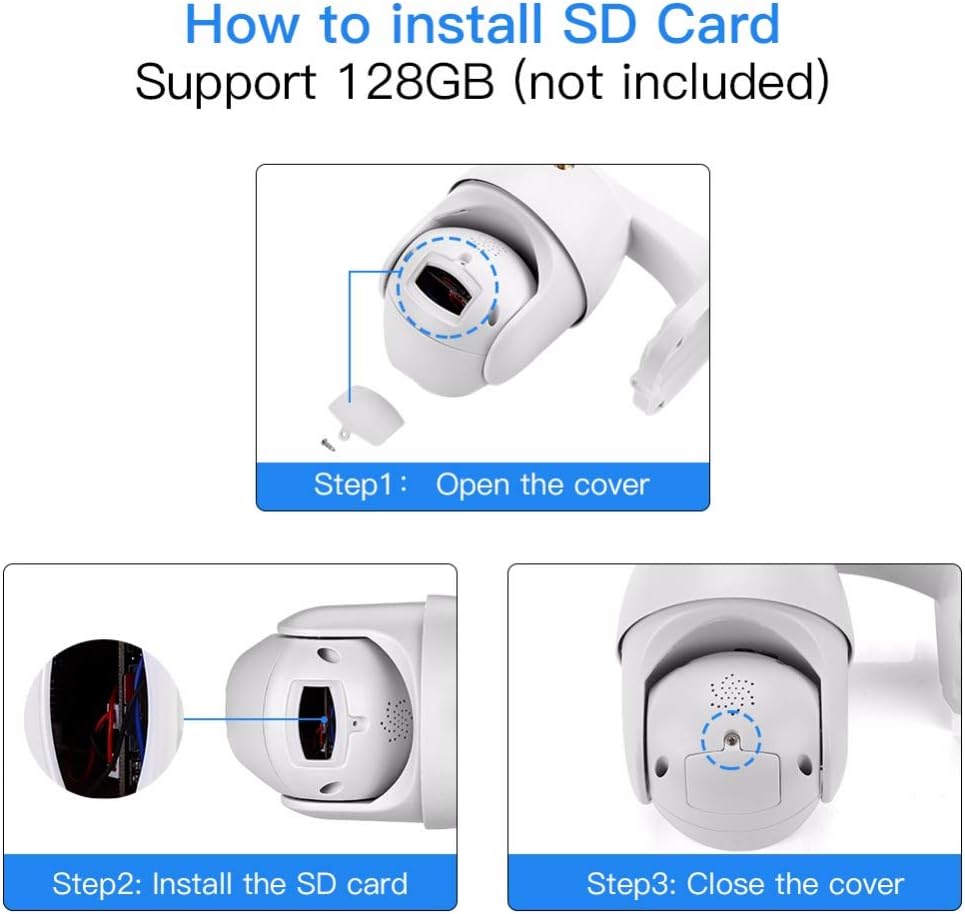
Figure 7: Multiple Platform Viewing Options.
4. Priežiūra
Reguliarus fotoaparato aptarnavimas užtikrina optimalų veikimą ir ilgaamžiškumą.
- Valymas: Periodiškai nuvalykite fotoaparato objektyvą ir korpusą minkšta,amp šluoste dulkėms ir nešvarumams pašalinti. Nenaudokite stiprių cheminių medžiagų ar abrazyvinių valiklių.
- Firmware atnaujinimai: Check the CamHiPro app or Alptop's official websvetainėje, kurioje pateikiami galimi programinės įrangos atnaujinimai. Nuolat atnaujinant programinę įrangą galima pagerinti našumą ir pridėti naujų funkcijų.
- SD kortelės tvarkymas: If using an SD card for continuous recording, consider formatting it periodically (e.g., monthly) through the app to maintain performance and prevent data corruption.
- Ryšio patikrinimas: Occasionally verify the camera's Wi-Fi connection stability, especially after power outages or network changes.

Figure 8: IP66 Weatherproof Design.
5. Problemų sprendimas
Jei kyla problemų dėl fotoaparato, žr. toliau pateiktas dažniausiai pasitaikančias problemas ir sprendimus:
| Problema | Galima priežastis | Sprendimas |
|---|---|---|
| Kamerai nepavyksta prisijungti prie „Wi-Fi“. | Incorrect Wi-Fi band (5GHz), wrong password, special characters in password, weak signal. | Ensure you are connecting to a 2.4GHz Wi-Fi network. Verify Wi-Fi password (no special symbols). Move camera closer to router or use a Wi-Fi extender. |
| No video feed or intermittent connection. | Network congestion, poor Wi-Fi signal, router channel interference. | Check network stability. Try changing your router's 2.4GHz Wi-Fi channel to a less congested one (e.g., 1, 6, or 11). Ensure your smartphone is not on the 2.4GHz band if possible. |
| Judesio aptikimas neveikia arba yra per jautrus. | Neteisingi nustatymai, aplinkos veiksniai. | Adjust motion detection sensitivity and detection areas in the app. Ensure there are no moving objects (trees, flags) in the detection zone causing false alarms. |
| Two-way audio is unclear or has echo. | Environmental noise, microphone/speaker obstruction. | Ensure no obstructions near microphone or speaker. Reduce background noise if possible. |
| SD kortelė neįrašo arba neatpažįstama. | Card not inserted correctly, incompatible card, card full/corrupted. | Re-insert the SD card. Ensure it is a Class 10 or higher, up to 128GB. Format the SD card via the app. |
6. Specifikacijos
| Funkcija | Detalė |
|---|---|
| Modelio numeris | AT-200DW |
| Vaizdo raiška | 1080P HD (1920 x 1080) |
| Panardinimo / pakreipimo diapazonas | Horizontaliai 320°, vertikaliai 90° |
| Naktinio matymo diapazonas | IR: 150FT, Full-color: 100FT |
| Ryšys | 2.4GHz Wi-Fi (IEEE802.11b/g/n), Ethernet |
| Sandėliavimas | Supports max 128GB Micro SD card |
| Garsas | Two-way audio (built-in 38dB microphone & speaker) |
| Maitinimo šaltinis | 12V 2A (AC/DC) |
| Darbinė temperatūra | Not specified, but designed for outdoor use (IP66) |
| IP reitingas | IP66 (atsparus oro sąlygoms) |
| Matmenys | 8.19 x 8.15 x 5.43 colio |
| Svoris | 1.76 svaro |
7. Garantija ir palaikymas
For warranty information and technical support, please refer to the documentation included with your product or contact Alptop customer service directly. You can also visit the official Alptop website for the latest support resources, FAQs, and contact details.
The primary application for managing your camera is the CamHiPro app, available for iOS and Android devices. PC software is also available for Windows and Mac users.