
1. Įvadas
Thank you for choosing the Cecotec ForceClima 7450 Touch Connected Portable Air Conditioner. This manual provides essential information for the safe and efficient operation, maintenance, and troubleshooting of your new appliance. Please read it thoroughly before use and keep it for future reference.

Figure 1.1: Cecotec ForceClima 7450 Touch Connected Portable Air Conditioner
The ForceClima 7450 Touch Connected is designed to provide effective cooling, ventilation, and dehumidification for spaces up to 15 m². It features a powerful 7000 BTU cooling capacity, a user-friendly touch control panel, a remote control, and Wi-Fi connectivity for convenient operation via your smartphone.
2. Saugos instrukcijos
Kad sumažintumėte gaisro, elektros smūgio ar susižalojimo pavojų, kai naudojate oro kondicionierių, laikykitės šių pagrindinių atsargumo priemonių:
- Visada junkite įrenginį prie įžeminto maitinimo lizdo su tinkamu įtampos lygiutage (230 voltų).
- Nenaudokite oro kondicionieriaus su pažeistu laidu ar kištuku.
- Užtikrinkite tinkamą vėdinimą aplink įrenginį. Neužblokuokite oro įleidimo ar išleidimo angų.
- Nekiškite pirštų ar pašalinių daiktų į oro įleidimo / išleidimo angas.
- Keep the unit away from water and other liquids. Do not use it in bathrooms or very humid environments.
- Prieš valydami ar atlikdami bet kokią techninę priežiūrą, atjunkite prietaisą nuo elektros tinklo.
- Nebandykite patys taisyti ar modifikuoti įrenginio. Dėl remonto kreipkitės į kvalifikuotus techninės priežiūros darbuotojus.
- Ensure the exhaust hose is properly installed to expel hot air outside.
- Prižiūrėkite vaikus, kad jie nežaistų su prietaisu.
3. Pakuotės turinys
Carefully unpack your air conditioner and check that all items are present and in good condition:
- Cecotec ForceClima 7450 Touch Connected Portable Air Conditioner Unit
- Nuotolinio valdymo pultas
- Išmetimo žarna
- Langų sandarinimo rinkinys
- Drenažo žarna
- Vartotojo vadovas
4. Produkto ypatybės
The Cecotec ForceClima 7450 Touch Connected offers a range of features for optimal comfort:
- Aušinimo talpa: 7000 BTU, suitable for rooms up to 15 m².
- Galia: 790 vatai.
- Valdymo parinktys: Intuitive touch control panel, remote control, and Wi-Fi connectivity via smartphone app.
- Ekranas: Clear LED screen showing current settings.
- Veikimo režimai:
- Aušinimo režimas: For effective temperature reduction.
- Ventiliatoriaus režimas: Cirkuliuoja orą be aušinimo.
- Drėgmės šalinimo režimas: Pašalina iki 20 litrų drėgmės per dieną, pagerindamas oro kokybę.
- Naktinis režimas: Operates quietly for undisturbed sleep.
- Ventiliatoriaus greičiai: Two adjustable speeds (Low and High).
- Laikmačio funkcija: Programmable for up to 24 hours.
- Perkeliamumas: Įrengtas ratukais lengvam judėjimui.
5. Sąranka
Norėdami nustatyti nešiojamąjį oro kondicionierių, atlikite šiuos veiksmus:
5.1 Įrenginio padėties nustatymas
Place the air conditioner on a flat, stable surface, ensuring there is at least 30 cm of clear space around the unit for proper airflow. Position it near a window or opening for exhaust hose installation.
5.2 Installing the Exhaust Hose
- Pritvirtinkite vieną išmetimo žarnos galą prie oro išleidimo angos įrenginio gale.
- Ištieskite išmetimo žarną ir prie kito galo pritvirtinkite lango adapterį.
- Open the window and install the window sealing kit. Secure the window adapter into the opening of the sealing kit to ensure hot air is expelled outside and warm air does not re-enter the room.
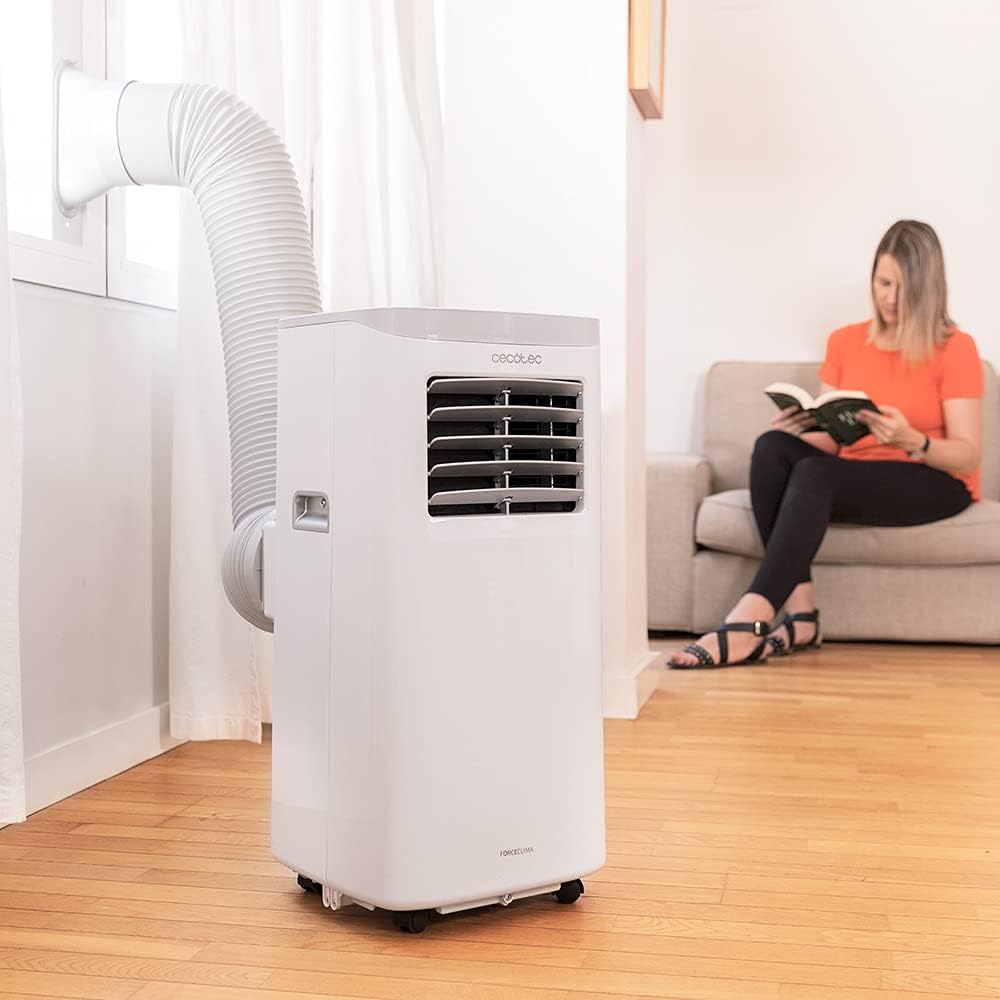
Figure 5.1: Proper installation of the exhaust hose in a window
5.3 Maitinimo jungtis
Plug the power cord into a standard 230V grounded electrical outlet. Ensure the outlet is suitable for the appliance's power requirements.
6. Naudojimo instrukcijos
Your Cecotec ForceClima 7450 Touch Connected can be operated using the touch control panel, the remote control, or the dedicated smartphone app.
6.1 Valdymo skydelio veikimas

6.1 pav.: Jutiklinis valdymo skydelis

Figure 6.2: Interacting with the Control Panel
- Maitinimo mygtukas: Paspauskite, kad įjungtumėte arba išjungtumėte įrenginį.
- Režimo mygtukas: Cycle through Cooling, Fan, Dehumidification, and Night modes. The selected mode will be indicated on the LED display.
- Temperatūros reguliavimo mygtukai (aukštyn / žemyn): Adjust the desired temperature in Cooling mode.
- Ventiliatoriaus greičio mygtukas: Perjungti mažą ir didelį ventiliatoriaus greičius.
- Laikmačio mygtukas: Set the auto-off timer (up to 24 hours).
6.2 Nuotolinio valdymo pulto valdymas
The remote control allows you to operate all functions of the air conditioner from a distance. Ensure there are no obstructions between the remote control and the unit's receiver.
- Nuotolinio valdymo pulto mygtukai atitinka valdymo skydelio funkcijas.
- Insert 2x AAA batteries (not included) into the remote control before first use.
6.3 Valdymas per „Wi-Fi“ (išmaniojo telefono programėlė)
The Cecotec ForceClima 7450 Touch Connected can be controlled remotely via a smartphone app. This allows you to manage settings from anywhere with an internet connection.
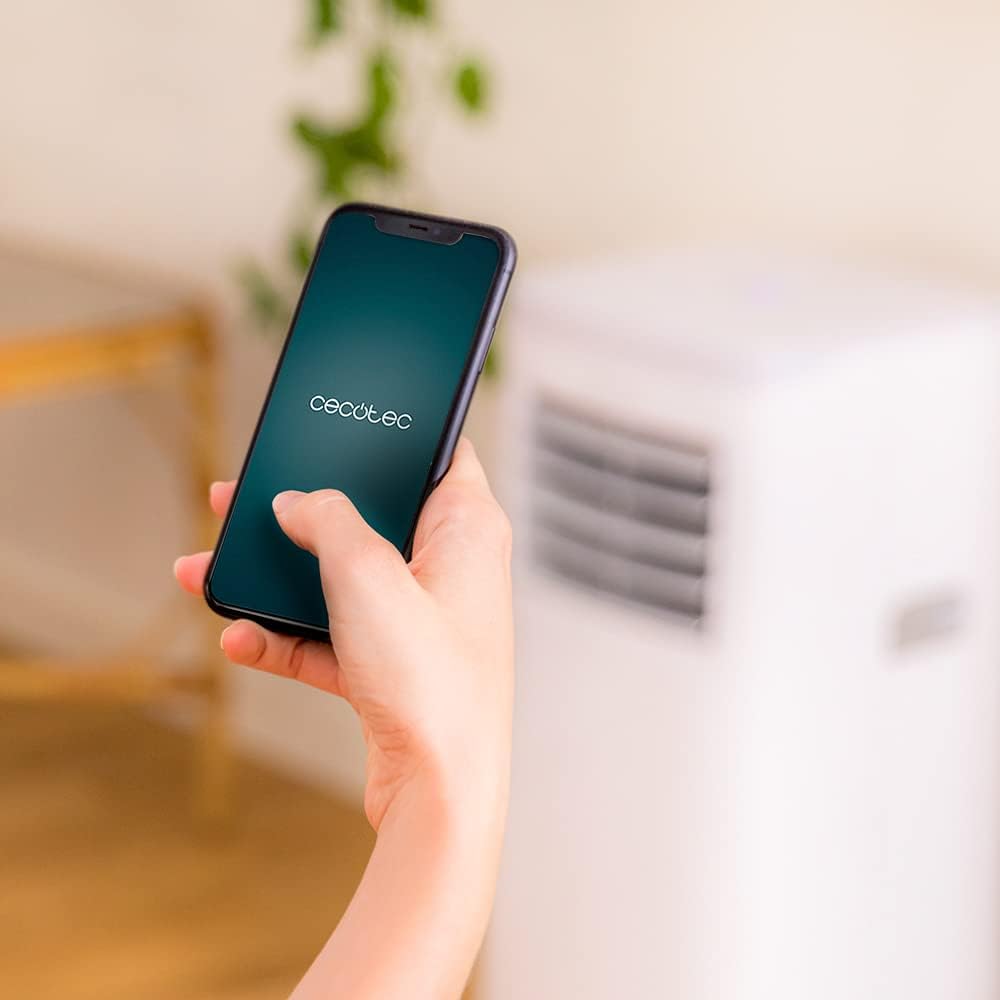
Figure 6.3: Controlling the unit via the Cecotec App
- Download the official Cecotec app from your smartphone's app store (iOS or Android).
- Registruokite paskyrą arba prisijunkite.
- Follow the in-app instructions to add your ForceClima 7450 Touch Connected unit. This typically involves putting the unit into pairing mode and connecting it to your home Wi-Fi network.
- Once connected, you can control all functions, including power, mode, temperature, fan speed, and timer, directly from your smartphone.
7. Priežiūra
Reguliarus techninis aptarnavimas užtikrina optimalų oro kondicionieriaus veikimą ir prailgina jo tarnavimo laiką.
7.1 Oro filtro valymas
Oro filtrą reikia valyti kas dvi savaites arba dažniau, priklausomai nuo naudojimo ir oro kokybės. Užsiteršęs filtras gali sumažinti aušinimo efektyvumą ir oro srautą.
- Atjunkite oro kondicionierių nuo maitinimo lizdo.
- Locate and remove the air filter from the back or side of the unit (refer to the diagram in your quick start guide if unsure).
- Clean the filter using a vacuum cleaner to remove dust. For stubborn dirt, wash it gently with lukewarm water and a mild detergent.
- Allow the filter to dry completely before reinserting it into the unit. Do not expose it to direct sunlight.
7.2 Susikaupusio vandens išleidimas
During cooling and dehumidification, water will accumulate inside the unit. The unit has an internal water tank, but for continuous operation or high humidity, manual drainage may be required.
- When the internal tank is full, the unit may stop operating and display an indicator.
- Išjunkite įrenginį.
- Place a shallow pan or bucket under the drainage outlet at the bottom rear of the unit.
- Išsukite išleidimo kamštį ir leiskite visam vandeniui ištekėti.
- For continuous drainage, attach the provided drainage hose to the outlet and direct it to a floor drain or suitable container.
- Išleidę skystį, tvirtai užsukite išleidimo kamštį.
7.3 Įrenginio išorės valymas
Nuvalykite įrenginio išorę minkšta, damp šluoste. Nenaudokite stiprių cheminių medžiagų, abrazyvinių valiklių ar tirpiklių, nes jie gali pažeisti paviršių.
8. Problemų sprendimas
Prieš kreipdamiesi į klientų aptarnavimo tarnybą, peržiūrėkite šias dažniausiai pasitaikančias problemas ir jų sprendimus:
| Problema | Galima priežastis | Sprendimas |
|---|---|---|
| Įrenginys neįsijungia | Nėra elektros; Maitinimo laidas neįjungtas; Pilnas vandens bakas | Patikrinkite maitinimo šaltinį; Prijunkite maitinimo laidą; Išleiskite vandens baką |
| Įrenginys nevėsina efektyviai | Dirty air filter; Exhaust hose not properly installed; Room too large; Doors/windows open | Clean air filter; Ensure proper hose installation; Close doors/windows; Check room size (max 15 m²) |
| Įrenginys triukšmingas | Unit not on a flat surface; Obstruction in fan; Normal operating sound (65 dB) | Place on flat surface; Check for obstructions; Note that some noise is normal for portable ACs |
| „Wi-Fi“ ryšys nepavyksta | Incorrect Wi-Fi password; Router too far; App issues | Verify password; Move unit closer to router; Restart app/unit; Consult app's troubleshooting guide |
| Vandens nutekėjimas | Drain plug loose; Drainage hose not properly connected | Secure drain plug; Ensure drainage hose is tightly connected |
9. Specifikacijos
| Funkcija | Specifikacija |
|---|---|
| Modelio numeris | 05957 |
| Aušinimo talpa | 7000 XNUMX BTU |
| Energijos suvartojimas | 790 vatų |
| ttage | 230 voltų |
| Triukšmo lygis | 65 dB |
| Aprėpties sritis | apytiksliai 15 m² |
| Sausinimo galimybė | Iki 20 litrų per dieną |
| Matmenys (G x P x A) | 30.5 x 32.8 x 67.8 cm |
| Svoris | 20 kg |
10. Garantija ir palaikymas
Cecotec products are manufactured to high-quality standards. This product is covered by a manufacturer's warranty against defects in materials and workmanship from the date of purchase. Please retain your proof of purchase for warranty claims.
For technical support, spare parts, or warranty service, please contact Cecotec customer service through their official website or the contact information provided in your product's packaging. Do not attempt to repair the unit yourself, as this may void the warranty.