
1. Įvadas
Thank you for choosing the Ledwood Capella Wireless Bluetooth 5.2 Stereo Earphones. This manual provides essential information for the proper setup, operation, and maintenance of your new earphones. Please read it carefully before use and retain it for future reference.
Pakuotės turinys:
- 1 x CAPELLA In-Ear Headphones
- 1x įkrovimo dėklas
- 1 x USB-C laidas
- 2 x Pairs of Silicone Earbuds

Image: Ledwood Capella earphones and charging case. The white earphones are shown next to their matching white charging case, which has a USB-C port visible.
2. Sąranka
2.1 Ausinių ir dėklo įkrovimas
Prieš pirmą kartą naudodami, įsitikinkite, kad ir įkrovimo dėklas, ir ausinės yra visiškai įkrautos.
- Įdėkite ausines į įkrovimo dėklą. Įsitikinkite, kad jos tinkamai įstatytos ir liečiasi su įkrovimo kontaktais.
- Connect the provided USB-C cable to the charging port on the case and the other end to a USB power source (e.g., wall adapter, computer USB port).
- The LED indicator on the case will show the charging status. Once fully charged, the indicator will change or turn off.
- A full charge typically takes approximately 1 hour. The case provides up to 9 hours of total battery life (3 charges of 3 hours each for the earphones).
2.2 Susiejimas su „Bluetooth“ įrenginiu
To connect your Ledwood Capella earphones to your smartphone or other Bluetooth-enabled device:
- Įsitikinkite, kad ausinės yra įkrautos.
- Open the charging case. The earphones will automatically enter pairing mode, indicated by a flashing LED on the earphones.
- Įrenginyje eikite į „Bluetooth“ nustatymus ir įgalinkite „Bluetooth“.
- Ieškokite available devices. You should see "Ledwood Capella" or a similar name appear in the list.
- Select "Ledwood Capella" to connect. Once connected, the LED indicator on the earphones will stop flashing.
- Ausinės automatiškai prisijungs prie paskutinio suporuoto įrenginio, kai bus išimtos iš dėklo, jei įrenginyje įjungtas „Bluetooth“.
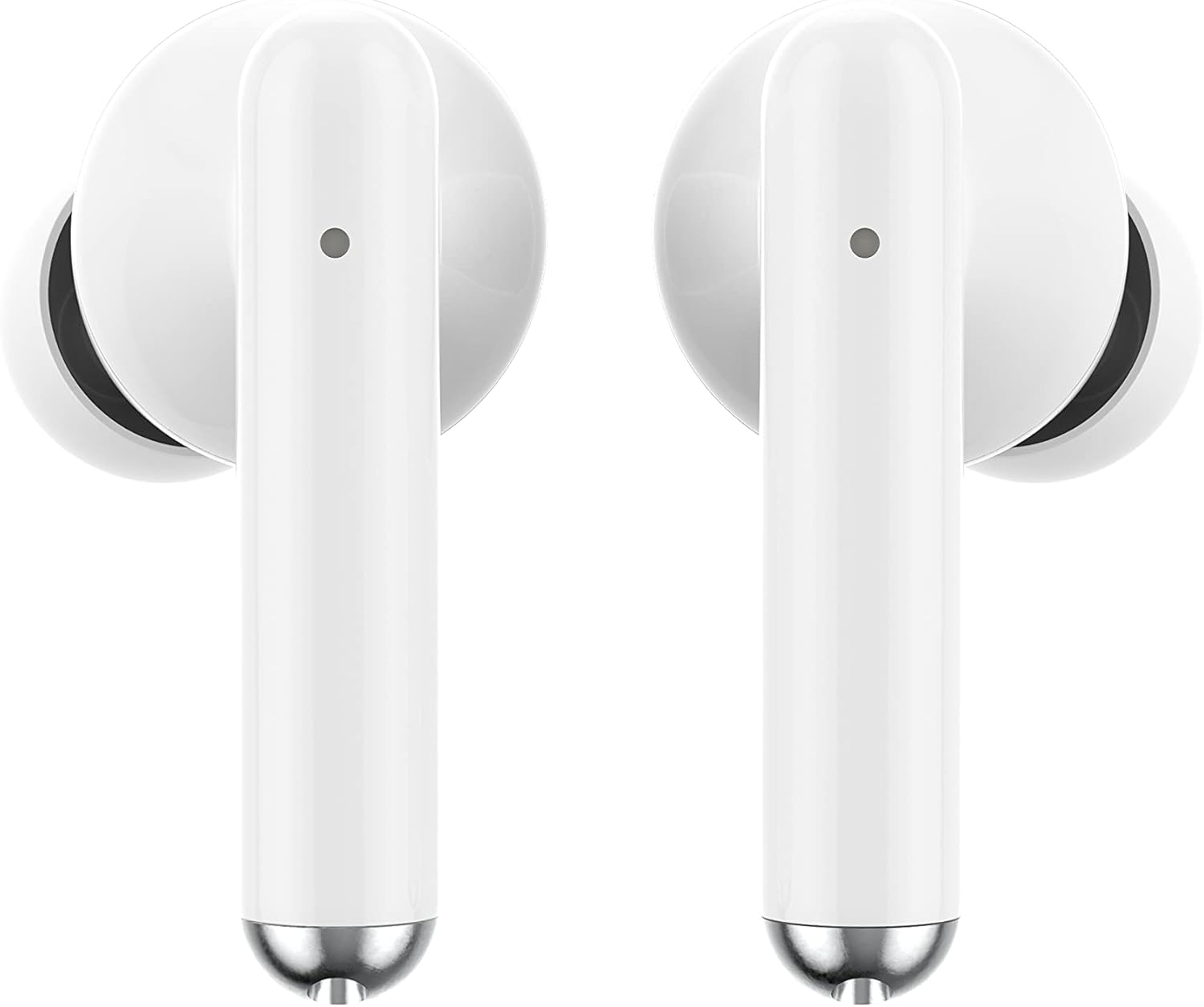
Vaizdas: Stambus planas view of the Ledwood Capella earphones. The white earbuds feature a sleek design with a small microphone hole visible on the stem.
3. Ausinių valdymas
The Ledwood Capella earphones feature sensitive touch controls for easy management of your audio and calls.
3.1 Jutikliniai valdikliai
The touch-sensitive area is located on the outer surface of each earphone stem. Refer to the diagram below for typical touch control functions:
- Vienas palietimas: Groti / pristabdyti muziką, atsiliepti / baigti skambutį.
- Double Tap (Left Earphone): Ankstesnis takelis.
- Double Tap (Right Earphone): Kitas takelis.
- Triple Tap (Left Earphone): Sumažinti garsumą.
- Triple Tap (Right Earphone): Padidinti garsumą.
- Ilgas paspaudimas (2 sekundės): Activate Voice Assistant, Reject call.
3.2 Balso padėjėjas
The Capella earphones are compatible with major voice assistants (e.g., Siri, Google Assistant). To activate your device's voice assistant, perform a long press (2 seconds) on either earphone's touch control area. You can then issue commands through the earphone's microphone.
3.3 Super Bass Technology
The earphones are equipped with Super Bass technology, utilizing highly flexible polymer membranes to reproduce deep and rich bass sounds for an enhanced audio experience.
4. Priežiūra
4.1 Valymas
Siekiant palaikyti optimalų našumą ir higieną:
- Reguliariai valykite ausines ir įkrovimo dėklą minkštu, sausu, nepūkuotu skudurėliu.
- Nenaudokite abrazyvinių valiklių, alkoholio ar cheminių tirpiklių.
- Švelniai pašalinkite ausų sierą ar nešvarumus nuo ausų antgalių ir garsiakalbio tinklelio, naudodami mažą, minkštą šepetėlį arba vatos tamponėlį.
- Ensure the charging contacts on both the earphones and case are clean and dry.
4.2 Saugykla
Kai nenaudojate, laikykite ausines įkrovimo dėkle, kad apsaugotumėte jas nuo dulkių, pažeidimų ir kad jos būtų įkrautos.
5. Problemų sprendimas
If you encounter issues with your Ledwood Capella earphones, try the following solutions:
- Ausinės nesusijungia:
- Įsitikinkite, kad abi ausinės yra įkrautos.
- Išjunkite ir įjunkite savo įrenginio „Bluetooth“.
- Forget "Ledwood Capella" from your device's Bluetooth list and attempt to pair again.
- Place earphones back in the case, close it, wait a few seconds, then open it again to re-enter pairing mode.
- Nėra garso arba garsas per mažas:
- Patikrinkite garsumo lygį tiek savo įrenginyje, tiek ausinėse.
- Įsitikinkite, kad ausinės tinkamai įstatytos į ausis.
- Clean any debris from the earphone speaker mesh.
- Įkrovimo problemos:
- Patikrinkite, ar USB-C laidas yra tvirtai prijungtas prie korpuso ir maitinimo šaltinio.
- Išbandykite kitą USB-C laidą arba maitinimo adapterį.
- Įsitikinkite, kad ausinių ir dėklo įkrovimo kontaktai yra švarūs.
- Earphones disconnecting frequently:
- Ensure you are within the 10-meter Bluetooth range of your device.
- Avoid obstacles between the earphones and your device that might interfere with the signal.
- Įsitikinkite, kad netoliese nėra kitų stiprių belaidžių signalų, kurie galėtų sukelti trukdžius.
6. Specifikacijos
| Funkcija | Specifikacija |
|---|---|
| Modelio pavadinimas | Capella |
| Modelio numeris | LD-T06 |
| Belaidis ryšys | Bluetooth 5.2 |
| Diapazonas | Iki 10 metrų |
| Baterijos veikimo laikas (ausinės) | Apytiksliai 3 valandos vienam įkrovimui |
| Baterijos veikimo laikas (su įkrovimo dėklu) | Up to 9 hours (3 x 3 hours) |
| Įkrovimo laikas | apytiksliai 1 valanda |
| Įkrovimo tipas | USB-C |
| Valdymas balsu | Taip |
| Jautrus prisilietimas | Taip |
| Medžiaga | Silikonas (ausų antgaliai) |
7. Garantija ir palaikymas
7.1 Informacija apie garantiją
Your Ledwood Capella earphones are covered by a manufacturer's warranty against defects in materials and workmanship. Please refer to the warranty card included in your package or contact your retailer for specific warranty terms and conditions.
7.2 Pagalba klientams
For further assistance, technical support, or inquiries regarding your Ledwood Capella earphones, please contact the retailer where you purchased the product or visit the official Ledwood websvetainė, kurioje rasite pagalbos kontaktinę informaciją.


