
1. Įvadas
Ačiū, kad pirkoteasing the EARISE D61 Plus Bluetooth Speaker. This manual provides important information regarding the safe operation, setup, and maintenance of your device. Please read it thoroughly before use and retain it for future reference.

Image 1.1: The EARISE D61 Plus Bluetooth Speaker, showcasing its portable design and integrated RGB lighting.
2. Svarbi saugos informacija
- Saugokite garsiakalbį nuo vandens ar per didelės drėgmės, nes jis nėra atsparus vandeniui.
- Venkite ekstremalių temperatūrų, tiesioginių saulės spindulių ar šilumos šaltinių.
- Do not disassemble, repair, or modify the device. Refer all servicing to qualified personnel.
- Naudokite tik nurodytą įkrovimo laidą ir maitinimo adapterį.
- Saugokite garsiakalbį nuo vaikų ir naminių gyvūnėlių.
- Nenaudokite garsiakalbio per dideliu garsumu ilgą laiką, kad nepažeistumėte klausos.
3. Pakuotės turinys
Patikrinkite pakuotę, ar joje yra šie daiktai:
- EARISE D61 Plus Bluetooth Speaker
- USB įkrovimo laidas
- Vartotojo vadovas (šis dokumentas)
Jei trūksta kokių nors prekių arba jos pažeistos, susisiekite su klientų aptarnavimo tarnyba.
4. Produktas baigtasview
Susipažinkite su garsiakalbio komponentais ir valdikliais.
4.1 vaizdas: priekis view of the EARISE D61 Plus speaker, highlighting the control panel and speaker grille.
4.1 Valdymo skydas ir prievadai

Image 4.2: Diagram illustrating the various input options and features of the speaker, including USB, TF card, AUX, Microphone, Bluetooth, and FM radio.
- MODE/LIGHT Button: Short press to switch between input modes (Bluetooth, AUX, USB, TF, FM). Long press to change light effects.
- M-/V- Button: Short press for previous track (in music modes) or previous station (in FM mode). Long press to decrease volume.
- MSCAN/TWS Button: Short press to Play/Pause (in music modes) or auto-scan FM stations (in FM mode). Long press to activate TWS pairing.
- M+/V+ Button: Short press for next track (in music modes) or next station (in FM mode). Long press to increase volume.
- USB prievadas: USB atmintinės įrašų atkūrimui.
- TF kortelės lizdas: Skirta TF (MicroSD) kortelių atkūrimui.
- AUX įvestis: Skirta išoriniams garso įrenginiams prijungti per 3.5 mm garso kabelį.
- MIC įvestis: Mikrofono prijungimui.
- Įkrovimo prievadas: Skirta garsiakalbio vidinei baterijai įkrauti.
5. Sąranka
5.1 Garsiakalbio įkrovimas
Before first use, fully charge the speaker. Connect the provided USB charging cable to the speaker's charging port and the other end to a USB power adapter (not included) or a computer's USB port. The charging indicator will illuminate during charging and turn off when fully charged.

Image 5.1: Visual representation of the speaker being charged, indicating battery status.
5.2 Įjungimas / išjungimas
Press and hold the Power button (often integrated with the MODE button or a separate switch, refer to physical device for exact location) to turn the speaker ON or OFF. A sound prompt will indicate the power status.
5.3 Bluetooth poravimas
- Ensure the speaker is powered on and in Bluetooth mode (indicated by a voice prompt or flashing LED). If not, short press the MODE/LIGHT button to switch to Bluetooth mode.
- Įjunkite „Bluetooth“ savo mobiliajame įrenginyje (išmaniajame telefone, planšetiniame kompiuteryje ir kt.).
- Ieškokite available Bluetooth devices. You should see "EARISE D61 Plus" in the list.
- Select "EARISE D61 Plus" to connect. Once paired, a confirmation sound will be heard.
- The speaker will automatically reconnect to the last paired device when in Bluetooth mode, if the device is within range and Bluetooth is enabled.
5.4 TWS (tikro belaidžio stereo) susiejimas
To achieve stereo sound, you can pair two EARISE D61 Plus speakers together.

Image 5.2: Illustration of two EARISE D61 Plus speakers connected via TWS for a stereo audio experience, controlled by a single smartphone.
- Ensure both EARISE D61 Plus speakers are powered on and in Bluetooth mode, but not yet connected to any device.
- On one of the speakers (this will be the primary speaker), long press the MSCAN/TWS button. You will hear a prompt indicating TWS pairing mode.
- Du garsiakalbiai automatiškai ieškos vienas kito ir prisijungs prie jo. Patvirtinimo garsas signalizuos sėkmingą TWS susiejimą.
- Once paired, the primary speaker will be ready for Bluetooth connection to your mobile device. Follow the steps in "5.3 Bluetooth Pairing" to connect your device to the primary speaker.
- Garsas dabar bus grojamas stereo režimu per abu garsiakalbius.
- To disconnect TWS, long press the MSCAN/TWS button on either speaker.
6. Naudojimo instrukcijos
6.1 Režimo pasirinkimas
Trumpai paspauskite REŽIMAS/ŠVIESA button to cycle through available input modes: Bluetooth, AUX, USB, TF Card, FM Radio.
6.2 Audio Playback (Bluetooth, USB, TF Card, AUX)
- Leisti / pristabdyti: Trumpai paspauskite MSCAN/TWS mygtuką.
- Kitas takelis: Trumpai paspauskite M+/V+ mygtuką.
- Ankstesnis takelis: Trumpai paspauskite M-/V- mygtuką.
- Pagarsink: Ilgai paspauskite mygtuką M+/V+ mygtuką.
- Patildyti: Ilgai paspauskite mygtuką M-/V- mygtuką.
6.3 FM radijo veikimas
- Perjunkite į FM režimą naudodami REŽIMAS/ŠVIESA mygtuką.
- Trumpai paspauskite MSCAN/TWS button to automatically scan and save available FM stations. The speaker will play the first saved station.
- Trumpas paspaudimas M+/V+ or M-/V- , kad galėtumėte naršyti tarp išsaugotų stočių.
6.4 RGB šviesos efektai
The speaker features dynamic RGB lighting. Long press the REŽIMAS/ŠVIESA mygtuką, kad perjungtumėte skirtingus apšvietimo režimus arba išjungtumėte šviesas.
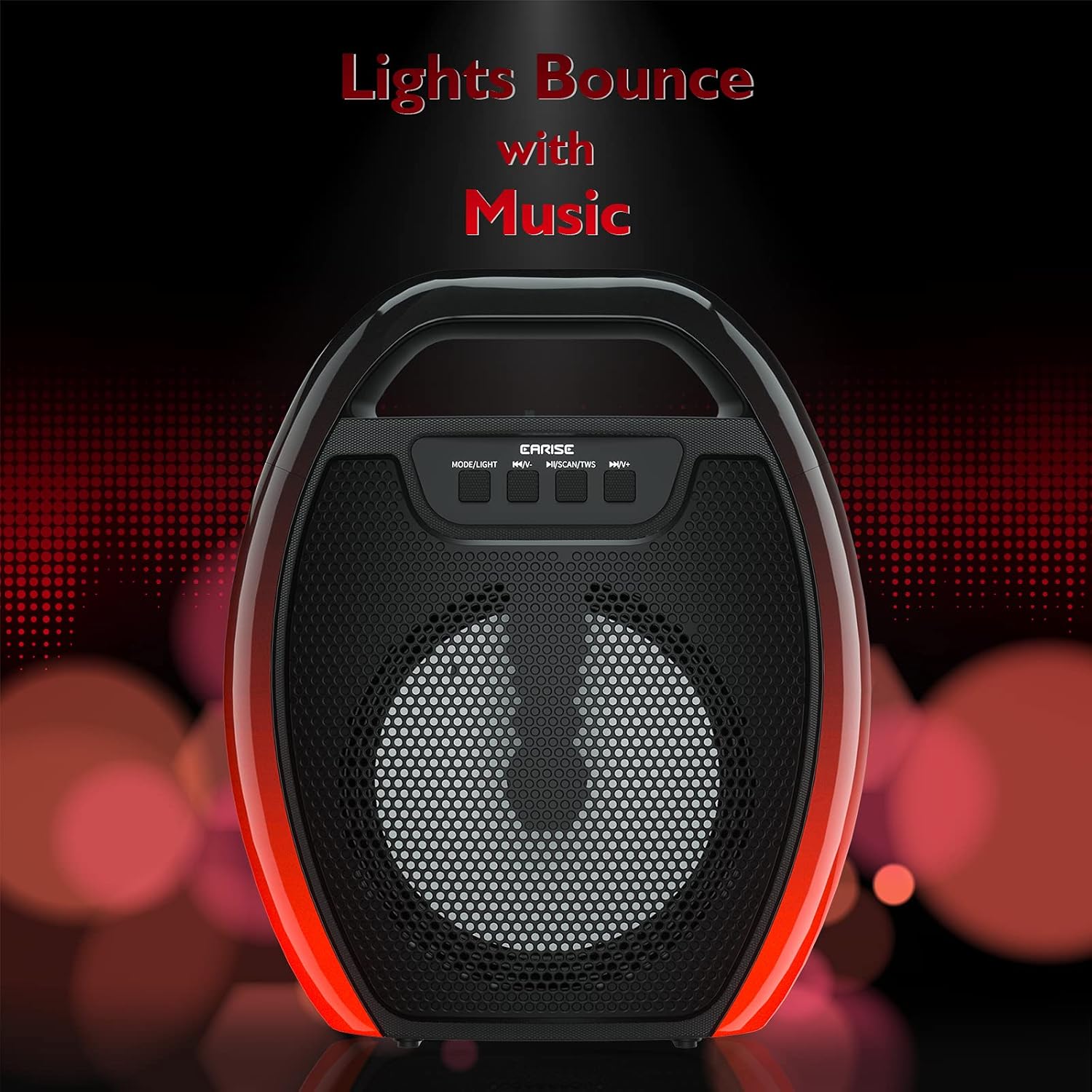
Image 6.1: The speaker displaying its light effects, which can synchronize with music playback.
6.5 Mikrofono įvestis
Connect a wired microphone (not included) to the MIC input port for karaoke or public address functions. Adjust the microphone volume using the connected microphone's controls or the speaker's main volume controls.
7. Priežiūra
- Valymas: Garsiakalbį valykite minkštu, sausu skudurėliu. Nenaudokite skystų valiklių ar aerozolių.
- Saugykla: Garsiakalbį laikykite vėsioje, sausoje vietoje, toliau nuo tiesioginių saulės spindulių ir ekstremalių temperatūrų.
- Akumuliatoriaus priežiūra: To prolong battery life, fully charge the speaker before long periods of inactivity and recharge it at least once every three months. Avoid completely draining the battery frequently.
8. Problemų sprendimas
| Problema | Galima priežastis | Sprendimas |
|---|---|---|
| Garsiakalbis neįsijungia. | Išsikrovusi baterija; netinkamai paspaustas maitinimo mygtukas. | Įkraukite garsiakalbį; paspauskite ir kelias sekundes palaikykite nuspaudę maitinimo mygtuką. |
| Nepavyksta susieti per „Bluetooth“. | Speaker not in pairing mode; Device Bluetooth off; Speaker too far from device; Already connected to another device. | Ensure speaker is in Bluetooth pairing mode; Turn on Bluetooth on your device; Move device closer to speaker; Disconnect from other devices. |
| Nėra garso. | Per mažas garsumas; Neteisingas įvesties režimas; Įrenginys neatkuria garso. | Increase speaker and device volume; Switch to correct input mode (Bluetooth, AUX, etc.); Ensure audio is playing on your device. |
| TWS susiejimas nepavyko. | Speakers too far apart; One speaker already paired to a device; Not in TWS pairing mode. | Ensure speakers are close; Disconnect both speakers from any devices; Long press MSCAN/TWS on one speaker to initiate TWS pairing. |
| RGB lemputės neveikia. | Išjungtos šviesos; gedimas. | Long press MODE/LIGHT button to cycle through light modes; If issue persists, contact support. |
9. Specifikacijos
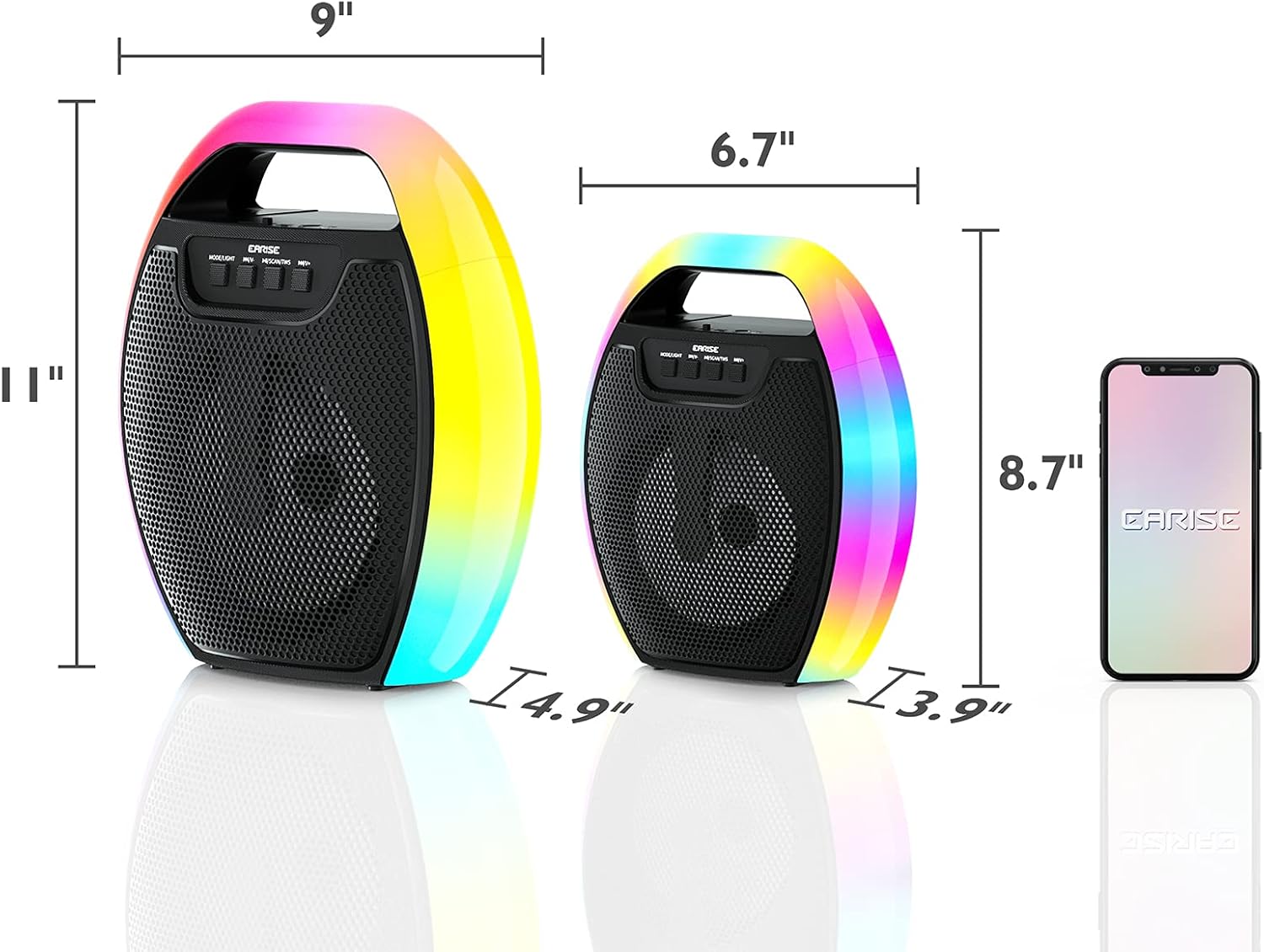
Image 9.1: Product dimensions of the EARISE D61 Plus speaker.
| Funkcija | Detalė |
|---|---|
| Modelio pavadinimas | D61 plius |
| Prekės ženklas | EARISE |
| Ryšio technologija | Bluetooth, Auxiliary (3.5mm), USB, TF Card, FM Radio |
| Garso išvesties režimas | Stereofonija (su TWS) |
| Garsiakalbio tipas | Nešiojamas lauko garsiakalbis |
| Garsiakalbio dydis | 4 colių |
| Maitinimo šaltinis | Maitinamas baterijomis |
| Baterijos veikimo laikas | Up to 12 Hours (actual playtime varies with volume and light usage) |
| Atsparus vandeniui | Nr |
| Gaminio matmenys | 9 x 5 x 11 colio (I x P x A) |
| Prekės svoris | 2.28 svaro |
| Ypatingos savybės | RGB Lights, TWS Pairing, Portable |
10. Garantija ir palaikymas
EARISE products are designed and manufactured to the highest quality standards. For information regarding warranty coverage, technical support, or service inquiries, please refer to the warranty card included with your purchase or visit the official EARISE websvetainę.
Išsaugokite pirkimo įrodymą, kad galėtumėte kreiptis dėl garantijos.