
1. Įvadas ir pabaigaview
The Hbada W203 Gaming Chair is designed to provide ergonomic support and comfort for extended periods of sitting, whether for gaming or office work. It features a robust construction, adjustable components, and a design focused on user well-being.
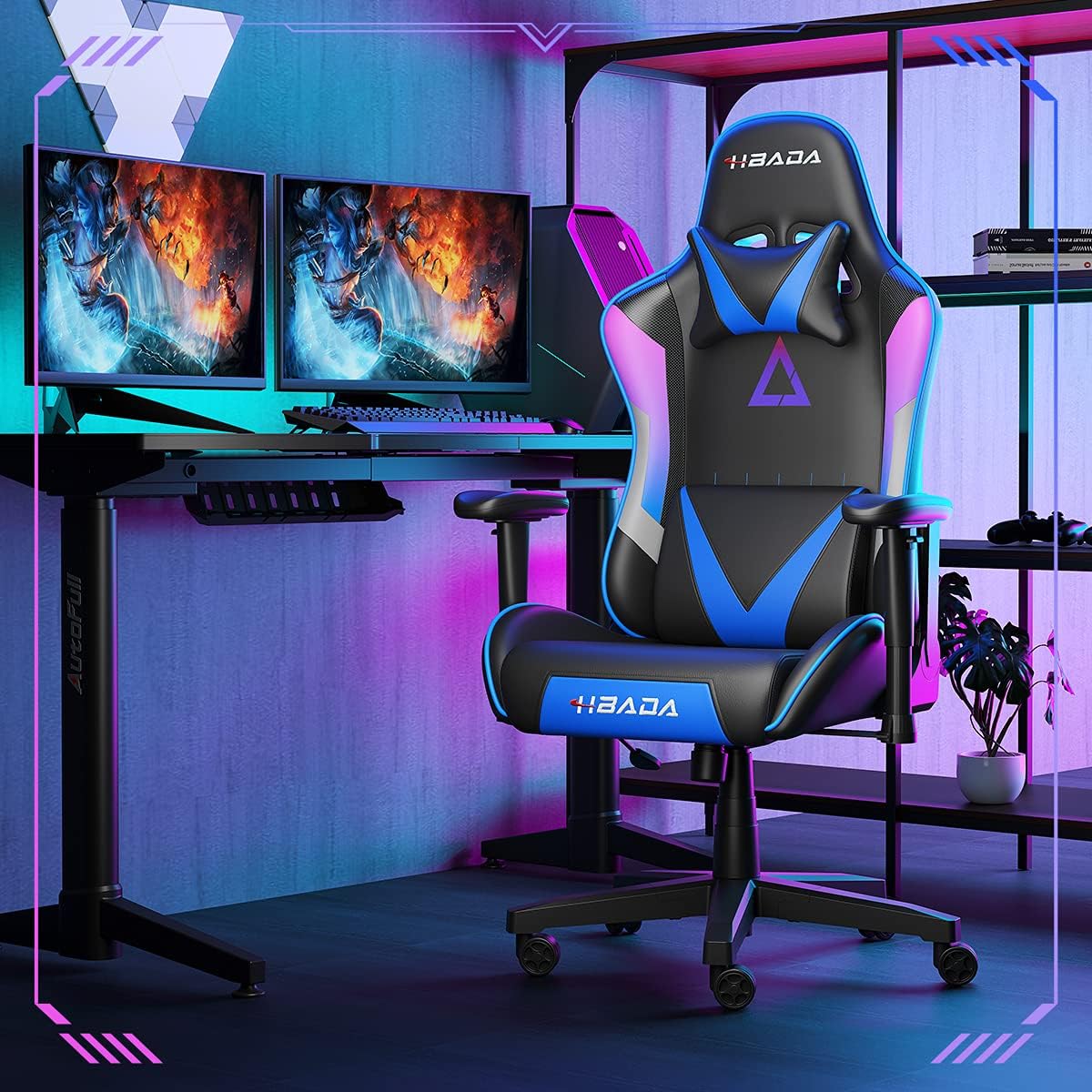
Image 1.1: The Hbada W203 Gaming Chair in a typical gaming environment, showcasing jo dizainą ir išvaizdą.
2. Saugos informacija
- Neviršykite maksimalaus 150 kg (330.7 svarų) svorio.
- Prieš naudodami įsitikinkite, kad visi varžtai ir veržlės yra tvirtai priveržti, ir periodiškai patikrinkite, ar jie nėra atsipalaidavę.
- Venkite stovėti ant kėdės arba naudoti ją kaip laiptelį.
- Reguliavimo metu laikykite rankas ir pirštus atokiai nuo judančių dalių.
- Kėdę statykite ant lygaus, stabilaus paviršiaus, kad ji neapvirstų.
3. Pakuotės turinys
Prieš pradėdami surinkimą, patikrinkite, ar yra visi komponentai. Jei trūksta kokių nors dalių arba jos pažeistos, susisiekite su klientų aptarnavimo tarnyba.
- Atlošas
- Sėdynės pagalvėlė
- Porankiai (2)
- Žvaigždžių bazė
- Ratukai (5)
- Dujų kėlimo cilindras
- Dujų keltuvo dangtis
- Mechanizmo plokštė
- Galvos atramos pagalvė
- Juosmens atramos pagalvė
- Aparatūros rinkinys (varžtai, poveržlės, šešiabriaunis raktas)
- Instrukcijų vadovas
4. Surinkimo instrukcijos
Assembly typically requires two people due to the weight of some components. Follow these steps carefully.
- Pritvirtinkite ratukus prie pagrindo: Insert each of the five casters into the holes at the end of each leg of the star base until they click into place.
- Įdėkite dujų keltuvą: Įstatykite dujų kėlimo cilindrą į žvaigždės formos pagrindo centrinę angą. Uždenkite jį dujų kėlimo dangteliu.
- Mechanizmo plokštės pritvirtinimas prie sėdynės: Align the mechanism plate with the screw holes on the underside of the seat cushion. Secure it with the provided screws and Allen wrench. Ensure the front of the mechanism faces the front of the seat.
- Pritvirtinkite porankius prie sėdynės: Secure the armrests to the sides of the seat cushion using the designated screws. Do not overtighten initially to allow for minor adjustments.
- Pritvirtinkite atlošą prie sėdynės: Align the backrest with the mounting brackets on the seat cushion. Secure it with screws.
- Sėdynės mazgo prijungimas prie pagrindo: Carefully place the assembled seat onto the gas lift cylinder, ensuring it is centered. Apply downward pressure to secure it.
- Attach Headrest and Lumbar Support: Position the headrest pillow and lumbar support pillow as desired. They are typically secured with straps.
- Galutinis priveržimas: Once fully assembled, go back and tighten all screws firmly.

4.1 vaizdas: Baigtaview of chair features, including lift function, height-adjustable armrests, 155-degree recline, silent casters, 360-degree rotation, and durable base.
5. Naudojimo instrukcijos
5.1. Kėdės aukščio reguliavimas
To adjust the chair height, locate the lever on the right side, beneath the seat. While seated, pull the lever up to lower the chair. To raise the chair, stand up slightly and pull the lever up. Release the lever at the desired height.
5.2. Atlošo funkcija
The chair offers a recline angle of up to 155 degrees with a 17-degree locking feature. To recline, pull the recline lever (typically on the left side) upwards and lean back. Release the lever to lock the backrest in position. To return to an upright position, pull the lever and lean forward.

Image 5.1: The chair's backrest can recline up to 155 degrees, allowing for various comfortable positions.
5.3. Porankio reguliavimas
The armrests can be lifted to adjust their height. Locate the button or lever on the side of each armrest. Press or lift it and move the armrest up or down to your preferred height. Release the button/lever to lock it.
5.4. Lumbar Support and Headrest
The chair includes removable and adjustable headrest and lumbar support pillows. Adjust their position by sliding them along the backrest straps to provide optimal support for your head, neck, and lower back.
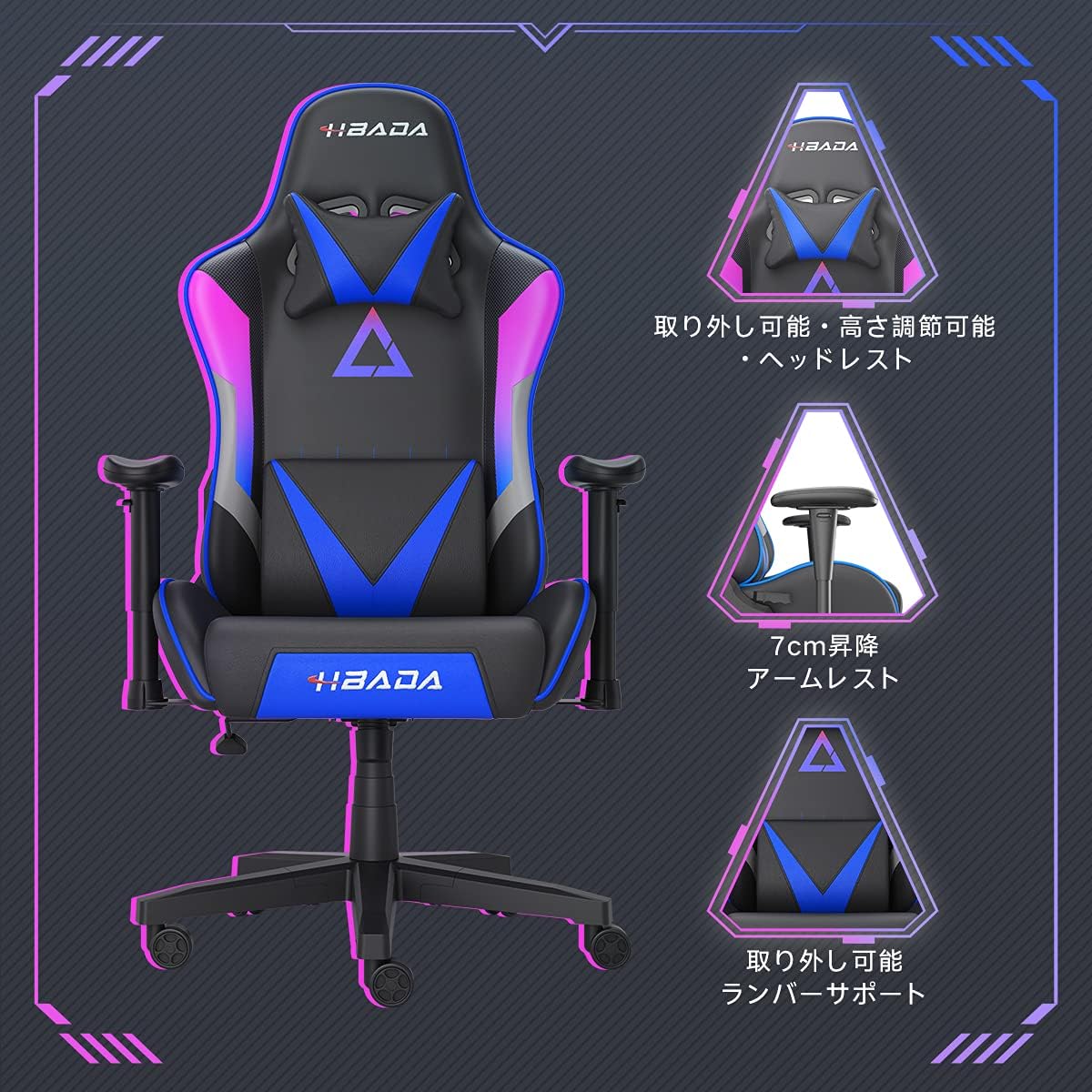
5.2 pav.: Išsamus view of the adjustable headrest, lifting armrests, and removable lumbar support.
5.5. Pasukimo funkcija
Kėdė turi 360 laipsnių pasukimo funkciją, leidžiančią lengvai pasisukti nejudinant pagrindo.
6. Priežiūra
- Valymas: The chair's synthetic leather (PU) material can be wiped clean with a damp skudurėliu. Venkite stiprių cheminių medžiagų ar abrazyvinių valiklių.
- Tvirtinimo detalės: Periodically check all screws and bolts to ensure they remain tight. Retighten as necessary to maintain stability and prevent squeaking.
- Ratukai: Keep the casters free of hair and debris to ensure smooth movement.
7. Problemų sprendimas
- Kėdės girgždesys: Check and tighten all assembly screws. Applying a small amount of lubricant to moving metal parts (like the mechanism plate) may help.
- Aukščio reguliavimas neveikia: Ensure the gas lift lever is fully engaged. If the issue persists, the gas lift cylinder may need replacement. Contact customer service.
- Kėdė nestabili: Verify that the star base is correctly assembled and all casters are fully inserted. Ensure all screws are tightened.
- Ratukai nerieda sklandžiai: Clean any debris (hair, dust) from the caster wheels.
For issues not listed here or persistent problems, please contact Hbada customer service.
8. Specifikacijos

Image 8.1: Key dimensions of the Hbada W203 Gaming Chair.
| Funkcija | Detalė |
|---|---|
| Modelio pavadinimas | Hbada W203 |
| Gaminio matmenys (D x P x A) | 70 x 70 x 128 cm (27.6 x 27.6 x 50.4 colio) |
| Reguliuojamas sėdynės aukštis | 40–48 cm (15.7–18.9 colių) |
| Prekės svoris | 22.5 kg (49.6 svaro) |
| Didžiausia apkrova | 150 kg (330.7 svaro) |
| Medžiaga | Synthetic leather (PU upholstery), Metal (frame), Reinforced Nylon Resin (base), High-density Urethane Foam (cushion), Silent PU Nylon Casters |
| Atlošo kampas | Up to 155 degrees with 17-degree locking |
| Porankio reguliavimas | Lifting (approx. 7 cm range) |
| Ypatingos savybės | Adjustable Lumbar Support, Ergonomic Design |

Image 8.2: Internal construction details, showing high-density foam and a robust metal frame.
9. Garantija ir palaikymas
The Hbada W203 Gaming Chair comes with a 1 metų garantinis aptarnavimas. This warranty covers initial defects and manufacturing faults.
If you encounter any initial defects, malfunctions, or have any concerns regarding your product, please contact our customer service center. Our support team aims to respond within 24 hours and will assist with free exchanges or repairs as applicable.
For customer service inquiries, please refer to the contact information provided on your purchase receipt or the official Hbada websvetainę.