
1. Įvadas
Ačiū, kad pirkoteasing the AUKEY PC-LM3 WebŠiame vadove pateikiamos išsamios instrukcijos, kaip nustatyti, valdyti ir prižiūrėti jūsų webcam. Please read this manual thoroughly before use and retain it for future reference.
2. Saugos informacija
- Laikykite webcam away from water, moisture, and extreme temperatures.
- Nebandykite patys ardyti ar taisyti įrenginio. Visus techninės priežiūros darbus patikėkite kvalifikuotiems specialistams.
- Venkite numesti ar kitaip paveikti websmūgiams.
- Clean the lens with a soft, dry cloth. Do not use liquid cleaners.
3. Pakuotės turinys
Prašome patikrinti, ar pakuotėje yra visi reikalingi daiktai:
- AUKEY PC-LM3 Webkumštelis
- Vartotojo vadovas
- USB laidas (integruotas)
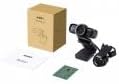
Image 1: Contents of the AUKEY PC-LM3 Webcam package, showing the webcam, manual, and packaging.
4. Produktas baigtasview
The AUKEY PC-LM3 is a 1080p USB 2.0 webcam designed for high-quality video communication and recording. It features a CMOS sensor and 5x optical zoom capability, providing clear and detailed visuals.
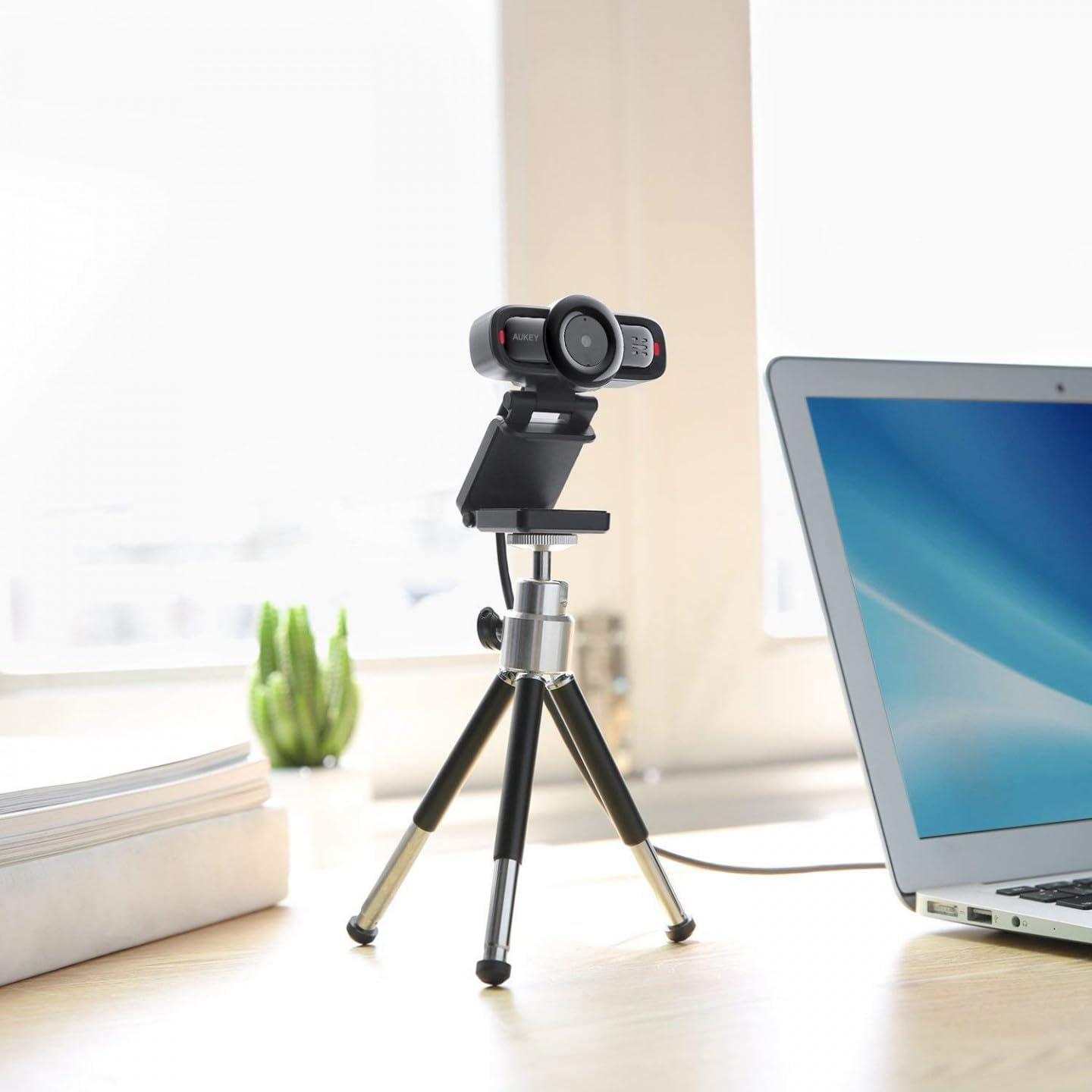
Image 2: AUKEY PC-LM3 Webcam in use, demonstrating its compact design and mounting flexibility on a tripod.
Pagrindinės funkcijos:
- Full HD 1080p video recording
- CMOS sensor for clear images
- USB 2.0 connectivity for universal compatibility
- 5x optical zoom for detailed framing
- Integrated microphone for audio capture
- Adjustable clip for versatile mounting options
5. Sąranka
5.1 Placing the Webkumštelis
- Monitoriuje: Unfold the clip and place the webcam on top of your monitor or laptop screen. Adjust the clip to secure it firmly.
- Ant trikojo: The webcam features a standard tripod thread. Mount it onto a compatible tripod for more flexible positioning.
- Ant lygaus paviršiaus: Fold the clip to form a stable stand and place the webkamerą ant stalo ar kito lygaus paviršiaus.
5.2 Prijungimas prie kompiuterio
- Prijunkite USB jungtį webprijunkite kamerą prie laisvo USB 2.0 arba 3.0 prievado kompiuteryje.
- Jūsų kompiuteris turėtų automatiškai aptikti ir įdiegti reikiamas tvarkykles. Šis procesas gali užtrukti kelias akimirkas.
- Įdiegus, webcam will be ready for use with video conferencing software or recording applications.
Pastaba: No additional software or drivers are typically required for Windows, macOS, or Linux operating systems.
6. Valdymas Webkumštelis
6.1 Vaizdo konferencijų programinės įrangos naudojimas
To use the AUKEY PC-LM3 webcam with applications like Zoom, Skype, Microsoft Teams, or Google Meet:
- Atidarykite pageidaujamą vaizdo konferencijų programą.
- Navigate to the application's settings or preferences (usually found under "Audio & Video" or "Devices").
- Select "AUKEY PC-LM3" as your video input device.
- Select "AUKEY PC-LM3 Microphone" (or similar) as your audio input device, if applicable.
- Adjust any video settings such as resolution or brightness within the application if available.
6.2 Vaizdo įrašymas
To record video using the webcam, use your computer's built-in camera application (e.g., Camera app on Windows, Photo Booth on macOS) or third-party recording software. Ensure the AUKEY PC-LM3 is selected as the video source.
6.3 colio optinis priartinimas
The webcam features 5x optical zoom. This function is typically controlled via software. Check your video conferencing or recording application for zoom controls. If not available, third-party webcam control software may offer this functionality.
7. Priežiūra
7.1 Valymas Webkumštelis
- Užtikrinti, webkamera yra atjungta nuo kompiuterio prieš valant.
- Use a soft, lint-free cloth to gently wipe the lens and body of the webkumštelis.
- For stubborn smudges on the lens, slightly dampen the cloth with water or a lens cleaning solution, then wipe gently. Avoid excessive moisture.
- Nenaudokite stiprių cheminių medžiagų, abrazyvinių valiklių ar tirpiklių.
7.2 Saugykla
Kai nenaudojate, laikykite webcam in a cool, dry place, away from direct sunlight and dust. Consider using a privacy cover (if included or purchased separately) to protect the lens and ensure privacy.
8. Problemų sprendimas
| Problema | Sprendimas |
|---|---|
| WebKompiuteris neaptiko kameros. |
|
| Nėra vaizdo išvesties. |
|
| Prasta vaizdo kokybė. |
|
9. Specifikacijos
| Funkcija | Detalė |
|---|---|
| Modelis | PC-LM3 |
| Vaizdo raiška | 1920 x 1080 pikselių (1080p) |
| Jutiklio technologija | CMOS |
| Ryšys | USB 2.0 |
| Optinis priartinimas | 5x |
| Vaizdo įrašymo formatas | MP4, AVI |
| Palaikomas garso formatas | AAC, MP3 |
| Matmenys (I x P x A) | 7.7 x 7.2 x 4.6 cm |
| Svoris | 130 gramų |
| Spalva | Juoda |
10. Garantija ir klientų aptarnavimas
AUKEY products are covered by a limited warranty from the date of purchase. For specific warranty terms and conditions, please refer to the warranty card included with your product or visit the official AUKEY websvetainę.
If you encounter any issues or have questions regarding your AUKEY PC-LM3 Webcam, please contact AUKEY customer support for assistance. Contact information can typically be found on the official AUKEY websvetainėje arba garantijos kortelėje.