
1. Įvadas
This manual provides detailed instructions for the installation, operation, and maintenance of your Ctronics 4G LTE PTZ Outdoor Security Camera, Model 285C-4G. This camera is designed for outdoor surveillance in areas without Wi-Fi access, utilizing 3G/4G LTE cellular networks. It features pan-tilt-zoom capabilities, advanced human detection, color night vision, and two-way audio communication.
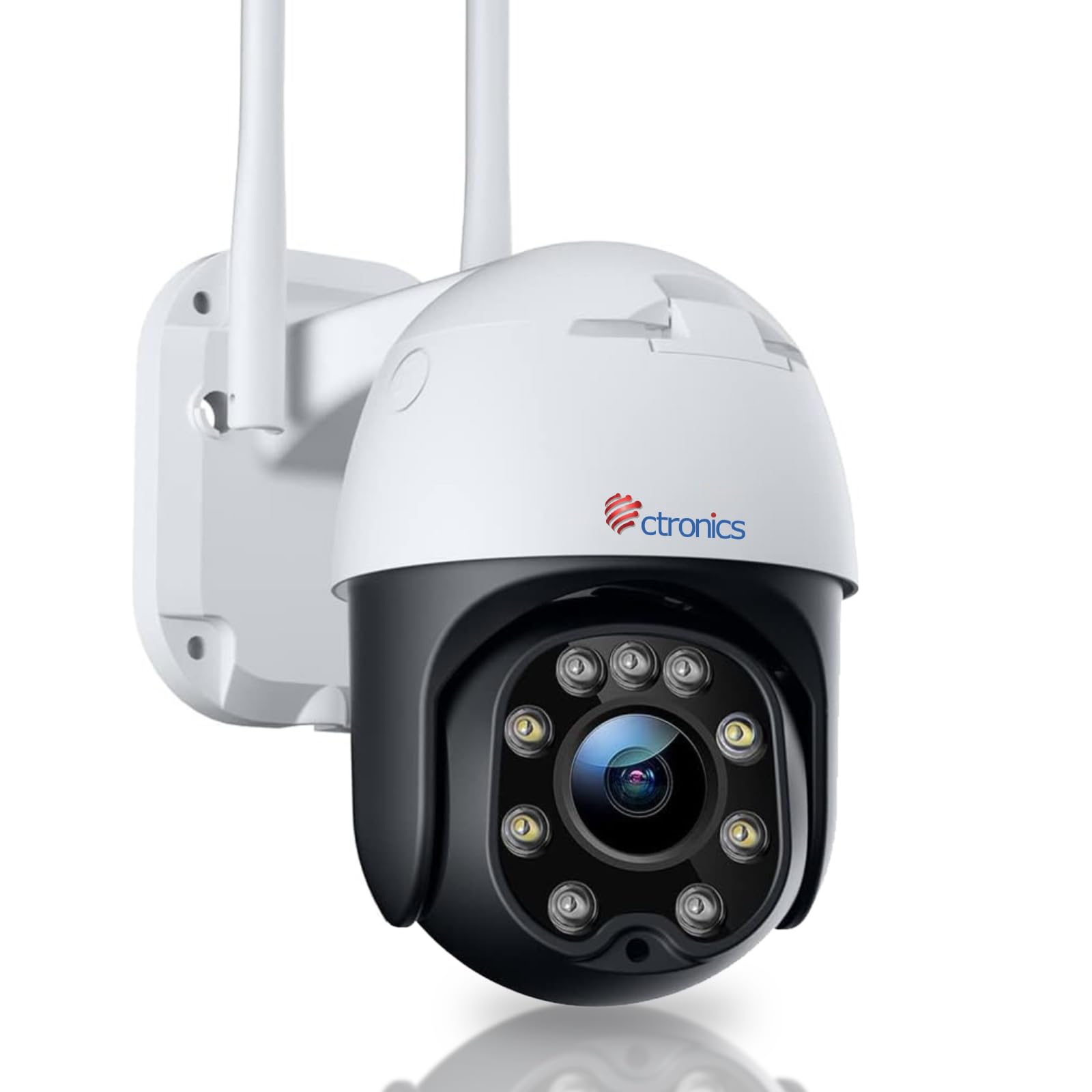
Image: The Ctronics 4G LTE PTZ Outdoor Security Camera, showcasing its dual antennas and robust design, suitable for outdoor environments with 3G/4G LTE connectivity.
2. Sąranka
2.1 Į komplektą įeinantys komponentai
- Ctronics 4G LTE PTZ Outdoor Security Camera
- Instrukcijų vadovas
- Tvirtinimo varžtai
- Stand/Mounting Bracket
- Maitinimo adapteris
- NANO 300M SIM card (for 7 days, included in some packages)
2.2 SIM kortelės montavimas
- Locate the SIM card slot on the camera. This is typically protected by a waterproof cover.
- Carefully open the cover using a screwdriver if necessary.
- Insert a NANO SIM card into the designated slot. Ensure the SIM card is correctly oriented according to the diagram near the slot.
- Close the waterproof cover securely to prevent water ingress.
2.3 Maitinimo jungtis
Connect the provided power adapter to the camera's power input port and then plug it into a suitable power outlet. The camera will power on automatically.
2.4 Fotoaparato montavimas
The camera is designed for wall mounting. Choose a location that provides optimal viewing coverage and has a stable surface for installation.
- Use the mounting template (if provided) or the camera's base to mark the drill holes on the wall.
- Jei reikia, išgręžkite kreipiamąsias skyles ir įstatykite sieninius inkarus.
- Pritvirtinkite tvirtinimo laikiklį prie sienos naudodami pateiktus varžtus.
- Pritvirtinkite kamerą prie tvirtinimo laikiklio, užtikrindami, kad ji tvirtai laikytųsi.

Image: The Ctronics camera mounted on a wall, illustrating its pan and tilt capabilities for wide area coverage.
2.5 Programėlės diegimas ir pradinė sąranka
Download the "HiP2P" or "CTRONICS" application from your mobile device's app store (iOS/Android) or install the PC client for Windows. Follow the in-app instructions to add your camera by scanning the QR code or manually entering the device ID.

Image: The Ctronics camera interface displayed on a laptop, tablet, and smartphone, demonstrating remote access capabilities across various devices.
3. Operacinis
3.1 Pasukimo, pakreipimo ir priartinimo (PTZ) valdymas
Through the mobile app or PC client, you can remotely control the camera's movement:
- Pan: Pasukite kamerą horizontaliai iki 355 laipsnių.
- Pakreipti: Vertikaliai reguliuokite kamerą iki 90 laipsnių.
- Mastelio keitimas: Use digital zoom features within the app to magnify the view.
3.2 Žmonių aptikimas ir automatinis sekimas
The camera features an integrated AI algorithm for intelligent human recognition. This minimizes false alarms caused by environmental factors like rain, leaves, animals, or insects. When a human is detected, the camera can automatically track their movement within its field of view.
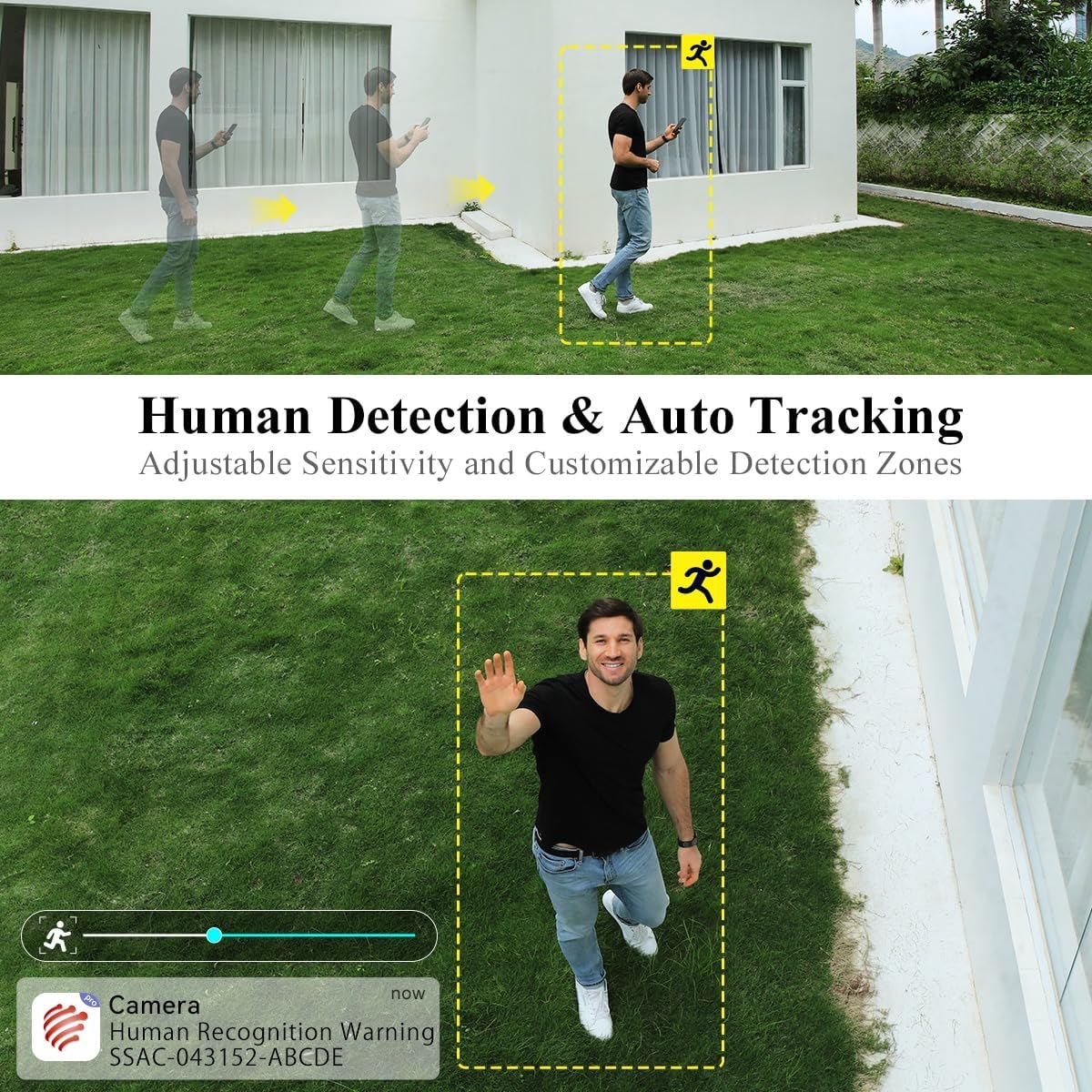
Image: A person walking in the camera's view, with a yellow box highlighting human detection and an arrow indicating auto-tracking functionality.
3.3 Naktinio matymo režimai
Kamera turi du naktinio matymo režimus:
- Spalvotas naktinis matymas: With a dual light source design (4 spotlights and 5 infrared lights), the camera can display vivid color images in complete darkness up to 20 meters.
- Infraraudonųjų spindulių nakties vizija: Užtikrina aiškius nespalvotus vaizdus esant prastam apšvietimui.

Image: The Ctronics camera illuminating a dark outdoor scene with its spotlights, demonstrating its color night vision capability.
3.4 Dvipusis garsas
The built-in microphone and speaker enable real-time two-way communication. You can listen to the camera's surroundings and speak through the camera to visitors or intruders.
3.5 Saugojimo parinktys
Kamera palaiko kelis saugojimo būdus:
- SD kortelė: Supports local storage on an SD card up to 64GB (not included).
- Saugykla debesyje: Optional cloud storage services may be available (check app for details).
- FTP/NAS: Supports FTP and NAS for external storage solutions.
3.6 Nuotolinė prieiga
The camera utilizes P2P (Peer-to-Peer) service, allowing you to access live video feeds and recorded footage from your mobile phone or PC anytime, anywhere, as long as the camera has 4G connectivity.
4. Priežiūra
4.1 Atsparumas oro sąlygoms
The Ctronics 4G LTE PTZ camera has an IP66 rating, indicating it is weatherproof and protected against dust and powerful water jets. This ensures reliable operation in various outdoor weather conditions.

Image: The Ctronics camera being exposed to rain, illustrating its IP66 water resistance for outdoor use.
4.2 Valymas
To maintain optimal image quality, periodically clean the camera lens and housing. Use a soft, damp skudurėliu. Venkite abrazyvinių valiklių ar tirpiklių, kurie gali pažeisti fotoaparato paviršių ar objektyvo dangą.
4.3 Firmware atnaujinimai
Check the Ctronics app or official website regularly for firmware updates. Keeping your camera's firmware updated ensures optimal performance, security, and access to new features.
5. Problemų sprendimas
5.1 No 4G Signal or Connectivity Issues
- Ensure the NANO SIM card is correctly inserted and activated with a data plan.
- Check the 4G signal strength in the camera's location using your mobile phone. If the signal is weak, consider relocating the camera or using a 4G signal booster.
- Verify the APN settings in the camera's app configuration match your SIM card provider's settings.
- Restart the camera by disconnecting and reconnecting the power.
5.2 Kamera neprisijungia prie programėlės
- Ensure the camera is powered on and the 4G signal is stable.
- Verify you have entered the correct device ID or scanned the correct QR code.
- Atnaujinkite programą į naujausią versiją.
- Try resetting the camera to factory defaults (refer to the specific reset button location in the quick start guide).
5.3 Dažni klaidingi aliarmai
- Programėlėje koreguokite judesio aptikimo jautrumo nustatymus.
- Apibrėžkite konkrečias aptikimo zonas, kad būtų išvengta vietų, kuriose dažnai nejuda žmonės (pvz., siūbuojantys medžiai).
- Ensure the human detection feature is enabled if you only want alerts for people.
5.4 Prasta naktinio matymo kokybė
- Nuvalykite fotoaparato objektyvą, kad pašalintumėte nešvarumus ar dėmes.
- Ensure there are no obstructions blocking the infrared lights or spotlights.
- Check if the night vision mode is set correctly in the app (color or infrared).
6. Specifikacijos
| Prekės ženklas | Ctronics |
| Modelio pavadinimas | 285C–4G |
| Montavimo tipas | Sieninis laikiklis |
| Vaizdo įrašymo raiška | 1080p |
| Kanalų skaičius | 1 |
| Belaidžio ryšio technologija | Mobilusis ryšys (3G/4G LTE) |
| Formos faktorius | Kupolas |
| Efektyvi vaizdo raiška | 1080 |
| Viewing kampas | 90 laipsnių |
| Diegimo tipas | Įsukimas |
| Naktinio matymo diapazonas | 30 metrai |
| Kadrų dažnis | 15 kadrų per sekundę |
| Medžiaga | Akrilnitrilo butadieno stirenas (ABS) |
| ttage | 12 voltų |
| Vattage | 12 vatų |
| Prekės matmenys (I x P x A) | 30 x 30 x 30 milimetrų |
| Atsparumo vandeniui lygis | Atsparus vandeniui (IP66) |
| Gamintojas | Ctronics |
| Prekės modelio numeris | 285C–4G |
| Dydis | 1 Unit (Pack of 1) |
| Naudojimas | 360-degree coverage, Surveillance |
| Baterijos įtrauktos? | Nr |
| Reikalingos baterijos? | Nr |
| Rekomenduojamos produkto taikymo sritys | Lauko apsauga |
| Ryšio technologija | Bevielis |
| Ypatingos savybės | Night Vision, PTZ, Human Detection, Two-Way Audio |
| Naudojimas viduje / lauke | Lauke |
| Suderinami įrenginiai | Smartphone (iOS/Android), PC (Windows) |
| Maitinimo šaltinis | Su laidu elektra |
| Ryšio protokolas | P2P |
| Valdiklio tipas | Android, iOS, Windows App |
7. Garantija ir palaikymas
7.1 Informacija apie garantiją
Please refer to the warranty card included with your product or visit the official Ctronics webIšsamias garantijos sąlygas ir nuostatas rasite svetainėje. Garantija paprastai apima gamybos defektus tam tikrą laikotarpį nuo įsigijimo datos.
7.2 Pagalba klientams
For technical assistance, troubleshooting, or any product-related inquiries, please contact Ctronics customer support. You can usually find contact information (email, phone, or live chat) on the official Ctronics website. When contacting support, please have your product model number (285C-4G) and purchase details ready.
For additional resources, including FAQs and updated manuals, visit the Ctronics official websvetainė: www.ctronics.com