
1. Įvadas ir pabaigaview
The usogood DL502 Trail Camera is a reliable and feature-rich device designed for observing wildlife, monitoring property, and various outdoor surveillance applications. It captures high-resolution photos and videos with sound, both day and night, utilizing advanced technologies like infrared night vision and motion detection. This manual provides essential information for setting up, operating, and maintaining your camera.
2. Produkto ypatybės
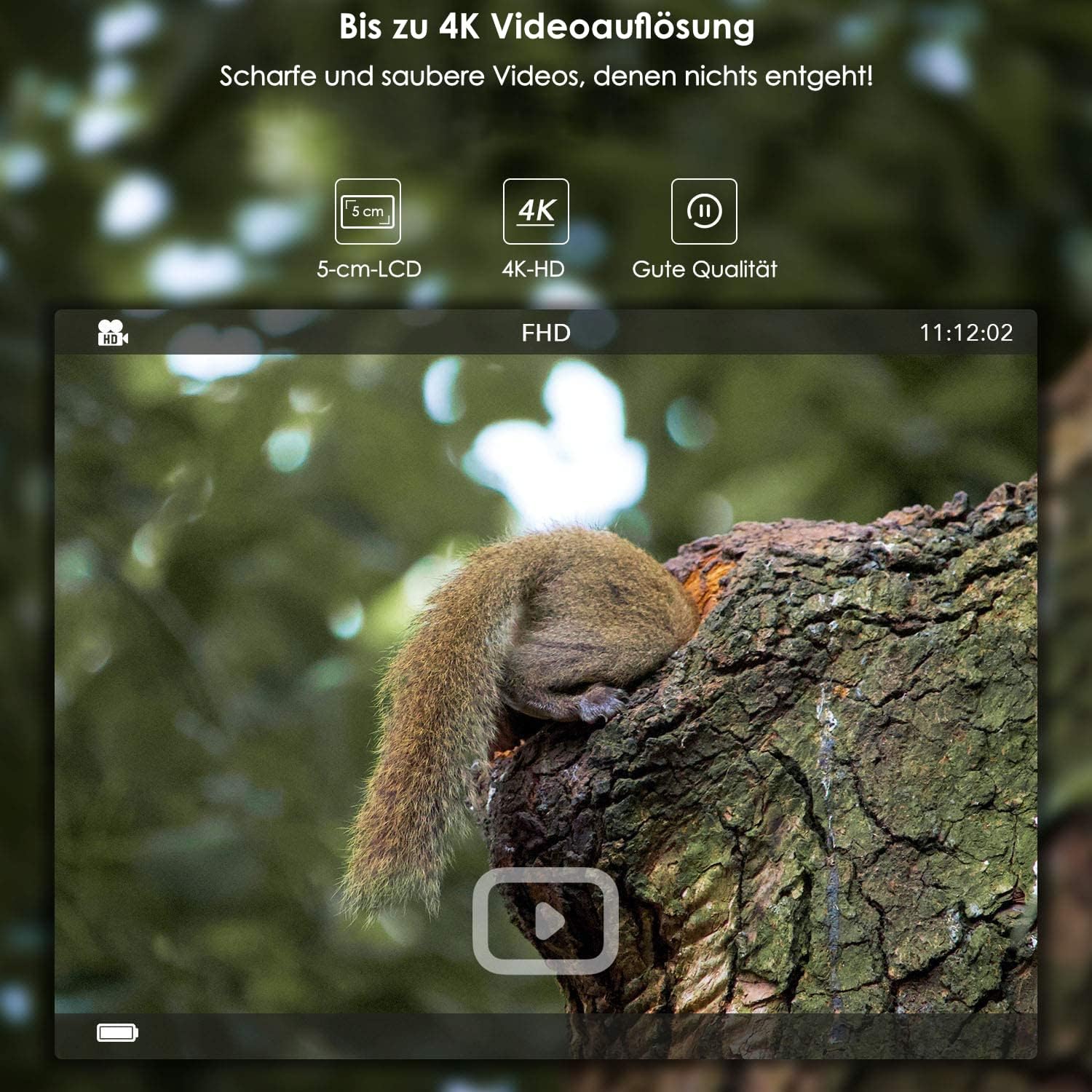
- Didelės raiškos vaizdavimas: Captures photos up to 24 MP (interpolated) and videos up to 4K (3840 x 2160).
- Integruotas „Wi-Fi“ ir „Bluetooth“: Allows for wireless settings adjustment, control, and image transfer via a smartphone application (Android and iOS). Bluetooth activates WiFi for energy efficiency.
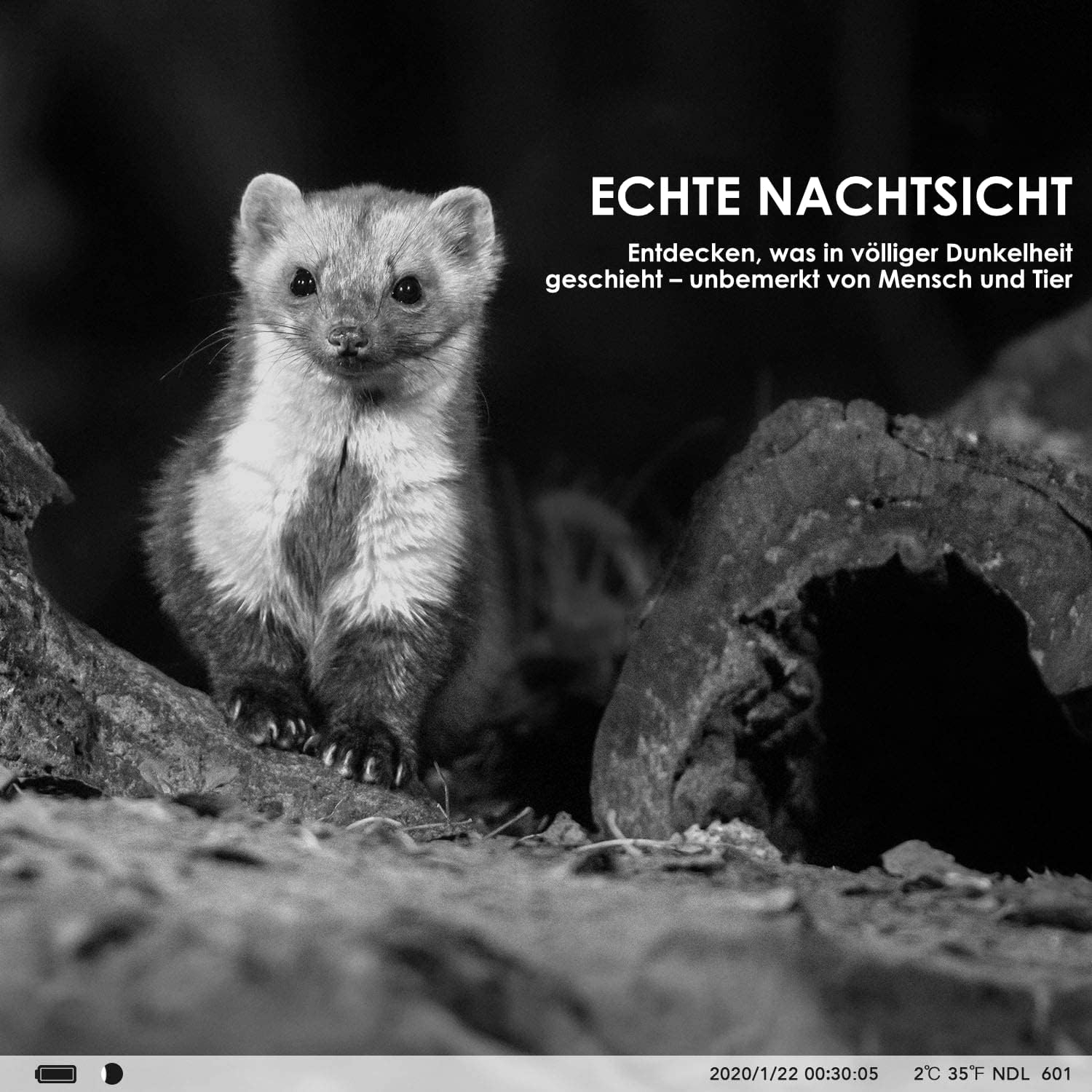
- Pažangus naktinis matymas: Features invisible 940nm IR LEDs for illumination up to 20 meters, ensuring clear black and white images in complete darkness without disturbing animals.
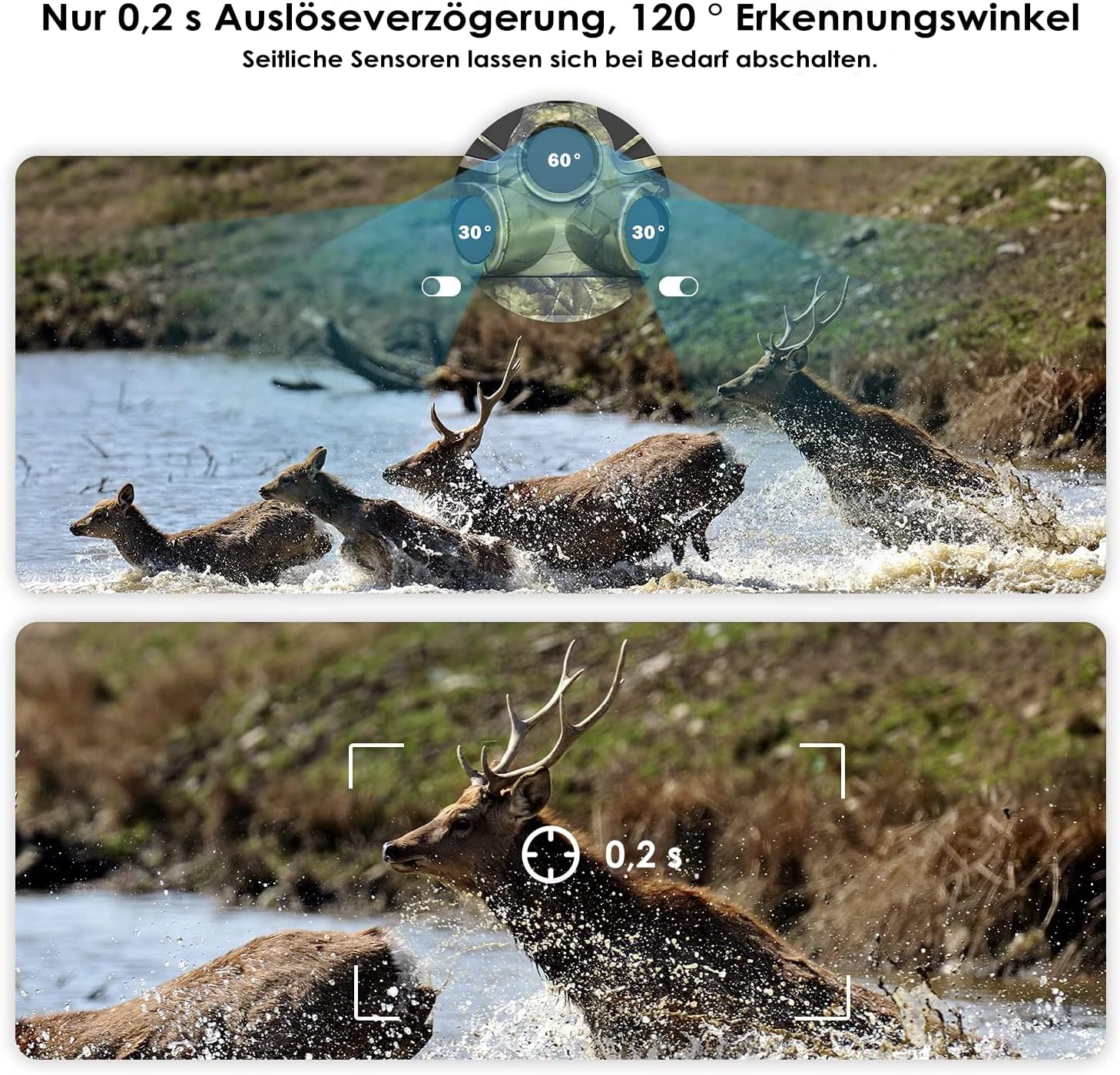
- Greitas judesio aptikimas: Equipped with three separate PIR motion detectors, offering a rapid 0.2-second trigger delay and a wide 120° detection angle.
- Patvarus dizainas: IP66 dust and water-resistant, suitable for various weather conditions.
- Integruotas LCD ekranas: A protected 5 cm (2-inch) LCD screen for easy menu navigation and playback.
- Lanksčios maitinimo parinktys: Operates on 8 standard AA batteries or can be connected to an external power supply (3.5 x 1.35 mm).
- Laiko intervalo funkcija: Ideal for monitoring plant growth, construction progress, or other long-term events.
- Laikuamp: Photos and videos include a timestamp with time, date, temperature, and moon phase.
- Saugykla: Supports SD memory cards up to 128 GB (card sold separately).
3. Pakuotės turinys
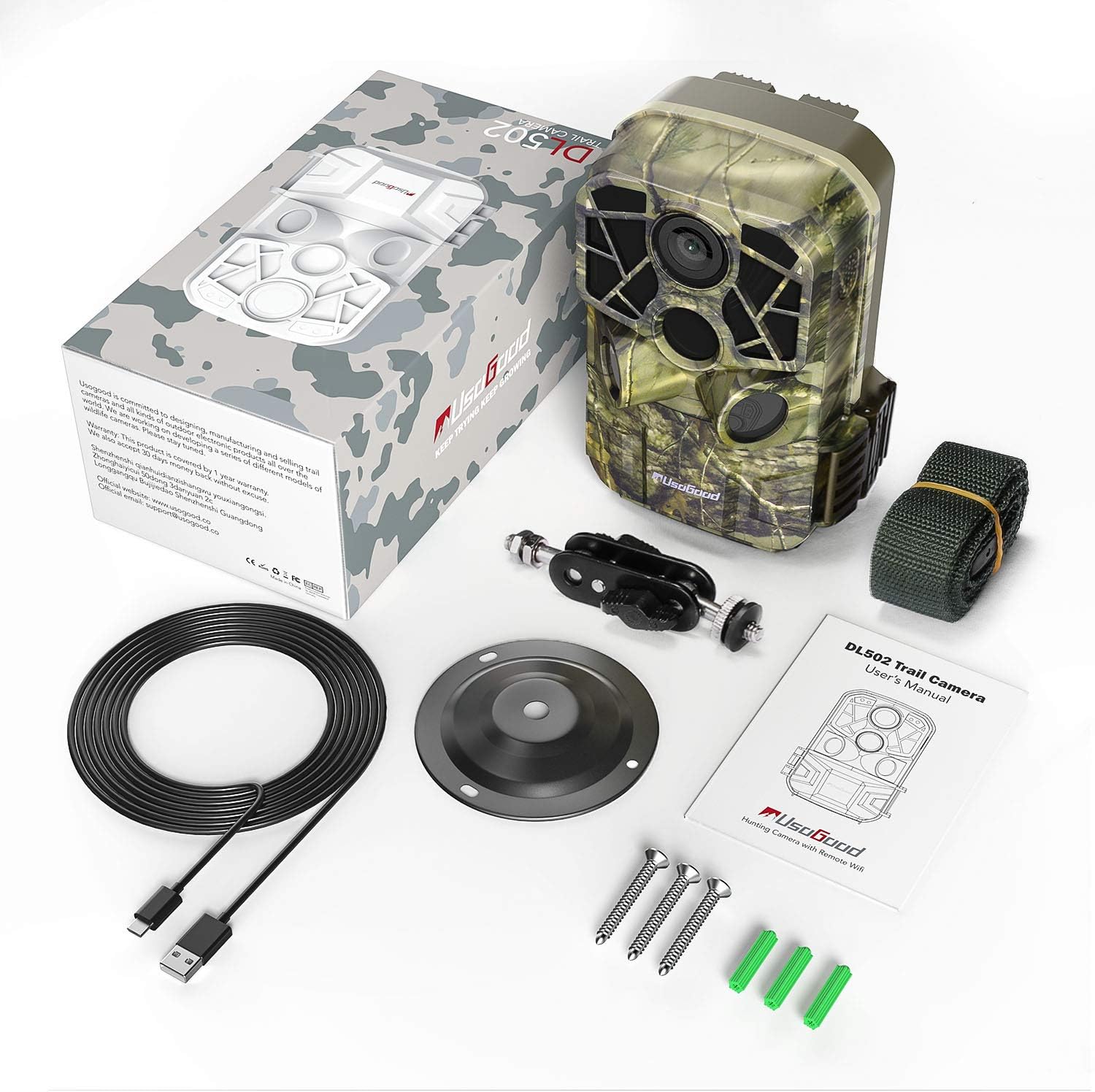
Prašome patikrinti, ar pakuotėje yra visi reikalingi daiktai:
- usogood DL502 Trail Camera
- Tvirtinimo dirželis
- Wall/Tree Mount
- Sraigtai ir sieniniai kištukai
- USB kabelis
- Vartotojo vadovas

4. Sąranka
4.1 Akumuliatoriaus įdėjimas
- Open the camera housing and locate the battery compartment.
- Įdėkite 8 naujas AA baterijas, užtikrindami teisingą poliškumą (+/-).
- Close the battery compartment securely to maintain the camera's waterproof rating.
4.2 SD kortelės įdiegimas
- Locate the SD card slot inside the camera housing.
- Insert a formatted SD card (up to 128 GB) into the slot until it clicks into place.
- Ensure the card is inserted correctly to avoid damage.
4.3 Fotoaparato montavimas
The camera can be mounted using the provided strap or wall/tree mount.
- Dirželio tvirtinimas: Thread the mounting strap through the slots on the back of the camera and secure it around a tree or pole.
- Wall/Tree Mount: Use the included screws and wall plugs to attach the mount to a desired surface. Then, attach the camera to the mount using the adjustable screw.

5. Naudojimo instrukcijos
5.1 Maitinimo įjungimas/išjungimas
Locate the power switch inside the camera housing. Slide it to the 'ON' position to power on the camera. To turn off, slide the switch to 'OFF'.
5.2 Meniu naršymas
Use the buttons next to the 5 cm LCD screen to navigate through the camera's menu. The screen allows you to adjust settings, review captured media, and select operating modes.
5.3 Nuotraukų ir vaizdo įrašų režimai
Select your desired capture mode (photo, video, or photo+video) from the menu. Adjust resolution settings for photos (up to 24MP) and videos (up to 4K) as needed.

5.4 WiFi and Bluetooth Connection (App)
Norėdami prijungti fotoaparatą prie išmaniojo telefono:
- Download the dedicated usogood app from your smartphone's app store (Android or iOS).
- Įsitikinkite, kad jūsų išmaniajame telefone įjungtas „Bluetooth“.
- On the camera, activate Bluetooth. This will then enable the camera's WiFi.
- Open the app on your smartphone and follow the instructions to connect to the camera's WiFi network.
- Prisijungę galite koreguoti nustatymus, view live feed, and transfer images/videos wirelessly.

5.5 PIR Sensor Settings
The camera features three PIR sensors with an adjustable detection angle from 60° to 120°. You can configure the sensitivity and detection range in the camera's menu to optimize for your specific monitoring area.
5.6 Naktinis matymas
The camera automatically activates its infrared filter and 940nm invisible IR LEDs in low-light conditions, providing clear black and white images and videos at night without emitting a visible red glow that could alert animals.
5.7 Laiko intervalo funkcija
Enable the time-lapse function in the settings to capture images at set intervals over an extended period. This is useful for observing slow processes like plant growth or construction projects.
6. Priežiūra
- Valymas: Regularly clean the camera lens and PIR sensors with a soft, dry cloth to ensure optimal performance. Avoid abrasive materials or harsh chemicals.
- Baterijos keitimas: Replace all 8 AA batteries when the low battery indicator appears or when performance degrades.
- SD kortelės tvarkymas: Periodically format your SD card to prevent data corruption and ensure sufficient storage space. Back up important files prieš formatavimą.
- Saugykla: When not in use for extended periods, remove the batteries and store the camera in a cool, dry place away from direct sunlight.
7. Problemų sprendimas
- Kamera neįsijungia: Ensure batteries are inserted correctly with proper polarity and are fully charged. Check for any corrosion in the battery compartment.
- Prasta vaizdo / vaizdo kokybė: Clean the camera lens. Ensure the camera is stable and not vibrating. Check resolution settings. For night images, ensure IR LEDs are not obstructed and the subject is within range.
- Nėra judesio aptikimo: Adjust PIR sensor sensitivity in the settings. Ensure the detection angle covers the desired area. Clear any obstructions in front of the sensors.
- „Wi-Fi“ / „Bluetooth“ ryšio problemos: Ensure Bluetooth is enabled on your smartphone and the camera. Follow the app's connection steps carefully. Try restarting both the camera and your smartphone. Ensure you are within range of the camera's WiFi signal.
- SD kortelės klaidos: Ensure the SD card is properly inserted and formatted. Try using a different, compatible SD card.
8. Specifikacijos
| Funkcija | Specifikacija |
|---|---|
| Nuotraukų raiška | Iki 24 MP |
| Vaizdo raiška | Iki 4K (3840 x 2160) |
| Ryšys | WiFi, Bluetooth |
| Naktinis matymas | 940nm Invisible IR LEDs, 20m Range |
| Trigerio greitis | 0.2 sekundžių |
| PIR aptikimo kampas | 120 degrees (Adjustable) |
| Ekranas | 5 cm (2-inch) LCD Screen |
| Sandėliavimas | SD Card up to 128 GB |
| Maitinimo šaltinis | 8x AA Batteries or External 3.5 x 1.35 mm Power Supply |
| Atsparumo vandeniui įvertinimas | IP66 |
| Rekomenduojamas naudojimas | Motion Detection, Hunting, Night Vision, Wildlife Monitoring |
9. Informacija apie garantiją
For detailed warranty information regarding your usogood DL502 Trail Camera, please refer to the warranty card included in your product packaging or visit the official usogood websvetainėje. Išsaugokite pirkimo įrodymą, jei prireiktų pateikti garantinį ieškinį.
10. Parama
If you encounter any issues or require further assistance with your usogood DL502 Trail Camera, please contact usogood customer support. You can typically find contact information on the official usogood websvetainėje arba savo produkto dokumentacijoje.


