
Įvadas
The usogood DL503 Trail Camera is designed for wildlife monitoring and outdoor security, capturing high-resolution photos and videos. It features 4K video recording, 30MP still images, no-glow night vision, motion activation, and IP66 waterproofing. Integrated WiFi and Bluetooth connectivity allow for convenient control and media transfer via a smartphone application.
Pakuotės turinys
Patikrinkite, ar pakuotėje yra visi toliau išvardyti daiktai:
- 1 x Usogood DL503 Trail Camera
- 1 x Installation Strap
- 1 x Wall-mounted Holder
- 1x USB laidas
- 1 x Vartotojo vadovas
- 3 x Varžtai
- 3 x guminiai kamščiai

Image: The complete package contents, including the camera, strap, wall mount, USB cable, manual, screws, and rubber stoppers.
Produktas baigtasview
The DL503 trail camera is equipped with advanced features for reliable outdoor monitoring:
- Didelės raiškos vaizdavimas: Captures 30MP still photos and records 4K/30fps video with audio, ensuring clear and detailed documentation.
- Belaidis ryšys: Built-in WiFi and Bluetooth allow for remote parameter setting and media transfer to a smartphone via the 'Hunting 4K' app.
- Greitas paleidimo greitis: A 0.2-second trigger speed and 10-image multi-shot function ensure quick capture of detected motion.
- Platus aptikimo kampas: Adjustable 120° wide-angle detection with programmable PIR intervals to optimize capture efficiency.
- Nematomas naktinis matymas: Features 38pcs 940nm invisible IR LEDs for clear black-and-white images and videos at night without visible light, with a range of 65 feet.
- Patvarus ir atsparus vandeniui: IP66 waterproof rating protects the camera from dust, rain, and snow, suitable for various outdoor conditions.
- Time-lapse Function: Records changes over extended periods, such as plant growth.

Image: The trail camera in action, capturing images of different animals in their natural habitats.

Image: The camera's IP66 waterproof design ensures functionality in adverse weather conditions.
Sąranka
1. Akumuliatoriaus įdėjimas
The camera requires 8x 1.5V AA batteries for internal power. Open the battery compartment and insert the batteries, ensuring correct polarity. For external power, a 6V 2A power supply is required.
2. SD kortelės diegimas
Insert a TF (microSD) card (up to 128GB, not included) into the designated slot. Ensure the camera is powered off before inserting or removing the SD card.
3. Kameros montavimas
Use the provided installation strap to secure the camera to a tree or pole. Alternatively, use the wall-mounted holder, screws, and rubber stoppers to fix the camera to a flat surface. Adjust the camera's position to cover the desired monitoring area.
Naudojimo instrukcijos
Pagrindinė operacija
Power on the camera using the power switch. Use the 2.4-inch LCD screen and navigation buttons to access the menu and adjust settings. The camera supports various modes including photo, video, and photo+video.
WiFi Connection Method (APP Control)
To connect your smartphone to the camera via WiFi:
- Under setup mode on the camera, press and hold the 'up' button for 3 seconds. The camera screen will display the Wi-Fi connection interface, and the indicator light will flash alternately.
- On your phone, open settings and search for the WiFi network named 'Hunting 4K'. Connect to it using the password: 12345678.
- Open the 'Hunting 4K' app on your phone, click 'Skip', and then click '+'. The camera and phone should now be successfully connected.
Note: WiFi connection has a distance limit of approximately 10 meters, which may vary based on environmental interference. The WiFi auto-off function is designed for energy saving.
Bluetooth ryšio būdas
To initiate connection via Bluetooth:
- Open the 'Hunting 4K' app on your phone and click 'turn on the Bluetooth'. A device list will appear on the app interface. Click on the camera's Bluetooth entry in the list.
- Click 'Turn on the WiFi' within the app. Then, open your phone settings and connect to the WiFi network named 'Hunting 4K' using the password: 12345678.
- Return to the 'Hunting 4K' app and click on the '+'. The camera and phone should now be successfully connected.
Tip: Press any key on the camera to light up the screen when it is dark; it will display a successful connection message.

Image: The camera's WiFi and Bluetooth function allows remote viewing and management of photos and videos on a smartphone.
Kameros nustatymai
Access the camera's menu to configure various settings:
- Nuotraukos raiška: Select from 30MP, 24MP, 20MP, 16MP, 12MP, 8MP, 5MP, 3MP, or 1MP.
- Vaizdo įrašo raiška: Choose from 4K, 2K, 1296P, 1080P, 720P, 480P, or 360P.
- PIR jautrumas: Adjust to adapt to different temperatures and weather conditions, reducing invalid triggers.
- Aptikimo kampas: Switch side sensors on or off to set the detection angle from 60° to 120°.
- Time-lapse Function: Enable to record changes over time.
- Kiti nustatymai: Configure date/time, password protection, and more.
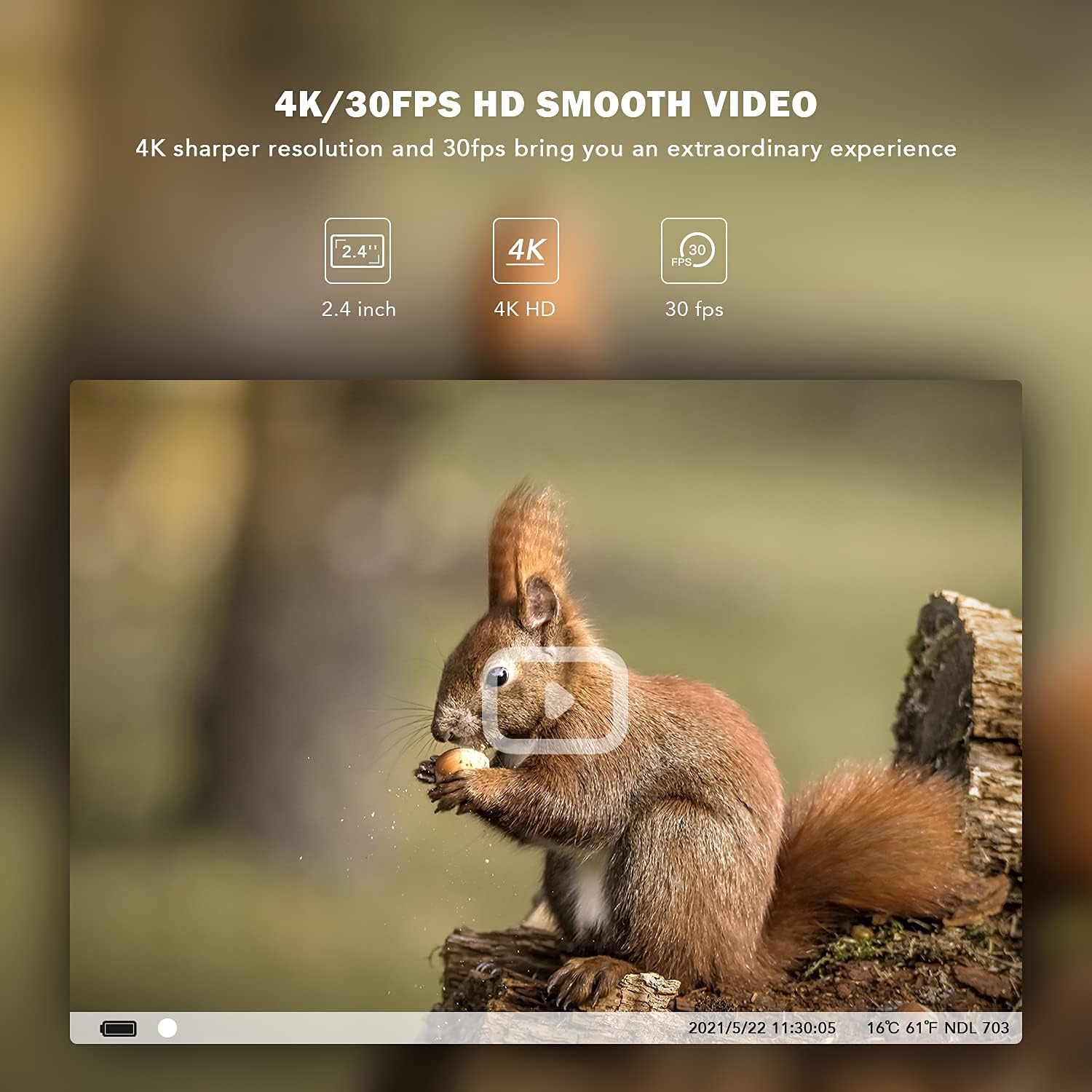
Vaizdas: pvzample of 4K/30fps smooth video capture, showing a squirrel.

Image: A visual comparison demonstrating the clarity of 30MP image resolution versus 20MP.

Image: The camera provides clear images both during the day and with its infrared night vision.
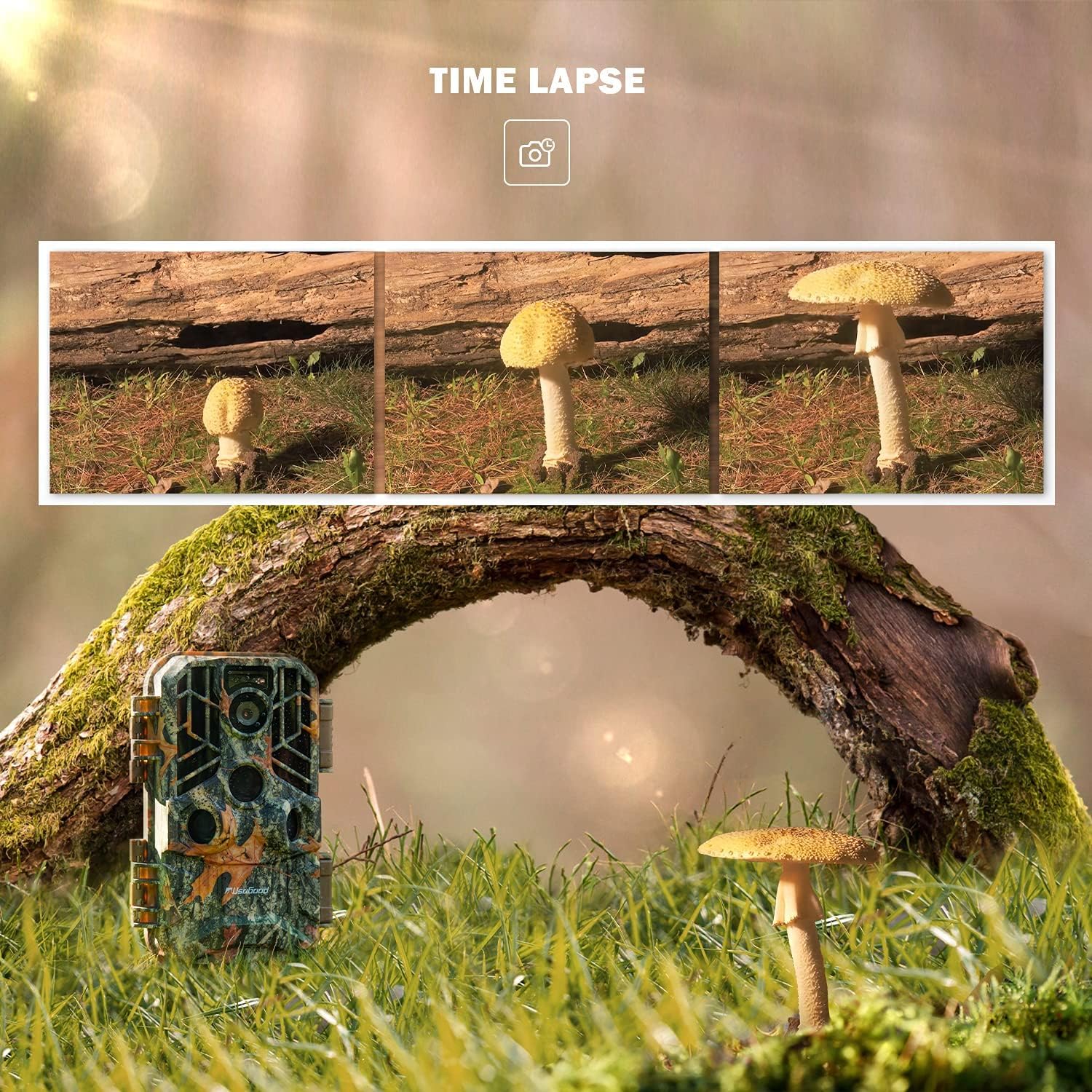
Image: The time-lapse feature captures gradual changes over time, such as plant growth.
Priežiūra
To ensure optimal performance and longevity of your usogood DL503 Trail Camera:
- Valymas: Regularly clean the camera lens and PIR sensors with a soft, dry cloth. Avoid abrasive materials or harsh chemicals.
- Baterijos keitimas: Replace all 8 AA batteries simultaneously when the battery indicator shows low power. Do not mix old and new batteries or different battery types.
- SD kortelės tvarkymas: Periodically format the SD card to maintain performance and prevent data corruption. Back up important files prieš formatavimą.
- Saugykla: Kai ilgesnį laiką nenaudojate fotoaparato, išimkite baterijas ir laikykite jį vėsioje, sausoje vietoje.
Trikčių šalinimas
If you encounter issues with your usogood DL503 Trail Camera, refer to the following common solutions:
- Kamera neįsijungia: Ensure batteries are correctly inserted and fully charged. Check for proper external power connection if applicable.
- Prasta vaizdo / vaizdo kokybė: Verify the lens is clean and free from obstructions. Check resolution settings in the camera menu. Ensure sufficient lighting for day captures and that night vision LEDs are not obstructed for night captures.
- Judesio aptikimo problemos: Adjust PIR sensitivity settings. Ensure the detection area is clear of moving branches or other objects that might cause false triggers.
- WiFi/Bluetooth Connection Failure: Ensure the camera's WiFi/Bluetooth is activated. Confirm correct WiFi name ('Hunting 4K') and password ('12345678'). Reduce distance between phone and camera (within 10m). Restart both the camera and your phone.
- Trumpas baterijos veikimo laikas: This camera requires 8 AA batteries. Battery life can vary significantly based on usage frequency, temperature, and battery quality. Consider using high-quality rechargeable batteries.
- SD kortelės klaidos: Ensure the SD card is properly inserted and not full. Try formatting the SD card (after backing up data) or using a different compatible SD card (up to 128GB).
Specifikacijos
| Nuotraukų raiška | 30MP/24MP/20MP/16MP/12MP/8MP/5MP/3MP/1MP |
| Vaizdo raiška | 4K/2K/1296P/1080P/720P/480P/360P |
| Ekranas | 2.4 colio LCD |
| Objektyvo kampas | FOV = 85°, with automatic infrared filter |
| Integruotas mikrofonas | Taip |
| Integruotas garsiakalbis | Taip |
| Atmintis | TF card maximum 128GB (not included) |
| TV išvestis | Palaikymas |
| PC sąsaja | Mini USB 2.0 |
| Vidinis maitinimo šaltinis | 8x 1.5V AA baterijos |
| Išorinis maitinimo šaltinis | 6V 2A (minimum) |
| Naktinio matymo diapazonas | 65 pėdų |
| Trigerio greitis | 0.2 sekundžių |
| Atsparumo vandeniui lygis | IP66 |
| Matmenys (I x P x A) | 3.5 x 2.4 x 6.5 colio |
| Prekės svoris | 1.6 svaro |
Garantija ir palaikymas
usogood is committed to providing high-quality products and customer satisfaction.
- Garantija: This product includes a 2-year protection period, covering repairs.
- Grąžinimai: A 3-month return policy is offered for product quality concerns.
- Klientų aptarnavimas: For any problems or inquiries, please contact usogood customer service. We continuously optimize our products and services based on user feedback.


