
OWC OWCTB4HUB5P
OWC 5 Port Thunderbolt Hub Instruction Manual
Model: OWCTB4HUB5P | Brand: OWC
Įvadas
This manual provides comprehensive instructions for the OWC 5 Port Thunderbolt Hub. It covers setup, operation, maintenance, and troubleshooting to ensure optimal performance and longevity of your device. The OWC Thunderbolt Hub expands the connectivity of your computer, offering multiple Thunderbolt 4 ports and a USB 3.2 Gen 2 Type-A port, along with power delivery capabilities.
Saugos informacija
- Nelaikykite prietaiso nuo drėgmės ar ekstremalių temperatūrų.
- Use only the power adapter supplied with the hub.
- Venkite užkimšti ventiliacijos angas, kad išvengtumėte perkaitimo.
- Nebandykite patys ardyti ar taisyti įrenginio. Visus techninės priežiūros darbus patikėkite kvalifikuotiems specialistams.
- Saugokite įrenginį nuo stiprių magnetinių laukų.
Pakuotės turinys
Patikrinkite, ar pakuotėje yra visi reikalingi daiktai:
- OWC 5 Port Thunderbolt Hub
- Maitinimo adapteris
- Thunderbolt 4 kabelis
- Greito paleidimo vadovas (neįtrauktas į šį skaitmeninį vadovą)
Produktas baigtasview
The OWC 5 Port Thunderbolt Hub is designed to expand your computer's connectivity, providing additional Thunderbolt 4 and USB 3.2 Gen 2 Type-A ports. It features a compact design suitable for various setups.

1 pav.: priekis view of the OWC 5 Port Thunderbolt Hub, showing the OWC logo and the USB 3.2 10Gb/s port.
Uosto išdėstymas
The hub features a variety of ports to connect your devices:
- Prieglobos prievadas: One Thunderbolt 4 port (up to 40 Gb/s) for connecting to your computer.
- Įrenginio prievadai: Three Thunderbolt 4 ports for connecting external drives, displays, and other Thunderbolt devices.
- USB-A prievadas: One USB 3.2 Gen 2 Type-A port (up to 10 Gb/s) for connecting USB peripherals. This port is backwards compatible with USB 2.0/3.0.
- Maitinimo įvestis: DC IN 20V 5.5A for connecting the power adapter.

2 pav. Viršuje ir apačioje views of the hub, illustrating the arrangement of the DC power input, host Thunderbolt port, three device Thunderbolt ports, and the USB 3.2 port.
Sąranka
- Prijunkite maitinimą: Plug the provided power adapter into the DC IN port on the OWC Thunderbolt Hub, then connect the adapter to a power outlet.
- Prisijungimas prie pagrindinio kompiuterio: Use the included Thunderbolt 4 cable to connect the host Thunderbolt 4 port on the hub to an available Thunderbolt 3 or Thunderbolt 4 port on your computer. For USB-C equipped devices, connect to a USB-C port.
- Įdiekite tvarkykles (jei reikia): For most modern operating systems (macOS 11.1 Big Sur or later, Windows 10/11 with Thunderbolt 4), drivers are automatically installed. If prompted, follow on-screen instructions.
- Prijunkite išorinius įrenginius: Connect your Thunderbolt devices, USB devices, and displays to the available ports on the hub.

Figure 3: The hub in use, demonstrating multiple devices connected for full performance.
Naudojimo instrukcijos
Maitinimo tiekimas
- The Thunderbolt 4 host port provides up to 60W of power to charge your connected host computer.
- Each Thunderbolt 4 device port provides 15W of power for external drives and other devices.
- The USB 3.2 Gen 2 Type-A port provides up to 1.5A of power for bus-powered drives and device charging.

Figure 4: The hub actively charging a laptop and providing power to connected peripherals.
Ekrano palaikymas
The OWC Thunderbolt Hub supports various display configurations:
- Up to one 8K display at 60Hz.
- Up to one 4K display at 120Hz.
- Up to two 4K displays at 60Hz.
- Up to two 5K displays at 60Hz.
- Display support via Thunderbolt 4: Up to 8K @ 60Hz or 4K @ 120Hz via a native Thunderbolt 4 display or other display that supports USB-C connections and DisplayPort 1.4.
- Note: Actual display support may vary based on your computer's specifications. Intel-based Apple Mac models and Thunderbolt 4 PCs typically support two displays.
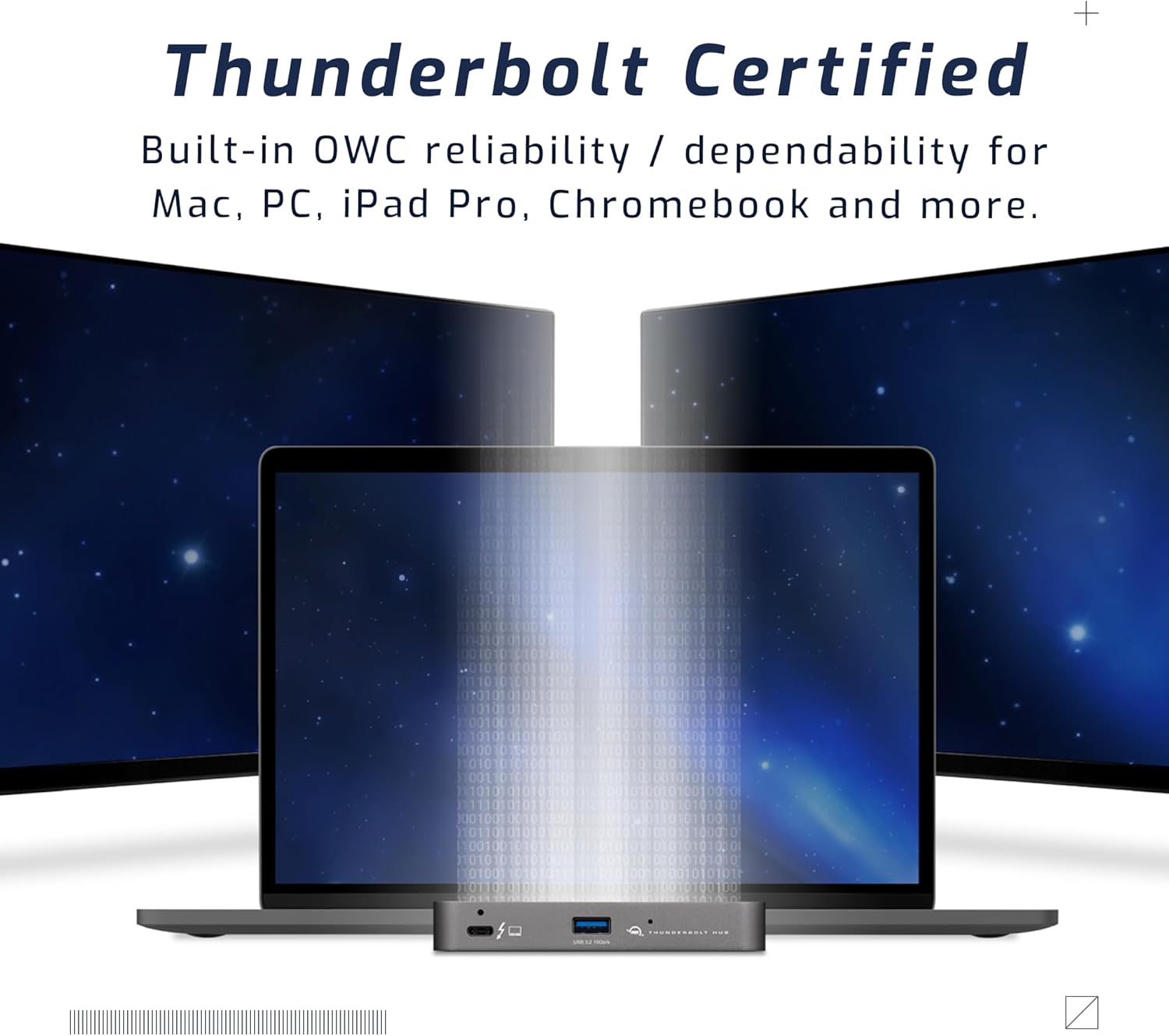
Figure 5: A setup demonstrating the hub's capability to connect a laptop to multiple external displays.
Suderinamumas
The hub is compatible with a wide range of devices:
- Macs with an available Thunderbolt 3 or later port running macOS 11.1 Big Sur or later.
- Windows PCs with an available Thunderbolt 4 port.
- Non-Thunderbolt USB-C machines like Chromebooks and iPads.
- USB-C equipped MacBooks, iPads, Chromebooks, and Android devices.
- Note: Thunderbolt/Thunderbolt 2 Mac models are supported via USB-A host connection, but Thunderbolt/Thunderbolt 2 host connection is not directly supported. USB connection may limit some functionality.
Priežiūra
- Valymas: Use a soft, dry, lint-free cloth to clean the exterior of the hub. Do not use liquid cleaners or aerosols.
- Saugykla: When not in use for extended periods, store the hub in a cool, dry place away from direct sunlight.
- Kabelių valdymas: Ensure cables are not excessively bent or strained to prevent damage to the ports or cables.
Trikčių šalinimas
Bendros problemos ir sprendimai
- Nėra maitinimo / įrenginys neatpažintas:
- Įsitikinkite, kad maitinimo adapteris yra tvirtai prijungtas prie šakotuvo ir veikiančio maitinimo lizdo.
- Verify the Thunderbolt cable is firmly connected to both the hub and your computer.
- Try a different Thunderbolt port on your computer, if available.
- Iš naujo paleiskite kompiuterį.
- Ekrano problemos (nėra signalo, mirgėjimas):
- Check all display cables (HDMI, DisplayPort, USB-C to display) are securely connected.
- Ensure your display is set to the correct input source.
- Verify your computer's display settings (resolution, refresh rate) are compatible with the connected display and hub capabilities.
- Atnaujinkite kompiuterio grafikos tvarkykles.
- Mažas duomenų perdavimo greitis:
- Ensure you are using high-quality Thunderbolt or USB 3.2 cables.
- Confirm the connected device supports the speeds advertised by the hub (e.g., a USB 2.0 device will not achieve USB 3.2 speeds).
- Avoid connecting too many high-bandwidth devices simultaneously if experiencing slowdowns.
Specifikacijos
| Funkcija | Detalė |
|---|---|
| Modelio numeris | OWCTB4HUB5P |
| Prekės ženklas | OWC |
| Gaminio matmenys | 19.69 x 19.69 x 11.02 colio |
| Prekės svoris | 7 uncijos |
| Spalva | Also Black/Gray |
| Techninės įrangos sąsaja | Perkūnas |
| Ypatinga funkcija | Maitinamas |
| Pagrindinis prievadas | 1x Thunderbolt 4 (up to 40 Gb/s) |
| Įrenginių prievadai | 3x Thunderbolt 4, 1x USB 3.2 Gen 2 Type-A (10 Gb/s) |
| Host Power Delivery | Iki 60W |
| Device Power Delivery | 15W per Thunderbolt 4 port, 1.5A for USB-A port |
| Ekrano palaikymas | Up to 8K @ 60Hz or 4K @ 120Hz (single display); Up to two 4K @ 60Hz or two 5K @ 60Hz (dual displays) |
| Suderinami įrenginiai | Macs with Thunderbolt 3+, Windows PCs with Thunderbolt 4, USB-C equipped MacBooks, iPads, Chromebooks, Android devices |
Informacija apie garantiją
The OWC 5 Port Thunderbolt Hub comes with a 2 metų OWC ribota garantijaIšsamias sąlygas ir nuostatas rasite oficialiame OWC dokumente. websvetainėje arba susisiekite su klientų aptarnavimo tarnyba.
Palaikymas
Dėl papildomos pagalbos, techninės pagalbos ar garantinių pretenzijų apsilankykite oficialioje OWC pagalbos svetainėje websvetainėje arba susisiekite su klientų aptarnavimo skyriumi.
- OWC palaikymas Websvetainė: www.owcdigital.com/support
- Internetiniai ištekliai: FAQs, drivers, and additional documentation may be available online.
Ask a question about this manual
Ask about setup, troubleshooting, compatibility, parts, safety, or missing instructions. Manuals+ will review the question and use this page’s manual context to help answer it.