
Įvadas
Thank you for choosing the Tronsmart Battle Wireless Gaming Earbuds. These earbuds are designed to provide an immersive audio experience for gaming and everyday listening, featuring low-latency mode, touch controls, and a durable design. This manual will guide you through the setup, operation, and maintenance of your new earbuds.

Image: User enjoying gaming with Tronsmart Battle Wireless Gaming Earbuds.
Sąranka
1. Pakuotės turinys
Įsitikinkite, kad pakuotėje yra visi daiktai:
- 2 x Tronsmart Battle Wireless Gaming Earbuds
- 1x įkrovimo dėklas
- 1 x USB Type-C įkrovimo laidas
- 1 x Vartotojo vadovas
2. Ausinių ir dėklo įkrovimas
Prieš pirmą kartą naudodami, visiškai įkraukite ausines ir įkrovimo dėklą.
- Įdėkite ausines į įkrovimo dėklą.
- Prijunkite USB C tipo laidą prie dėklo įkrovimo prievado ir prie maitinimo šaltinio.
- Dėklo indikatoriaus lemputės rodys įkrovimo būseną. Pilnas įkrovimas trunka maždaug 2 valandos.
The charging case provides up to 20 hours of total playtime, with earbuds offering up to 5 hours on a single charge.

Image: Battery life details for Tronsmart Battle Earbuds and Charging Case.
3. „Bluetooth“ poravimas
Norėdami prijungti ausines prie įrenginio:
- Atidarykite įkrovimo dėklą. Ausinės automatiškai įsijungs susiejimo režimu.
- Savo įrenginyje (išmaniajame telefone, planšetiniame kompiuteryje, nešiojamajame kompiuteryje) įjunkite „Bluetooth“.
- Ieškokite "Tronsmart Battle" in the list of available Bluetooth devices.
- Select "Tronsmart Battle" to connect. Once connected, you will hear an audio prompt.
The earbuds use Bluetooth v5.0 for a stable connection up to 10 meters (33 feet).
Naudojimo instrukcijos
Palieskite valdiklius
The Tronsmart Battle earbuds feature intuitive touch controls on each earbud. Refer to the following table for common functions:
| Veiksmas | Funkcija |
|---|---|
| Vienas bakstelėjimas (kairėn / dešinėn) | Groti / pristabdyti muziką, atsiliepti / baigti skambutį |
| Dvigubas bakstelėjimas (kairėn) | Ankstesnis takelis |
| Dvigubas bakstelėjimas (dešinėn) | Kitas takelis |
| Trigubas bakstelėjimas (kairėn / dešinėn) | Toggle Gaming Mode / Music Mode |
| Ilgas paspaudimas (2 sekundės, kairėn/dešinėn) | Suaktyvinti balso asistentą („Siri“, „Google“ padėjėjas) |
| Ilgas paspaudimas (3 sekundės, kairėn/dešinėn) | Atmesti skambutį |
Žaidimų režimas (maža delsa)
The earbuds feature a dedicated low-latency gaming mode for synchronized audio and visuals, providing an immersive experience with accurate sound cues like gunshots and footsteps.
- To activate Gaming Mode: Triple tap either earbud.
- To switch back to Music Mode: Triple tap either earbud again.

Image: Illustration of the Ultra Low Latency Gaming Mode for immersive audio.
Sound Quality and Driver
Equipped with 13mm drivers, the Tronsmart Battle earbuds deliver expansive sound with refined high-quality audio, optimized for gaming and music listening.
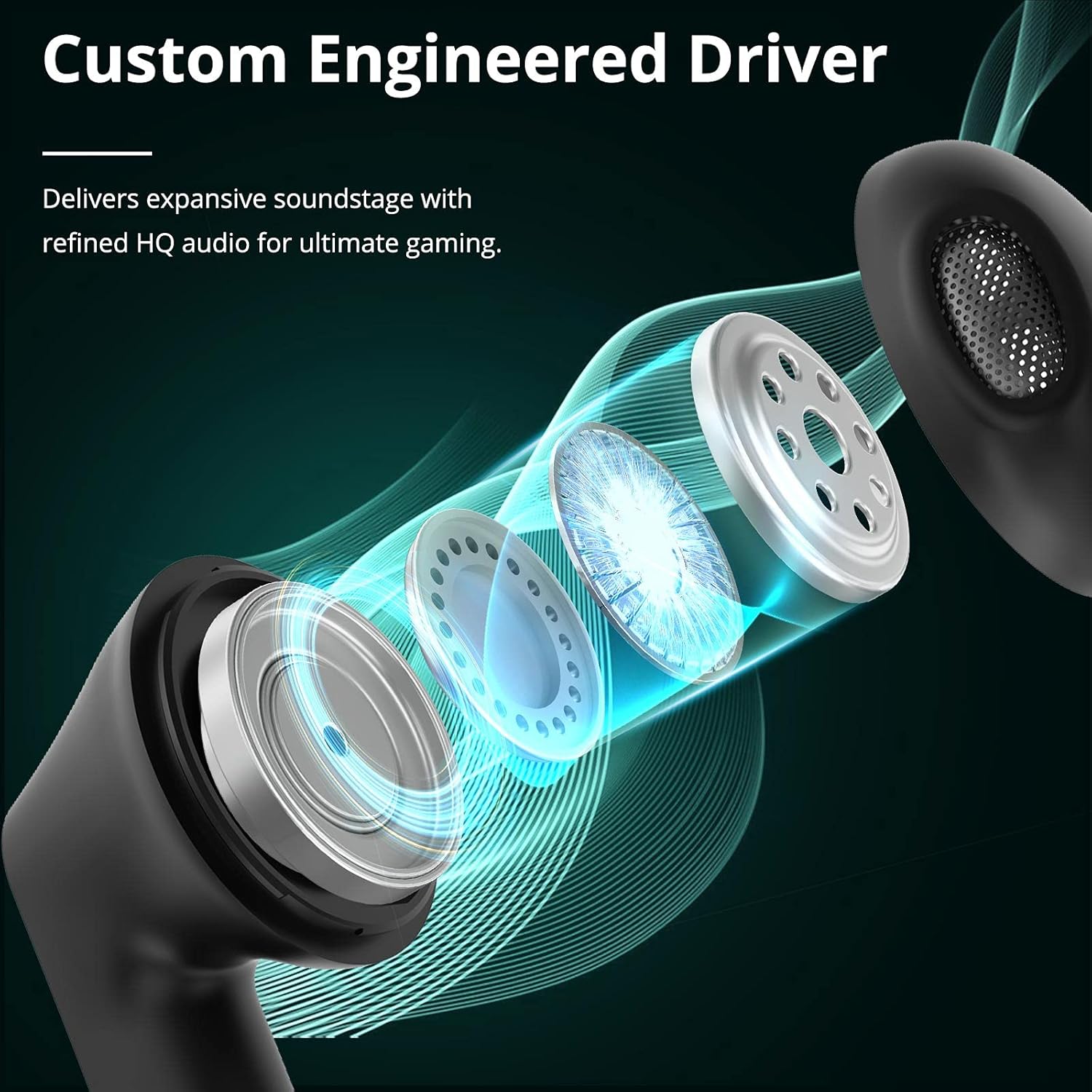
Image: Custom Engineered Driver for enhanced sound quality.
Apšvietimo efektas
The charging case features dynamic lighting effects that enhance the gaming aesthetic and can also serve as a stress-relief feature by rotating the case.

Image: Charging case with integrated lighting effects.
Priežiūra
Valymas
Reguliarus valymas padeda palaikyti optimalų našumą ir higieną:
- Ausinėms ir įkrovimo dėklui nuvalyti naudokite minkštą, sausą, nepūkuotą šluostę.
- Nenaudokite abrazyvinių valiklių, alkoholio ar cheminių tirpiklių.
- Gently clean the earbud mesh and charging contacts with a dry cotton swab if necessary.
Atsparumas vandeniui (IPX5)
The Tronsmart Battle earbuds are rated IPX5 water-resistant, meaning they can withstand splashes and sweat. They are not designed for submersion in water. Avoid exposing them to heavy rain or showering.
Sandėliavimas
Kai nenaudojate, laikykite ausines įkrovimo dėkle, kad jos būtų apsaugotos ir įkrautos. Laikykite vėsioje, sausoje vietoje, toliau nuo ekstremalių temperatūrų.
Trikčių šalinimas
If you encounter issues with your Tronsmart Battle earbuds, try the following solutions:
- Ausinės nesusijungia:
- Įsitikinkite, kad abi ausinės yra įkrovimo dėkle ir visiškai įkrautos.
- Remove "Tronsmart Battle" from your device's Bluetooth list and try pairing again.
- Restart your device's Bluetooth function.
- Nėra garso iš vienos ausinės:
- Įdėkite abi ausines atgal į įkrovimo dėklą, uždarykite dangtelį ir vėl jas išimkite.
- Įsitikinkite, kad abi ausinės yra įkrautos.
- Try resetting the earbuds (refer to the full Tronsmart support web(jei reikia, konkrečias nustatymo iš naujo instrukcijas rasite svetainėje).
- Įkrovimo problemos:
- Patikrinkite, ar USB C tipo laidas ir maitinimo adapteris nepažeisti.
- Įsitikinkite, kad ausinių ir dėklo įkrovimo kontaktai yra švarūs ir be šiukšlių.
- Išbandykite kitą įkrovimo laidą arba maitinimo šaltinį.
- Mažas garsumas arba prasta garso kokybė:
- Sureguliuokite garsumą tiek savo įrenginyje, tiek ausinėse.
- Įsitikinkite, kad ausinės tinkamai įstatytos į ausis.
- Nuvalykite visas ausinių tinklelio šiukšles.
Techninės specifikacijos
| Funkcija | Specifikacija |
|---|---|
| Modelio pavadinimas | Tronsmart Battle |
| Modelio numeris | 52325 |
| Bluetooth versija | 5.0 |
| „Bluetooth Pro“files | AVRCP, A2DP, HFP |
| Transmisijos diapazonas | Iki 10 metrų (33 pėdų) |
| Vairuotojo dydis | 13 mm |
| Varža | 16 omų |
| Ausinės akumuliatoriaus talpa | 35 mAh (kiekvienas) |
| Įkrovimo dėklo akumuliatoriaus talpa | 500 mAh |
| Ausinių grojimo laikas (vienas įkrovimas) | Iki 5 valandų |
| Bendras grojimo laikas (su įkrovimo dėklu) | Iki 20 valandų |
| Įkrovimo laikas | Maždaug 2 valandos (ausinės ir dėklas) |
| Įkrovimo prievadas | C tipo USB |
| Atsparumo vandeniui įvertinimas | IPX5 |
| Mikrofonas | Įmontuotas |
| Matmenys (įkrovimo dėklas) | 59 x 60.93 x 31.79 mm |
| Svoris (iš viso) | 41 g |
| Spalva | Juoda |
Informacija apie garantiją
According to the product information, a specific warranty description is not applicable. Please refer to the retailer's return policy or contact Tronsmart customer support for details regarding any applicable guarantees or consumer rights in your region.
Pagalba klientams
For further assistance, technical support, or inquiries about your Tronsmart Battle Wireless Gaming Earbuds, please visit the official Tronsmart websvetainėje arba susisiekite tiesiogiai su jų klientų aptarnavimo tarnyba.
Oficialus Websvetainė: www.tronsmart.com