
„Rossetta“ žvaigždžių projektorius – RT008
„Rossetta Galaxy“ projektoriaus naudotojo vadovas
Model: Star Projector-RT008 | Brand: Rossetta
Įvadas
The Rossetta Star Projector is a versatile 4-in-1 device designed to enhance your environment. It functions as a galaxy projector, a nightlight lamp, a white noise machine, and a Bluetooth speaker. This device projects stunning stars and nebula clouds in 14 vibrant colors, transforming any room into a serene or dynamic cosmic space. It is suitable for all ages, from children's rooms to adult living spaces, and is certified for safety (FCC, RoHS, CE).
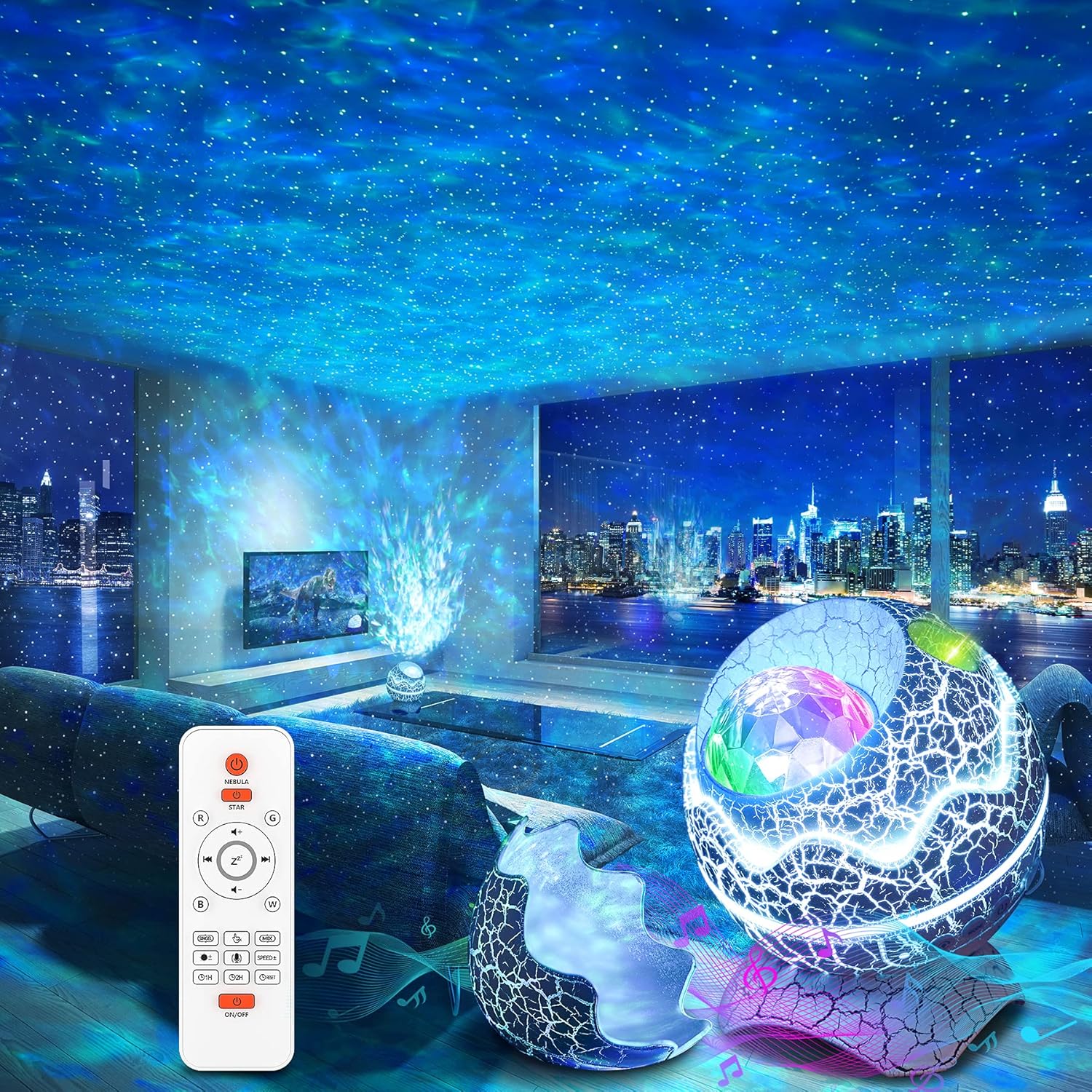
Figure 1: The Rossetta Galaxy Projector creating a starry night effect in a living room, with the remote control visible.
Pakuotės turinys
Pažymėkite langelį prie šių elementų:
- Rossetta Star Projector
- Nuotolinio valdymo pultas
- Maitinimo kabelis
- Vartotojo vadovas (šis dokumentas)
Produkto savybės
- 4 viename funkcionalumas: Combines a galaxy projector, nightlight lamp, white noise machine, and Bluetooth speaker for a comprehensive audio-visual experience.
- Vibrant Projection: Projects shining stars and mesmerizing nebula clouds in 14 vibrant colors, with 15 projection varieties.
- Baltojo triukšmo garso aparatas: Includes 10 popular white noise sounds to aid relaxation, sleep, or meditation.
- Bluetooth 5.1 garsiakalbis: Built-in speaker allows connection to your device via Bluetooth to play music, podcasts, or audiobooks. Features sound-activated mode where lights flash and change rhythmically to music or claps.
- Nuotolinio valdymo pultas ir laikmatis: Full control over color lighting, projection mode, brightness, speed, music selection, volume, and timer settings (1 or 2 hours). Automatic power-off after 4 hours if no timer is set.
- Durable & Safe Design: Designed for durability and ease of use, with FCC, RoHS, and CE certifications.
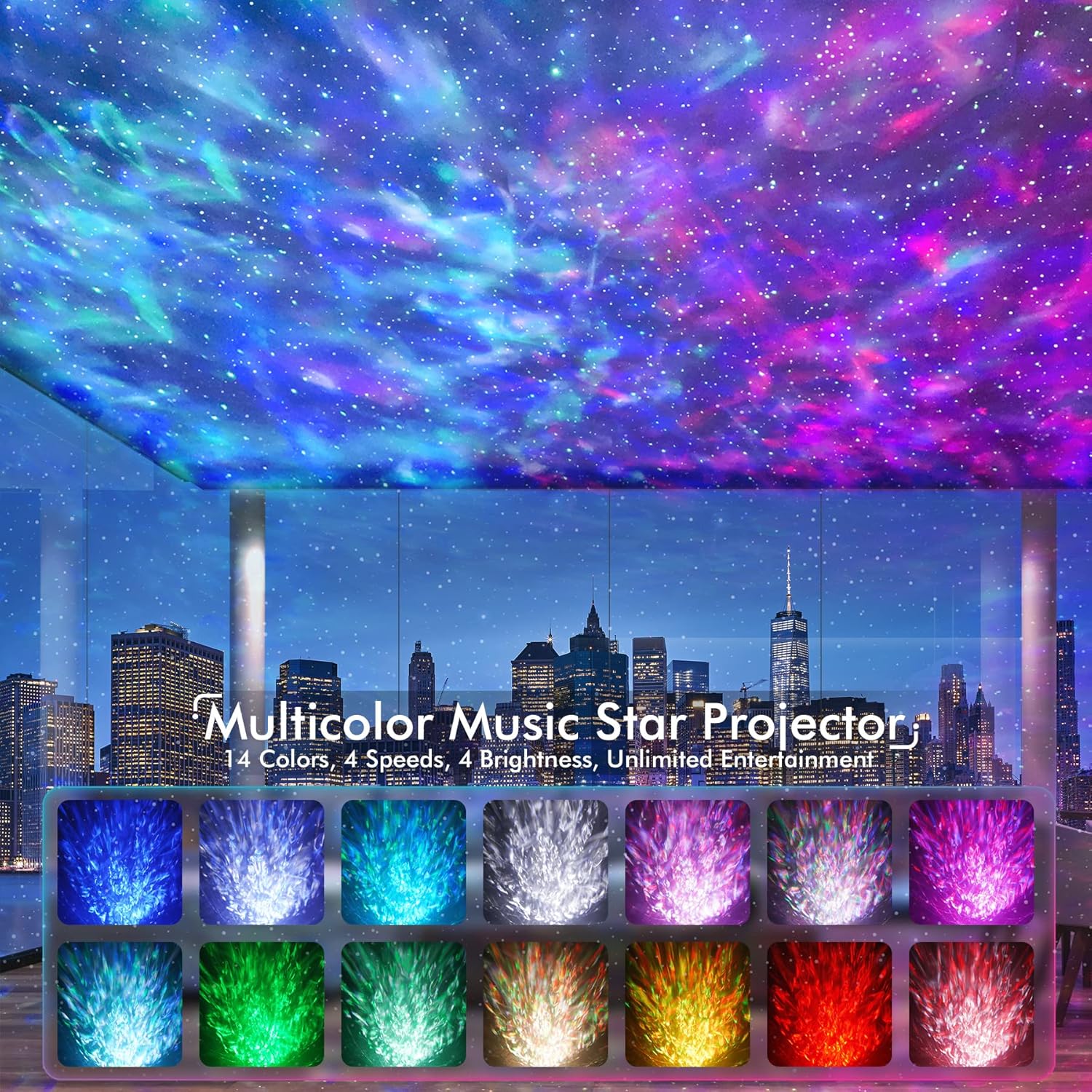
Figure 2: Visual representation of the 14 available color modes for the projector.

Figure 3: The projector's Bluetooth 5.1 speaker functionality, allowing music playback from connected devices.

Figure 4: Illustration of the white noise sound machine feature, showing various sound options like train, bird, bonfire, fan, rain, sea, soft music, and frog.
Sąranka
- Išpakuoti: Atsargiai išimkite visus komponentus iš pakuotės.
- Maitinimo jungtis: Connect the provided power cable to the projector and plug the adapter into a standard electrical outlet.
- Nuotolinio valdymo pulto baterijos: Insert 2 AAA batteries (not included) into the remote control, ensuring correct polarity.
- Vieta: Place the projector on a stable, flat surface. For optimal projection, position it in a dark room, ideally facing a ceiling or wall.

Figure 5: The remote control and timer functions of the projector, indicating 1-hour and 2-hour auto-off options.
Naudojimo instrukcijos
Maitinimo įjungimas/išjungimas
Paspauskite ĮJUNGTA/IŠJUNGTA button on the projector or the remote control to turn the device on or off.
Projekcijos valdymas
- Naudokite ŪKAS button on the remote to cycle through nebula colors and effects.
- Naudokite ŽVAIGŽDĖ button to control the green stars (on/off, brightness).
- Adjust brightness with the B+ ir B- mygtukai.
- Change projection speed with the SPEED+ ir GREITIS- mygtukai.
- Select specific colors (Red, Green, Blue, White) using the R, G, B, W mygtukai.
Baltojo triukšmo mašina
Paspauskite Baltasis triukšmas button on the remote to activate the white noise function. Use the arrow buttons to cycle through the 10 available sounds. Adjust volume with the VOL+ ir VOL- mygtukai.
Bluetooth garsiakalbis
Norėdami naudoti „Bluetooth“ garsiakalbį:
- Įsitikinkite, kad projektorius įjungtas.
- On your mobile device, enable Bluetooth and search for "Star Projector".
- Select "Star Projector" to pair. A confirmation sound will indicate successful pairing.
- Play music from your device. The projector lights can sync to the music rhythm when sound-activated mode is enabled.
Activate sound-activated mode by pressing the Mikrofono piktograma button on the remote. The lights will respond to music or claps.
Laikmačio funkcija
Set an automatic shut-off timer using the remote control:
- Paspauskite 1H for a 1-hour timer.
- Paspauskite 2H for a 2-hour timer.
- If no timer is set, the projector will automatically power off after 4 hours of continuous operation.
Priežiūra
The Rossetta Galaxy Projector is designed for easy maintenance.
- Valymas: To clean the projector, gently wipe the exterior with a soft, dry cloth. Do not use abrasive cleaners or immerse the device in water.
- Saugykla: When not in use, store the projector in a cool, dry place away from direct sunlight and extreme temperatures. The removable top portion of the "egg" design can be re-attached to protect the projector lens from dust.
Trikčių šalinimas
| Problema | Galima priežastis / sprendimas |
|---|---|
| Projektorius neįsijungia. | Įsitikinkite, kad maitinimo laidas yra tvirtai prijungtas prie projektoriaus ir maitinimo lizdo. Išbandykite kitą lizdą. |
| Nuotolinio valdymo pultas neveikia. | Check if the batteries are inserted correctly and are not depleted. Replace with new AAA batteries if necessary. If the issue persists, unplug the projector from power for a few seconds, then plug it back in. |
| Bluetooth ryšio problemos. | Ensure Bluetooth is enabled on your device and the projector is in pairing mode. Move your device closer to the projector. Disconnect and re-pair the device. |
| Lights turn off unexpectedly. | Check if a timer (1H or 2H) has been set. The device also has an automatic 4-hour shut-off feature. Ensure stable power supply. |
| Projekcija yra blanki arba neaiški. | Ensure the room is sufficiently dark. Adjust brightness settings using the remote. Clean the projector lens if it appears dusty. |
Specifikacijos
| Atributas | Detalė |
|---|---|
| Modelio pavadinimas | Žvaigždžių projektorius-RT008 |
| Gaminio matmenys | 6.3 "D x 4.3" P x 6.3" A |
| Prekės svoris | 0.96 svaro (15.4 uncijos) |
| Maitinimo šaltinis | Su laidu elektra |
| ttage | 5 volto (DC) |
| Vattage | 6 vatų |
| Šviesos šaltinio tipas | LED |
| Ryšio technologija | Bluetooth 5.1 |
| Kontrolės metodas | Nuotolinio valdymo pultas, mygtukas |
| Ypatingos savybės | 360° Projection, Bluetooth, Color Changing, Green Stars, White Noise, Sound Activated |
| Medžiaga | Plastikiniai |
| Spalva | Baltas |
| Sertifikatai | CE, FCC, RoHS |
| Amžiaus diapazonas (aprašas) | Visų amžių |
Garantija ir palaikymas
Rossetta is committed to providing high-quality products and customer satisfaction. Your Rossetta Galaxy Projector is backed by:
- 24/7 Quick Response: Dedicated customer service available around the clock.
- Easy Return/Replacement: Hassle-free process for returns or replacements if needed.
- Lifetime Professional Support: Ongoing technical assistance and support for the lifespan of your product.
For any inquiries or support, please visit the official Rossetta store or contact customer service through your purchase platform.
Ask a question about this manual
Ask about setup, troubleshooting, compatibility, parts, safety, or missing instructions. Manuals+ will review the question and use this page’s manual context to help answer it.