
Įvadas
Welcome to the user manual for your Techmade 4-in-1 Gaming Kit. This kit provides essential peripherals for an enhanced gaming experience, including a keyboard, mouse, headset, and mouse pad. This manual will guide you through the setup, operation, maintenance, and troubleshooting of your new gaming kit.
Produktas baigtasview
The Techmade 4-in-1 Gaming Kit includes the following components:
- Žaidimų klaviatūra: A traditional layout keyboard with function keys and a numeric pad, designed for comfortable and quiet typing.
- Žaidimų pelė: Features multi-color LED lights and 6 programmable buttons for precise control.
- Žaidimų ausinės: Provides immersive audio and includes a microphone for in-game communication.
- Gaming Mouse Pad: A soft surface designed for enhanced mouse precision and comfort during extended gaming sessions.

Image: The complete Techmade 4-in-1 Gaming Kit, featuring the keyboard, mouse, headset, and mouse pad.
Sąrankos vadovas
Follow these steps to connect your Techmade 4-in-1 Gaming Kit to your PC or laptop:
- Prijunkite klaviatūrą: Locate an available USB port on your computer. Plug the USB connector of the gaming keyboard into the USB port. The keyboard should be recognized automatically by your operating system.
- Prijunkite pelę: Locate another available USB port on your computer. Plug the USB connector of the gaming mouse into the USB port. The mouse should be recognized automatically, and its LED lights may illuminate.
- Prijunkite ausines: The headset uses a standard 3.5mm audio jack. Plug the headset's 3.5mm connector into the audio output (headphone) jack on your computer. If your computer has separate microphone and headphone jacks, you may need a Y-splitter (not included) or use the combined jack if available. Ensure your computer's audio settings are configured to use the connected headset.
- Pelės kilimėlio padėtis: Place the gaming mouse pad on a flat, stable surface next to your keyboard. Ensure there is enough space for comfortable mouse movement.
Your Techmade 4-in-1 Gaming Kit is now ready for use.
Naudojimo instrukcijos
Klaviatūros naudojimas

Image: The Techmade Gaming Keyboard with highlighted gaming keys.
The Techmade Gaming Keyboard features a standard QWERTY layout with a numeric pad and dedicated function keys (F1-F12). Its design allows for comfortable and quiet typing, suitable for both gaming and general use. The keyboard may feature single-color backlighting for improved visibility in low-light conditions.
Pelės naudojimas

Image: The Techmade Gaming Mouse with multi-color LED lights.
The gaming mouse is equipped with optical movement detection technology and 6 buttons for precise control. It features multi-color LED lights that enhance the aesthetic of your gaming setup. The additional buttons can be used for various in-game actions or customized through your operating system's mouse settings.
Ausinių naudojimas
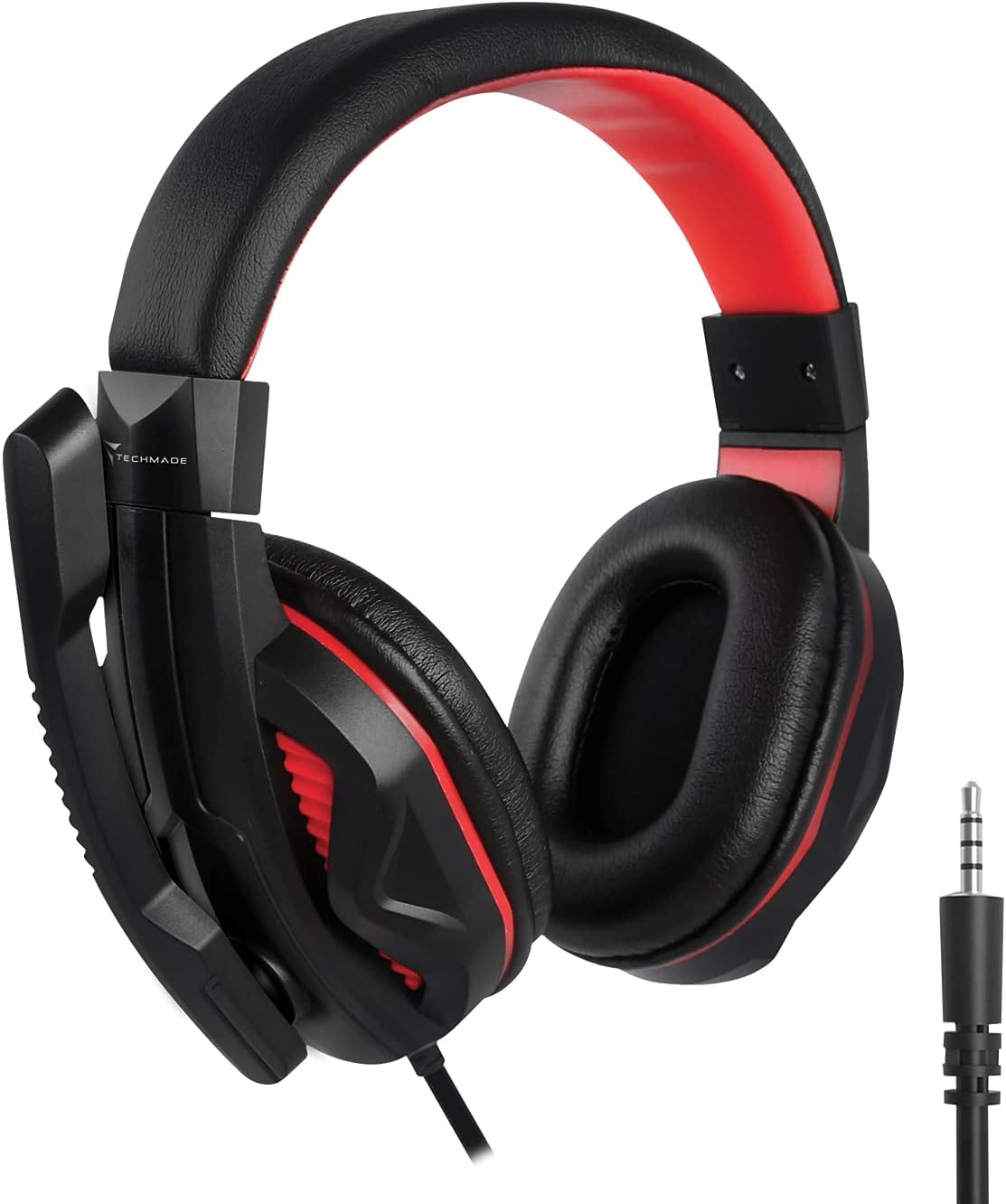
Image: The Techmade Gaming Headset with an adjustable microphone.
The gaming headset provides enveloping audio, immersing you in your games. It includes an integrated microphone, allowing for clear communication with teammates during multiplayer sessions. Adjust the headset for a comfortable fit and position the microphone appropriately for optimal voice capture.
Pelės kilimėlio naudojimas

Image: The Techmade Gaming Mouse Pad.
The soft gaming mouse pad is designed to provide a smooth and consistent surface for your mouse, enhancing tracking accuracy and comfort during long gaming sessions. Its dimensions are optimized for typical gaming movements.
Priežiūra ir priežiūra
To ensure the longevity and optimal performance of your Techmade Gaming Kit, follow these maintenance guidelines:
- Valymas: Klaviatūrą, pelę ir ausines nuvalykite minkštu, sausu skudurėliu. Įsisenėjusius nešvarumus lengvai nuvalykite.amp cloth with mild soap can be used, but ensure no liquid enters the devices.
- Venkite skysčių: Keep all components away from liquids to prevent damage.
- Saugykla: When not in use, store the kit in a clean, dry environment.
- Kabelių valdymas: Venkite staigių kabelių lenkimų ar įlinkimų, kad nepažeistumėte jų vidinių dalių.
Trikčių šalinimas
If you encounter issues with your Techmade 4-in-1 Gaming Kit, refer to the following troubleshooting steps:
| problema | Galimas sprendimas |
|---|---|
| Klaviatūra / pelė nereaguoja |
|
| Headset audio not working |
|
| Mikrofonas neveikia |
|
| Mouse LED lights not working |
|
Techninės specifikacijos
| Funkcija | Specifikacija |
|---|---|
| Prekės ženklas | Techmade |
| Spalva | Įvairiaspalvis |
| Ryšio technologija | USB |
| Suderinami įrenginiai | Kompiuteris, nešiojamas kompiuteris |
| Operacinė sistema | Visos pagrindinės operacinės sistemos |
| Ypatingos savybės | Gaming pads, Multi-color LED lights |
| Klaviatūros aprašymas | Standard QWERTY keyboard |
| Foninis klaviatūros apšvietimas | Vienspalvis |
| Pelės judėjimo aptikimas | Optinis |
| Rekomenduojamas naudojimas | Žaidimas |
| Prekės svoris | 1.41 kilogramo |
| Kilmės šalis | Kinija |
Garantija ir palaikymas
For warranty information and customer support, please refer to the documentation included with your product packaging or visit the official Techmade websvetainėje. Išsaugokite pirkimo įrodymą, jei prireiktų pateikti garantinį ieškinį.