
1. Įvadas
This manual provides essential instructions for the safe and efficient operation, maintenance, and troubleshooting of your BONSEN S3101-W 8-Sheet Cross-Cut Paper Shredder. Please read this manual thoroughly before using the shredder and retain it for future reference.

Image 1.1: The BONSEN S3101-W 8-Sheet Cross-Cut Paper Shredder.
2. Svarbios saugos instrukcijos
Kad sumažintumėte gaisro, elektros smūgio ar sužalojimo riziką, naudodami šį prietaisą visada laikykitės pagrindinių saugos atsargumo priemonių.
- Laikyti vaikams ir naminiams gyvūnėliams nepasiekiamoje vietoje.
- Do not insert fingers, loose clothing, hair, or ties into the paper entry slot.
- Nepurkškite į smulkintuvą jokių degių produktų ar tepalų.
- Do not shred metal objects, wet paper, or adhesive materials.
- Prieš perkeldami, valydami ar ištuštindami šiukšliadėžę, atjunkite smulkintuvą nuo elektros tinklo.
- Nenaudokite smulkintuvo, jei pažeistas maitinimo laidas.
- The shredder head must be correctly seated on the waste bin for operation.
3. Produktas baigtasview ir komponentai
Familiarize yourself with the parts of your shredder:
- Shredder Head (with paper entry slot, control switch, and indicator lights)
- Waste Bin (4-gallon capacity with transparent window)
- Maitinimo laidas

Image 3.1: The 4-gallon waste bin with a transparent window, showing shredded paper.
4. Sąrankos instrukcijos
- Išpakuoti: Atsargiai išimkite visus komponentus iš pakuotės.
- Padėtis: Padėkite smulkintuvą ant lygaus, stabilaus paviršiaus.
- Surinkti: Ensure the shredder head is securely seated on top of the waste bin. The shredder will only operate when the head is correctly positioned.
- Prijunkite maitinimą: Prijunkite maitinimo laidą į standartinį elektros lizdą.
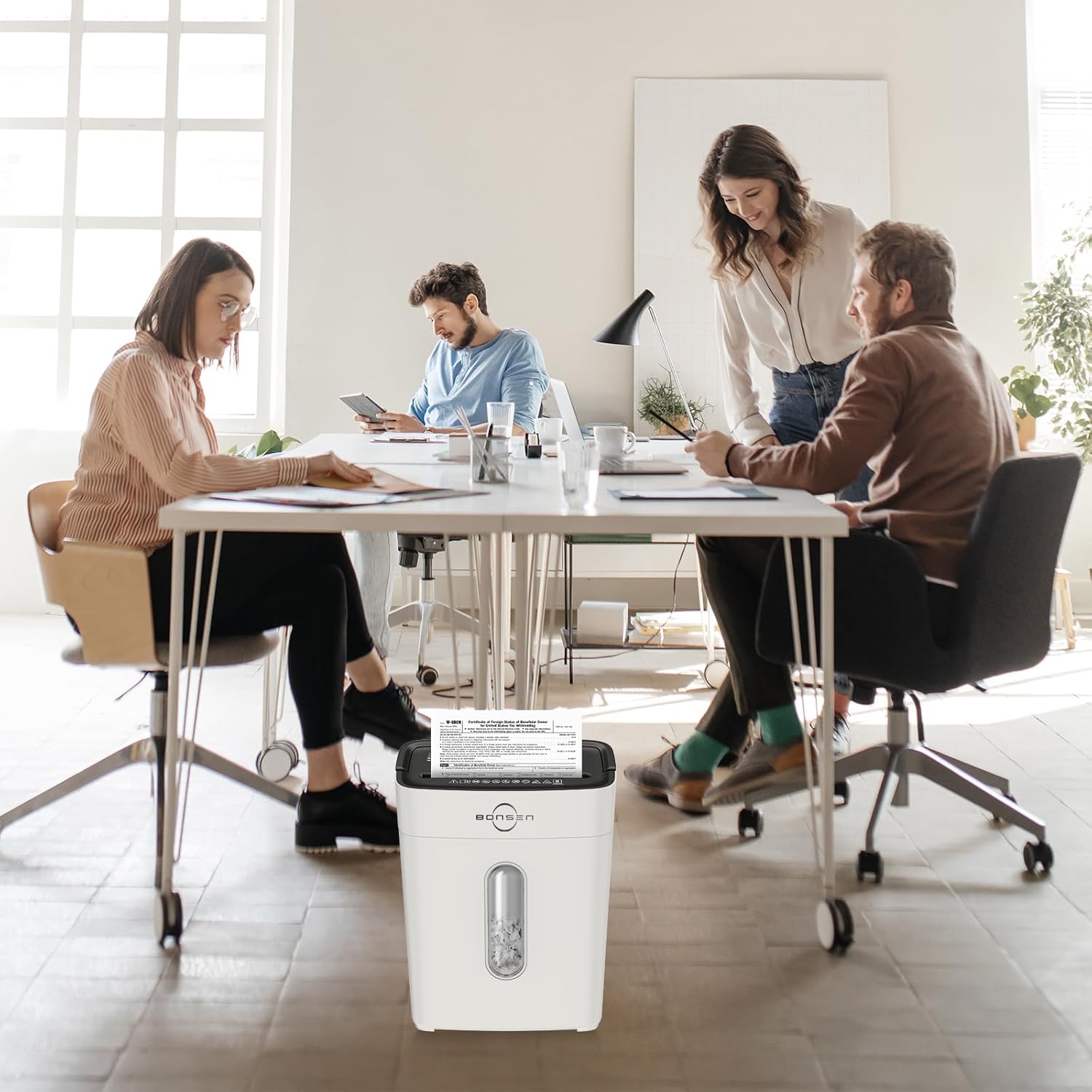
Image 4.1: The shredder head must be correctly placed on the basket for operation, ensuring safety.
5. Naudojimo instrukcijos
5.1 Control Switch Settings
- Priekinė pavara (FWD): Manual shredding mode.
- AUTOMATINIS (automatinis): Shredder starts automatically when paper is inserted.
- IŠJUNGTA: Išjungia smulkintuvą.
- Atgal (REV): Apverčia smulkinimo mechanizmą, kad pašalintų strigtis.
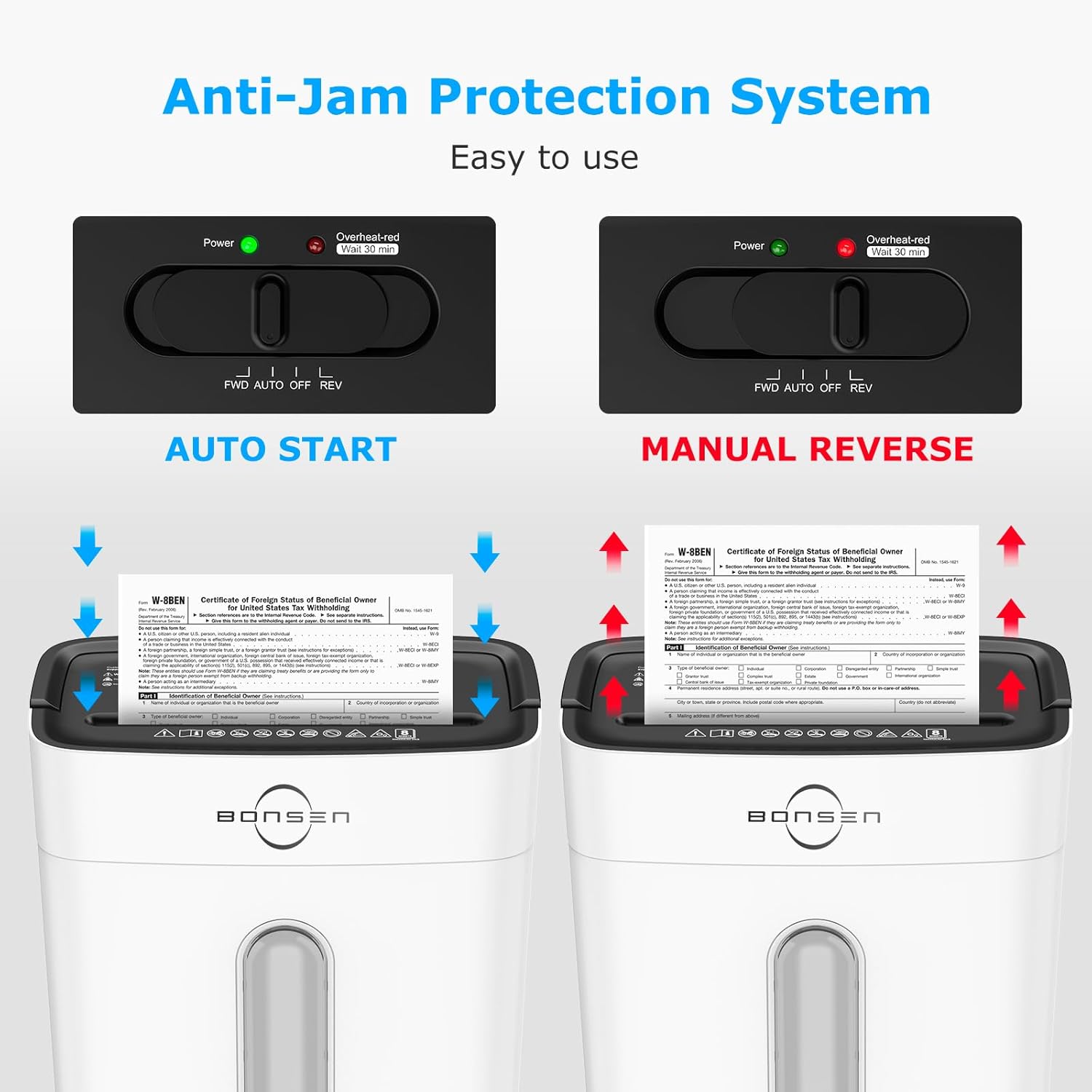
Image 5.1: The control switch with FWD, AUTO, OFF, and REV settings, and indicator lights.
5.2 Shredding Documents
- Nustatykite valdymo jungiklį į AUTO. The green "Power" indicator light will illuminate.
- Insert up to 8 sheets of paper (A4 size, 70g/m²) into the paper entry slot. The shredder will automatically start and stop once shredding is complete.
- For credit cards, insert one card at a time into the designated slot.
- The shredder can also handle staples and small paper clips.

Image 5.2: Demonstrates the 8-sheet shredding capacity and 5-minute continuous running time.
Pastaba: The maximum continuous running time is 5 minutes. After this, the shredder will automatically shut off to prevent overheating. Allow it to cool down for at least 30 minutes before resuming operation. The "Overheat-red" indicator will be solid red during this cool-down period.
6. Priežiūra
6.1 Šiukšlių dėžės ištuštinimas
- When the transparent window indicates the bin is full, unplug the shredder.
- Atsargiai nukelkite smulkintuvo galvutę nuo šiukšliadėžės.
- Susmulkintą medžiagą išmeskite.
- Tvirtai uždėkite smulkintuvo galvutę ant šiukšliadėžės.
Svarbu: Empty the waste bin regularly to prevent paper jams and ensure optimal performance.
6.2 Valymas
- Prieš valydami, visada atjunkite smulkintuvą nuo elektros tinklo.
- Smulkintuvo išorę nuvalykite minkštu, sausu skudurėliu. Nenaudokite abrazyvinių valiklių ar tirpiklių.
- Occasionally, apply shredder oil to the cutting blades to maintain performance and extend the life of the shredder. Follow the instructions provided with the shredder oil.
7. Problemų sprendimas
| Problema | Galima priežastis | Sprendimas |
|---|---|---|
| Smulkintuvas neveikia. |
|
|
| Popieriaus strigtis. |
|
|
| Smulkintuvas sustoja veikimo metu. |
|
|

Image 7.1: Indicator lights for Standby (Blue On), Overload (Red Flashing), and Overheat (Red Always On).
8. Specifikacijos
| Funkcija | Detalė |
|---|---|
| Modelis | S3101-W |
| Smulkinimo tipas | Kryžminis |
| Saugumo lygis | P-4 |
| Smulkinimo dydis | 13/64'' x 45/64'' (5 x 18 mm) |
| Lapo talpa | 8 lapų (A4, 70 g/m²) |
| Smulkinimo greitis | 5.24 pėda/min |
| Nepertraukiamo veikimo laikas | 5 minučių |
| Atvėsimo laikas | 30 minučių |
| Šiukšlių dėžės talpa | 4 galonai (15 litro) |
| Triukšmo lygis | 70 dB |
| Matmenys (I x P x A) | 12.09 colio x 7.44 colio x 15.4 colio (30.7 x 18.9 x 39.1 cm) |
| Svoris | 7.9 svaro (3.58 kg) |
| Susmulkinti | Paper, Credit Cards, Staples, Small Paper Clips |

Image 8.1: Dimensions of the BONSEN S3101-W shredder.

Image 8.2: Illustration of the P-4 security level cross-cut shred size (5mm x 18mm).
9. Garantija ir palaikymas
For warranty information or technical support, please refer to the warranty card included with your product or visit the official BONSEN website. You may also contact BONSEN customer service directly for assistance.
BONSEN Customer Service: Please refer to your product packaging or the official BONSEN websvetainę, kurioje rasite naujausią kontaktinę informaciją.