
Įvadas
This manual provides comprehensive instructions for the Symcode 3300DW 2D Fixed USB Barcode Scanner. It covers product features, setup procedures, operating guidelines, maintenance tips, troubleshooting solutions, and detailed technical specifications. Please read this manual carefully before using the device to ensure proper operation and to maximize its lifespan.
Produkto savybės
- Super Decoding Capability: The Symcode 3300DW barcode scanner efficiently and accurately captures both 1D and 2D barcodes from various surfaces, including labels, paper, mobile phone screens, and computer displays. It supports a wide range of barcode types.
- Automatic Infrared Detection: Equipped with an automatic detection function, the scanner initiates scanning when a barcode approaches its window, even if the device is in sleep mode. This hands-free operation enhances efficiency by allowing users to handle items without needing to manually activate the scanner.
- „Plug and Play“ jungtis: This scanner requires no driver installation, additional software, or applications. Simply connect it to your device via the provided USB cable. It is compatible with Windows XP/7/8/10, Mac OS, and Linux operating systems.
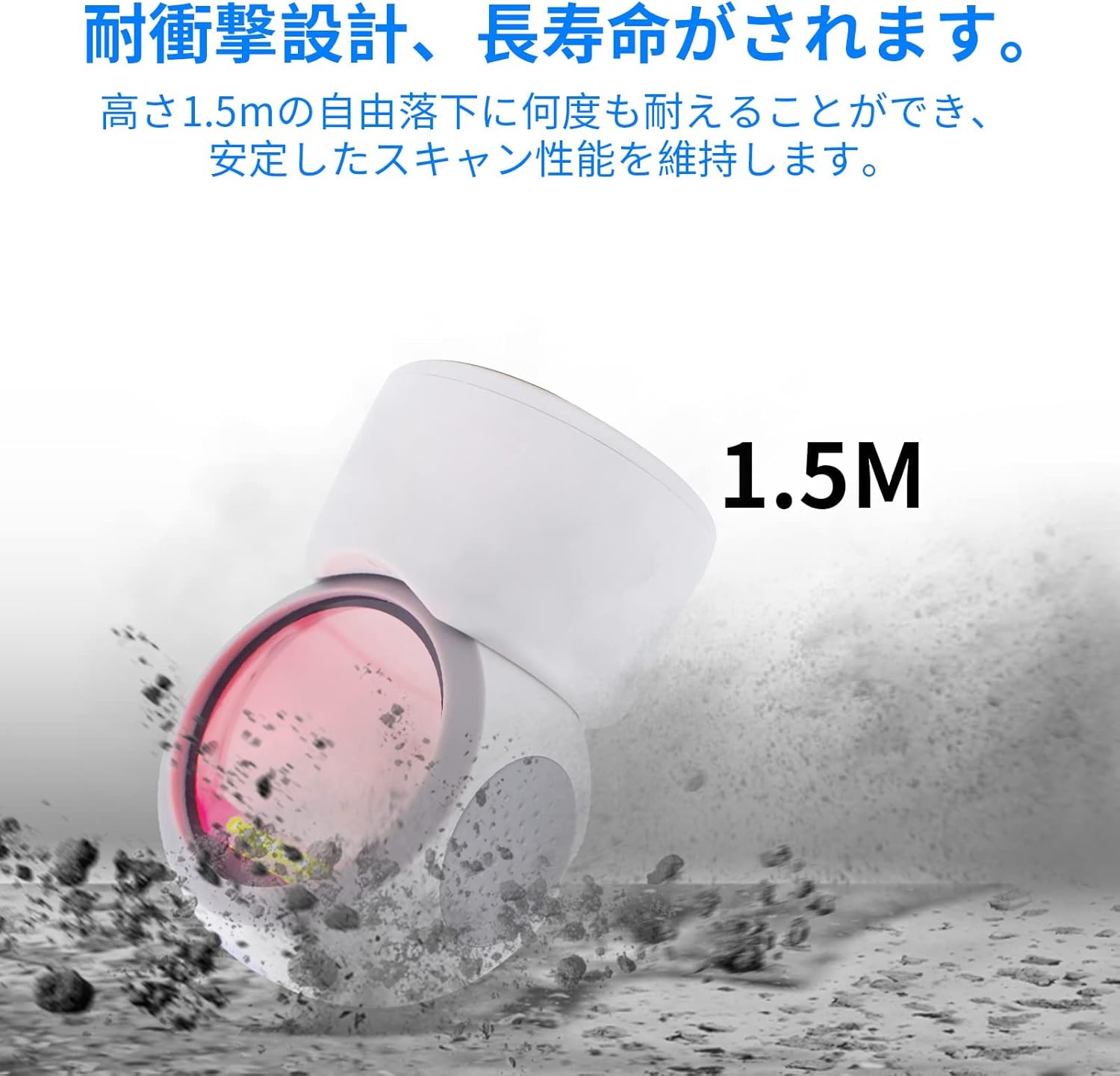
- Tvirtas dizainas: Engineered for durability, the scanner can withstand drops from a height of up to 1.5 meters, ensuring reliable performance in demanding environments.
- Visapusis nuskaitymas: The scanner is designed to read 1D and 2D codes from various angles, providing flexibility and ease of use.
- Reguliuojamas kampas: The scanning head can be adjusted by 30 degrees, allowing for convenient positioning to suit different scanning needs.
- Neslystantis dizainas: Features anti-slip pads on both sides and the base to prevent movement and protect desktop surfaces.
Sąranka
- Išpakuokite skaitytuvą: Carefully remove the Symcode 3300DW barcode scanner and its USB cable from the packaging.
- Prijungti prie pagrindinio įrenginio: Insert the RJ45-like connector of the USB cable into the port on the back of the scanner. Then, plug the USB Type-A end of the cable into an available USB port on your computer or host device.
- Sistemos atpažinimas: The scanner is plug-and-play. Your operating system (Windows, Mac OS, Linux) should automatically detect and install the necessary drivers. This process usually takes a few seconds.
- Patikrinkite ryšį: Once connected, the scanner will enter standby mode. You can test the connection by opening a text editor (like Notepad or Word) and scanning a barcode. The barcode data should appear in the text editor.

Naudojimo instrukcijos
Pagrindinis nuskaitymas
The Symcode 3300DW scanner operates in an automatic detection mode. To scan a barcode:
- Ensure the scanner is connected to your host device and powered on.
- Padėkite brūkšninį kodą skaitytuvo matomumo lauke view. The scanner will automatically detect the barcode and emit a light to read it.
- A successful scan is typically indicated by an audible beep and/or a visual confirmation light. The scanned data will be transmitted to your active application (e.g., a text editor, POS software).

Omnidirectional Scanning
The scanner is designed to read barcodes regardless of their orientation. Simply present the barcode to the scanning window, and the device will decode it.

Adjusting the Scan Angle
The scanner head can be tilted up to 30 degrees to optimize the scanning angle for different items or setups. Gently adjust the head to the desired position.

Palaikomi brūkšninių kodų tipai
The Symcode 3300DW supports a comprehensive range of 1D and 2D barcode symbologies:
- 1D brūkšniniai kodai: EAN-8, EAN-13, Codabar, CODE 39, CODE 93, CODE 128, China Post, GS1-128, UPC-A, UPC-E, ISBN/ISSN, ISBT, Interleaved 2 of 5, Standard 2 of 5, Matrix 2 of 5, Industrial 2 of 5, MSI, RSS, ITF14, Telepen.
- 2D brūkšniniai kodai: QR Code, Micro QR Code, Data Matrix, PDF417, Micro PDF417, Maxicode, Aztec, Hanxin.

Priežiūra
To ensure the longevity and optimal performance of your Symcode 3300DW barcode scanner, follow these maintenance guidelines:
- Skenavimo lango valymas: Regularly clean the scan window with a soft, lint-free cloth. If necessary, use a mild, non-abrasive cleaning solution. Avoid harsh chemicals or abrasive materials that could scratch the window.
- Bendras valymas: Nuvalykite skaitytuvo išorę minkšta,amp cloth. Do not immerse the scanner in water or any cleaning liquid.
- Kabelio priežiūra: Inspect the USB cable periodically for any signs of damage. Avoid bending or twisting the cable excessively.
- Saugykla: Kai nenaudojate, laikykite skaitytuvą švarioje, sausoje vietoje, apsaugotoje nuo tiesioginių saulės spindulių ir ekstremalių temperatūrų.
- Neslystančios pagalvėlės: Ensure the anti-slip pads on the base and sides are clean and intact to maintain stability and prevent desktop scratches.
Trikčių šalinimas
If you encounter issues with your Symcode 3300DW barcode scanner, refer to the following common problems and solutions:
- Skaitytuvas nereaguoja:
- Check if the USB cable is securely connected to both the scanner and the host device.
- Pabandykite prijungti skaitytuvą prie kito kompiuterio USB prievado.
- Restart your computer and reconnect the scanner.
- Nėra duomenų išvesties po nuskaitymo:
- Ensure that an application (e.g., text editor, spreadsheet, POS software) is open and has focus to receive the scanned data.
- Verify that the barcode is not damaged or poorly printed.
- Check if the scanner's light is activating when a barcode is presented. If not, ensure the scanner is properly powered.
- Neteisinga duomenų išvestis:
- Ensure the correct keyboard layout is selected on your computer (e.g., US English).
- Some barcodes may require specific settings. Refer to the product's advanced configuration guide (if available) for specific barcode type settings.
- Scanner Beeps Continuously or Emits Error Sounds:
- This may indicate a configuration error or a hardware issue. Try resetting the scanner to factory defaults (if a reset barcode is provided in a separate guide).
- Jei problema išlieka, susisiekite su klientų aptarnavimo tarnyba.
Specifikacijos
| Funkcija | Specifikacija |
|---|---|
| Modelis | 3300DW |
| Tipas | 2D CMOS Fixed Barcode Scanner |
| Ryšys | USB Wired (USB Cable) |
| Svoris | 480g |
| Dimensions (Scanner) | 71.5 mm x 108 mm x 150 mm |
| Medžiaga | ABS |
| Šviesos šaltinis | 617nm LED, 6500K Illumination |
| Vaizdo jutiklis | 640*480 CMOS |
| Procesorius | ARM32-bit |
| Nuskaitymo greitis | 200 nuskaitymų per sekundę |
| Maitinimo įvestis | DC5V |
| Dabartinė | 400mA±5% |
| Atsparumas kritimui | Withstands drops from 1.5m |
| Palaikoma OS | „Windows XP/7/8/10“, „Mac OS“, „Linux“ |
| UPC | 762027975166 |
| Spalva | Baltas |
Saugos informacija
Prašome laikytis šių saugos priemonių:
- Nežiūrėkite tiesiai į skaitytuvo šviesos šaltinį.
- Saugokite prietaisą nuo vandens ir kitų skysčių.
- Avoid dropping or subjecting the scanner to severe impacts, despite its robust design.
- Nebandykite patys ardyti ar taisyti skaitytuvo. Visus techninės priežiūros darbus patikėkite kvalifikuotiems darbuotojams.
- Prijungimui naudokite tik pridedamą USB laidą.
Garantija ir palaikymas
For warranty information, technical support, or service inquiries regarding your Symcode 3300DW barcode scanner, please refer to the documentation included with your purchase or contact the seller directly. Keep your purchase receipt as proof of purchase for warranty claims.