
Įvadas
The havit GK58B is a USB plug-and-play gaming microphone designed for clear voice communication. It features omnidirectional sound pickup, a flexible gooseneck, a stable base, and unique RGB lighting effects. This manual provides instructions for setup, operation, maintenance, and troubleshooting to ensure optimal performance.
Savybės
- USB Plug and Play: Simple connection without driver installation.
- Įvairios krypties paėmimas: Captures sound from all directions for clear communication.
- Lankstus žąsies kaklelis: Adjustable microphone position for optimal voice capture.
- Stabili bazė: Ensures the microphone remains securely in place.
- RGB apšvietimas: Integrated lighting for an enhanced aesthetic.
Pakuotės turinys
The havit GK58B package includes:
- 1 x havit GK58B USB Gaming Microphone
- 1 x Naudotojo vadovas (šis dokumentas)

Vaizdas: priekis view of the havit GK58B USB Gaming Microphone retail packaging.

Paveikslėlis: Nugara view of the havit GK58B USB Gaming Microphone retail packaging, showing product specifications.
Sąranka
- Išpakuokite mikrofoną: Carefully remove the havit GK58B microphone from its packaging.
- Padėkite mikrofoną: Place the microphone on a stable, flat surface. Adjust the flexible gooseneck to position the microphone head optimally for your voice, typically 15-30 cm (6-12 inches) from your mouth.
- Prisijunkite prie kompiuterio: Plug the USB connector of the microphone cable into an available USB port on your computer.
- Tvarkyklės diegimas: The microphone is plug-and-play and does not require additional driver installation. Your operating system should automatically detect and configure the device.
- Pasirinkite kaip numatytąjį įrenginį:
- „Windows“: Eikite į Garso nustatymai > Garso valdymo skydelis > Įrašymas tab. Select "havit GK58B" or similar as your default recording device.
- macOS: Eikite į Sistemos nuostatos > Garsas > Įvestis tab. Select "havit GK58B" or similar as your input device.
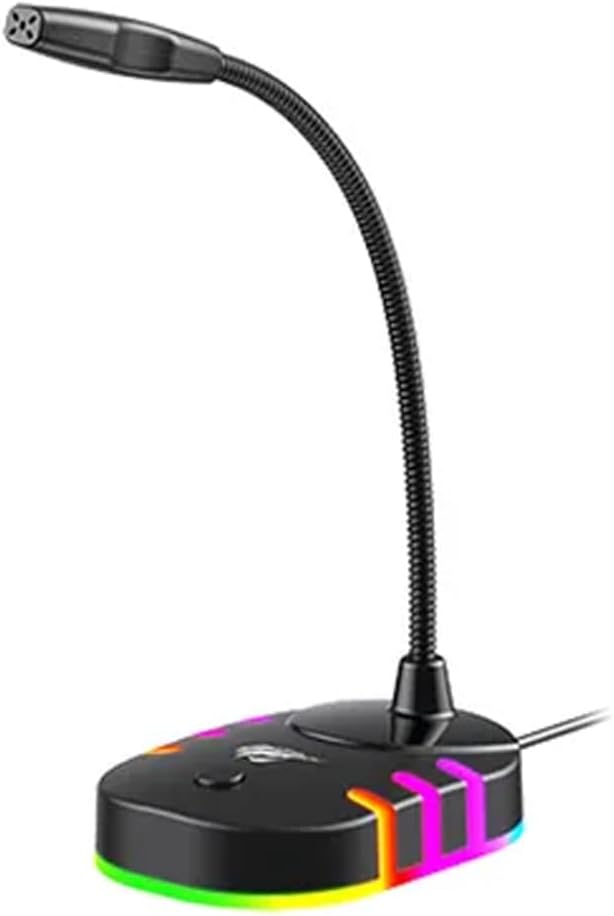
Vaizdas: Priekinė pusė view of the havit GK58B USB Gaming Microphone, showing the gooseneck and base with RGB lighting.
Naudojimo instrukcijos
- Microphone Activation: Once connected and selected as the default input device, the microphone is ready for use. The RGB lighting on the base will illuminate, indicating it is powered on.
- Garso reguliavimas: Microphone input volume can be adjusted through your computer's sound settings or within the specific application you are using (e.g., game chat, communication software).
- Įvairios krypties paėmimas: The GK58B features an omnidirectional polar pattern, meaning it picks up sound equally from all directions. This is suitable for capturing ambient sound or multiple speakers around the microphone. For best voice clarity, speak directly towards the microphone head.
- RGB apšvietimo valdymas: The microphone base features RGB lighting. While specific controls are not detailed, typically these lights cycle automatically or can be toggled via a button on the base if present. Refer to the product's physical buttons for any lighting control options.
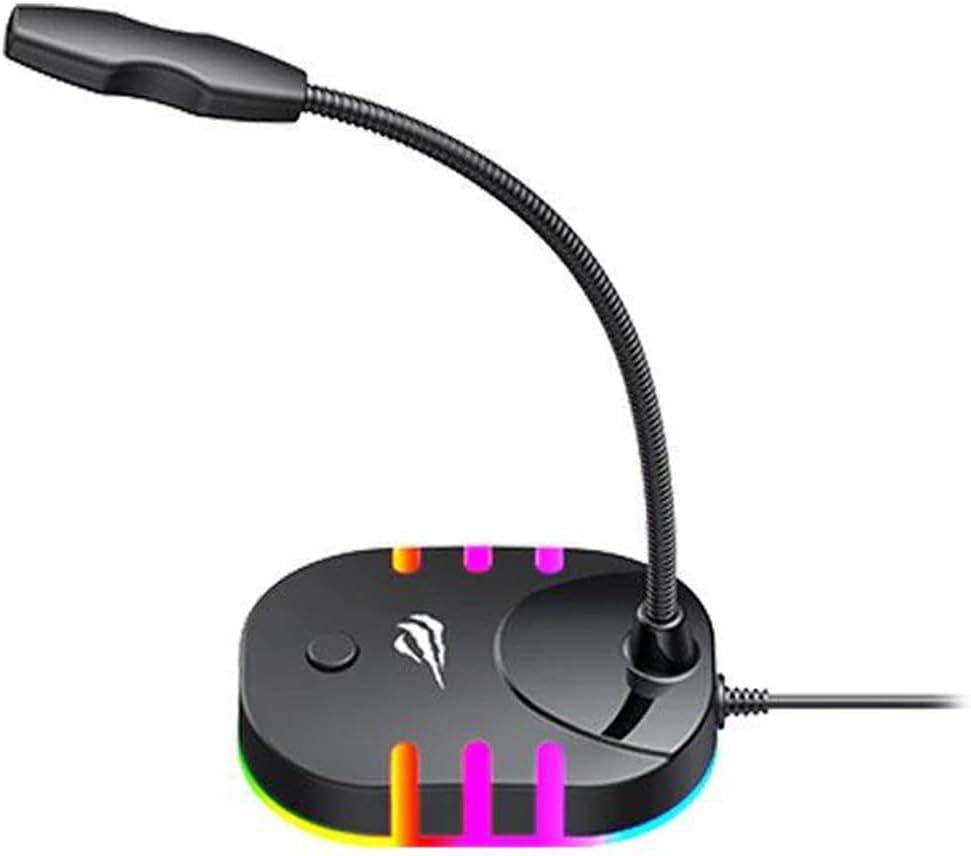
Image: Back-side view of the havit GK58B USB Gaming Microphone, showing the USB cable connection point and the base with RGB lighting.
Priežiūra
- Valymas: Use a soft, dry cloth to wipe the microphone and its base. Avoid using liquid cleaners or abrasive materials, as these can damage the device.
- Saugykla: When not in use, store the microphone in a clean, dry environment away from direct sunlight and extreme temperatures.
- Kabelio priežiūra: Nelenkite ir nespauskite USB laido per daug. Atjungdami visada laikykite už kištuko, o ne už laido.
Trikčių šalinimas
| Problema | Galima priežastis | Sprendimas |
|---|---|---|
| Microphone not detected / No sound input |
|
|
| Žemas mikrofono garsumas |
|
|
| RGB apšvietimas neveikia |
|
|
Specifikacijos
| Modelio pavadinimas | GK58B |
| Ryšio technologija | USB |
| Jungties tipas | A tipo USB |
| Polinis raštas | Visakryptis |
| Jautrumas | -36 ± 3dB |
| Varža | 2.2kΩ |
| Dažnio atsakas | 30Hz – 16kHz |
| Kabelio ilgis | 1.5 m |
| Veiklos ttage | 5.0 V |
| Veikimo srovė | 90 mA |
| Mikrofono matmenys | φ6 * 5 mm |
| Gaminio matmenys | 7.5 x 13 x 11 cm |
| Prekės svoris | 2 g |
| Suderinami įrenginiai | Nešiojamasis kompiuteris, asmeninis kompiuteris |
| Ypatinga funkcija | Stand, RGB Lighting |
Garantija ir palaikymas
Dėl garantijos informacijos ir techninės pagalbos kreipkitės į oficialią „Havit“ svetainę. websvetainėje arba susisiekite su vietiniu pardavėju. Išsaugokite pirkimo kvitą, jei prireiktų pateikti pretenziją dėl garantijos.
Gamintojas: Havit


