
USHINING M2302
USHINING 2g Senior Mobile Phone User Manual
Modelis: M2302
1. Įvadas
Thank you for choosing the USHINING 2g Senior Mobile Phone. This device is specifically designed with ease of use in mind, featuring large buttons, a clear display, and essential functions to provide reliable communication for seniors. This manual will guide you through the setup, operation, and maintenance of your new phone.

The USHINING senior phone is designed for straightforward use by the elderly.
2. Saugos informacija
Please read this section carefully before using your phone to ensure safe and proper operation. Keep this manual for future reference.
- Do not attempt to disassemble or modify the phone. This can cause damage and void the warranty.
- Use only original or approved batteries and chargers. Unapproved accessories may cause fire, explosion, or other hazards.
- Laikykite telefoną atokiau nuo vandens ir drėgmės.
- Venkite telefono laikymo ekstremaliose temperatūrose.
- Do not use the phone while driving or in situations where it could distract you.
- Telefoną ir bateriją utilizuokite atsakingai, laikydamiesi vietinių taisyklių.
3. Pakuotės turinys
Patikrinkite pakuotę, ar joje yra šie daiktai:
- USHINING 2g Senior Mobile Phone
- Įkrovimo dokas
- Maitinimo adapteris
- USB kabelis
- Įkraunama ličio polimerų baterija
- Virvelė
- Vartotojo vadovas

The package includes the USHINING senior phone, a charging adapter, a USB cable, a charging dock, a lanyard, a battery, and the user manual.
4. Produktas baigtasview
Familiarize yourself with the phone's physical features and design.

The USHINING 2g Senior Mobile Phone, shown here in its dedicated charging dock, features a large display and clearly visible buttons, designed for ease of use.

Designed specifically for the elderly, the phone features large, easy-to-press buttons and large, clear fonts on the display for effortless dialing and navigation.
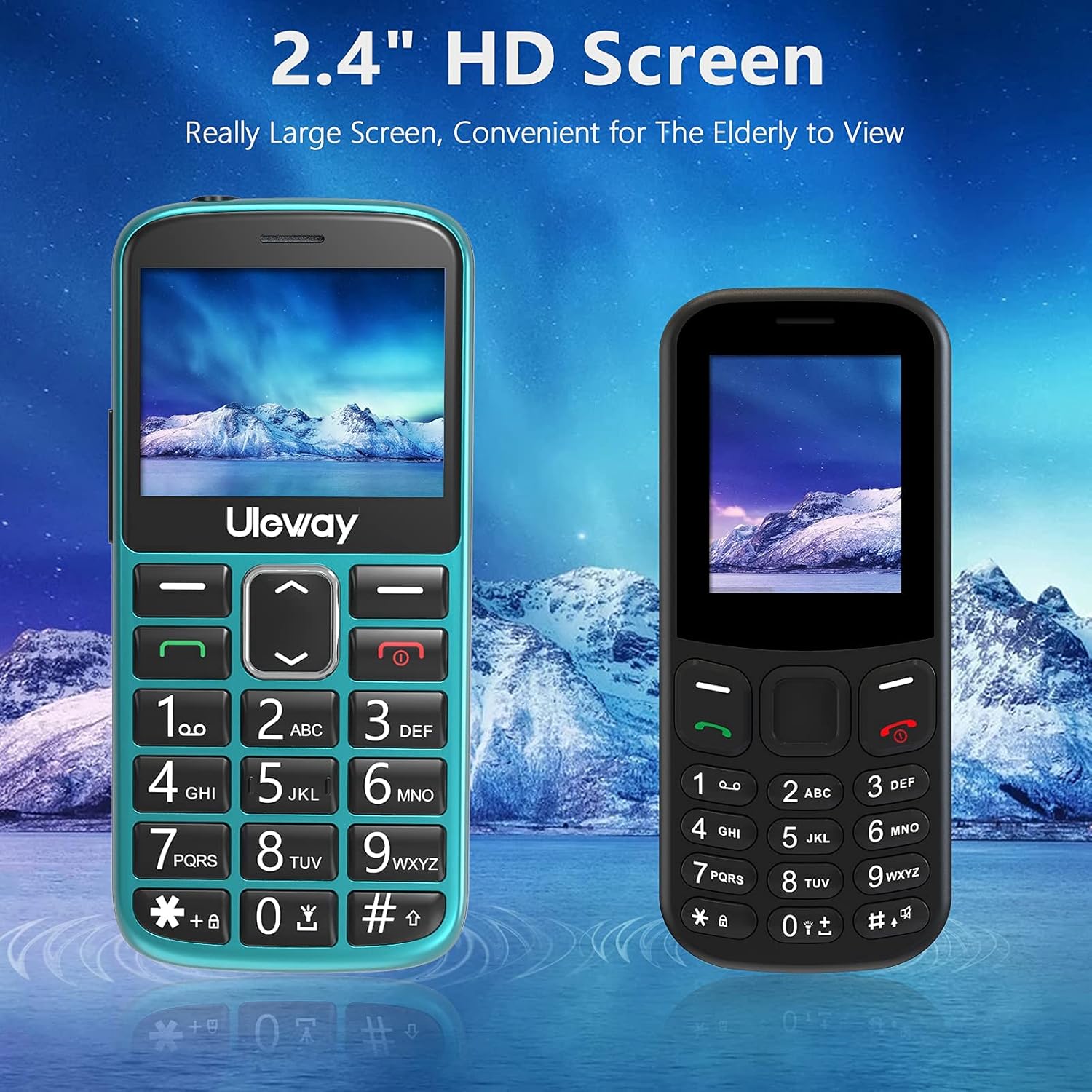
Equipped with a 2.4-inch HD screen, this phone offers a significantly larger and clearer display compared to standard smaller screens, enhancing readability for elderly users.

The phone offers high volume output and is Hearing Aid Compatible (HAC), ensuring clear communication for users with hearing aids.
5. Sąranka
5.1. SIM kortelių ir „Micro SD“ kortelių įdėjimas
The phone supports dual standard SIM cards and one Micro SD card (up to 32GB). Ensure the phone is powered off before inserting or removing cards.
- Nuimkite galinį telefono dangtelį.
- Atsargiai išimkite bateriją.
- Insert the SIM cards into the designated SIM card slots (Card Slot 1 and Card Slot 2) with the gold contacts facing down.
- If desired, insert a Micro SD card into the Micro SD card slot.
- Įdėkite bateriją atgal ir uždėkite galinį dangtelį.

The phone supports dual standard SIM cards and a Micro SD card (up to 32GB) for expanded storage. SIM and SD cards are not included.
5.2. Baterijos įdėjimas ir pradinis įkrovimas
Your phone comes with a rechargeable Lithium-Polymer battery. For optimal performance, fully charge the battery before first use.
- Ensure the battery is correctly installed as described in section 5.1.
- Connect the USB cable to the power adapter and then to the charging dock.
- Įkiškite maitinimo adapterį į sieninį lizdą.
- Place the phone into the charging dock. The phone will indicate that it is charging.
- Allow the phone to charge until the battery indicator shows a full charge. This may take several hours for the first charge.
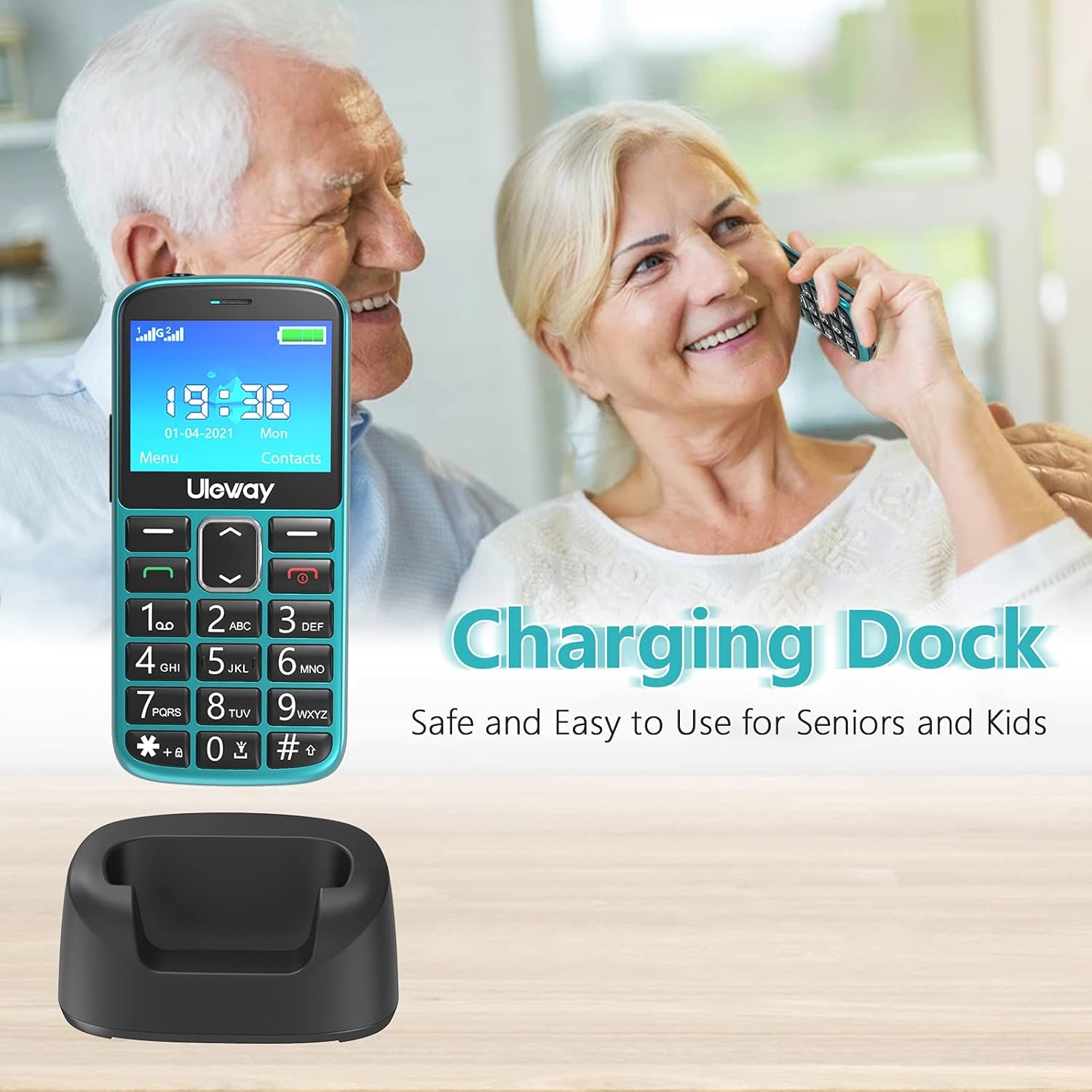
The included charging dock provides a stable and convenient way to charge the phone, making it easy for seniors to keep their device powered.

The USHINING senior phone is powered by a 1000 mAh large capacity battery, providing extended standby time and reliable performance.
6. Naudojimo instrukcijos
6.1. Įjungimas/išjungimas
- Norėdami įjungti: Paspauskite ir palaikykite raudoną skambučio baigimo / maitinimo mygtuką (✖), kol ekranas įsijungs.
- Norėdami išjungti: Paspauskite ir palaikykite raudoną skambučio baigimo / maitinimo mygtuką (✖) until the power off options appear, then confirm.
6.2. Skambinimas ir skambučių priėmimas
- Norėdami paskambinti: Dial the number using the large keypad buttons and press the green Call button (✓).
- Norėdami atsiliepti į skambutį: Press the green Call button (✓) when the phone rings.
- Norėdami baigti skambutį: Paspauskite raudoną mygtuką „Baigti skambutį / Maitinimas“ (✖).
- Greitasis rinkimas: Long press a number key (2-9) to dial a pre-set contact.
6.3. SOS avarinė funkcija
The SOS button is located on the back of the phone and is designed for quick access to emergency contacts.
- SOS kontaktų nustatymas: Eikite į Nustatymai > SOS nustatymai to add up to 5 emergency contact numbers.
- Naudojant SOS: In an emergency, press and hold the SOS button on the back of the phone for 3-5 seconds. The phone will automatically dial the pre-set emergency numbers in sequence until one is answered. It will also send an emergency SMS to these contacts.

The dedicated SOS button on the back of the phone allows for quick emergency calls to up to five pre-set contacts, including family members or medical professionals.
6.4. Žibintuvėlis
The phone features a built-in flashlight for convenience.
- Norėdami įjungti / išjungti: Long press the '0' key on the keypad to activate or deactivate the flashlight.

A built-in highlight flashlight provides convenient illumination, activated by a dedicated button for easy access in low-light conditions.
6.5. Menu Navigation and Functions
Use the navigation keys (up, down, left, right) and the OK/Select button to navigate through the phone's menu.

The phone's user interface is designed for simplicity, featuring large icons for Contacts, Multimedia, Camera, My Files, Call Logs, Settings, Tools, and Alarm.
Pagrindinės funkcijos:
- Kontaktai: Store and manage phone numbers.
- Skambučių žurnalai: View missed, dialed, and received calls.
- Žinutės: Send and receive SMS text messages.
- Kamera: Fotografuokite.
- Multimedija: Access FM radio, MP3 player, and video player.
- Įrankiai: Includes features like Calculator, Calendar, and Alarm.
- Nustatymai: Customize phone settings such as display, sound, and network.

Beyond basic calling, the phone includes useful features such as a camera, FM radio, calculator, Bluetooth connectivity, calendar, and an alarm clock.
6.6. Garso reguliavimas
During a call, use the dedicated volume buttons on the side of the phone to adjust the earpiece volume. Ringer volume can be adjusted in the Sound settings menu.
7. Priežiūra
- Valymas: Telefono paviršių valykite minkšta, sausa šluoste. Venkite naudoti skystus valiklius ar aerozolius.
- Akumuliatoriaus priežiūra: To prolong battery life, avoid fully discharging the battery frequently. Charge the phone regularly, especially if it will not be used for an extended period.
- Saugykla: Telefoną laikykite vėsioje, sausoje vietoje, toliau nuo tiesioginių saulės spindulių ir ekstremalių temperatūrų.
8. Problemų sprendimas
If you encounter issues with your phone, please refer to the following common problems and solutions:
| Problema | Galimas sprendimas |
|---|---|
| Telefonas neįsijungia | Įsitikinkite, kad akumuliatorius tinkamai įdėtas ir įkrautas. Pabandykite įkrauti telefoną bent 30 minučių. |
| Negalima skambinti arba priimti skambučių | Check if SIM card(s) are properly inserted. Ensure you have network signal. Contact your mobile carrier if the issue persists. |
| Prasta skambučio kokybė | Move to an area with better network coverage. Ensure the earpiece/speaker is not obstructed. Adjust call volume. |
| Baterija greitai išsikrauna | Sumažinkite ekrano ryškumą. Uždarykite nenaudojamas programas. Apribokite foninių duomenų naudojimą. |
| SOS funkcija neveikia | Verify that SOS contacts are correctly set up in the settings. Ensure the phone has network signal. |
9. Specifikacijos
| Funkcija | Detalė |
|---|---|
| Modelio numeris | M2302 |
| Operacinė sistema | Branduolio OS |
| Ekrano dydis | 2.4 colio (6.1 cm) |
| Baterijos talpa | 1000 mAh ličio polimeras |
| Pokalbių laikas | Maždaug 5 val |
| Budėjimo laikas | Maždaug 240 val |
| Vidinė saugykla | 32 GB (likely refers to max SD card support, as internal storage for feature phones is minimal) |
| Išplečiama saugykla | Micro SD kortelė iki 32 GB |
| Tinklo technologija | 2G (GSM) |
| SIM kortelių lizdai | Dual-SIM (Standard SIM) |
| Matmenys | 12 x 5.5 x 1.5 cm |
| Svoris | 260 gramų |
| Spalva | Žalia |
10. Garantija ir palaikymas
Your USHINING 2g Senior Mobile Phone is covered by a manufacturer's warranty. Please refer to the warranty card included in your package for specific terms and conditions. For technical support, troubleshooting assistance, or warranty claims, please contact USHINING customer service through the retailer where you purchased the product or visit the official USHINING websvetainė kontaktinei informacijai.
Ask a question about this manual
Ask about setup, troubleshooting, compatibility, parts, safety, or missing instructions. Manuals+ will review the question and use this page’s manual context to help answer it.