
1. Įvadas
This manual provides essential information for the proper installation, operation, and maintenance of your BROSE Display Unit Remote, model BRO-E41227-101. Please read this manual thoroughly before using the device to ensure safe and efficient operation. Keep this manual for future reference.
2. Saugos informacija
- Always ensure the device is securely mounted before operation.
- Nelaikykite prietaiso itin aukštose temperatūrose, tiesioginiuose saulės spinduliuose ilgą laiką arba per didelėje drėgmėje.
- Avoid disassembling the unit. Repairs should only be performed by qualified personnel.
- Use only the specified battery type (12V) and ensure correct polarity during installation.
- Laikyti vaikams nepasiekiamoje vietoje.
3. Pakuotės turinys
Patikrinkite, ar pakuotėje yra visi reikalingi daiktai:
- BROSE Display Unit Remote (Model: BRO-E41227-101)
- Montavimo įranga (jei taikoma)
- Vartotojo vadovas
Pastaba: Baterijos neįskaičiuotos ir turi būti įsigytos atskirai.
4. Sąranka
4.1 Akumuliatoriaus įdėjimas
- Locate the battery compartment on the rear or side of the display unit.
- Atidarykite akumuliatoriaus skyriaus dangtelį.
- Insert one 12V battery, ensuring the correct positive (+) and negative (-) polarity as indicated inside the compartment.
- Saugiai uždarykite akumuliatoriaus skyriaus dangtelį.
4.2 Ekrano bloko montavimas
The BROSE Display Unit Remote is designed for easy integration. Follow these general steps for mounting:
- Choose a suitable location for mounting, typically on handlebars or a control panel, ensuring clear visibility and easy access.
- Use the provided mounting hardware to secure the unit. Do not overtighten screws.
- Ensure all cables (if applicable) are routed safely and do not interfere with moving parts.
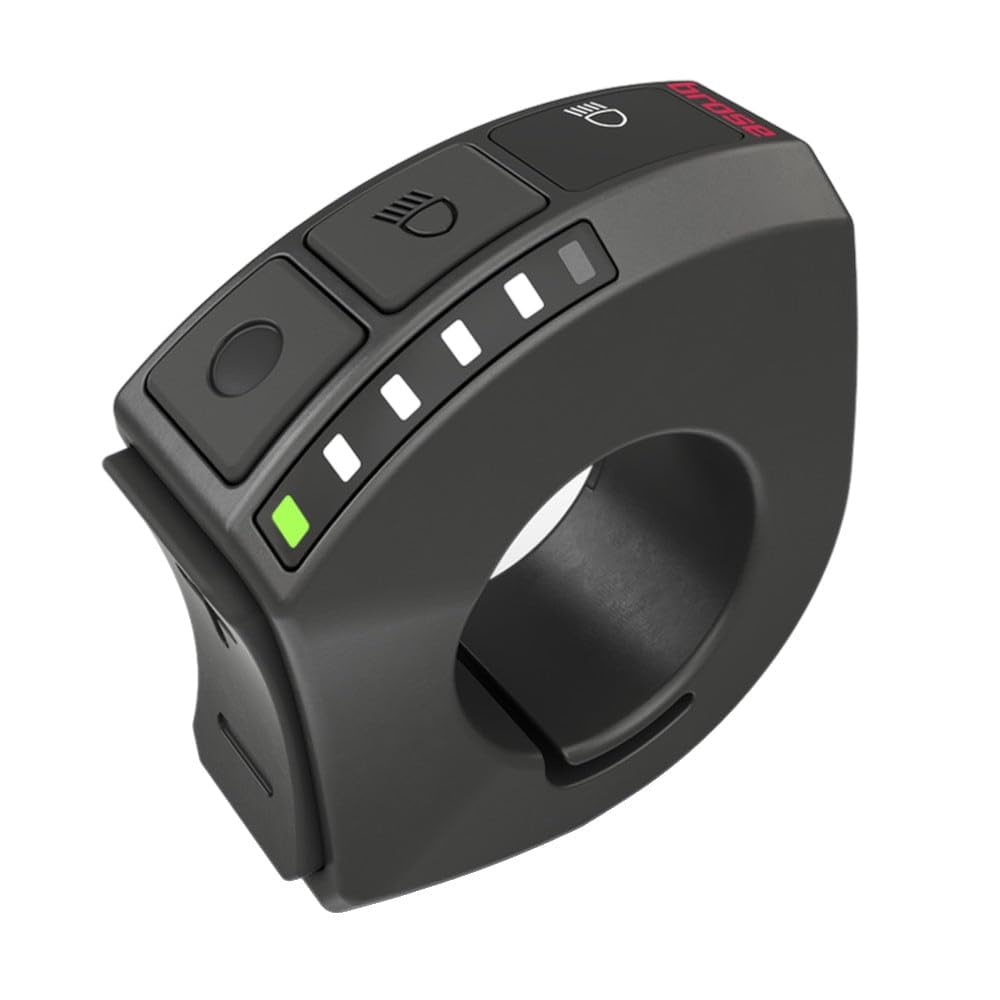
Image 1: BROSE Display Unit Remote e41227. This image shows the compact design of the display unit, typically used for controlling e-bike functions or similar applications.
5. Naudojimo instrukcijos
5.1 Įjungimas / išjungimas
- To power on: Press and hold the power button (usually marked with a ⑁ symbol) for approximately 3 seconds. The display will illuminate.
- To power off: Press and hold the power button again for approximately 3 seconds until the display turns off.
5.2 Ekrano funkcijos
The display unit typically shows various information depending on its connection and mode. Common indicators include:
- Baterijos lygio indikatorius
- Current speed/mode
- Assistance level (if connected to an e-bike system)
- Trip distance/total distance
5.3 Režimo pasirinkimas
Use the designated mode buttons (often marked with '+' and '-' or arrows) to cycle through different display modes or adjust settings. Refer to the specific system it is connected to for detailed mode functionalities.
6. Priežiūra
- Valymas: Naudokite minkštą, damp cloth to clean the display unit. Do not use abrasive cleaners or solvents.
- Baterijos keitimas: Replace the 12V battery when the low battery indicator appears on the display. Ensure proper disposal of old batteries according to local regulations.
- Saugykla: Jei įrenginį ilgesnį laiką laikysite, išimkite bateriją, kad išvengtumėte pratekėjimo. Laikykite vėsioje, sausoje vietoje.
7. Problemų sprendimas
| Problema | Galima priežastis | Sprendimas |
|---|---|---|
| Ekranas neįsijungia. | Neveikianti arba neteisingai įdėta baterija. | Patikrinkite baterijų poliškumą arba pakeiskite jas nauja 12 V baterija. |
| Display shows incorrect information. | Loose connection or system error. | Ensure all connections are secure. Power cycle the device. If problem persists, consult the manual of the connected system. |
| Mygtukai nereaguoja. | Programinės įrangos triktis arba fizinė žala. | Remove and reinsert the battery. If still unresponsive, contact support. |
8. Specifikacijos
- Modelis: BRO-E41227-101
- Prekinis ženklas: BROSE
- Maitinimo šaltinis: 1 x 12 V baterija (nepridedama)
- Apytiksliai matmenys (pakuotės): 1 x 1 x 1 cm
- Approximate Weight (Package): 1 gramai
- Pagrindinė medžiaga: Not specified (typically durable plastic)
9. Garantija ir palaikymas
BROSE products are manufactured to high-quality standards. For information regarding warranty coverage, technical support, or service, please refer to the warranty card included with your purchase or visit the official BROSE website. Please have your model number (BRO-E41227-101) and proof of purchase ready when contacting support.